• $89.99
  • Free 30-day Returns
  • Sold by Direct from manufacturerVIVO
    Top Rated
    4.7 (2,010 seller ratings)

    Shipped by Direct from manufacturerVIVO

    Price alert
    Shop it at NeweggBusiness.

    Meet Your Seller

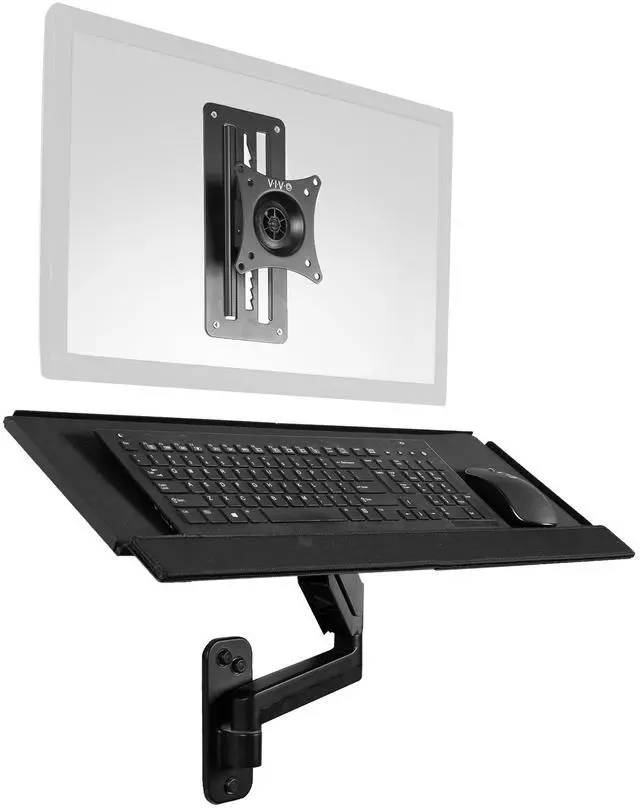
    VIVO Sit-Stand Dual Monitor and Keyboard Tray Combo Height Adjustable Wall Mount

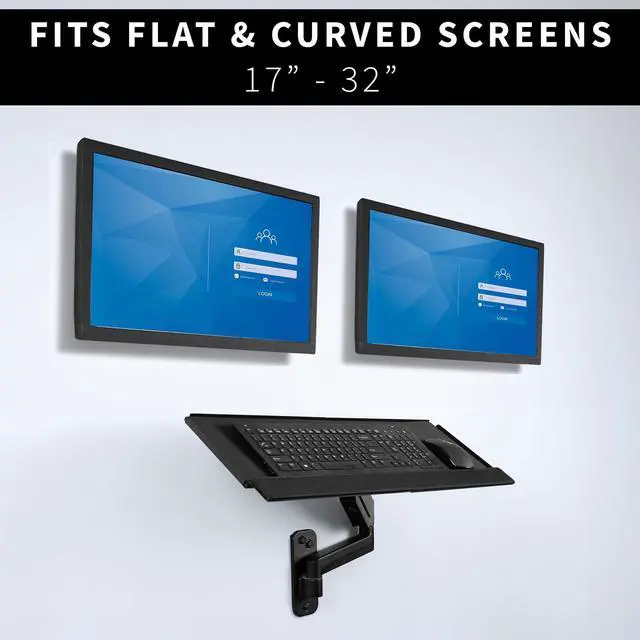
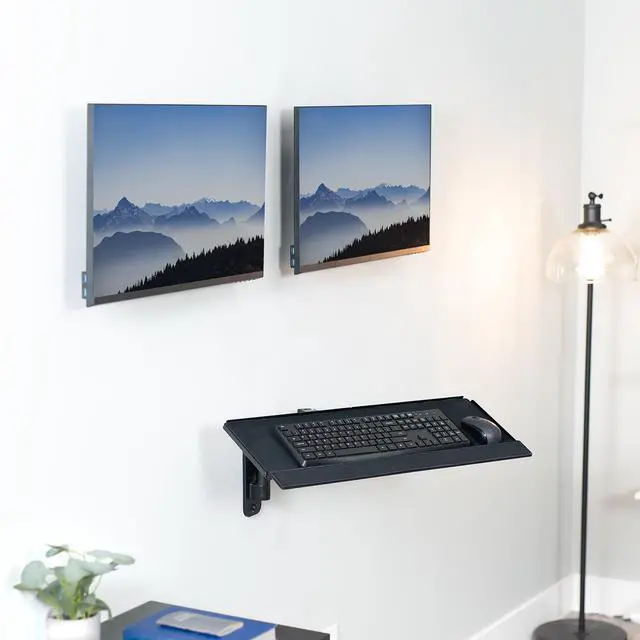
    • Fits 17 to 32 Screens: Create your own wall-mounted workstation with this dual monitor wall mount and pneumatic keyboard tray combo. Features 2 mounts for 17 to 32 mounts up to 17.6 lbs with VESA mounting patterns of 75x75mm or 100x100mm
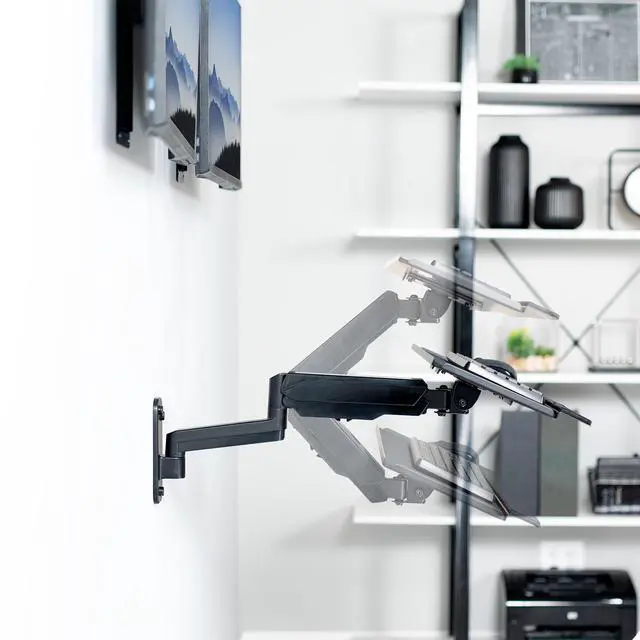
    • Height Adjustment: Adjust your screens or tray height using the sliding mechanisms (monitor mount) and pneumatic spring arm (keyboard mount) technology to accommodate any position
    • Articulation: Experience perfect viewing angles on your monitors with +10° to -10° tilt, 20° swivel, and 360° rotation. The pneumatic arm keyboard tray provides comfortable typing angles
    • Low Profile: The monitor mounts sit only 2 from the wall, while the keyboard tray can be folded up to save space and make hassle-free storage, positioned only 4.5 from the wall surface
    +
    +
    Overview
    Specs
    Reviews
    See all Q & A

    Any questions? Ask CelesteSM will help you find out quickly.

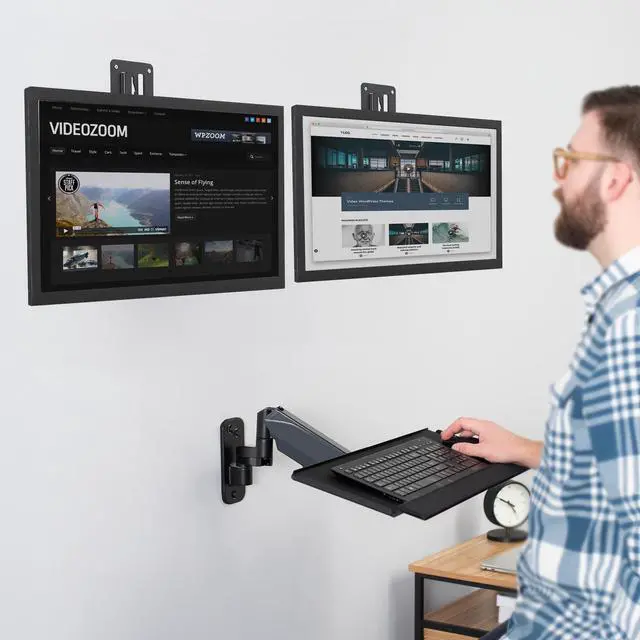
    Experience your own wall-mounted sit-stand workstation with the Dual Monitor Wall Mounts + Keyboard Tray Wall Mount (MOUNT-VWKB2) from VIVO! Designed to make your work experience more convenient and ergonomic, this combo allows comfortable viewing and typing angles throughout the day. Our wall mounting station allows you to switch to any position easily with its monitor sliding mechanisms and counterbalance tray adjustability. Swivel, tilt, rotation, and height adjustment help you maintain comfort and variety in your posture. Compatible with most 17" to 32" monitors with standard VESA 75x75mm or 100x100mm hole patterns, this product combo is easy to install with all instructions and hardware provided.

    Compatibility

    • Screen Sizes: 17" to 32" (2 mounts included)
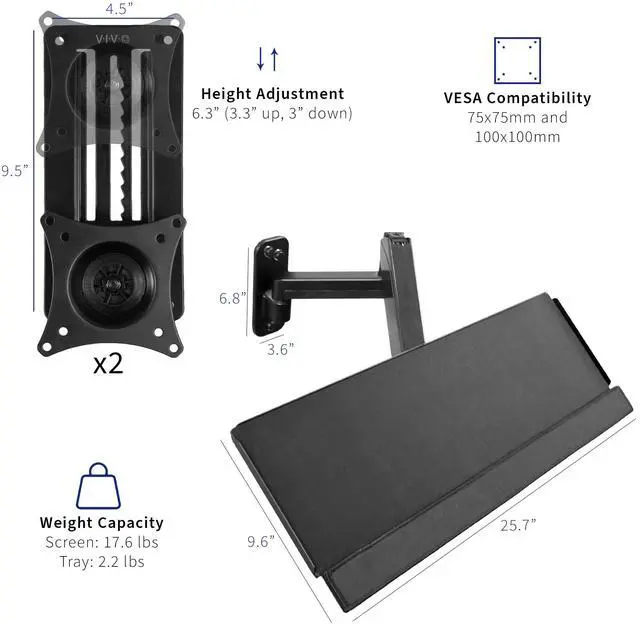
    • VESA Standard: 75x75mm and 100x100mm
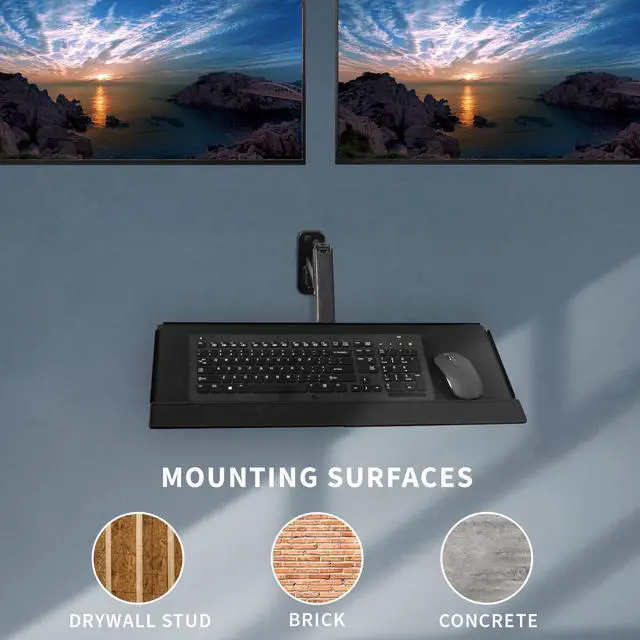
    • Mounting Options: Wood Stud Installation, Brick/Concrete Installation
    • Weight Capacity for Monitor Mount: 17.6 lbs per screen
    • Weight Capacity for Keyboard Tray: 2.2 lbs

    Specifications

    Dual Monitor Wall Mounts

    • Color: Black
    • Material: Steel
    • Bracket Dimensions: 4.5"L x 2"D x 9.5"H (each)
    • Screen Articulation: +10° to -10° tilt, 20° swivel, 360° rotation
    • Height Adjustment: 6.3" (3.3" up and 3" down from center)
    • Profile (Distance from Wall): 2"
    • Screen Placement: Portrait or Landscape Orientation

    Pneumatic Arm Keyboard Tray

    • Color: Black
    • Material: Steel, Plastic, Foam
    • Tray Dimensions: 25.7" x 9.6"
    • Mounting Base Dimensions: 3.6" x 6.8"
    • Maximum Extension: 25"
    • Pneumatic Height Adjustment: 13"
    • Articulation: +5° to -20° tilt, 180° swivel
    • Profile (Folded): 4.5"

    Warranty & Returns

    Warranty, Returns, And Additional Information

    Warranty

    • Please contact the Seller directly for warranty information. Warranty information may also be found on the Manufacturer's website.
    • CONTACT

    Return Policies

    • Return for refund within: 30 days
    • Return for replacement within: 30 days
    • This item is covered by VIVO Return Policy

    Manufacturer Contact Info

    LOADING...

    The VIVO MOUNT-VWKB2 is a wall-mounted sit-stand workstation combo with adjustable mounts for two 17–32-inch monitors and a pneumatic keyboard tray, suited to home or office users who want flexible screen and typing positions.

    Recommended For

    • Small home-office or workstation users who need to reclaim desk or floor space: the wall-mounted monitors and fold-up keyboard tray provide a compact sit-stand setup without a conventional desk surface.
    • People who alternate between sitting and standing while working at two monitors, such as users handling documents on one screen and calls or reference material on another; the tray adjusts separately from the monitors.
    • Users building a fixed workstation in a location with a suitable wood-stud or brick/concrete wall who want to mount two compatible monitors and a keyboard tray together.
    • People who want the keyboard tray to fold close to the wall when the workstation is not in use, such as in a multipurpose room where keeping the work area clear matters.

    Real-World Use Scenarios

    • In a compact home office without room for a full desk, mount two screens and a keyboard tray on the wall to create a computer workspace while keeping the floor and surrounding area more open.
    • For desk work that alternates between sitting and standing, reposition the keyboard tray and screens between tasks so the workstation can be used from different working heights.
    • When work involves several windows—such as writing while checking reference material or keeping a call visible beside a document—use the two screens to keep both views available at once.
    • In a shared or flexible-use room, adjust the screen and tray positions for the current user or task, then fold the keyboard tray toward the wall when the workstation is not in use.
    • For a workstation placed close to a wall, keep the monitors mounted near the surface and move the keyboard tray outward only while typing, helping limit how much the setup projects into the room.

    Spec Summary

    AttributeValue
    Best ForWall-mounted dual-monitor and keyboard workstation setups
    Mounting And MovementWall mount with articulating movement and up to 10° of tilt
    Design And MaterialsBlack rectangular design made from alloy steel
    Product Dimensions And Weight9.6 L × 25.7 W × 9.5 H inches; 15.7 pounds
    Model IdentifiersVIVO MOUNT-VWKB2

    Reference Q&A

    Q: Should I choose the VIVO MOUNT-VWKB2 or MOUNT-VWKB1 for two monitors?

    A: Choose the MOUNT-VWKB2 for a two-monitor wall workstation: it combines two monitor mounts with a pneumatic keyboard tray. The MOUNT-VWKB1 pairs the same style of keyboard tray with one monitor mount, making it the single-monitor option.

    Q: VIVO MOUNT-VWKB2 or MOUNT-VWKB1P: which gives me two monitors?

    A: Choose the MOUNT-VWKB2 when you want two monitor mounts and a keyboard tray. The MOUNT-VWKB1P is a single-monitor combo that adds a PC wall mount, so it suits a setup centered on one display and a wall-mounted PC.

    Q: How does the VIVO MOUNT-VWKB2 compare with the dual-monitor MOUNT-V002G?

    A: Choose the MOUNT-VWKB2 for a coordinated wall-mounted workstation that includes two monitor mounts and an adjustable keyboard tray. The MOUNT-V002G is a dual-monitor wall mount with articulating arms, so it is suited to setups focused on positioning two displays.

    Q: Should I get the VIVO MOUNT-VWKB2 or the desk-mounted STAND-V002K?

    A: Choose the MOUNT-VWKB2 for a wall-mounted setup with two monitors and a height-adjustable keyboard tray. Choose the STAND-V002K when you want two articulated monitor arms attached to a desk by a clamp or grommet mount.

    Q: Will this mount fit my monitors?

    A: It supports two monitors that are each 17–32 inches, weigh no more than 17.6 lb, and have a 75 × 75 mm or 100 × 100 mm VESA pattern. Check each monitor’s weight and mounting pattern before buying.

    Q: Can I use it for both sitting and standing work?

    A: Yes. The keyboard tray uses a pneumatic spring arm for height adjustment, and the monitors have sliding height adjustment. The product is designed for repositioning while working, but its listed information does not specify a total height range.

    Q: Does it fold away to save space?

    A: The keyboard tray folds upward and sits about 4.5 inches from the wall when folded. The monitor mounts sit about 2 inches from the wall, making the setup relatively low-profile when not in use.

    Q: What should I check before mounting it on my wall?

    A: This is a wall-mounted workstation, so confirm that your wall and mounting location can safely support the mount and the attached equipment. The provided product information does not specify compatible wall types or installation hardware; check the installation instructions before purchasing or installing.