




 here!
I’m your shopping assistant for PC builds, upgrades, and everything tech.
Got questions? Ask away!
Start a conversation
here!
I’m your shopping assistant for PC builds, upgrades, and everything tech.
Got questions? Ask away!
Start a conversation




Any questions? Ask CelesteSM will help you find out quickly.
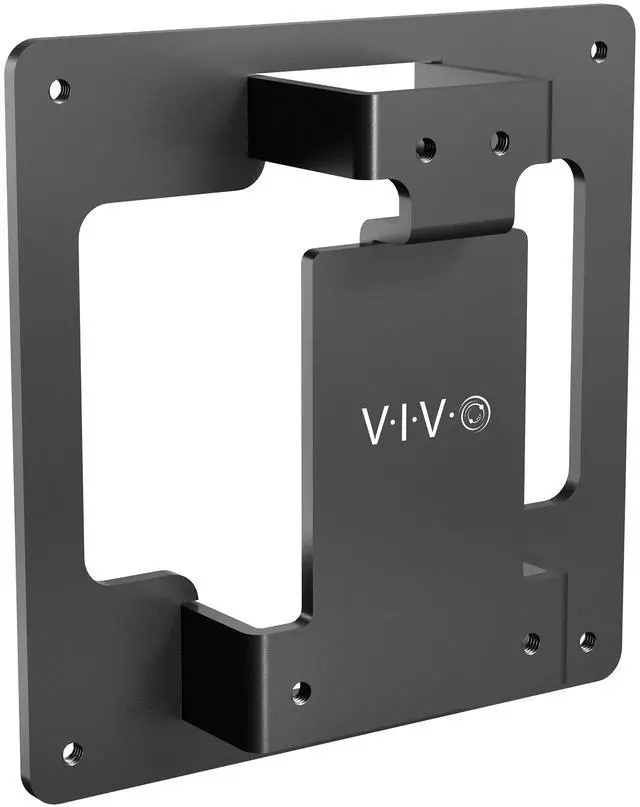
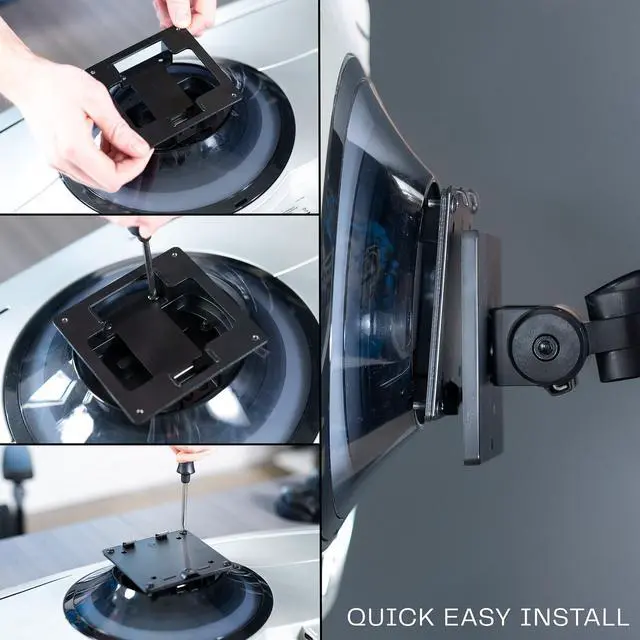
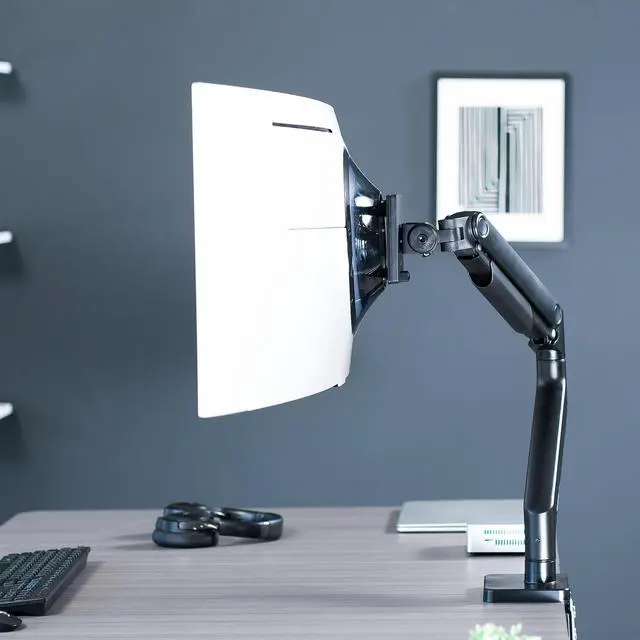
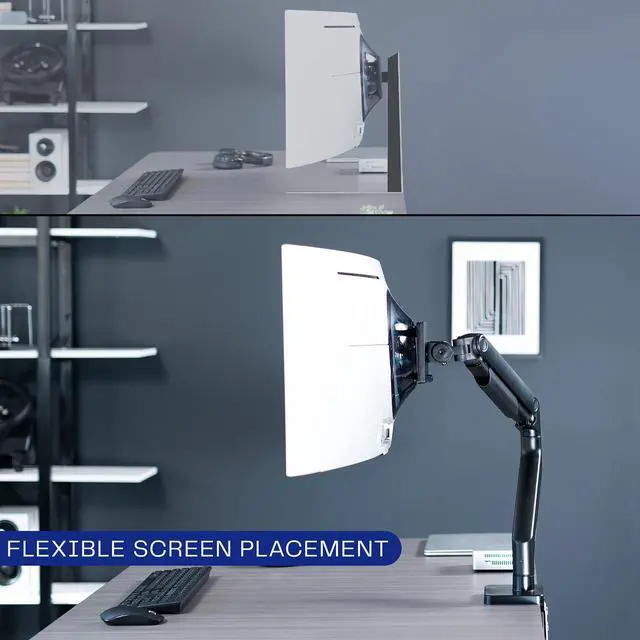
Mount your compatible Samsung monitor with our VESA adapter bracket (MOUNT-SG9C) from VIVO! Simply remove the existing base, and secure our bracket into place for screen mounting capabilities. This adapter is capable of fitting any VESA 100x100mm stand or wall mount. Both sturdy and low-profile, the bracket is constructed entirely of durable steel to keep your monitor safe and secure. We include the hardware to secure the bracket to a VESA mount for an enhanced workstation experience.
Compatibility
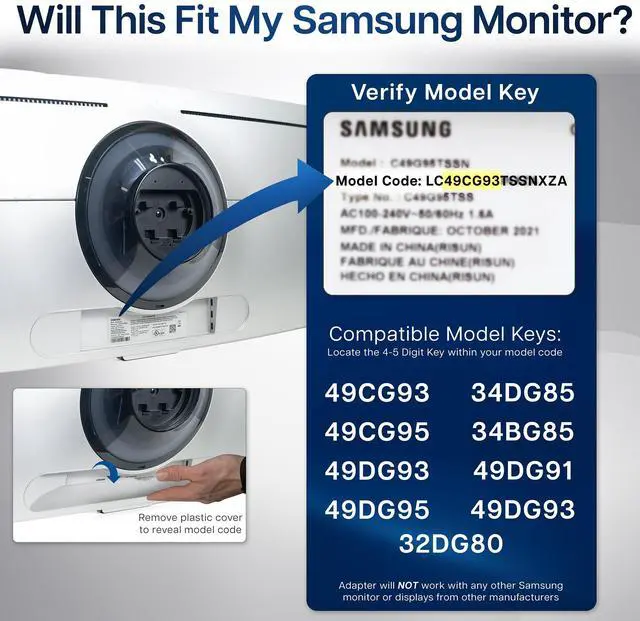
Fits Only the Following Samsung Models: LS49CG932SNXZA, LS49CG954SNXZA, LS49DG934SNXGO, LS49DG956SNXGO, LS34BG850SNXZA, LS49DG910SNXZA, LS49DG934SNXGO, LS32DG802SNXZA
VESA Compatible: 100x100mm
Specifications
Color: Black
Material: Steel
Bracket Dimensions: 4.5 x 1.4 x 4.5
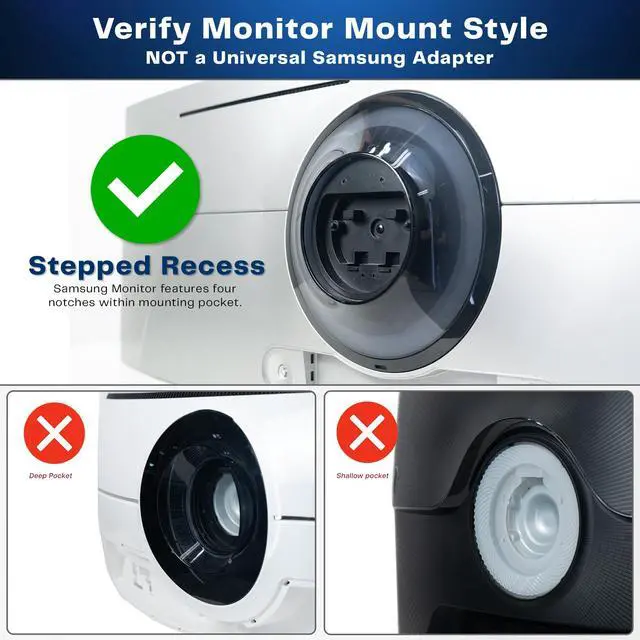
Profile: Depends on the opening depth of monitor mounting location
The VIVO VESA adapter lets owners of select Samsung Odyssey OLED G8 and G9 monitors attach their screen to a standard 100x100mm VESA-compatible stand or wall mount.
| Attribute | Value |
|---|---|
| Best For | Adapting compatible Samsung Odyssey OLED monitors for mounting on a VESA-compatible stand or wall mount |
| Mounting And Adjustability | Fixed VESA mount with no tilt adjustment |
| Construction And Design | Black adapter made of alloy steel, with stepped recesses |
| Product Dimensions | 4.5 × 1.4 × 4.5 inches |
| Package Details | One item; package measures 3.9116 × 12.192 × 15.7988 cm and weighs 0.308 kg |
| Model Identifiers | VIVO MOUNT-SG9C |
Q: VIVO MOUNT-SG9C vs. MOUNT-SG9: which fits an Odyssey OLED G9?
A: Choose the MOUNT-SG9C for the compatible OLED models listed for it, including LS49CG932SNXZA and LS49CG954SNXZA. VIVO lists the MOUNT-SG9 for other Odyssey G9 and Neo G9 models, and specifies that it is not compatible with OLED models. Both use a 100 × 100 mm VESA mounting pattern, so check the monitor’s exact model number before choosing.
Q: VIVO MOUNT-SG9C vs. the monitor’s stock stand: which should I use?
A: Use the stock stand for the monitor’s original stand setup. Choose the MOUNT-SG9C when you want to attach a compatible Samsung OLED G8 or G9 to a standard 100 × 100 mm VESA arm, stand, or wall mount. The adapter is steel and includes hardware for attaching it to a VESA mount.
Q: Does the same VIVO adapter fit a compatible OLED G8 and OLED G9?
A: The MOUNT-SG9C is listed for select OLED G8 and OLED G9 models. Choose it based on the monitor’s exact model number, not just its screen size or series name; VIVO publishes a specific compatibility list for the adapter.
Q: Will this adapter fit my Samsung Odyssey OLED monitor?
A: It is listed for select Odyssey OLED G8 and G9 models only. Check your monitor’s model number against the supported list before buying: LS49CG932SNXZA, LS49CG954SNXZA, LS49DG934SNXGO, LS49DG956SNXGO, LS34BG850SNXZA, LS49DG910SNXZA, or LS32DG802SNXZA. The listing repeats LS49DG934SNXGO.
Q: Can I use this adapter with a monitor arm or wall mount?
A: Yes, if your monitor is a listed compatible model and the arm or wall mount supports a 100 × 100 mm VESA pattern. Check that the mount’s weight capacity is suitable for your monitor; the product information does not specify a load rating for the adapter.
Q: Will the monitor sit flush against the mount with this adapter?
A: Not necessarily. The gap between the VESA plate and the back of the monitor varies by model, so the adapter may not sit equally close on every compatible screen.
Q: Is installation complicated?
A: The product listing describes installation as attaching the bracket to the compatible monitor with screws, then securing it to a VESA-compatible stand or wall mount. It does not provide an installation time estimate.
Q: Will this adapter fit my Samsung Odyssey OLED G8 or G9?
A: It is listed for select Odyssey OLED G8 and G9 models, not every monitor in those series. Check your monitor’s exact model number against the product’s compatibility list before buying; Reddit discussions note that similarly named Samsung models can use different adapters.
Q: Does this let me attach a compatible Samsung OLED monitor to a standard 100×100 VESA arm?
A: Yes. The product is designed to connect listed compatible monitors to a standard 100×100 mm VESA mount. Reddit users discussing Samsung G9 mounting also describe needing an adapter between the monitor and a VESA arm, so confirm both the monitor model and the arm’s mounting pattern.
Q: Is this a suitable replacement if my monitor’s VESA adapter is missing?
A: It may be, if your monitor’s exact model is on the compatibility list. Reddit posts describe owners looking for replacement adapters after theirs were missing or misplaced; do not assume an adapter for another G8 or G9 model will fit.
Q: Will there be a gap between the adapter and the back of my monitor?
A: The gap can vary by monitor model, according to the product information. A Reddit discussion about mounting a G9 also reports a visible gap, so a non-flush fit alone does not establish whether installation is incorrect; follow the adapter instructions and check that it is secured as intended.


