




 here!
I’m your shopping assistant for PC builds, upgrades, and everything tech.
Got questions? Ask away!
Start a conversation
here!
I’m your shopping assistant for PC builds, upgrades, and everything tech.
Got questions? Ask away!
Start a conversation



Any questions? Ask CelesteSM will help you find out quickly.
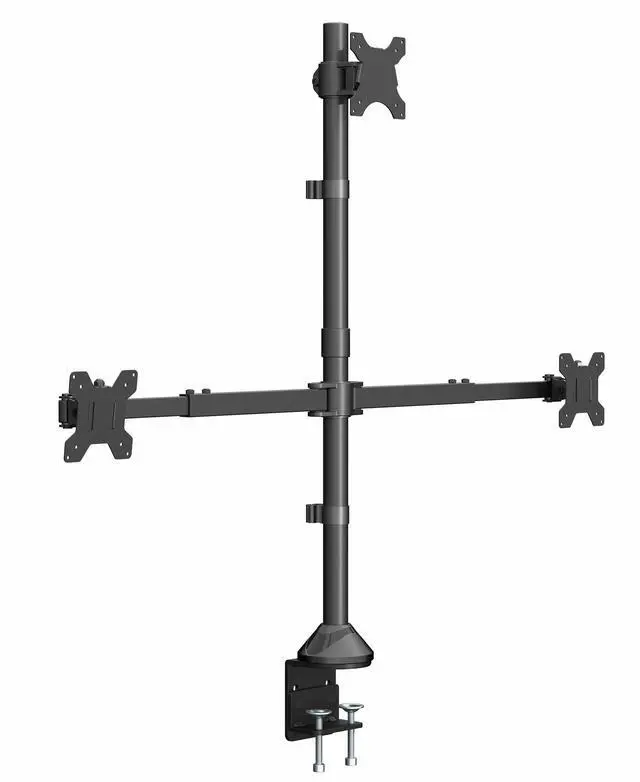
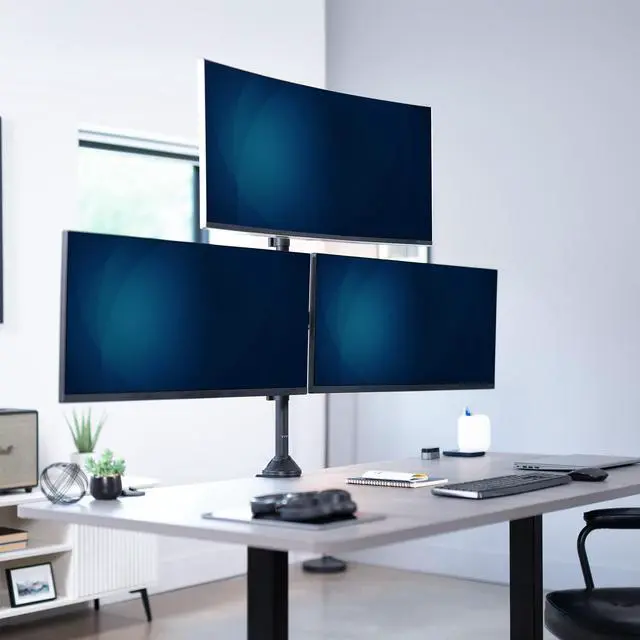
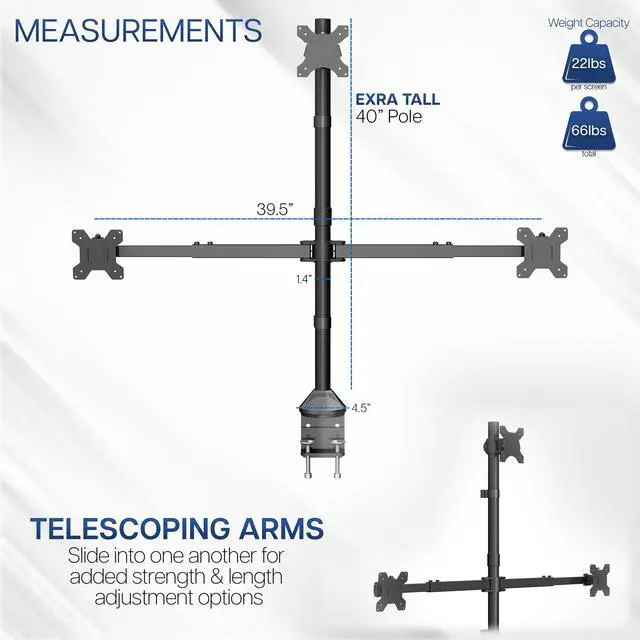
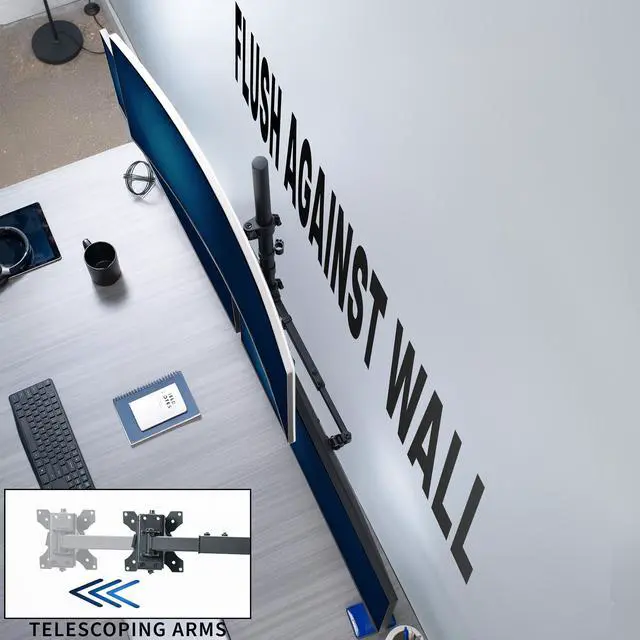
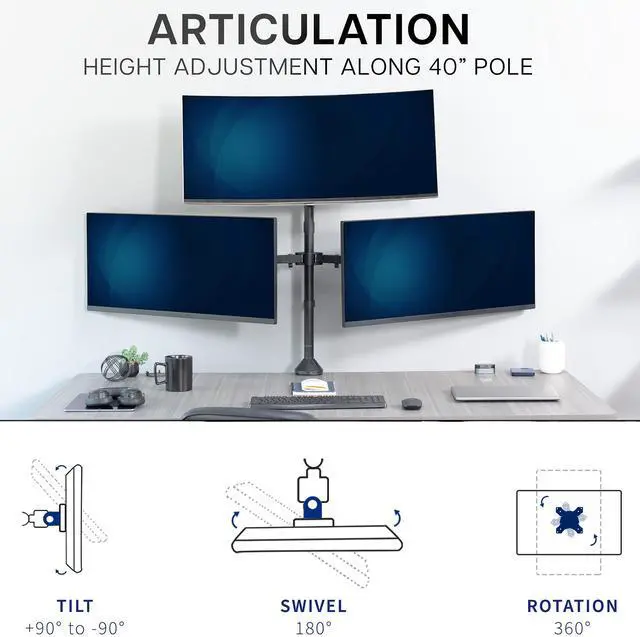
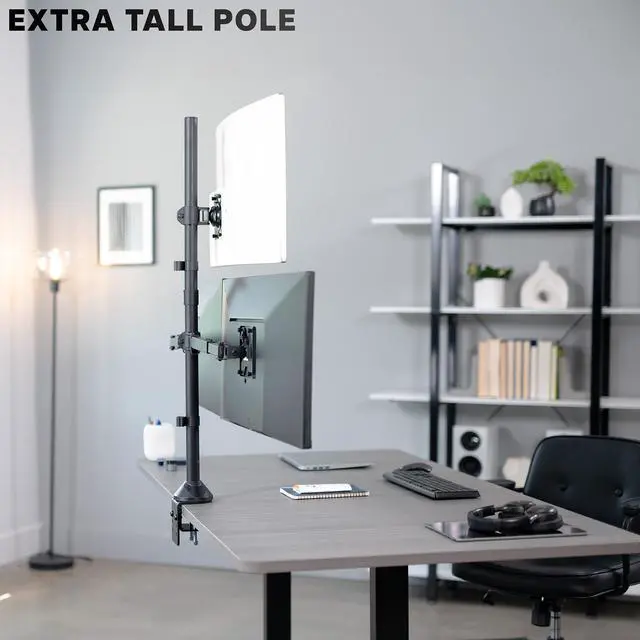
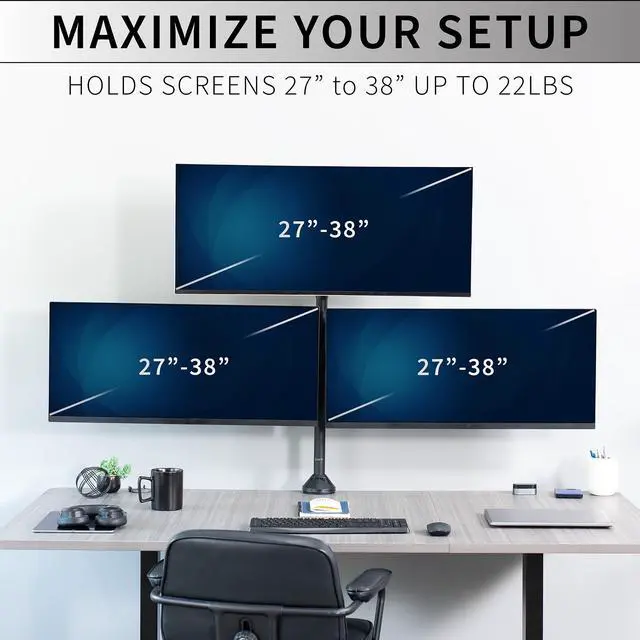
Enjoy a truly flush desk setup with the Telescoping Extra Tall Triple Ultrawide Monitor Desk Mount (STAND-TS3CT) from VIVO! Premium telescoping arms adjust in length to fit your monitors, accommodating 27 to 38 screens with ease. The adaptable nature allows for a snug side-by-side monitor positioning without fear of arms extending beyond the bounds of your desk, creating a setup thats flush with the wall. The heavy-duty arms overlap and feature fewer joints than typical mounts, which creates a stronger, more durable hold for 3 ultrawide monitors. Additional features include sleek cable management for an organized appearance, screen articulation for ergonomic viewing angles, and height adjustment for customized placement. All hardware and instructions are provided so you can get your new stand assembled in no time!
Compatibility:
Specifications:
The VIVO Telescoping Extra Tall Triple Ultrawide Desk Mount holds three 27–38-inch monitors weighing up to 22 lb each, making it suitable for users building a large multi-screen workstation with compatible 75x75mm or 100x100mm VESA displays.
| Attribute | Value |
|---|---|
| Best For | Desk setups using three 27–38-inch ultrawide monitors |
| Monitor Compatibility | Fits 27–38-inch monitors with 100 × 100 mm VESA holes and supports up to 22 lb per screen |
| Mounting And Movement | Tabletop desk mount with articulating movement and up to 90° tilt |
| Construction And Dimensions | Black steel and plastic construction; measures 39.5 × 39.5 × 40 inches and weighs 14.2 lb |
| Model Identifiers | VIVO model STAND-TS3CT |
Q: VIVO STAND-TS3CT vs. STAND-V103: which is a better fit for three 27–32-inch monitors?
A: Choose the STAND-TS3CT when you want an extra-tall, flush-to-wall arrangement: it has a 40-inch pole, telescoping arms, and support for 27–38-inch screens. The STAND-V103 is designed for three 23–32-inch screens in a side-by-side setup, with an 18.3-inch pole. Both support up to 22 lb per screen.
Q: Should I choose the VIVO STAND-TS3CT or STAND-V300U for three ultrawides?
A: Choose the STAND-TS3CT for three 27–38-inch ultrawides arranged side by side, with telescoping arms designed for a flush-to-wall desk layout. Choose the STAND-V300U for a vertical stack of three ultrawides; it supports screens up to 49 inches and up to 44 lb per screen.
Q: VIVO STAND-TS3CT vs. STAND-V300G: which offers more movement for three monitors?
A: Choose the STAND-TS3CT for three 27–38-inch ultrawides, an extra-tall 40-inch pole, and telescoping arms. Choose the STAND-V300G for up to three 32-inch screens when easy repositioning of the two side monitors is a priority; it has two pneumatic arms and a fixed center mount.
Q: Will this mount fit my three monitors?
A: It supports three monitors from 27 to 38 inches, each weighing no more than 22 lb and using a 75 × 75 mm or 100 × 100 mm VESA pattern. Check each monitor’s weight and VESA pattern before buying; also measure your screens and desk space to confirm the layout works.
Q: Can I use it for a stacked monitor setup?
A: Yes. The extra-tall center pole is designed to make room for a setup with one monitor above the others. Confirm that each screen is within the mount’s size, weight, and VESA limits, and that the screens have enough clearance in your intended arrangement.
Q: Is it suitable for three large ultrawide monitors?
A: It is rated for screens up to 38 inches and 22 lb each. Its telescoping arms adjust in length, but monitor size alone does not guarantee that three screens will fit side by side without overlap. Measure the monitors and check that their combined width works with your desk and the mount’s 24- to 39.5-inch bracket span.
Q: Can the monitors sit close to a wall?
A: The mount’s arms extend straight outward and are designed not to extend beyond the back edge of the desk, allowing a flush-to-wall arrangement. The actual clearance depends on your desk position and monitor depth.


