




 here!
I’m your shopping assistant for PC builds, upgrades, and everything tech.
Got questions? Ask away!
Start a conversation
here!
I’m your shopping assistant for PC builds, upgrades, and everything tech.
Got questions? Ask away!
Start a conversation




Any questions? Ask CelesteSM will help you find out quickly.
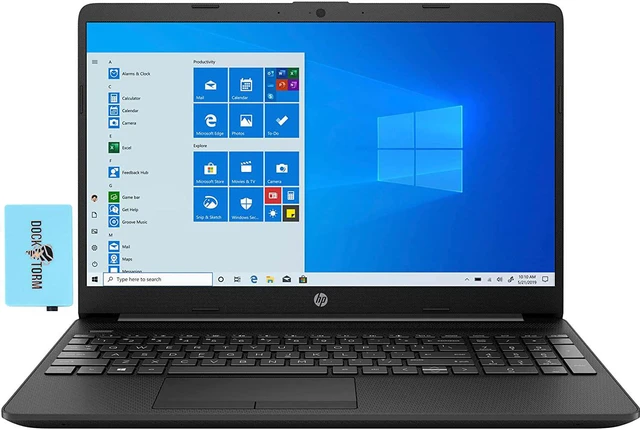
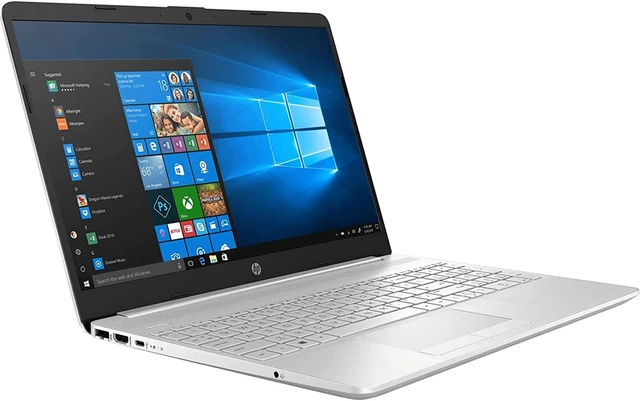
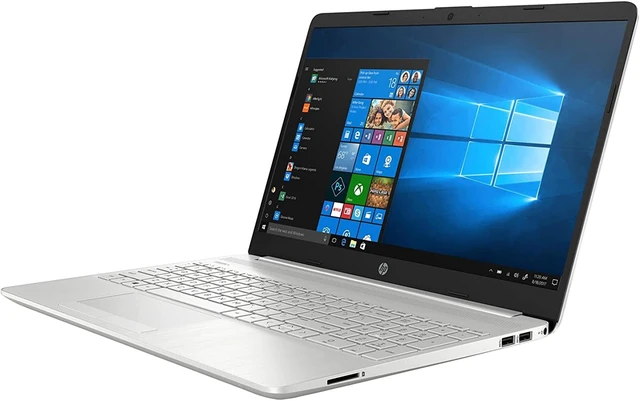
The HP 15t-dw300 is a 15.6-inch Windows 11 laptop with an Intel Core i5-1135G7, 8GB RAM, and a 256GB SSD, suited to everyday home, school, and business tasks such as web browsing, documents, and video calls.
| Attribute | Value |
|---|---|
| Best For | Business and everyday productivity, with a 4-core Intel Core i5 processor, 8 GB of memory, and 256 GB of SSD storage |
| Processor And Core Count | 11th Gen Intel Core i5-1135G7 quad-core processor, up to 4.2 GHz |
| GPU And Graphics | Integrated Intel Iris Xe graphics |
| Display Spec | 15.6-inch IPS LED display, 1920 × 1080 resolution, non-touch |
| Memory Configuration | 8 GB DDR4 memory at 2666 MHz; 2 available memory slots and up to 16 GB supported |
| Storage And Expansion | 256 GB PCIe NVMe SSD |
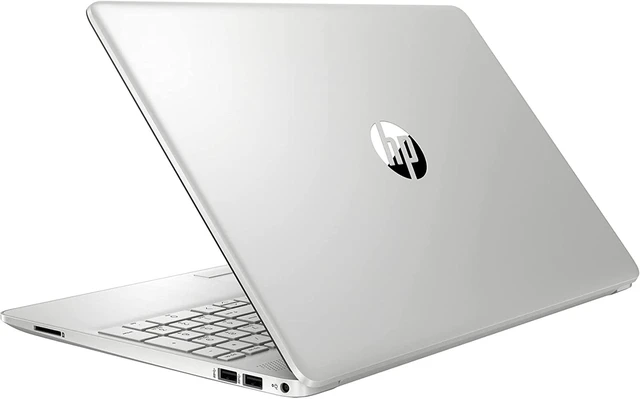
| High Speed I O | 2 USB ports, 1 HDMI port, and audio ports |
| Wired And Wireless Networking | 802.11ac Wi-Fi and Bluetooth |
| Webcam And Privacy | Built-in webcam |
| Keyboard And Control | Backlit QWERTY keyboard with touchpad |
| Battery And Power | Rechargeable lithium-ion battery with 3 cells and a stated 7-hour battery life |
| Portability | 1.7 kg; dimensions listed as 9.52 × 14.11 × 0.7 |
| Operating System And Included Software | Windows 11 Home; Microsoft Office (Word, Excel, PowerPoint) and McAfee LiveSafe listed as included software |
| Model Identifiers | HP 15T-DW300; part number 15t-dw300-NW |
Q: HP 15t-dw300 with Core i5-1135G7 or the same model with Core i7-1165G7?
A: Choose the i5-1135G7 configuration for everyday work with a quad-core processor and Iris Xe graphics. Choose the i7-1165G7 configuration if you want the higher processor tier: HP lists both as quad-core chips, with maximum turbo frequencies of 4.2 GHz for the i5 and 4.7 GHz for the i7.
Q: HP 15t-dw300 or HP Pavilion x360 15 with the same i5 processor?
A: Choose the HP 15t-dw300 for a conventional, non-touch laptop configuration. Choose the Pavilion x360 15 when a convertible design and touchscreen input are priorities; Notebookcheck’s tested Pavilion x360 configuration also included the Core i5-1135G7 and 16 GB of memory.
Q: HP 15t-dw300 or the newer HP 15t-fd000 with Core i5?
A: Choose the 15t-dw300 if you want its Core i5-1135G7 configuration. Choose the HP 15t-fd000 if a newer-generation processor is the priority: HP lists its Core i5-1334U with 10 cores and 12 threads, compared with the 15t-dw300’s four-core i5-1135G7.
Q: Is this laptop suitable for office work and video meetings?
A: It is configured for everyday office tasks, with a quad-core Intel Core i5 processor, 8GB RAM, a 256GB SSD, Windows 11 Home, and a webcam. The listed specifications do not identify the webcam’s resolution or battery runtime, so they do not establish video quality or unplugged meeting duration.
Q: Can I use it for Zoom or other video meetings?
A: The laptop has a webcam and runs Windows 11 Home, making it suitable for video-meeting use. The provided specifications do not state the webcam’s resolution, microphone quality, or battery runtime.
Q: Is 256GB of storage enough for everyday use?
A: The 256GB SSD can accommodate Windows, common applications, and everyday documents, but large media libraries or many large files can use the space quickly. The provided specifications do not confirm whether the storage drive can be upgraded.
Q: Should I pay extra for 512GB instead of 256GB?
A: Consider 512GB if you expect to keep large files, games, or media on the laptop. The listed configuration has a 256GB SSD; a Reddit buyer considering the same model family specifically asked whether a 512GB upgrade was worth the extra cost. If your storage needs are modest, 256GB may be sufficient.
Q: Would upgrading the RAM be worthwhile?
A: The listed laptop has 8GB of RAM, and the provided specifications state a 16GB maximum. A Reddit discussion about a configurable 15t-dw300 considered 12GB as a more balanced option. More memory may help when running several apps at once; check the exact configuration and upgrade options before buying.
Q: Is this laptop suitable for gaming or Photoshop?
A: It is better suited to light or casual use than demanding games or graphics-heavy editing: this configuration has 8GB of RAM and integrated Intel Iris Xe graphics, not a dedicated GPU. A Reddit discussion asked about gaming and Photoshop on a 15t-dw300, but it involved a different, higher-spec configuration, so it does not establish performance for this exact model.


