




 here!
I’m your shopping assistant for PC builds, upgrades, and everything tech.
Got questions? Ask away!
Start a conversation
here!
I’m your shopping assistant for PC builds, upgrades, and everything tech.
Got questions? Ask away!
Start a conversation




Any questions? Ask CelesteSM will help you find out quickly.
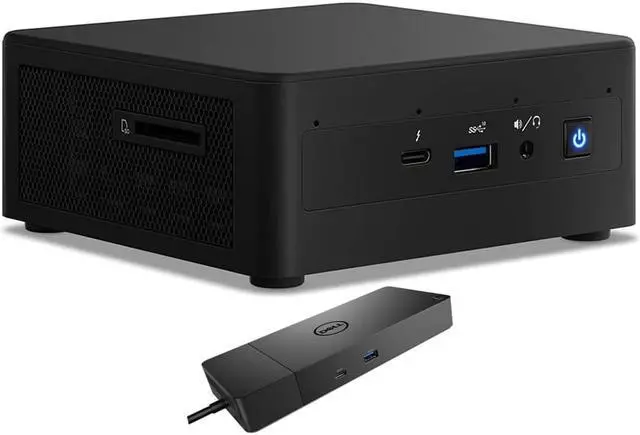
The Intel NUC11PAHi5 is a compact Windows 10 Pro mini desktop with an 11th Gen Core i5 processor, 8GB RAM, a 120GB SATA SSD, and a Dell WD19S dock. It suits home or small-office users who want a space-saving computer for everyday productivity and convenient wired connectivity.
| Attribute | Value |
|---|---|
| Best For | Compact home or business desktop use with Windows 10 Pro, an 11th Gen Intel Core i5 processor, integrated graphics, and 8GB of memory |
| Processor And Core Count | 11th Gen Intel Core i5 with four cores and 8MB of L3 cache |
| Graphics | Integrated graphics with integrated video |
| Memory | 8GB DDR4 |
| Storage | 120GB SSD; no HDD or optical drive |
| Networking And Wireless | Wi-Fi 6 AX201, Bluetooth 4.2, and RJ45 connectivity |
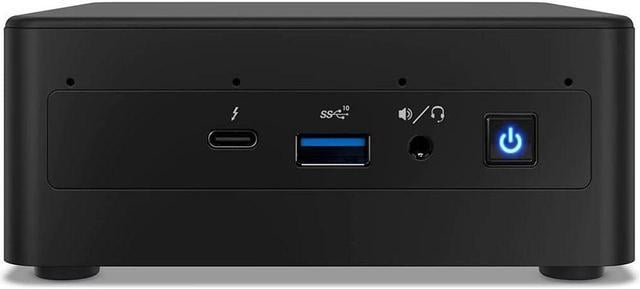
| Display And Peripherals | No screen or monitor included; no keyboard; card reader present |
| Operating System | Windows 10 Pro |
| Chassis And Power | Black Mini PC with a 120W power supply |
| Model Identifiers | Intel NUC11PAHi5; business desktop and workstation type |
Q: Intel NUC11PAHi5 vs NUC11PAHi3: which should I choose?
A: Choose the NUC11PAHi5 for a broader mix of multitasking and graphics-enabled everyday work: its Core i5-1135G7 has 4 cores and 8 threads with Iris Xe graphics, compared with the NUC11PAHi3’s 2-core, 4-thread Core i3-1115G4 and Intel UHD graphics. The listed Newegg configuration also includes 8GB RAM, a 120GB SATA SSD, and a WD19S dock.
Q: Intel NUC11PAHi5 vs NUC11PAHi7: which fits everyday home and business use?
A: The NUC11PAHi5 is a good fit for everyday home and business tasks, with a 4-core, 8-thread Core i5-1135G7 and Iris Xe graphics. Choose the NUC11PAHi7 when you want the higher-tier Core i7-1165G7, which has a higher maximum turbo frequency and more cache; both models are part of Intel’s NUC 11 Performance range.
Q: Intel NUC11PAHi5 vs NUC10 i5: what does the newer generation add?
A: Choose the NUC11PAHi5 if integrated graphics capability is a priority: it uses the 11th Gen Core i5-1135G7 with Iris Xe graphics, while the NUC 10 Performance i5 uses a 10th Gen processor. In Notebookcheck’s testing of a related NUC 11 Panther Canyon model, Iris Xe graphics substantially outperformed the NUC 10’s UHD Graphics 620 in graphics workloads; that review tested an i7-equipped NUC 11, so results can vary by configuration.
Q: Is this mini PC suitable for office work and video meetings?
A: It is configured for routine office tasks such as documents, email, and web browsing, with an 11th Gen quad-core Intel Core i5 and 8GB RAM. It has no built-in webcam, so video meetings require an external camera; the 120GB SSD also limits how many apps and files you can keep locally.
Q: Does it come with a monitor, keyboard, or webcam?
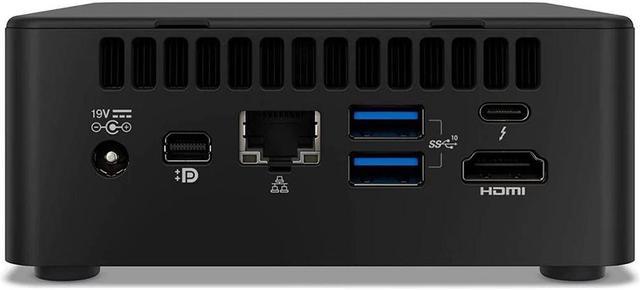
A: No monitor is included, and the product information lists no keyboard or webcam. It has HDMI and mini DisplayPort outputs for connecting a separate display; plan to provide the other peripherals you need.
Q: Is it practical to take this mini PC while traveling?
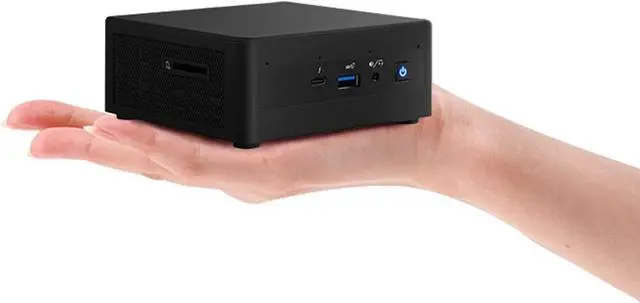
A: It is a compact desktop, not a laptop: it has no built-in screen or battery. You can transport it, but you will need access to power, a display, and input devices wherever you use it.
Q: Is 120GB of storage enough for everyday use?
A: The included 120GB SATA SSD provides limited space, so it may suit a basic setup with a small number of apps and files but can fill quickly with large downloads or work files. Consider external or cloud storage if you keep many files locally; the provided information does not confirm internal storage upgrade options.
Q: Can the NUC11PAHi5 serve as a primary work desktop?
A: It may suit light desktop work, but this listing’s 8GB RAM and 120GB SSD leave limited room for multitasking and files. One Reddit owner reported sluggish behavior after the system had been idle in a multi-monitor work setup; that single report does not establish a general defect.
Q: Is the NUC11PAHi5 a safe choice for Linux?
A: A Reddit user reported installing Ubuntu on this model but encountering problems with analog-jack audio and intermittent HDMI audio on Ubuntu 20.04. Treat that as a setup-specific warning, not proof that Linux is generally incompatible; check compatibility for your intended distribution and audio setup.
Q: Can this NUC work as a 24/7 home server?
A: A Reddit discussion considered the NUC11PAHi5 for continuous server use and noted that its power settings can be adjusted. That discussion does not establish long-term reliability. With 8GB RAM and a 120GB SSD in this listing, it is a better fit for light services than for several demanding virtual machines.
Q: Is it suitable for retro gaming?
A: It has integrated graphics rather than a dedicated graphics card, so it is a more cautious choice for retro or lighter games than for demanding games. In a Reddit discussion about retro gaming on this model, a user also identified cooling as a limit when increasing performance settings.


