




 here!
I’m your shopping assistant for PC builds, upgrades, and everything tech.
Got questions? Ask away!
Start a conversation
here!
I’m your shopping assistant for PC builds, upgrades, and everything tech.
Got questions? Ask away!
Start a conversation







Any questions? Ask CelesteSM will help you find out quickly.
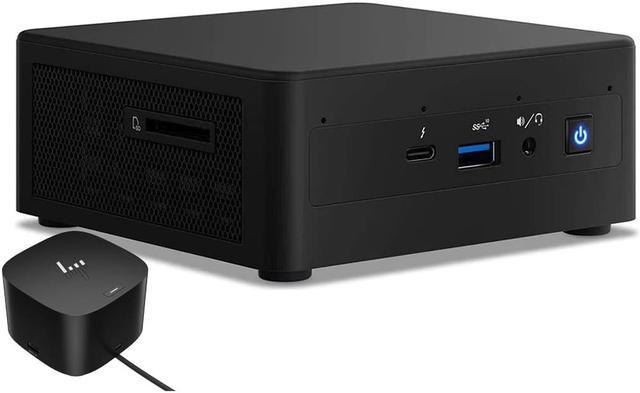
The Intel NUC11PAHi5 is a compact mini desktop with an 11th Gen Core i5 processor, 16GB RAM, a 256GB SSD, and a Thunderbolt dock, suited to home or office productivity and users who want extra monitor and peripheral connections.
| Attribute | Value |
|---|---|
| Best For | Home and business desktop computing in a compact mini-PC form, with integrated graphics |
| Processor And Cache | 11th Gen Intel Core i5 with a quad-core processor and 8MB L3 cache |
| Graphics | Integrated graphics |
| Memory And Storage | 16GB DDR4 memory and a 256GB SSD; no HDD |
| Networking And Connectivity | Wi-Fi 6 AX201, Bluetooth 4.2, and RJ-45 Ethernet |
| Expansion And Peripherals | Card reader included; no optical drive or keyboard |
| Display | Monitor not included; no built-in screen |
| Power | 120W power supply |
| Operating System | Windows 10 Home |
| Model Identifiers | Intel NUC11PAHi5, black |
Q: Intel NUC11PAHi5 or NUC11PAHi3: which configuration should I choose?
A: Choose the NUC11PAHi5 configuration when you want a four-core, eight-thread Core i5-1135G7 and Iris Xe graphics; this listing also includes 16GB of RAM and a 120W G4 dock. The NUC11PAHi3 uses a dual-core, four-thread Core i3-1115G4 with Intel UHD Graphics, making it the lower-tier option in the same NUC 11 Performance family.
Q: Is the NUC11PAHi5 or NUC11PAHi7 a better fit for my setup?
A: Choose this NUC11PAHi5 listing for its four-core Core i5-1135G7, 16GB of RAM, 256GB SATA SSD, and included G4 dock. Choose the NUC11PAHi7 if you want the higher-tier Core i7-1165G7, which has a maximum turbo frequency of 4.7GHz versus 4.2GHz for the i5 and 12MB versus 8MB of cache; both models use Iris Xe graphics.
Q: Should I choose this NUC11PAHi5 or an Intel NUC 12 Pro with Core i5?
A: Choose this NUC11PAHi5 listing for its specified 16GB RAM, 256GB SATA SSD, Windows 10 Home, and included G4 dock. Consider a NUC 12 Pro i5 configuration if you want a newer 12th-generation Core i5 platform: the i5-1240P has 12 cores and 16 threads, and Notebookcheck’s reviewed NUC 12 Pro configuration included 16GB RAM and a 512GB NVMe SSD. Configurations vary by NUC 12 Pro model.
Q: Is this mini PC suitable for everyday office work and multitasking?
A: Yes. Its 4-core Intel Core i5 processor, 16GB of RAM, and 256GB SSD are suitable for common office tasks such as browsing, email, documents, and running several everyday apps. It has no built-in webcam, so video meetings require a separate webcam or another camera-equipped device.
Q: Does it come with everything needed to start using it?
A: It includes Windows 10 Home, 16GB of RAM, a 256GB SSD, and a Thunderbolt dock, so it is not a bare-bones kit. A monitor and keyboard are not included, and the product has no built-in webcam; plan to supply those separately if needed.
Q: Is it good for modern gaming?
A: It is better suited to everyday computing and lighter games than demanding modern games. The integrated graphics are not a dedicated gaming GPU, so performance in graphics-intensive titles may be limited.
Q: Can the NUC11PAHi5 handle 4K video playback?
A: It appears suitable for 4K video playback: Reddit users discussing the i5-1135G7 report smooth 4K YouTube playback. The actual result can depend on the memory configuration, connection, cable, and network. The listed PC has HDMI, mini DisplayPort, and Thunderbolt ports.
Q: Is the NUC11PAHi5 suitable for Plex, Docker, or a small home server?
A: It may suit a modest home-server workload: the listed configuration has a quad-core i5 and 16GB of RAM, and Reddit users discuss this model for Plex, Docker, and Linux VMs. The same discussion raises heat and 24/7-operation considerations, so it should not be treated as a guaranteed always-on server.
Q: Is it suitable for gaming, or can it use an external graphics card?
A: Its integrated graphics are better suited to light gaming than demanding newer games. Reddit users note that an external GPU can be connected through Thunderbolt 3, but that adds cost and complexity; consider a gaming-focused system if graphics performance is a priority.
Q: Is the prebuilt NUC11PAHi5 a reasonable choice for everyday desktop use?
A: It can fit routine tasks such as browsing, video, and office work, which align with uses discussed by Reddit owners considering the NUC11PAHi5. Whether it is worth buying depends on its price and your needs; this listing is professionally upgraded by Velztorm and specifies a one-year Velztorm warranty.


