




 here!
I’m your shopping assistant for PC builds, upgrades, and everything tech.
Got questions? Ask away!
Start a conversation
here!
I’m your shopping assistant for PC builds, upgrades, and everything tech.
Got questions? Ask away!
Start a conversation





Any questions? Ask CelesteSM will help you find out quickly.
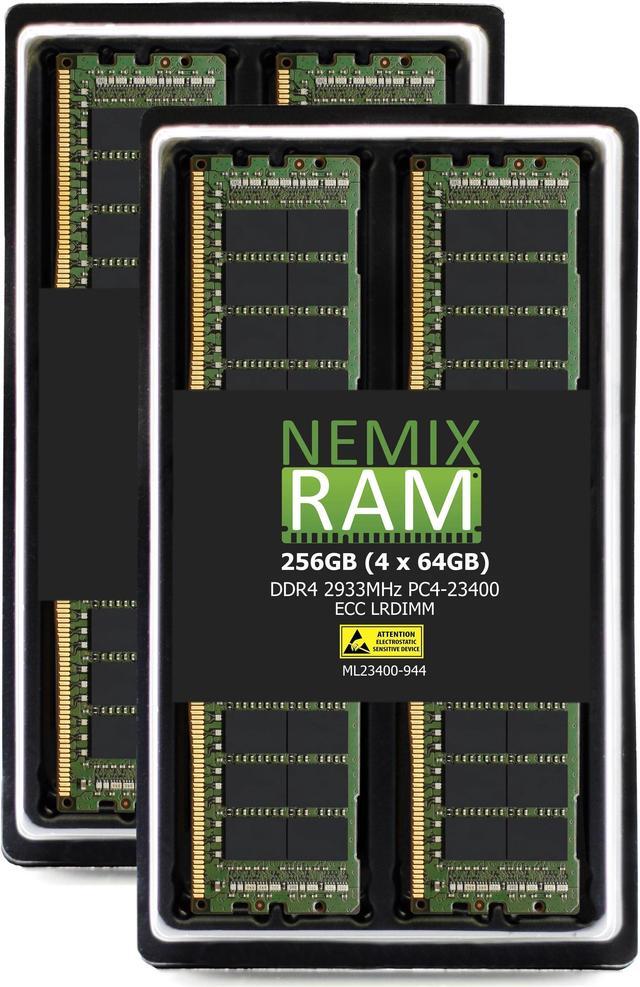
The NEMIX RAM 256GB kit is four 64GB DDR4-2933 ECC load-reduced DIMMs for compatible servers that need high-capacity, error-correcting memory; it is not intended for PC computers.
| Attribute | Value |
|---|---|
| Best For | Server memory upgrades requiring 256GB of ECC, load-reduced DDR4-2933 memory |
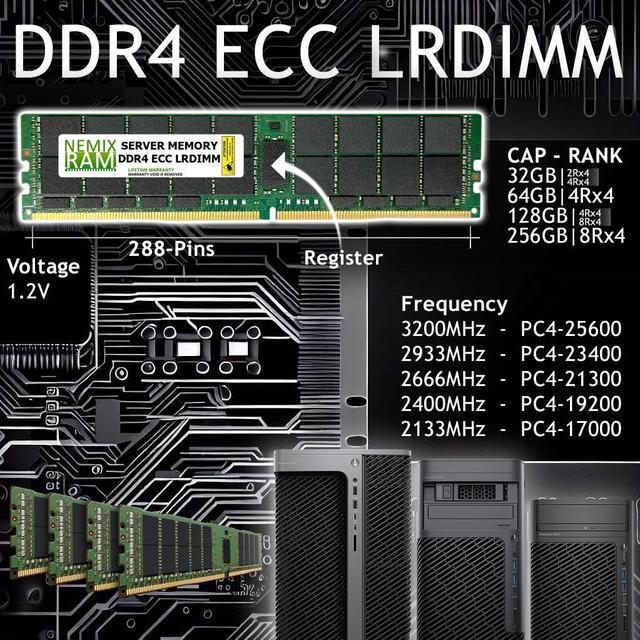
| Capacity And Configuration | 256GB total as 4 × 64GB modules, configured as 4Rx4 |
| Memory Performance And Power | DDR4-2933 (PC4-23400) with CAS latency 21 at 1.2V |
| Error Correction And Buffering | ECC load-reduced DIMM (LRDIMM) |
| Chip Manufacturers | Major OEM chips from Samsung, Micron, or Hynix |
| Model Identifiers | NEMIX RAM; model and part number ML23400-944K4-SM-SYS-5019P-WTR |
Q: Should I choose this 256GB kit or NEMIX’s 128GB (2 x 64GB) DDR4-2933 LRDIMM kit?
A: Choose the 256GB kit when you need twice the memory capacity now: it provides four 64GB modules instead of two. On the Supermicro SYS-5019P-WTR, which has six DIMM slots, the 128GB kit uses fewer slots, while the 256GB kit provides more capacity and leaves two slots available for compatible expansion.
Q: Is this 256GB kit or NEMIX’s 384GB (6 x 64GB) DDR4-2933 kit a better fit?
A: Choose the 256GB kit for a 256GB configuration that leaves two of the SYS-5019P-WTR’s six DIMM slots open. Choose the 384GB kit when you want 128GB more memory and a six-module configuration that fills those slots. Both options use 64GB DDR4-2933 ECC LRDIMMs; confirm the server and processor support the selected configuration.
Q: Should I get this DDR4-2933 kit or NEMIX DDR4-2666 LRDIMM memory?
A: Choose this DDR4-2933 kit when the server and installed processor support that memory speed and you want the higher rated transfer rate. Choose NEMIX DDR4-2666 LRDIMM when matching a system configuration specified for 2666 MT/s. Actual operating speed depends on the server, processor, and memory configuration.
Q: How can I tell whether this memory kit is compatible with my server?
A: Check the server’s documentation for support for 64GB DDR4-2933 ECC LRDIMMs, including 4Rx4 modules, and confirm its DIMM-slot and memory-population rules. The 288-pin form factor alone does not guarantee compatibility.
Q: Can I use this RAM in a regular desktop PC?
A: No. This kit is specified as ECC LRDIMM server memory and is marked not for PC computers. Use it only in a system that specifically supports DDR4 ECC LRDIMMs.
Q: How much memory is included in the kit?
A: The kit contains four 64GB modules, for 256GB total. Confirm that your server supports both the total capacity and four-module configuration.
Q: Who is this 256GB memory kit suited for?
A: It is suited to server operators who need 256GB of RAM and whose system supports DDR4-2933 ECC LRDIMMs. It is not a general-purpose PC memory upgrade; verify the server’s supported capacity and configuration before buying.
Q: How can I tell whether this memory will work in my server?
A: Check the server and CPU documentation for support for 64GB DDR4-2933 4Rx4 LRDIMMs. Support varies by platform, and Reddit discussions report LRDIMMs failing on some boards even when the system supports other memory types. The product is server memory, not a general-purpose upgrade.
Q: Can I install this alongside my existing RDIMMs?
A: Do not assume they can be mixed. This kit is LRDIMM, and Reddit server-memory discussions advise using one memory type rather than mixing LRDIMMs with RDIMMs. Check the server’s memory rules before upgrading.
Q: Can I use this in a regular desktop PC?
A: It is not intended for ordinary desktop PCs. The product is an ECC load-reduced server DIMM and is explicitly marked “NOT FOR PC Computers.” Consider it only if the motherboard and CPU documentation specifically supports this type of LRDIMM.
Q: Does the lifetime replacement warranty cover second-hand RAM?
A: The product information lists a lifetime replacement warranty, but it does not specify second-hand coverage. One Reddit user reported that an original invoice was required in their case; confirm the warranty terms and keep proof of purchase before relying on coverage.


