




 here!
I’m your shopping assistant for PC builds, upgrades, and everything tech.
Got questions? Ask away!
Start a conversation
here!
I’m your shopping assistant for PC builds, upgrades, and everything tech.
Got questions? Ask away!
Start a conversation




Any questions? Ask CelesteSM will help you find out quickly.
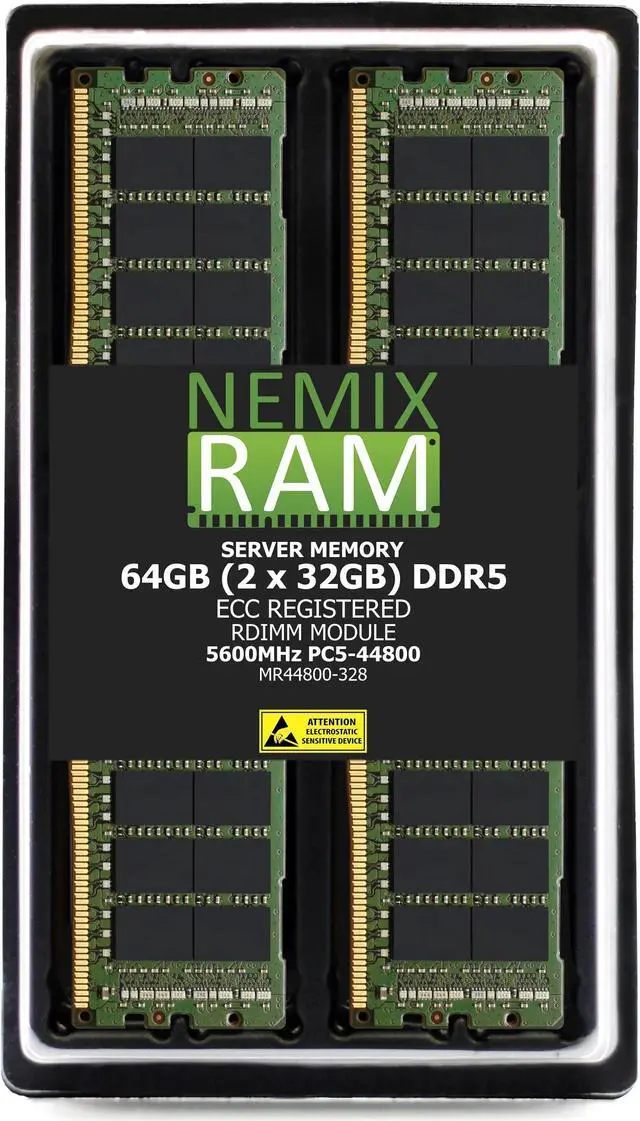
The NEMIX RAM 64GB kit is registered ECC DDR5-5600 server memory, supplied as two 32GB 2Rx8 RDIMMs for servers that support this memory type and speed.
| Attribute | Value |
|---|---|
| Best For | Server memory upgrades requiring DDR5-5600 ECC registered DIMMs; not intended for PC computers |
| Capacity And Configuration | 64 GB kit with 2 × 32 GB DDR5 ECC registered DIMMs, organized as 2Rx8 |
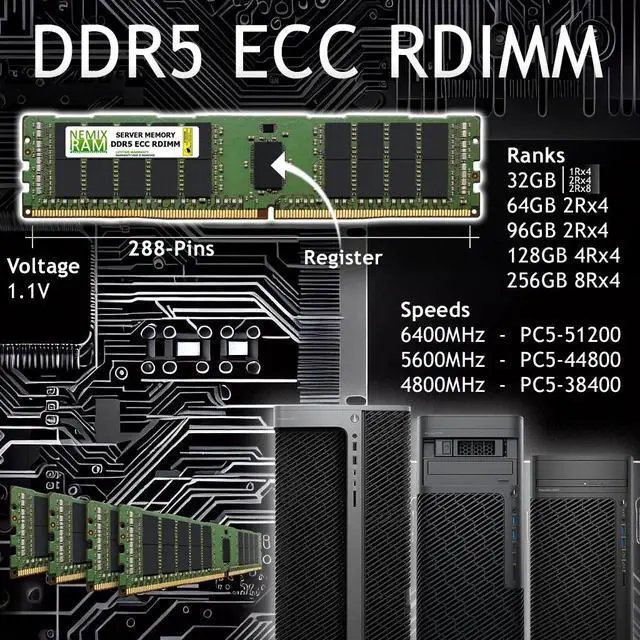
| Speed And Timing | DDR5-5600 (PC5-44800) with CL46 latency |
| Voltage | 1.1 V |
| Memory Components | Major OEM Samsung, Micron, or Hynix |
| Model Identifiers | NEMIX RAM; model/part number MR44800-328K2-SM-SYS-621P-TR |
Q: NEMIX 64GB (2x32GB) or 128GB (4x32GB) DDR5-5600 RDIMM—which should I choose?
A: Choose the 64GB kit for a 64GB memory configuration using two 32GB DDR5-5600 2Rx8 RDIMMs. Choose NEMIX’s 128GB (4x32GB) option when you want twice the total capacity in the listed four-module configuration. For the Supermicro SYS-621P-TR, confirm the planned memory population against the system’s 16-slot layout and supported memory configuration.
Q: Should I get this NEMIX 64GB kit or a single 64GB NEMIX DDR5-5600 RDIMM?
A: Choose this kit for 64GB as two 32GB 2Rx8 modules. Choose NEMIX’s single 64GB 2Rx4 option for the same total capacity on one module. The kit is the two-module configuration; the single-module option uses one DIMM slot. Check the server’s supported module types and memory-population rules before selecting.
Q: Is the NEMIX 64GB (2x32GB) kit worth choosing over a 32GB (1x32GB) DDR5-5600 RDIMM?
A: Choose the 64GB kit when you want twice the listed capacity in a matched two-module configuration. Choose the 32GB single-module option when 32GB total is the target capacity. Both NEMIX options are listed as DDR5-5600 ECC registered RDIMMs; confirm compatibility with the server before purchase.
Q: Will this memory work in a standard desktop PC?
A: No. This is ECC registered DDR5 RDIMM server memory, and the product listing says it is not for PC computers. Use it only in a system designed to support DDR5 registered DIMMs.
Q: What should I check before buying this kit for a server or workstation?
A: Confirm that the system supports DDR5 ECC registered RDIMMs, 32GB modules, and the kit’s 2Rx8 rank configuration. Check the system or motherboard memory specifications for supported capacity and speed; DDR5 support alone does not confirm RDIMM compatibility.
Q: Is 64GB the total capacity, or does each module have 64GB?
A: 64GB is the kit’s total capacity. It contains two 32GB DDR5-5600 ECC registered DIMMs.
Q: What speed is this memory, and will it run at 5600MHz?
A: The kit is rated DDR5-5600 (PC5-44800). It will run at that speed only if the server or workstation’s processor and memory platform support it; otherwise, the system may use a lower supported speed.
Q: Will this kit work in a regular desktop PC?
A: No. This is ECC registered DDR5 RDIMM server memory, not standard desktop UDIMM memory. Buy it only for a system that explicitly supports DDR5 RDIMMs; check the motherboard and CPU memory requirements before ordering.
Q: Is this a safe buy for a Threadripper workstation?
A: Only if the exact workstation platform supports this kit’s DDR5-5600 ECC RDIMM specification. Reddit reports include both a successful NEMIX DDR5 RDIMM setup and a TRX50 compatibility problem; check the motherboard’s QVL and memory-population rules rather than assuming the kit will work.
Q: What should I check before relying on the lifetime replacement warranty?
A: The provided product information lists a lifetime replacement warranty. Keep the original proof of purchase and check the warranty terms for your purchase, especially if buying used: a Reddit user reported uncertainty about a claim without the original invoice.


