




 here!
I’m your shopping assistant for PC builds, upgrades, and everything tech.
Got questions? Ask away!
Start a conversation
here!
I’m your shopping assistant for PC builds, upgrades, and everything tech.
Got questions? Ask away!
Start a conversation





Any questions? Ask CelesteSM will help you find out quickly.
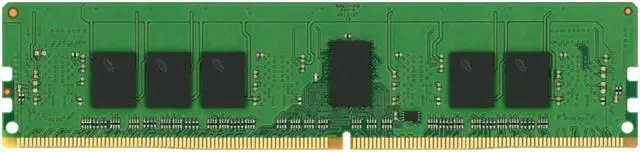
The Micron MTA9ASF1G72PZ3G2E2 is an 8GB DDR4-3200 ECC registered DIMM (RDIMM), suited to expanding memory in compatible servers or workstations that support 1Rx8 registered DDR4 modules.
| Attribute | Value |
|---|---|
| First Listed on Newegg | May 29, 2026 |
Q: Micron 8GB DDR4-3200 RDIMM vs. Micron 16GB DDR4-3200 RDIMM: which should I choose?
A: Choose the 8GB MTA9ASF1G72PZ-3G2E2 when you want 8GB per module; choose Micron’s 16GB MTA18ASF2G72PDZ-3G2R1 when you want twice the capacity per module. Both are DDR4-3200 ECC RDIMMs, so the decision is primarily module capacity and the memory configuration your system supports.
Q: Micron 8GB DDR4-3200 RDIMM vs. the 8GB DDR4-2933 version: which is faster?
A: The DDR4-3200 MTA9ASF1G72PZ-3G2E2 has the higher rated data rate: 3200 MT/s versus 2933 MT/s for the 8GB DDR4-2933 version. Choose this model when you want the 3200 MT/s speed grade and your server platform supports that rate.
Q: Should I choose a Micron 8GB or 16GB DDR4-3200 ECC RDIMM for a server upgrade?
A: Choose this 8GB module when you want to add memory in 8GB increments; choose a compatible Micron 16GB DDR4-3200 ECC RDIMM when you want each module to provide twice the capacity. Check the server’s supported RDIMM configurations and memory limits when planning the upgrade.
Q: Will this memory work in a regular desktop PC?
A: Usually not. This is an 8GB DDR4 ECC Registered RDIMM, intended for systems that explicitly support registered server memory. Check the motherboard and processor specifications before buying; DDR4 compatibility alone is not enough.
Q: How can I check whether this RAM is compatible with my server?
A: Confirm that the server supports DDR4 ECC Registered RDIMMs, the 8GB capacity, and 1Rx8 modules. Also check the server’s memory-population rules and supported speeds. The module is rated for 3200MHz, but the system may run it at a lower speed depending on its CPU and configuration.
Q: Can I mix this with the RAM already installed in my server?
A: Only if the server supports the resulting memory configuration. Do not mix registered RDIMMs with unbuffered DIMMs; check the server manual for rules on mixing capacities, ranks, speeds, and module types before adding this 1Rx8 module.


