




 here!
I’m your shopping assistant for PC builds, upgrades, and everything tech.
Got questions? Ask away!
Start a conversation
here!
I’m your shopping assistant for PC builds, upgrades, and everything tech.
Got questions? Ask away!
Start a conversation
Make informed decisions with expert advice. Learn More




Any questions? Ask CelesteSM will help you find out quickly.

Specification:
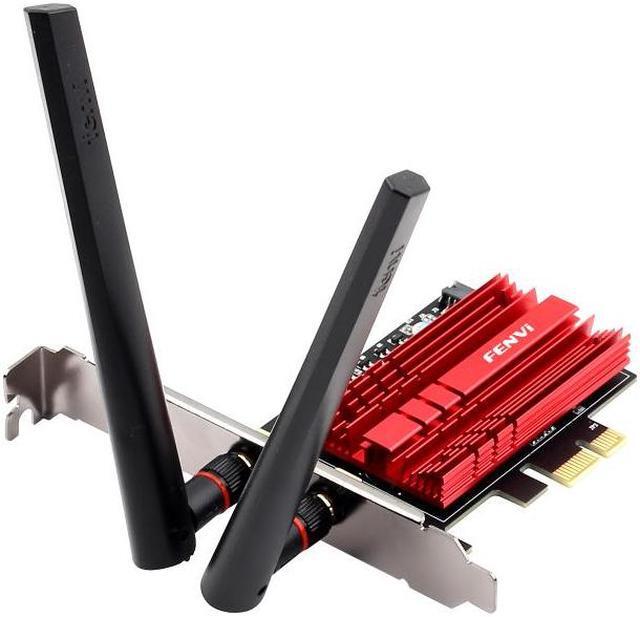
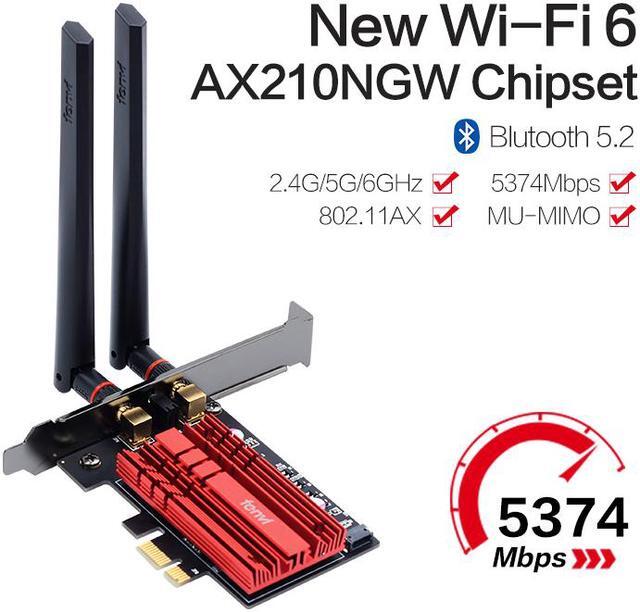
Type: Fenvi PCIE Wi-Fi 6E Network Card with Bluetooth 5.2
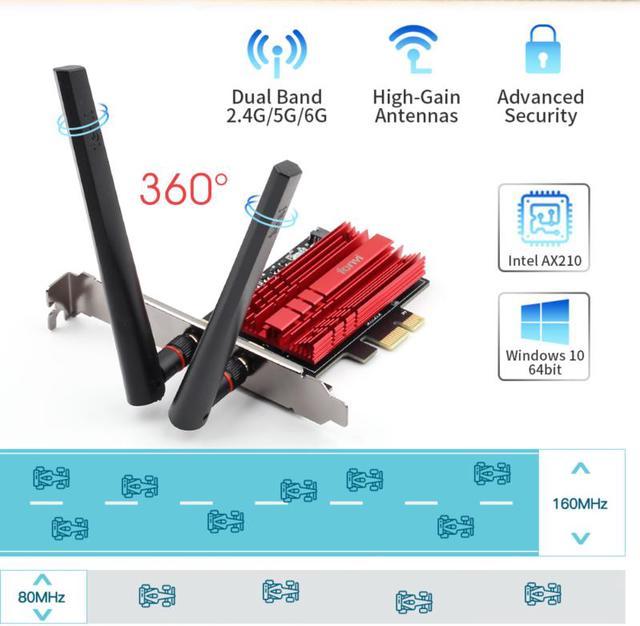
Support System: Ony compatible with Windows 10 64-bit
Chipset: Intel Wi-Fi 6E AX210
IEEE WLAN Standard: 802.11a/b/g/n/ac/ax
Connection: WiFi / Bluetooth 5.2
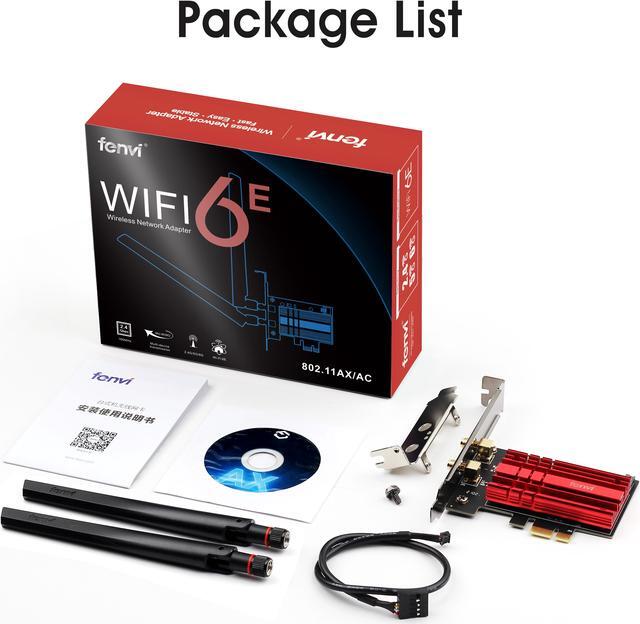
Interface: PCI-E/X1/X4/X8/X16; 9-pin usb for Bluebooth
Type of Network Card: Tri-band ( 2.4G /5G/6Ghz ) ; 6G is new band in the future.
Blue-tooth 5.2 Technology:
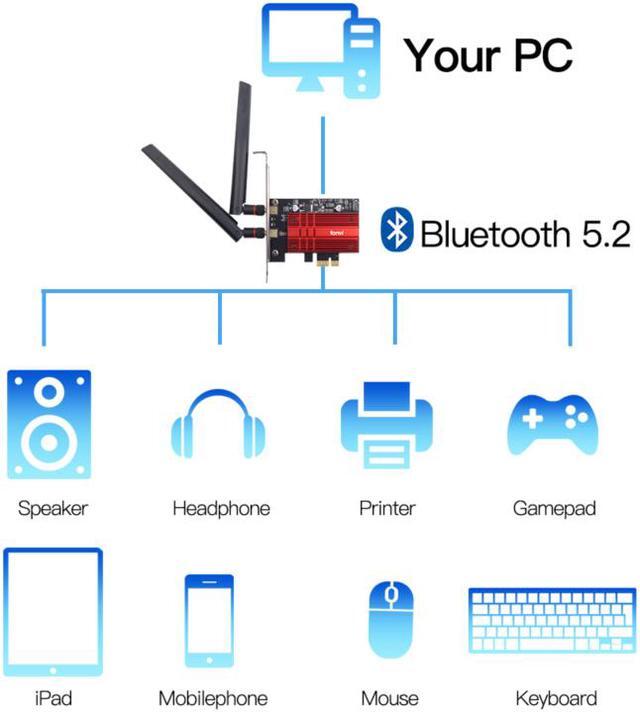
Expand the range of 4 x Bluetooth 4.2 signal, no need to worry the signal will be weak in the room and waiting long time for transport the large files.
It can connect with the mouse, earphone, keyboard and other Bluetooth devices.


Features
Fenvi WiFi 6E PCIe card brings faster and clearer WiFi to fully unlock the potential of your Wi-Fi 6E/Wi-Fi 6 router. 2.4GHz provides 574Mbps maximum speed and extremely long range, 5GHz reaches 2400Mbps maximum speed, ideal for gaming and 4K streaming, 6GHz upto 2400Mbps maximum speed, without any interference currently.
Excellent Heat Dissipation
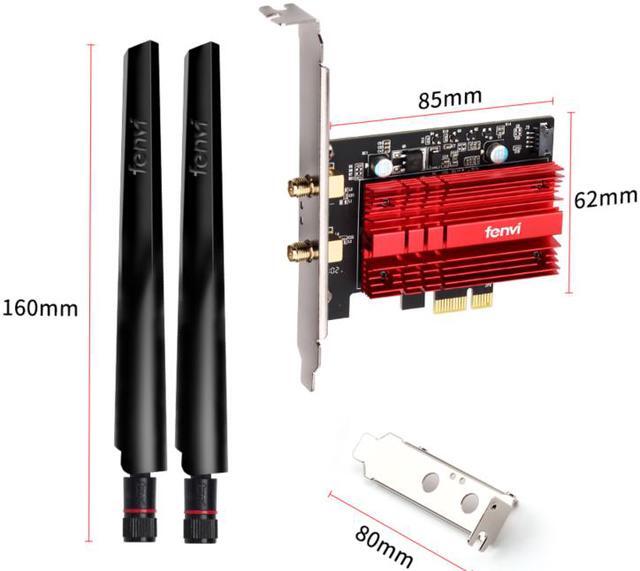
A customized heat sink improves connection stability by efficiently dissipating thermal energy. Additionally, gold plating on every contractor prevents oxidation. This attention to detail ensures your adapter is crafted for ultimate performance.
Better Efficiency on Busy Networks
Minimized lag for your PC Revolutionary OFDMA reduces lag so you can enjoy ultra-responsive real-time gaming or an immersive VR experience;

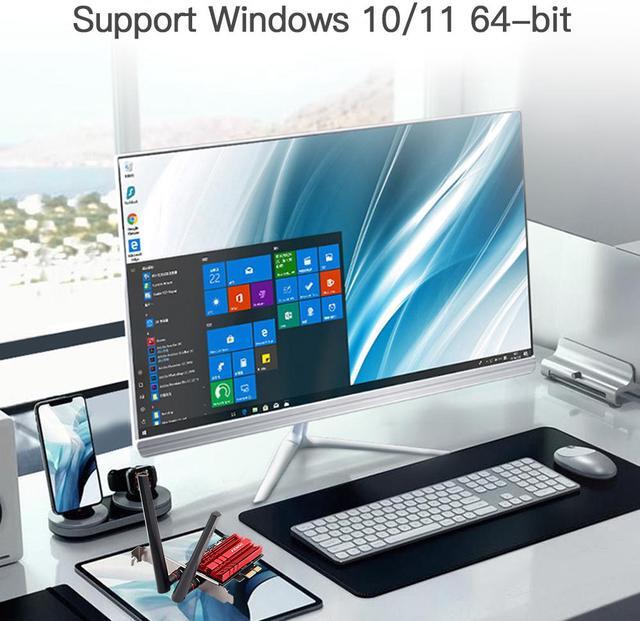
Windows 10, 64-bit,
Windows 11, 64-bit,

Support connecting with Bluetooth headset, Bluetooth stereo, Bluetooth keyboard, Bluetooth mouse and others for more conveniences and demands.

WPA3 provides more secure and individualized encryption in personal password safety, protecting your network from wireless hacking. Always keep your network safe while gaming online.

Open the Chassis side cover and remove the Chassis back panel screws.

Designed by PCI-E X1 Interface will compatible with All PCIE Slot Include PCI-E X1 X4 X8 X16 Slot.
Do not install on PCI slot.
Please confirm that there are available PCIE slots and F_USB Connector on your motherboard.

Find the 9-PIN USB connector
on the motherboard,and plug the USB BT Cable into the USB 2.0 connector.

Knowing the following will give you a better product experience
For desktop only. A blue-tooth power cable needs to be connected to the motherboard 9-pin interface, or the blue-tooth function won't work.
The specification of this wireless USB adapter is 5400Mbps (2.4Ghz: 600Mbps; 5.8Ghz: 2400Mbps ; 6Ghz: 2400Mbps ). A router with 3000Mbps or above can maximize the performance of our PCIE wifi adapter.
Please turn off the built-in Wi-Fi when using on a desktop pc.( If there is built-in Wi-Fi function in your desktop pc ).
It has nothing to do with the quality of this adapter when you can't get the maximum speed. The network environment, router, barriers, laptop and PC 's internal memory,the interference of many factors can affect the speed
Q: Should I buy the Fenvi FV-AXE3000 or a Wi-Fi 6 AX200 desktop card?
A: Choose the Fenvi FV-AXE3000 if you want Wi-Fi 6E support and may use a 6 GHz router now or later. The main upgrade over AX200-class cards is access to the 6 GHz band, while both are in the same Wi-Fi 6 family for 2.4 GHz and 5 GHz use. If your network is still limited to 2.4 GHz or 5 GHz, real-world gains can be small, so AX200 remains a value-focused option. The FV-AXE3000 makes more sense when you want better long-term compatibility with newer 6E routers and cleaner spectrum in dense environments.
Q: Fenvi FV-AXE3000 vs AX211: which one is better for a desktop build?
A: For a standard desktop PCIe adapter, the Fenvi FV-AXE3000 is usually the safer choice because it uses the Intel AX210, which is the PCIe/M.2 version intended for broader platform compatibility. AX211 is a CNVio2 part and depends on specific motherboard and CPU support, so it is not a general substitute for AX210-based desktop cards. Choose the FV-AXE3000 when you want a straightforward add-in upgrade for a typical Windows desktop.
Q: Is the Fenvi FV-AXE3000 worth choosing over a Wi-Fi 7 desktop adapter?
A: Choose the Fenvi FV-AXE3000 if you want a lower-cost, mature Wi-Fi 6E option and your router does not require Wi-Fi 7 features. Move up to a Wi-Fi 7 card if you already have a Wi-Fi 7 router or want access to newer capabilities such as 320 MHz channels and higher top-end throughput on supported networks. For many desktop users, the AX210 class remains the practical choice because it already adds 6 GHz support and avoids paying extra for benefits that depend on a newer network ecosystem.
Q: Fenvi FV-AXE3000 vs another AX210 PCIe card: does brand matter much?
A: If both cards use the same Intel AX210 module, the biggest differences are usually the adapter board, antenna quality, heatsink design, included cables, and driver packaging rather than the wireless chipset itself. That means the Fenvi FV-AXE3000 is a reasonable pick when you specifically want an AX210-based desktop card with Bluetooth and external antennas. In practice, buyers often compare build quality and accessories more than raw Wi-Fi performance when the chipset is the same.
Q: Will the Bluetooth feature work on any desktop, or do I need a motherboard header?
A: Bluetooth usually requires the included internal cable to be connected to a motherboard USB header. The Wi‑Fi portion uses the PCIe slot, but Bluetooth on AX210-based desktop adapters is commonly routed through USB. If your motherboard does not have a free internal USB header, Wi‑Fi may still work while Bluetooth does not.
Q: Can I use the 6 GHz Wi‑Fi 6E band on Windows 10, or do I need Windows 11?
A: For most buyers, Windows 11 is the safer choice if 6 GHz support matters. Comparable retail Q&A for another Wi‑Fi 6E PCIe card states that Windows 10 compatibility is limited to 2.4 GHz and 5 GHz, while 6 GHz support is tied to Windows 11. This makes the Fenvi card a better fit for Windows 11 desktops than for older Windows 10 setups if your goal is full Wi‑Fi 6E use.
Q: Who is this card a good fit for?
A: This card is best for desktop users who want to add modern wireless features without replacing the motherboard: tri-band Wi‑Fi, WPA3, and Bluetooth for peripherals. It is especially suitable for Windows 10/11 64-bit desktops with an open PCIe slot and, ideally, a Wi‑Fi 6E router. It is less suitable for laptops, macOS users, or buyers who need guaranteed plug-and-play support across many operating systems.
Q: Is this a good choice for gaming, streaming, and everyday office use?
A: Yes, if you want a desktop upgrade for typical home or office use, gaming, and streaming without running Ethernet. AX210-class PCIe adapters are positioned for low-latency wireless, MU-MIMO/OFDMA support, and enough bandwidth for video calls, cloud work, and high-resolution streaming. The main limitation is that real-world performance depends heavily on your router, signal quality, and whether you can use the cleaner 5 GHz or 6 GHz bands.
Q: What is the main trade-off versus a faster AXE5400-class PCIe adapter?
A: The main trade-off is peak throughput. The Fenvi FV-AXE3000 is an AX3000-class card, while AXE5400-class alternatives are marketed with higher top-end link rates. In practice, the Fenvi is usually enough for ordinary broadband, office work, streaming, and many gaming setups, but a higher-tier adapter may make more sense for buyers with a fast Wi‑Fi 6E router, 160 MHz channels, and a stronger need for maximum wireless headroom.
Q: Is the Fenvi FV-AXE3000 a good buy if I just want Wi‑Fi 6E on a desktop without onboard wireless?
A: Yes, if your main goal is adding modern Wi‑Fi to a desktop through a PCIe slot. Reddit discussions repeatedly treat this card as an AX210-based desktop adapter, which makes it a practical choice for Windows 10/11 systems that need 2.4 GHz, 5 GHz, and 6 GHz support. (Note:On Windows 11, you get full 6 GHz support. On Windows 10, you are limited to 5 GHz and 2.4 GHz (Wi‑Fi 6 only).The main trade-off is that setup is less plug-and-play than a USB adapter because Bluetooth usually depends on the internal USB header connection and driver setup.
Q: Do I need the motherboard USB header for Bluetooth to work?
A: Yes. For this type of PCIe AX210 desktop card, Bluetooth normally requires the included cable to be connected to an internal 9-pin USB header on the motherboard. Repeated Reddit discussions mention Wi‑Fi working while Bluetooth is missing or unreliable when that header connection is absent, incorrect, or not recognized. (Tips: Even without a free internal USB header, you can still enable Bluetooth using a USB‑to‑internal adapter. It will take up one external USB port.)
Q: Will the Fenvi FV-AXE3000 work with an AMD desktop, or is it only for Intel CPUs?
A: It is suitable for AMD desktops as well. Community questions around the AX210-based Fenvi card commonly focus on CPU compatibility, and the repeated theme is that the card is not Intel-CPU-only. The practical compatibility checks are your operating system, an open PCIe slot, and an available internal USB header for Bluetooth.
Q: Who is this card best suited for?
A: It is best for desktop users who want an internal upgrade rather than a USB adapter: for example, builders adding Wi‑Fi 6E to a custom PC or older desktop with a free PCIe slot. It is less suitable for users who want the simplest possible setup, have no internal USB header for Bluetooth, or need broad OS support beyond Windows 10/11 as listed in the product data.


