




 here!
I’m your shopping assistant for PC builds, upgrades, and everything tech.
Got questions? Ask away!
Start a conversation
here!
I’m your shopping assistant for PC builds, upgrades, and everything tech.
Got questions? Ask away!
Start a conversation




Any questions? Ask CelesteSM will help you find out quickly.


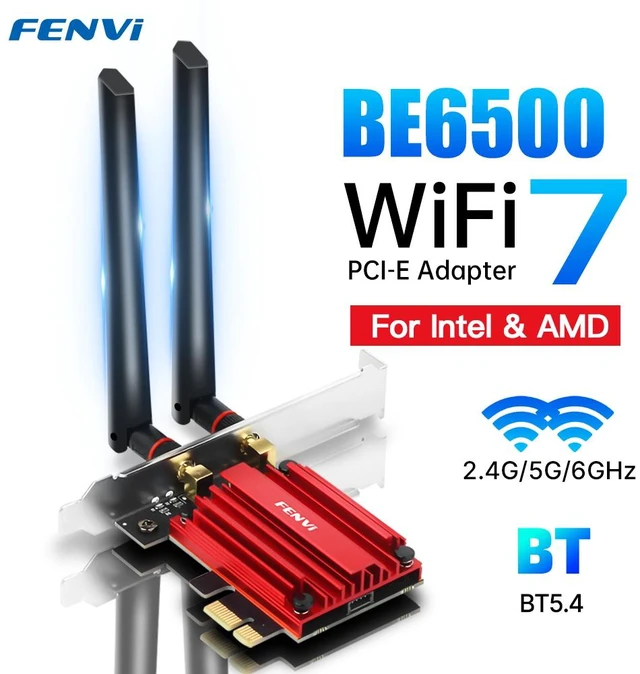
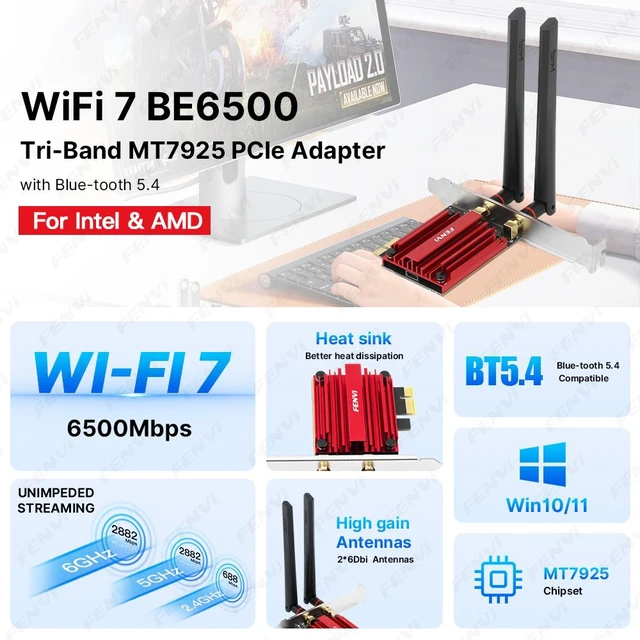
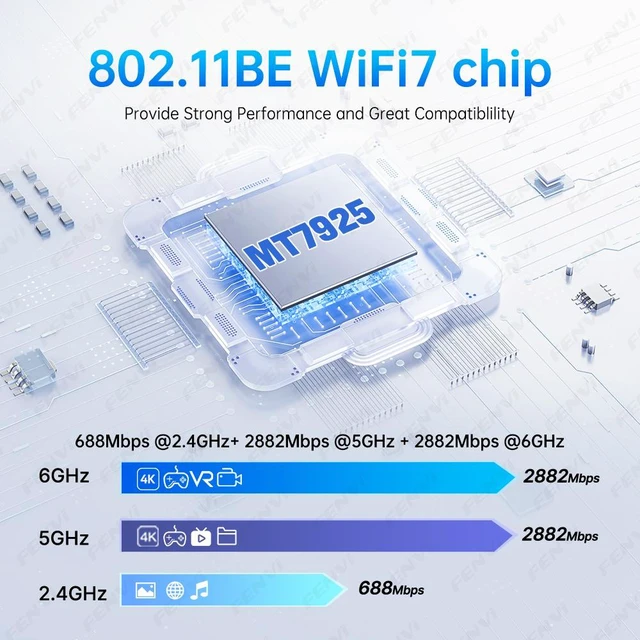
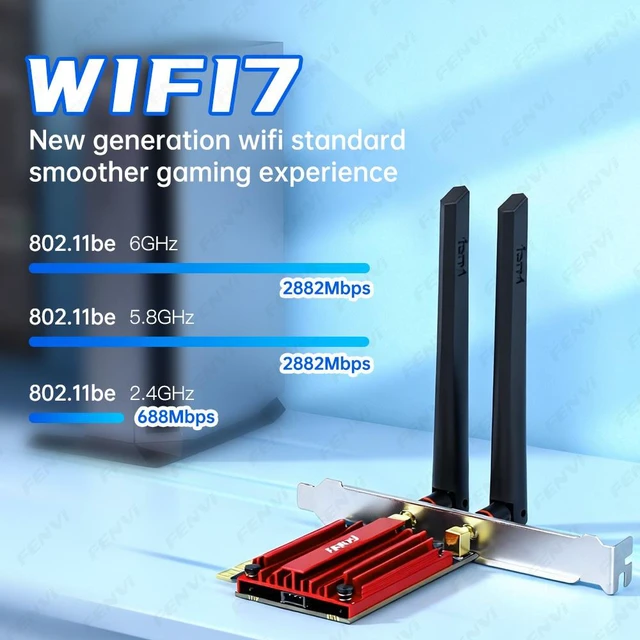
WiF 7 Standard - With MT7925, Reach incredible speeds up to 6500Mbps (2882Mbps in 6GHz, 2882Mbps in 5 GHz or 688Mbps on 2.4 GHz) with ultra-low latency and uninterrupted connectivity using Wi-Fi 7 technologies.
BT 5.4 for greater speeds and coverage: Equipped with the latest BT 5.4 Technology achieving 2x faster speeds and 4x broader coverage than BT 5.2 Connect as many devices as you want including game controllers headphones and keyboards for the ultimate setup
Compatibility --- Support Windows 11/10 for Desktop PC.Download the driver from FENVI website.
Wider Signal Coverage: Two powerful 6Dbi signal-boosting high-gain antennas greatly extend existing Wi-Fi coverage, offering a fast, smooth online experience from farther away
Cutting Edge WPA3: Protector your network with the latest WPA3 security protocol so your information transmitted via the wireless adapter is secure from hackers
The fenvi FV-BE5400 is a PCIe WiFi 7 adapter for Windows 10/11 desktop PCs, using tri-band 2.4GHz, 5GHz, and 6GHz connectivity with speeds up to 5400Mbps. It suits users upgrading Intel- or AMD-based desktops for high-speed wireless networking and Bluetooth 5.4 support.
| Attribute | Value |
|---|---|
| Best For | Desktop PCs running Windows 10 or 11 that need Wi-Fi 7 tri-band networking, Bluetooth 5.4 connectivity, and WPA3 security |
| Wireless Networking | Wi-Fi 7 connectivity using the IEEE 802.11be standard across 2.4 GHz, 5 GHz, and 6 GHz bands, with BE5400 wireless data rates |
| Bluetooth | Bluetooth 5.4 for connecting compatible wireless peripherals |
| Interface And Compatibility | PCI Express adapter for desktop systems running Windows 10 or 11 |
| Antenna | Two 6 dBi antennas for wireless signal transmission and reception |
| Security | WPA3 wireless security |
| Model Identifiers | fenvi FV-BE5400 wireless adapter in red |
Q: Should I buy the fenvi FV-BE5400 or an Intel Wi-Fi 7 BE200 PCIe adapter?
A: Choose the fenvi FV-BE5400 when you want a desktop Wi-Fi 7 adapter based on the MediaTek MT7925 and broad Intel-and-AMD motherboard positioning. Choose an Intel BE200 when your router and local network can use 320 MHz channels and you want the higher theoretical client rate: Intel lists up to 5.8 Gbps for the BE200, while the MT7925 platform is specified for up to 160 MHz operation and up to 2.9 Gbps. Both support tri-band Wi-Fi and Bluetooth 5.4, so the main decision is platform compatibility versus maximum channel width.
Q: Is the fenvi FV-BE5400 a worthwhile upgrade from an Intel AX210 Wi-Fi 6E adapter?
A: The fenvi FV-BE5400 is the better upgrade when you already have a Wi-Fi 7 router and want Wi-Fi 7 features such as Multi-Link Operation, 4096-QAM, and improved operation in congested networks. An AX210 remains sufficient when your router is Wi-Fi 6E or older, your internet connection is around 1 Gbps or less, or you do not need Wi-Fi 7 features. Both adapters provide 2.4 GHz, 5 GHz, 6 GHz, and Bluetooth 5.4-class connectivity, so the upgrade is mainly about Wi-Fi 7 capability rather than adding a new band.
Q: Is the fenvi FV-BE5400 better than a higher-end Wi-Fi 7 adapter with 320 MHz support?
A: Choose the fenvi FV-BE5400 for a general Wi-Fi 7 desktop upgrade, especially when your access point supports 160 MHz channels or your internet service is below multi-gigabit speeds. Choose a higher-end 320 MHz-capable adapter when you use a compatible Wi-Fi 7 router, transfer files over a multi-gigabit local network, or want the highest possible single-client throughput at short range. The MT7925 platform emphasizes 160 MHz Wi-Fi 7 operation, while competing BE200- and higher-tier Qualcomm-based solutions can provide wider channel support in compatible systems.
Q: Should I use the fenvi FV-BE5400 or a USB Wi-Fi 7 adapter?
A: Choose the fenvi FV-BE5400 for a permanent desktop installation where a PCIe slot, external antennas, and consistent positioning are available. Choose a USB Wi-Fi 7 adapter when portability, easy transfer between computers, or installation without opening the PC matters more than a fixed internal setup. The fenvi is designed for Windows 10/11 desktop systems, while USB models such as the TP-Link Archer TBE400UH are easier to move between systems but still depend on a compatible Wi-Fi 7 router, USB performance, drivers, and antenna placement.
Q: Will this Wi-Fi 7 PCIe adapter work with an AMD desktop PC?
A: Yes. The FV-BE5400 is specified for desktop motherboards using either Intel or AMD CPUs. Installation still requires an available PCIe slot, Windows 10 or Windows 11, and the appropriate driver from fenvi.
Q: Does it support 2.4GHz, 5GHz, and 6GHz Wi-Fi?
A: Yes. The adapter supports all three bands: 2.4GHz, 5GHz, and 6GHz. The listed maximum rates are up to 574Mbps on 2.4GHz and up to 2400Mbps on each of the 5GHz and 6GHz bands. Actual performance depends on the router, network configuration, signal conditions, and connected devices.
Q: Does this card add Bluetooth to a desktop PC?
A: Yes. The FV-BE5400 includes Bluetooth 5.4 and is backward compatible with Bluetooth 5.3, 5.2, 5.1, 5.0, 4.2, and 4.0 devices. It is suitable for connecting compatible peripherals such as keyboards, mice, headphones, and speakers.
Q: Is this adapter suitable for gaming, streaming, and other low-latency use?
A: It is suitable for gaming, streaming, and other latency-sensitive desktop tasks when paired with a compatible router and a strong wireless signal. Wi-Fi 7, tri-band operation, and the product's ultra-low-latency positioning can support high-throughput connections, but they do not guarantee a specific ping, speed, or connection stability.
Q: What should I check before buying this PCIe wireless adapter?
A: Check that the desktop has an open PCI Express slot, uses Windows 10 or Windows 11, and can accommodate the adapter and its external antennas. Also confirm that the router supports the bands and Wi-Fi generation needed for your target performance. Drivers must be downloaded from fenvi's website.
Q: Will the fenvi FV-BE5400 work with an AMD desktop?
A: Yes, the FV-BE5400 is designed for Intel and AMD desktop motherboards and uses the MediaTek MT7925 chipset. It is a reasonable option for AMD systems where Intel WiFi 7 cards may have compatibility limitations. Confirm that the PC has an available PCIe slot and install the required Windows drivers.
Q: Is the FV-BE5400 a good choice if WiFi 7 is unstable on my network?
A: It may require driver or adapter-setting adjustments. MT7925 users have reported connection problems when 802.11be mode is enabled, with some improving stability by selecting 802.11ax instead. Choose this adapter if you are comfortable troubleshooting drivers; prioritize a mature WiFi 6E adapter if plug-and-play reliability is more important.
Q: Will the FV-BE5400 work properly with Windows 10?
A: Windows 10 is listed as supported, but MT7925 users have reported that installation can require manually selecting or locating a compatible driver. Windows 11 is the lower-risk choice for WiFi 7 features, while Windows 10 users should be prepared to download drivers from fenvi or install them through Device Manager.
Q: Do I need a WiFi 7 router to benefit from the FV-BE5400?
A: Yes, a WiFi 7 router is needed for WiFi 7-specific features and performance. The adapter can still connect to 2.4 GHz, 5 GHz, and 6 GHz networks using earlier standards, but actual speed depends on the router, channel width, signal quality, and network conditions. The advertised 5400 Mbps is a theoretical combined rate, not a guaranteed internet speed.
Q: Is the FV-BE5400 worth choosing over a WiFi 6E adapter?
A: Choose the FV-BE5400 when you have a compatible WiFi 7 router, want WiFi 7 and Bluetooth 5.4, or need an AMD-compatible upgrade path. A WiFi 6E adapter may be the better value when your router is limited to WiFi 6E or earlier, or when stable driver support is more important than WiFi 7 capability.


