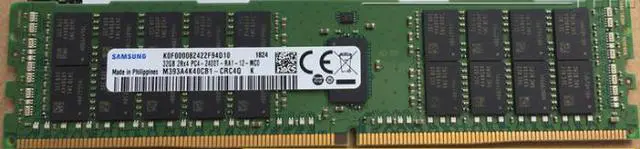
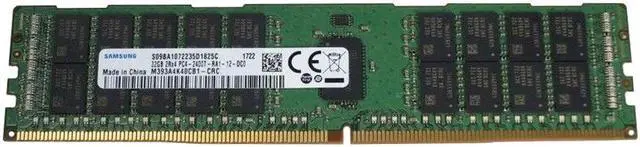
The Samsung M393A4K40CB1-CRC4Q is a 32GB DDR4-2400 ECC registered DIMM (RDIMM) for compatible servers, suited to administrators upgrading or replacing memory in systems that support 288-pin, 1.2V modules.
Recommended For
- Server administrators replacing a failed DIMM or matching an existing module in a DDR4 server that explicitly supports 32GB, 2Rx4 ECC RDIMMs at 2400 MT/s.
- Homelab builders expanding memory for virtualization or other memory-heavy services on a server platform that supports ECC registered DDR4; verify the board’s RDIMM, rank, capacity, and speed rules before buying.
- Owners of compatible enterprise workstations who need a single 32GB ECC registered DIMM and have confirmed their system accepts RDIMMs—not just ECC memory generally.
- Repair shops or refurbishers restoring older DDR4 servers that call for this Samsung part or a compatible 32GB 2Rx4 registered module.
Real-World Use Scenarios
- When an existing compatible DDR4 server is short on memory, add this module to increase capacity; the extra RAM can give memory-hungry workloads more room before they need to rely on slower storage, though the server’s CPU, memory configuration, and workload determine the actual benefit.
- For a virtualization host running several virtual machines, use the added capacity to allocate more memory to guests or reduce memory pressure; check the host’s DIMM population and supported memory configuration, since capacity and performance depend on the full system.
- In a compatible database server, use the module as part of a memory-capacity upgrade so more of the database’s working set can stay in RAM; the result depends on database size, configuration, and the server’s overall memory layout.
- For a homelab server used for virtualization or other always-on services, use it to expand memory in a platform that supports registered ECC DIMMs; confirm the motherboard and CPU support this RDIMM type before installing, because it is not a general-purpose desktop memory upgrade.
- When replacing or matching memory in a supported older server, use the module to restore or extend its installed RAM; verify the exact system’s compatibility list and population rules, as a similar-looking DIMM may not be supported or may run at a different speed.
Spec Summary
| Attribute | Value |
|---|
| Best For | Server deployments requiring 32GB DDR4 ECC registered DIMM memory |
|---|




 here!

 Hot Seller
 Top Rated