




 here!
I’m your shopping assistant for PC builds, upgrades, and everything tech.
Got questions? Ask away!
Start a conversation
here!
I’m your shopping assistant for PC builds, upgrades, and everything tech.
Got questions? Ask away!
Start a conversation



Any questions? Ask CelesteSM will help you find out quickly.
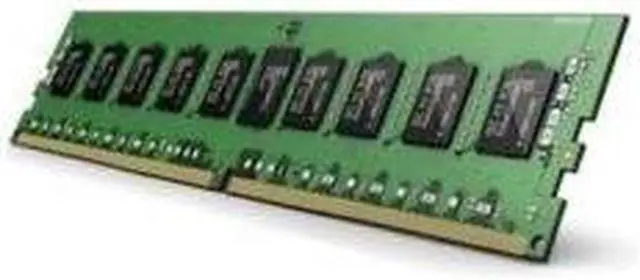
(NOT FOR HOME PC!) Supermicro Certified MEM-DR380L-SL12-ER16 Samsung 8GB DDR3-1600 LP ECC REG DIMM
Brand: Samsung
MPN: MEM-DR380L-SL12-ER16
Type: memory
(NOT FOR HOME PC!) Supermicro Certified MEM-DR380L-SL12-ER16 Samsung 8GB DDR3-1600 LP ECC REG DIMM
The Samsung MEM-DR380L-SL12-ER16 is an 8GB DDR3-1600 low-profile ECC registered DIMM, certified for Supermicro systems; it is suited to compatible servers or workstations that require this memory type.
| Attribute | Value |
|---|---|
| First Listed on Newegg | April 18, 2024 |
Q: Should I choose this 8GB module or Supermicro’s 16GB MEM-DR316L-SL05-ER16?
A: Choose the 16GB MEM-DR316L-SL05-ER16 for twice the capacity per slot; both are DDR3-1600, 1.35V, 2Rx4 ECC registered DIMMs. Choose this 8GB module when you want 8GB capacity increments. Confirm the selected module is validated for your server or motherboard.
Q: How does this compare with Supermicro’s 8GB MEM-DR380L-SL08-ER16?
A: Both are 8GB, DDR3-1600, 1.35V ECC registered DIMMs. This MEM-DR380L-SL12-ER16 is 2Rx4, while the MEM-DR380L-SL08-ER16 is 2Rx8. Choose the part number listed for your system’s memory configuration or validated motherboard.
Q: Is this 8GB module or Supermicro’s 4GB MEM-DR340L-HV04-ER16 a better fit for adding memory?
A: This 8GB module provides twice the capacity per DIMM. Both are DDR3-1600, 1.35V ECC registered memory; this model is 2Rx4, while the 4GB MEM-DR340L-HV04-ER16 is 1Rx8 VLP. Choose based on the capacity increment and DIMM configuration validated for your server or motherboard.
Q: Will this memory work in my server?
A: Only if the server supports DDR3 ECC Registered DIMMs and accepts an 8GB DDR3-1600 module with this part’s specific configuration. Check the server’s memory compatibility list and installation rules before buying; matching the DDR3 generation and speed alone does not guarantee compatibility.
Q: Can I use this in a regular home or desktop PC?
A: Generally, no. This is ECC Registered server memory, not standard unbuffered desktop memory. Use it only in a system whose motherboard and processor explicitly support DDR3 ECC Registered DIMMs.
Q: Can I mix this DIMM with the RAM already in my server?
A: Do not assume it will work alongside existing memory. The server must support the combined configuration, and the DIMM type, capacity, rank, speed, and slot population rules must be compatible. Check the server manual before mixing modules.
Q: Will it run at 1600 MHz in my server?
A: The module is rated DDR3-1600, but its actual operating speed depends on the server’s processor, motherboard, and installed memory configuration. Confirm the supported speed for your exact system; it may run at a lower speed.
Q: Will this RAM work in a regular home PC?
A: Usually not. This is DDR3 ECC registered memory (RDIMM), and a motherboard must specifically support registered DDR3 RDIMMs. Check the motherboard’s memory specifications before buying; ordinary desktop DDR3 support alone is not enough.
Q: How do I know if it will work with my Supermicro server?
A: Confirm that the exact motherboard and CPU support DDR3-1600 ECC RDIMMs, and check the board’s validated memory list. The module’s 8GB capacity and registered ECC type must match the system’s requirements.
Q: Can I mix it with the RAM already in my server?
A: Only if the existing memory and system support the same DIMM type and the motherboard permits the combination. Check the server’s memory rules and existing module specifications before mixing; matching modules is the safer choice.


