Weather Alert: Severe winter storms may impact delivery times in some regions. We appreciate your patience as carriers work to deliver orders as quickly as possible. UPS Service Alerts.
  • $199.99
  • Free 30-day Returns
  • Ships from China.
    Price alert
    Shop it at NeweggBusiness.

    Hitoor KVM Switch 3 Computers 3 Monitors, HDMI + 2 DisplayPort Triple Monitor USB 3.0 KVM Switcher, 8K@30Hz/4K@144Hz HDMI+2 DP KVM for 3 PC Share 3 Display and 4 USB3.0 Devices, Wired Remote Included

    Limited time offer, ends 01/31 By Smart Life Marketplace

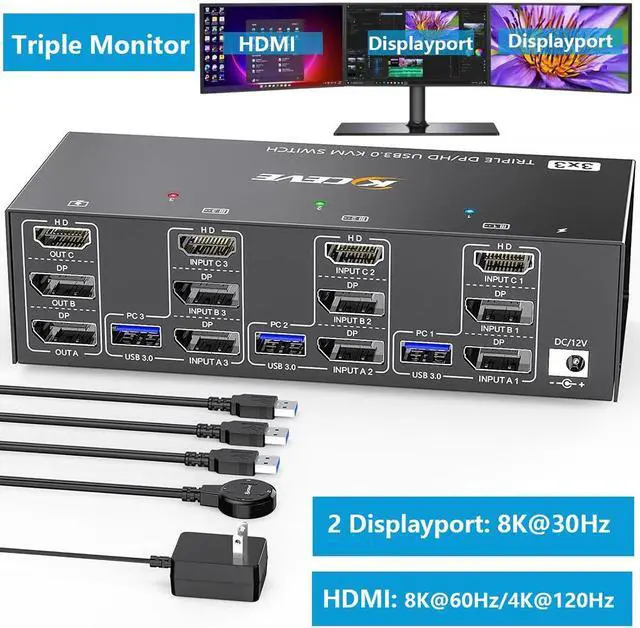
    • [HDMI+2*Displayport Triple Monitor] This 3 PC 3 monitors KVM switch allow you to control 3 computers by only one set of wired or wireless keyboard mouse. Only when your computer supports 3 display or multi display, you can use this KVM switch to achieve 3 PC to share 3 monitors.
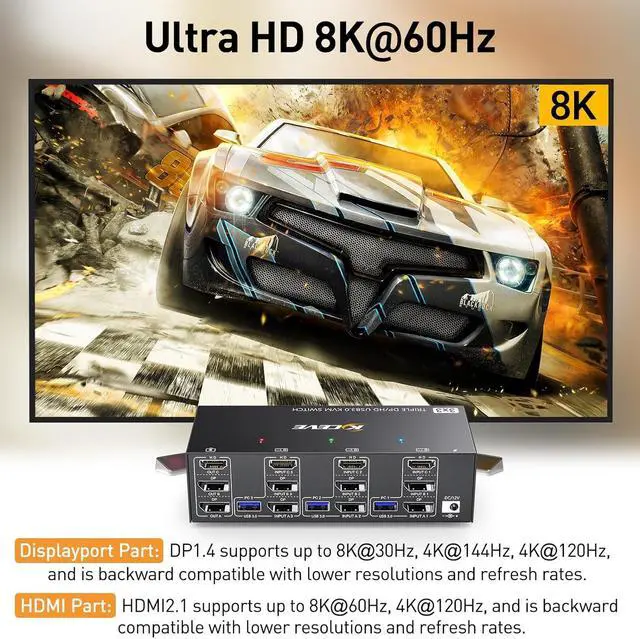
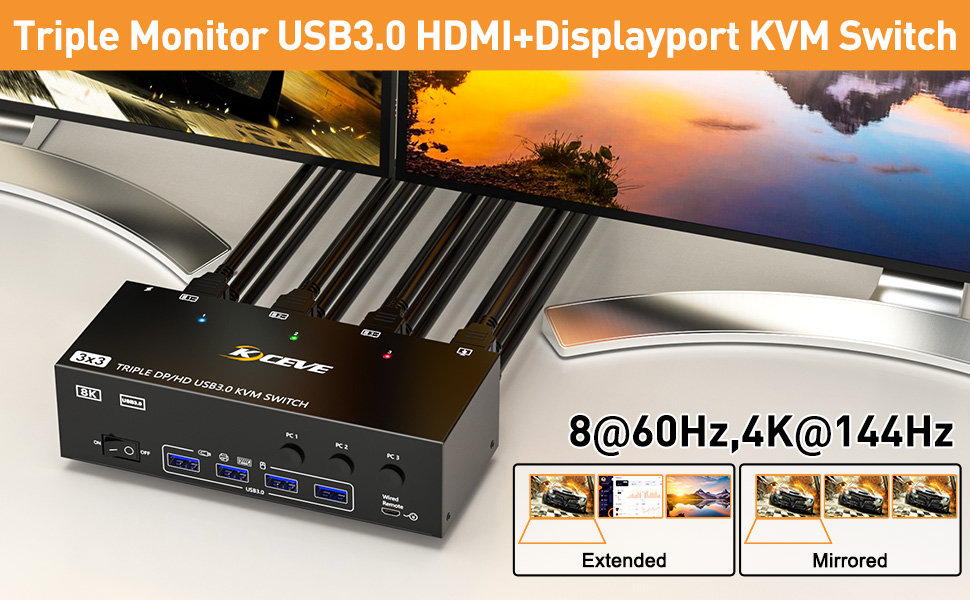
    • [Ultra HD 8K] KVM Switch Displayport: support resolution up to 8K@30Hz /4K@144Hz, HDMI: support resolution up to 8K@60Hz/4K@120Hz and backward compatible with lower resolution.
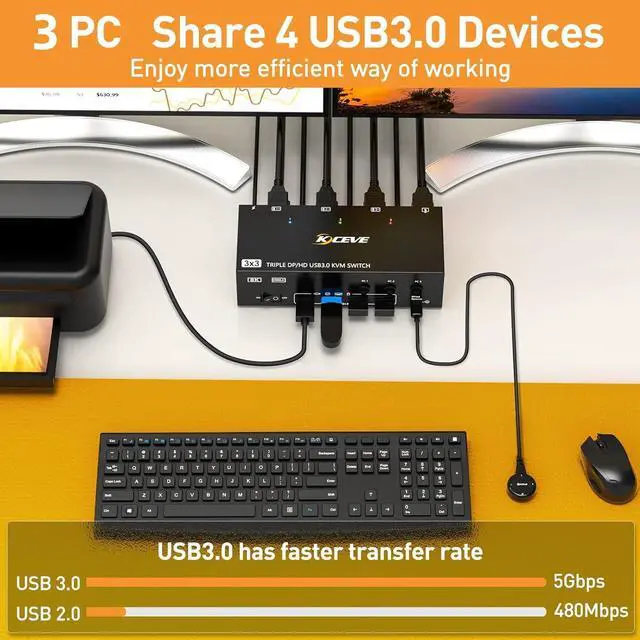
    • [with 4 USB 3.0 Ports] with 4 USB 3.0 ports for keyboard, mouse, printer and other USB devices. Supports ultra-fast USB 3.0 data transfer, data transfer speeds up to 5Gbps. For high-power USB devices, please connect an additional power adapter to ensure USB device stable
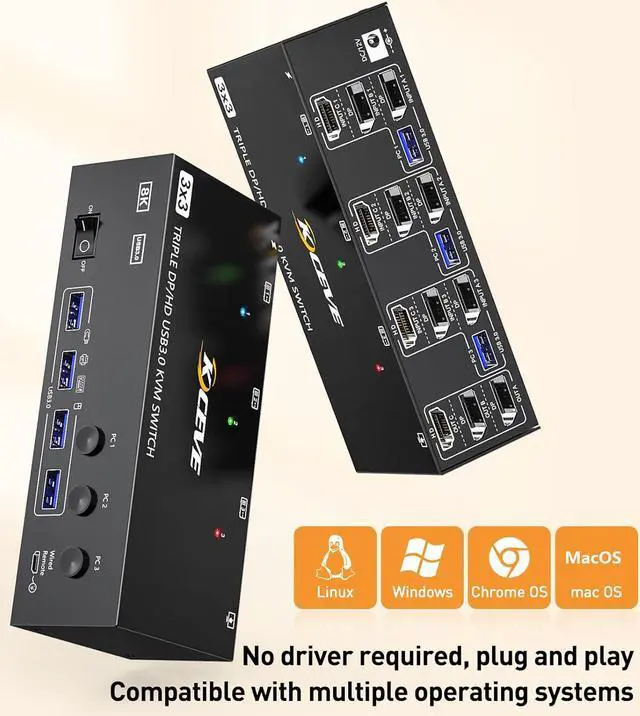
    • [Great Compatibility] Driver-free for Windows, Mac, Linux, Unix, Ubuntu.Support input devices such as PC, Laptop, PS4, Raspberry Pi, DVR, NVR.Applied for Office,Game,Meeting,etc.
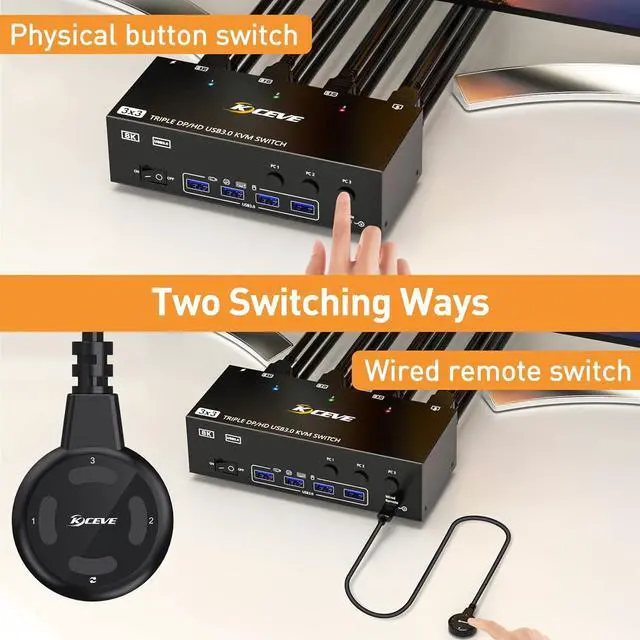
    • [2 Switching Mode] You can press the button on the panel or use the wired remote to switch.
    +
    +
    Overview
    Specs
    Reviews
    avatar

    Any questions? Our AI beta will help you find out quickly.

    3 Monitor USB 3.0 HDMI+2 Displayport KVM Switch
    3 Monitor USB 3.0 HDMI+2 Displayport KVM Switch


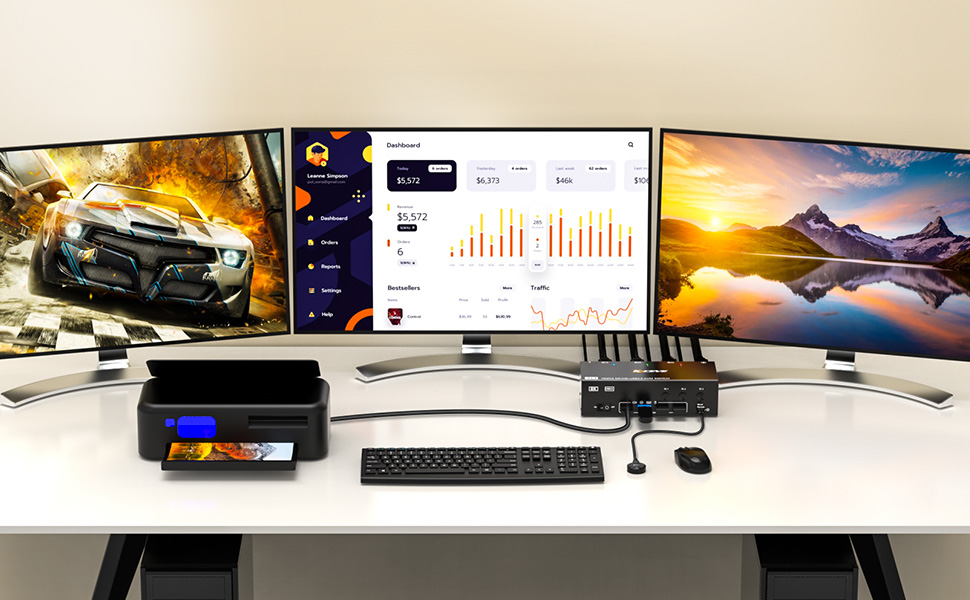
    3 Computers Share 3 Monitors and 4 USB 3.0 Devices

    • This 2 Displayport+HDMI triple monitor KVM switch is perfect for 3 computers or laptops to share 3 monitors and 4 USB 3.0 devices (keyboard, mouse, printer, scanner and other USB devices.


    Ultra HD 8K@60HZ/4K@144Hz Visual Experience

    • This 3 in 3 out KVM switch output max resolution up to 8K@60Hz/4K@144Hz, each details can be displayed without any latency.
    • Displayport 1.4 support max resolution up to 8K@30Hz/4K@144Hz and backward compatible.
    • HDMI 2.1 supports max 8K@60Hz/4K@60Hz and down compatible with lower resolution. Note: HDMI part does not support 4k@144Hz or 4K@120Hz


    Important Note: The final resolution is subject to your graphics card, cables, monitors and adapters.


    For input, each computers needs 2 DP + 1 HDMI connection, for output needs 2 DP monitors + 1 HDMI mo
    For input, each computers needs 2 DP + 1 HDMI connection, for output needs 2 DP monitors + 1 HDMI monitor


    To make 3 monitors working, each computer will need 1 HDMI cable + 2 DP cables + 1 USB cable connect the KVM switch. Please buy good HDMI and DP cable yourself, if HDMI cable and DP cable is not good enough, the screen will flicker or unstable.
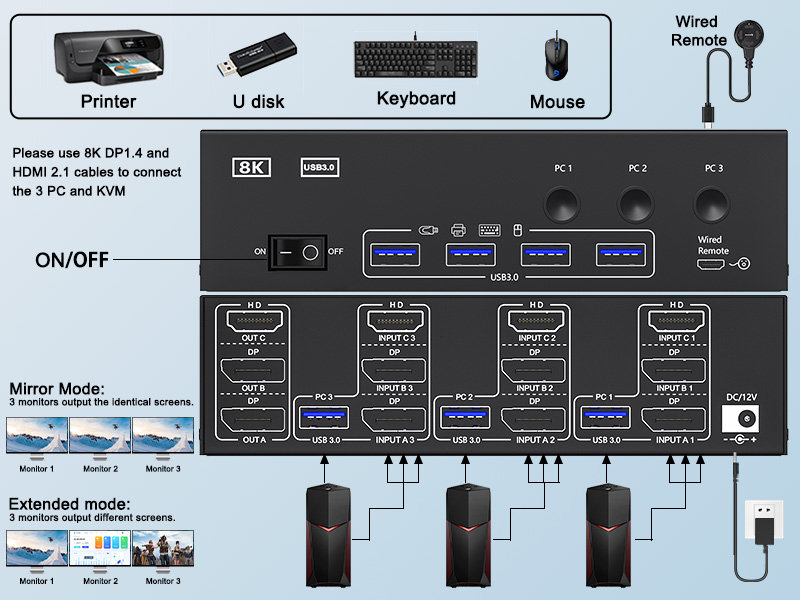
    How to connect
    How to connect the KVM Switch?
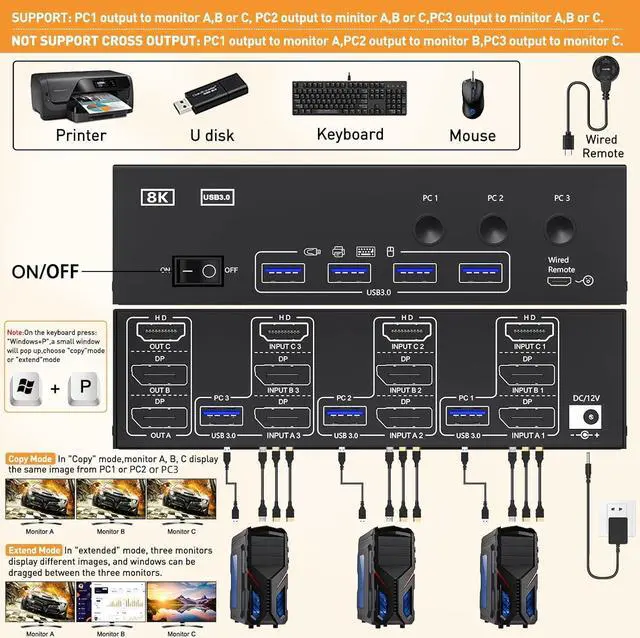
    • Step 1: Connect 1 HD-MI cable + 2 DP cables + 1 USB cable to PC 1 and KVM switch (INPUT A1, INPUT B1, INPUT C1, USB 3.0).
    • Step 2. Connect 1 HD-MI cable + 2 DP cables + 1 USB cable to PC 2 and KVM switch (INPUT A2, INPUT B2, INPUT C2, USB 3.0).
    • Step 3. Connect 1 HD-MI cable + 2 DP cables + 1 USB cable to PC 3 and KVM switch (INPUT A2, INPUT B2, INPUT C2, USB 3.0).
    • Step 4. Connect 1 HD-MI cable and 2 DP cables to the KVM switch (OUT A, OUT B, OUT C) and three monitors.
    • Step 5: Connect your USB device (keyboard and mouse) to the USB 3.0 port on the KVM switch. You can connect up to 4 USB 3.0 devices at the same time. Compatible with USB 2.0/1.1 devices.
    • Step 6. Connect the wired remote control


    Note: Please connect the 12V DC power adapter to provide sufficient power. Using a shorter 8K HDMI + DP cable can make the KVM switch more stable.
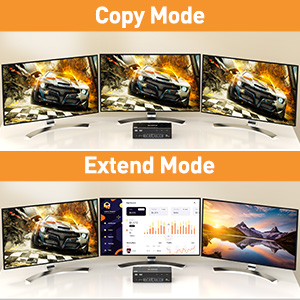
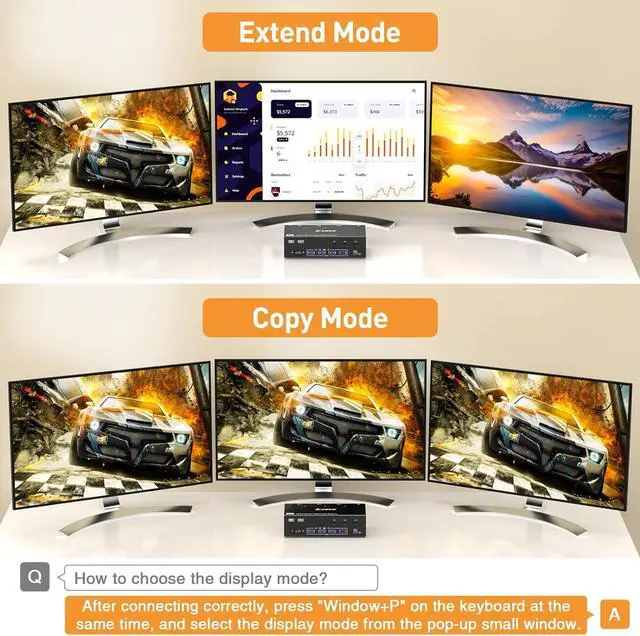
    Support 2 display modes
    Support 2 display modes
    1. In "COPY" mode, 2 output monitors will output same image from PC1 or PC2.
    2. In "EXTEND" mode, the working window from main screen can be dragged to seond output monitor. You can have the mouse across between 2 monitors.
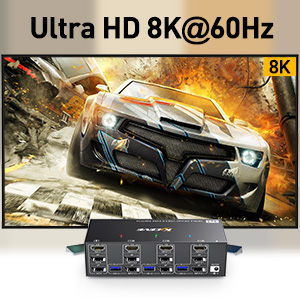
    Support 8K HD resolution
    Support 8K HD resolution
    • 7680x4320@60hz, 4K x 2K (3840x 2160@ 60Hz); 4K x 2K (2560× 1600@ 60Hz); 1920×1440 @ 144hz / 120hz / 60hz; 1920×1200 @ 144hz / 120hz / 60hz


    To achieve 8K high resolution, please make sure that HD-MI cables, computers, and monitors you are using are all support 8K resolution
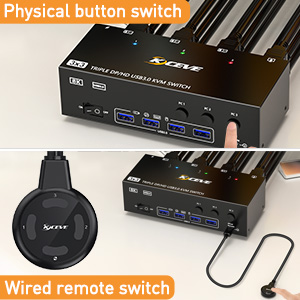
    Support 2 switching ways
    Support 2 switching ways
    1. Physical button control.
    2. Wired control, we upgraded the wired control, it's size is more bigger and touch feel more comfortable, this switching way is fast respond and flexible, you can hide the KVM switch under the table and keep desk tidy when using this wired control.
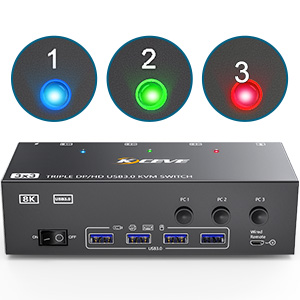
    3 LED light indicator Blue light shows PC1 working Green light shows PC2 working Red light shows PC3
    3 LED light indicator
    1. Blue light shows PC1 working
    2. Green light shows PC2 working
    3. Red light shows PC3 working
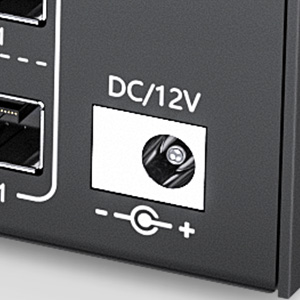
    DC12V port for power supply External power supply is not required for normal USB device. DC12 power
    DC12V port for power supply
    1. External power supply is not required for normal USB device.
    2. DC12 power adapter is included. When connected high power consumption USB device, you will need to connect power adapter to ensure it's connection stable.
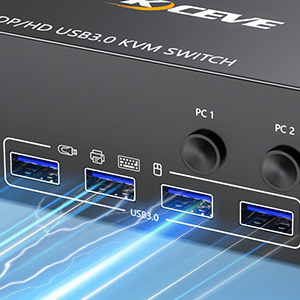
    Four USB 3.0 ports
    Four USB 3.0 ports
    1. Upgraded USB 3.0 version ensure data transfer more faster and stable, it's a great solution to solve many USB device disconnected issue during use.
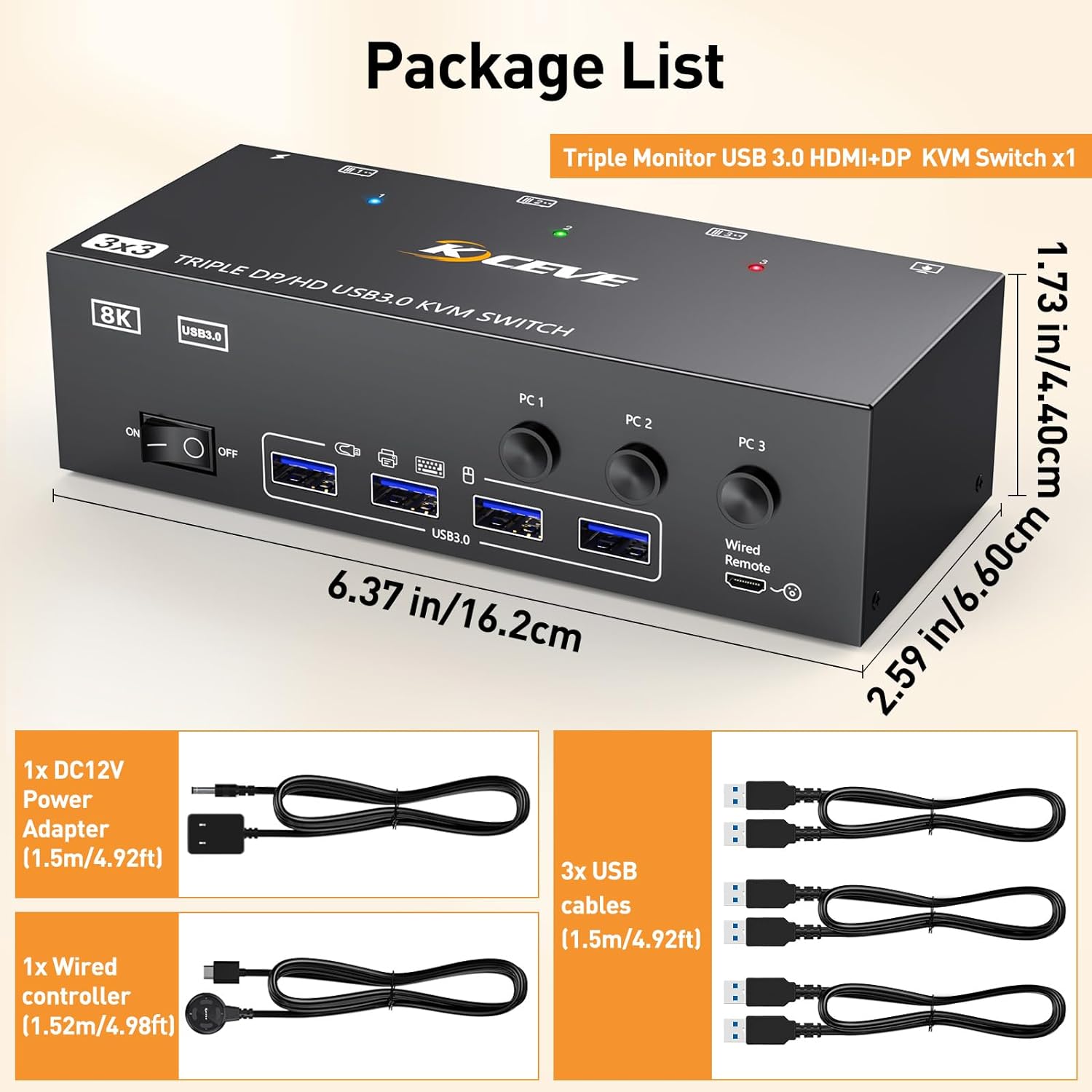
    Package
    yingycj
    Triple Monitor KVM Switch

    2 Displayport 1.4 +HDMI 2.1 USB 3.0 KVM Switch allows 3 computers to share 3 monitors and 4 USB 3.0 ports(keyboard, mouse and other usb devices). It can make your work space tidy and efficient, also a premium choice for working from home.


    The resolution and fresh rate of triple monitor kvm switch supports up to 8K@60Hz/4K@144Hz,
    But please note that: (1) HDMI part supports 8K@60Hz, 4K@120Hz, 4K@60Hz, and backward compatible. (2) Displayport part support 8K@30Hz, 4K@144Hz and backward compatible.

    Triple monitor HDMI+2 Displayport kvm switch with 4 usb 3.0 ports which can recognize keyboard, mouse, printer, scaner and other usb devices. USB 3.0 offers data transfer speeds of up to 5Gbps, while USB 2.0 offers data transfer speeds of only 480Mbps.

    Triple display KVM switches require 2 DP and HDMI connections per computer, and for computers with discrete and integrated graphics cards require both 2 DP+HDMI ports must belong discrete graphics card. However, most computers, especially laptops, do not have dual DP+HDMI ports and therefore require a reliable adapter or docking station.

    triple monitors KVM switch driver-free and plug and play. you can press the button on the panel or use the wired remote controller (included in the package) to switch the computers. Three color lights indicate the active computer.

    Warranty & Returns

    Warranty, Returns, And Additional Information

    Warranty

    • Please contact the Seller directly for warranty information. Warranty information may also be found on the Manufacturer's website.
    • CONTACT

    Return Policies

    Manufacturer Contact Info

    LOADING...