




 here!
I’m your shopping assistant for PC builds, upgrades, and everything tech.
Got questions? Ask away!
Start a conversation
here!
I’m your shopping assistant for PC builds, upgrades, and everything tech.
Got questions? Ask away!
Start a conversation





Any questions? Ask CelesteSM will help you find out quickly.
Key Features and Benefits:
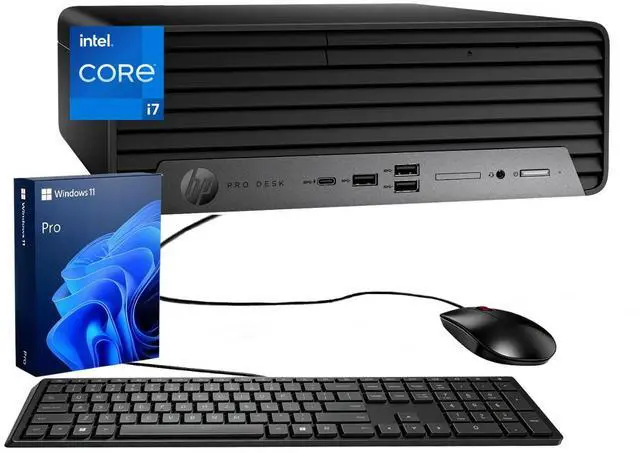
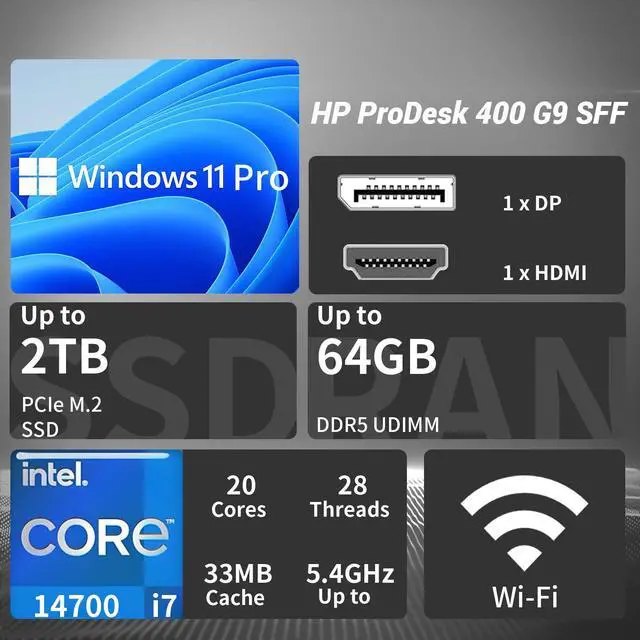
CPU: Intel Core i7-14700 Processor (20 Cores, 28 Threads, 33 MB L3 Cache, 2.1 GHz base frequency, up to 5.4 GHz max turbo frequency)
Memory: Up to 64GB DDR5 RAM
Hard Drive: Up to 2TB PCIe NVMe M.2 Solid State Drive
External Hard Drive: bundle with UC310 64GB USB Flash Drive
Operating System: Windows 11 Pro
Graphics: Intel UHD Graphics
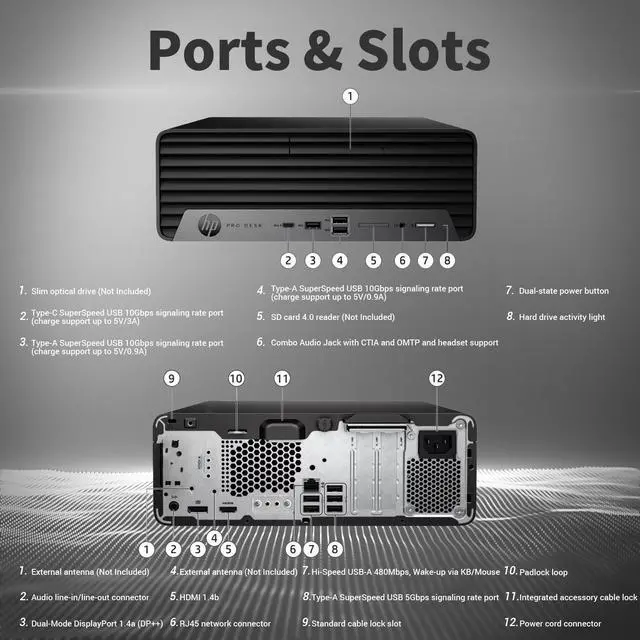
Front :
1x headphone/microphone combo
1x SuperSpeed USB Type-C 10Gbps signaling rate
3x SuperSpeed USB Type-A 10Gbps signaling rate
Rear :
1x audio-out
1x RJ-45
1x HDMI 1.4
3x SuperSpeed USB Type-A 5Gbps signaling rate
1x DisplayPort
2x USB Type-A 480Mbps signaling rate
Keyboard: Wired Keyboard & Mouse Combo
Wireless Connection: Wi-Fi
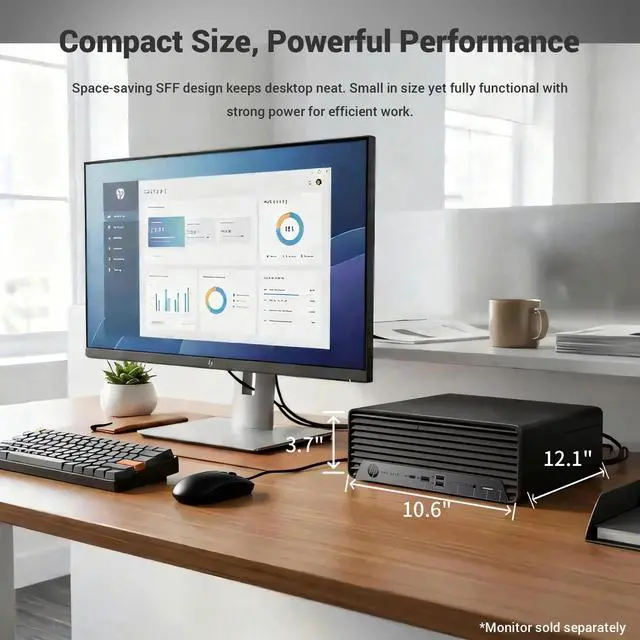
Dimensions: 10.6 x 3.7 x 12.1 in
Weight: 9.25 lbs
Color: Black
The HP ProDesk 400 G9 is a small-form-factor business desktop with an Intel Core i7-14700, 64GB of DDR5 memory, a 2TB SSD, and Windows 11 Pro, suited to professionals who run demanding office workloads and multitask across applications.
| Attribute | Value |
|---|---|
| Best For | Business and office work requiring a compact desktop, substantial memory and storage, and wired keyboard-and-mouse input |
| Processor And Core Count | Intel Core i7-14700, 20-core 64-bit processor with a 2.10GHz base frequency, up to 5.40GHz turbo frequency, and 33MB L3 cache |
| Graphics | Integrated Intel UHD Graphics 770 |
| Memory Configuration | 64GB DDR5-4800 in 2 × 32GB modules; 2 memory slots, both available, with support for up to 128GB |
| Storage | 2TB PCIe SSD for applications and file storage |
| Ports And Connectivity | Five rear and four front USB ports, one DisplayPort, one HDMI, one RJ45 Gigabit Ethernet port, and front and rear audio ports; Wi-Fi 5 (802.11ac) and Bluetooth |
| Operating System | Windows 11 Pro |
| Audio | Integrated audio chipset |
| Input Devices | Wired keyboard and wired mouse |
| Chassis And Cooling | Black small-form-factor chassis with air cooling |
| Dimensions And Weight | 12.1 × 10.6 × 3.7 inches; 9.25 lb |
| Model Identifiers | HP ProDesk 400 |
Q: HP ProDesk 400 G9 i7-14700 vs. i5-14500: which configuration should I choose?
A: Choose this i7-14700 configuration for workloads that benefit from more CPU cores and threads, and for its included 64GB RAM and 2TB SSD. The i5-14500 is a suitable alternative if you prefer a lower-tier processor configuration; HP lists it with 14 cores and 20 threads, compared with 20 cores and 28 threads for the i7-14700.
Q: HP ProDesk 400 G9 with 64GB RAM and 2TB SSD vs. a lower-memory, smaller-SSD configuration: which is better for multitasking?
A: This 64GB RAM and 2TB SSD configuration is the more ready-to-use choice for running many applications at once and keeping more files and projects on the PC. A lower-capacity configuration can suit buyers who plan to add memory or storage later; HP lists the Pro SFF 400 G9 with support for up to 128GB of memory.
Q: HP ProDesk 400 G9 with i7-14700 vs. an i7-12700 version: is the newer processor worth choosing?
A: Choose the i7-14700 configuration when your work can make use of its higher core and thread count: HP lists 20 cores and 28 threads for the i7-14700, compared with 12 cores and 20 threads for the i7-12700. Both processors are listed for the Pro SFF 400 G9, so the choice can focus on workload needs and the configuration offered.
Q: HP ProDesk 400 G9 SFF vs. HP ProDesk 400 G9 Mini: which should I choose for a desk setup?
A: Choose this SFF model for a conventional small-form-factor desktop with the Core i7-14700 and the listed 64GB RAM and 2TB SSD. Choose a ProDesk 400 G9 Mini configuration when minimizing the computer’s footprint is the priority; HP lists the Mini with the lower-power i7-14700T, while the i7-14700 is listed for the SFF model.
Q: Is this desktop suitable for office work and multitasking?
A: Yes. Its Core i7-14700 processor, 64GB of RAM, 2TB SSD, and Windows 11 Pro suit typical office productivity and multitasking. It uses integrated Intel UHD Graphics 770, so it is not configured with a dedicated graphics card for demanding graphics workloads.
Q: Can it run two or three monitors?
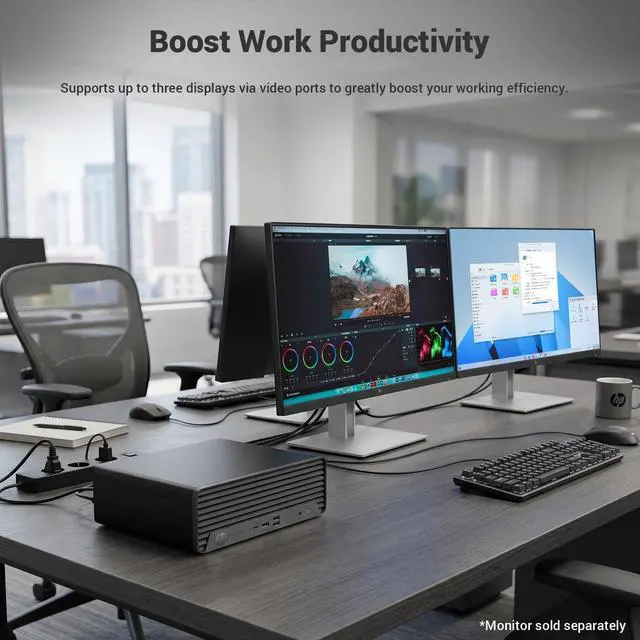
A: The listing specifies DisplayPort and HDMI outputs and claims support for up to three independent monitors, including dual 4K display support. It does not specify how a third monitor connects, so confirm the required connection method before planning a three-screen setup.
Q: Does it have Wi-Fi, and what comes in the box?
A: Yes. It has built-in Wi-Fi 5 and Bluetooth, plus a wired keyboard and mouse. A monitor is not listed as included, so plan to provide one or more displays and any needed connection cables separately.
Q: Can I upgrade the memory or storage, and what warranty applies?
A: The listing says the system supports up to 128GB of memory, but both memory slots are occupied by the installed 2 × 32GB modules, so adding RAM would require replacing modules. Storage-upgrade details are not provided. The listing states that PCOnline US covers the upgraded RAM and SSD for one year, while the remaining components retain the original one-year manufacturer coverage.
Q: Is the HP ProDesk 400 G9 a suitable desktop for everyday office work?
A: Its Core i7-14700, 64GB of RAM, 2TB SSD, and Windows 11 Pro make this configuration well-equipped for multitasking and typical business workloads. Reddit discussions about the ProDesk 400 G9 specifically raise office use as a buying consideration, though those posts concern lower-memory configurations rather than this exact model.
Q: Can you add a graphics card later for gaming or GPU-heavy work?
A: The listed configuration uses integrated Intel UHD Graphics 770 and does not specify a discrete graphics card. Reddit discussions about adding GPUs to ProDesk 400 G9 SFF systems describe power and fit as constraints, so confirm this exact unit’s available space, power supply, and supported cards before planning an upgrade.
Q: Should I be concerned about boot or firmware problems?
A: One Reddit post reports intermittent boot and firmware-update problems on some 14th-generation ProDesk 400 G9 SFF machines. It is an individual report, not proof of a widespread issue or a problem with this specific listing. Ask the seller about BIOS status and return coverage; the listing says the upgraded RAM and SSD have separate one-year PCOnline US coverage, while the remaining components retain the manufacturer's one-year coverage.
Q: Can I upgrade the RAM later, and are the listed memory slots available?
A: The product data lists 64GB as two 32GB modules and says the system supports up to 128GB, but it also lists two total slots as available despite both being occupied. Because those details conflict, confirm the installed modules, open slots, and supported maximum with the seller before buying if future RAM upgrades matter.


