




 here!
I’m your shopping assistant for PC builds, upgrades, and everything tech.
Got questions? Ask away!
Start a conversation
here!
I’m your shopping assistant for PC builds, upgrades, and everything tech.
Got questions? Ask away!
Start a conversation






Any questions? Ask CelesteSM will help you find out quickly.
We sell new,unused computers,the original Seal is opened for upgrade ONLY. If you've selected a custom-configured computer, our professional technicians will carefully open the original manufacturer's box and professionally install the upgrades to achieve the advertised specifications.
CPU:Intel Core Ultra 5 225 Processor
Display:NO
Memory:up to 64 GB DDR5 RAM
Hard Drive:up to 2 TB PCIe NVMe M.2 SSD
Operating System:Windows 11 Home/Pro
Graphics:Intel Arc Graphics
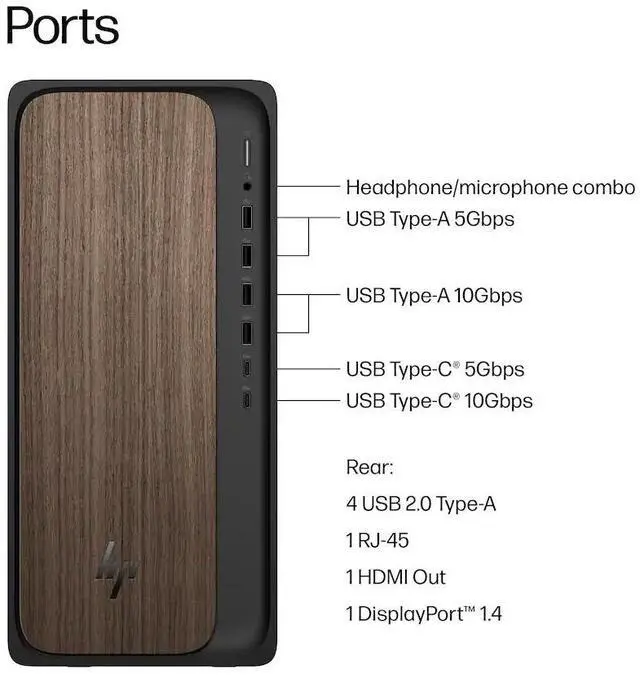
Ports:
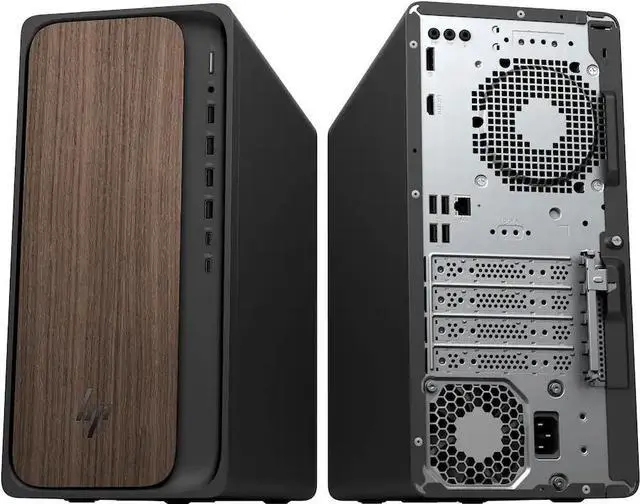
2 x USB-A 3.0, 2 x USB-A 3.1, 1 x USB-C 3.0, 1 x USB-C 3.1, 4 x USB-A 2.0
DisplayPort 1.4,HDMI 2.1,Ethernet (RJ45),Audio-out
Keyboard and mouse: Wired Keyboard and mouse
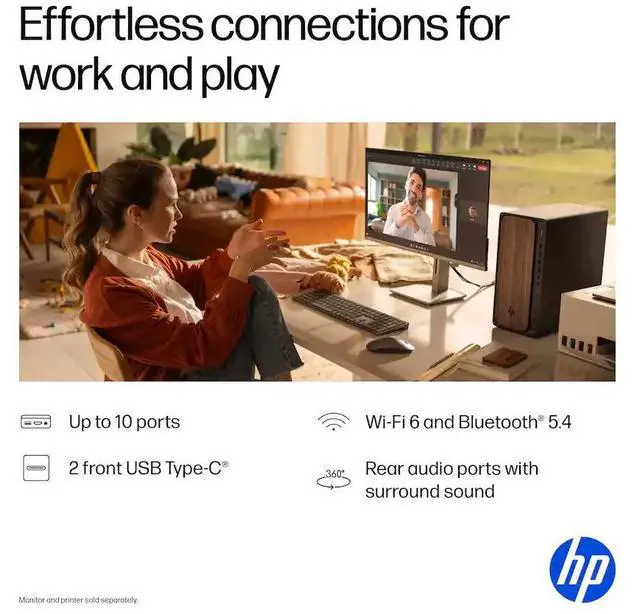
Wireless Connectivity:Intel Wi-Fi 6 (2x2) Gig and Bluetooth 5.4
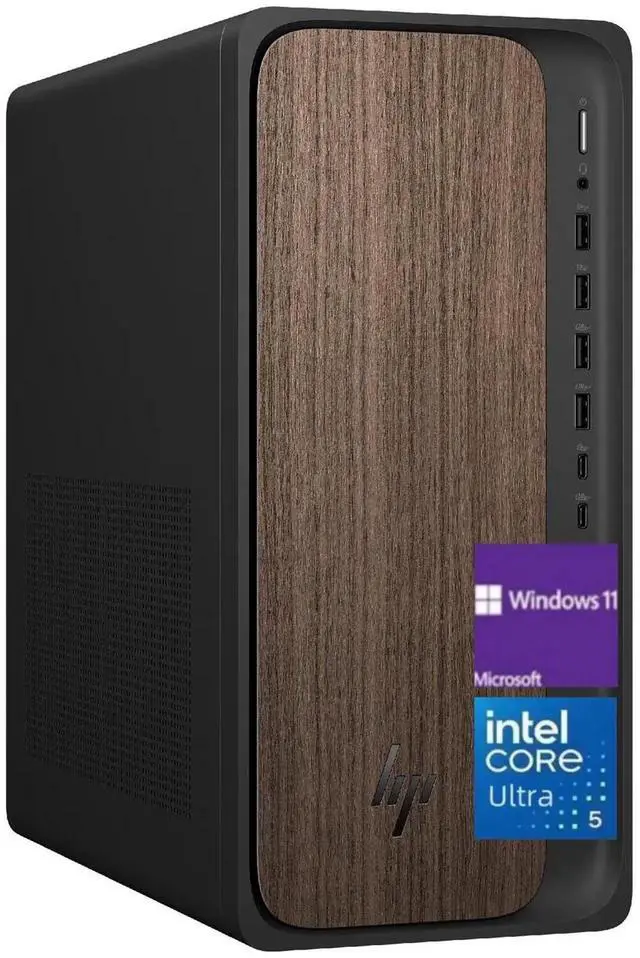
Color:Dark Wood
Dimensions:12.4" x 6.1" x 13.27"in,12.72 lb
The HP OmniDesk M03 is a Windows 11 Pro desktop with an Intel Core Ultra 5 225 processor, Intel Arc Graphics, 32GB of DDR5 memory, and a 512GB PCIe SSD, suited to office work, multitasking, and everyday computing.
| Attribute | Value |
|---|---|
| Best For | Desktop productivity, multitasking, and AI-ready workflows, with integrated Intel Arc graphics |
| Processor | Intel Core Ultra 5 225 |
| Graphics | Intel Arc Graphics |
| Memory And Storage | 32GB DDR5 memory and 512GB SSD storage |
| Operating System | Windows 11 Pro |
| Connectivity | Wi-Fi 6 and Bluetooth 5.4 |
| Included Peripherals | Wired keyboard and wired mouse |
| Model Identifiers | HP Omni desktop PC, model M03-0000t |
Q: Should I choose the HP OmniDesk M03 with 32GB RAM or the 8GB/256GB configuration?
A: Choose this 32GB/512GB configuration if you want more memory for multitasking and more SSD capacity for files and applications. The 8GB/256GB M03 is the lower-memory, lower-storage option; both configurations use the Intel Core Ultra 5 225 processor.
Q: HP OmniDesk M03 with Core Ultra 5 225 or OmniDesk M02 with Core i3-14100?
A: Choose the M03 configuration for its 10-core Core Ultra 5 225 processor, 32GB DDR5 memory, and 512GB SSD. The M02-0000t configuration pairs a 4-core Core i3-14100 with 8GB memory and a 256GB SSD, making it the simpler configuration in this comparison.
Q: Should I get this HP OmniDesk M03 or upgrade to one with Core Ultra 7 and RTX 5060?
A: Choose this Core Ultra 5 M03 for a desktop configuration with 32GB RAM and integrated graphics. The Core Ultra 7 265 and RTX 5060 option is the higher-spec M03 choice for buyers seeking a more powerful processor and dedicated graphics.
Q: Is this desktop suitable for everyday office work and multitasking?
A: Yes. Its Intel Core Ultra 5 225 processor, 32 GB of DDR5 memory, 512 GB SSD, and Windows 11 Pro make it a suitable fit for typical office work, web browsing, and multitasking. A monitor is not included.
Q: Does it come with a monitor?
A: No. The product information says a display is not included, so you will need a separate monitor. The listing specifies a wired keyboard and mouse.
Q: Is it a good choice for gaming?
A: It has Intel Arc graphics, but the product information does not specify a discrete graphics card or game-performance benchmarks. It is best considered for general computing; check the requirements of specific games before buying if gaming is a priority.
Q: Is the HP OmniDesk M03 suitable for 3D work or gaming?
A: This configuration lists Intel Arc Graphics but no discrete graphics card. Its 32 GB of RAM and Core Ultra 5 225 may suit general work and lighter creative tasks, but for demanding 3D rendering or gaming, consider a PC with a dedicated GPU. A Reddit discussion raises this question about a different M03 configuration, so its performance concerns do not establish results for this exact model.
Q: Is an HP OmniDesk M03 worth buying instead of building a PC?
A: The Reddit comparison shows this is a buyer consideration, but it does not establish whether this specific 32 GB, 512 GB configuration is worth its price. Compare the actual price and warranty with similarly equipped desktops or a self-build; the product information lists Windows 11 Pro and wired keyboard and mouse, but no display.
Q: Can I add a 3.5-inch hard drive to an HP OmniDesk M03?
A: The supplied specifications confirm a 512 GB SSD but do not confirm a spare internal drive bay or the exact expansion options for this configuration. A Reddit user discusses adding a 3.5-inch drive to another M03 variant, so check the exact model and available connections before buying a drive or adapter.


