




 here!
I’m your shopping assistant for PC builds, upgrades, and everything tech.
Got questions? Ask away!
Start a conversation
here!
I’m your shopping assistant for PC builds, upgrades, and everything tech.
Got questions? Ask away!
Start a conversation

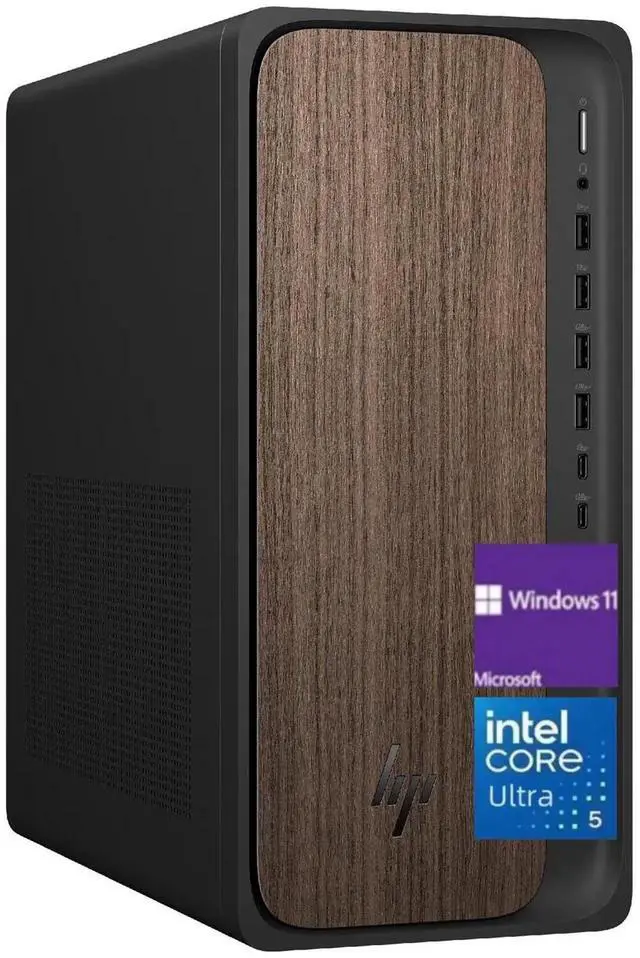





Any questions? Ask CelesteSM will help you find out quickly.
We sell new,unused computers,the original Seal is opened for upgrade ONLY. If you've selected a custom-configured computer, our professional technicians will carefully open the original manufacturer's box and professionally install the upgrades to achieve the advertised specifications.
CPU:Intel Core Ultra 5 225 Processor
Display:NO
Memory:up to 64 GB DDR5 RAM
Hard Drive:up to 2 TB PCIe NVMe M.2 SSD
Operating System:Windows 11 Home/Pro
Graphics:Intel Arc Graphics
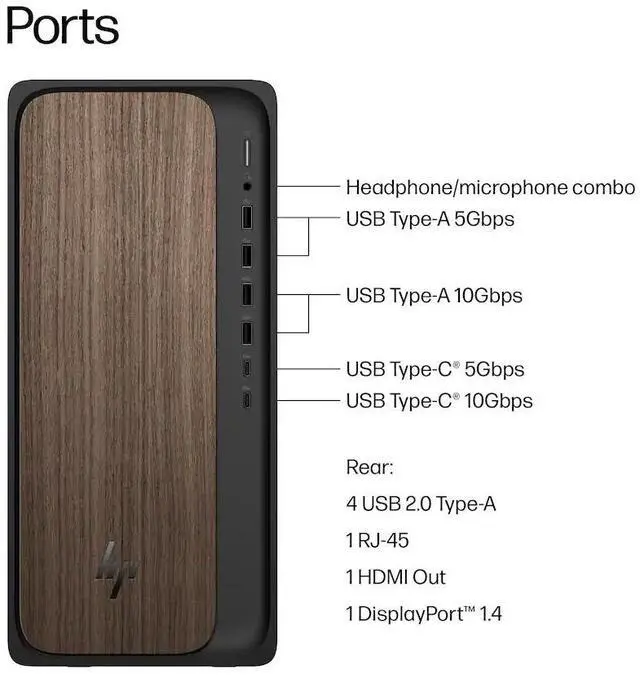
Ports:
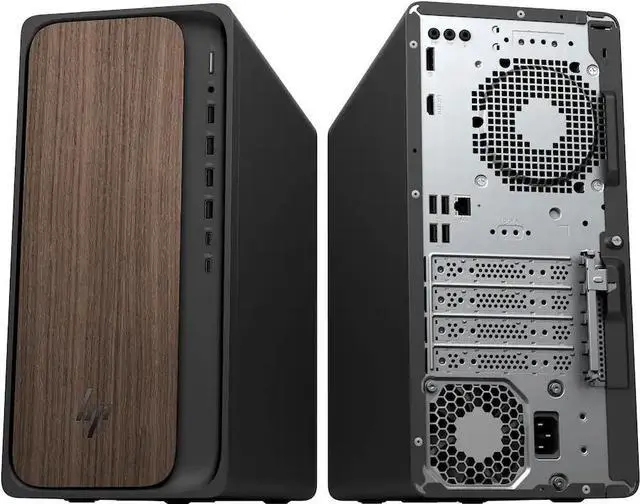
2 x USB-A 3.0, 2 x USB-A 3.1, 1 x USB-C 3.0, 1 x USB-C 3.1, 4 x USB-A 2.0
DisplayPort 1.4,HDMI 2.1,Ethernet (RJ45),Audio-out
Keyboard and mouse: Wired Keyboard and mouse
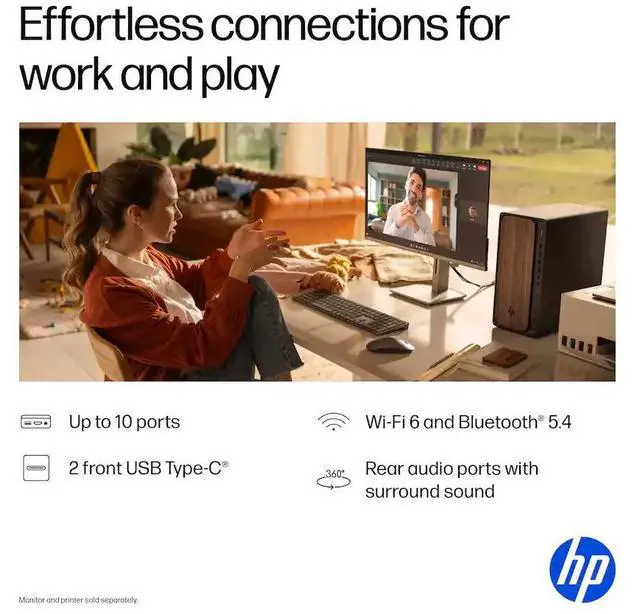
Wireless Connectivity:Intel Wi-Fi 6 (2x2) Gig and Bluetooth 5.4
Color:Dark Wood
Dimensions:12.4" x 6.1" x 13.27"in,12.72 lb
The HP OmniDesk M03 is a Windows 11 Pro desktop with an Intel Core Ultra 5 225 processor, Intel Arc Graphics, 64GB of DDR5 memory, and a 1TB PCIe NVMe SSD, suited to office productivity and demanding multitasking.
| Attribute | Value |
|---|---|
| Best For | General desktop computing and multitasking, with an AI-ready platform, Intel Arc graphics, and 64GB of memory |
| Processor | Intel Core Ultra 5 225 |
| Graphics | Intel Arc Graphics |
| Memory | 64GB DDR5 |
| Storage | 1TB SSD |
| Operating System | Windows 11 Pro |
| Wireless Connectivity | Wi-Fi 6 and Bluetooth 5.4 |
| Included Peripherals | Wired keyboard and wired mouse |
| Model Identifiers | HP Omni desktop PC, model M03-0000t |
Q: HP OmniDesk M03 with 64GB RAM vs. a standard M03 configuration: which should I choose?
A: Choose this Newegg M03 configuration if you regularly keep many applications or large projects open: it pairs the Core Ultra 5 225 with 64GB of DDR5 memory and a 1TB SSD. A standard M03 configuration is a fit when its lower memory and storage configuration better matches your needs.
Q: Should I choose this HP OmniDesk M03 or an M03 with the Core Ultra 7?
A: Choose this Core Ultra 5 225 configuration for a desktop centered on everyday productivity and multitasking, with 64GB RAM and 1TB storage. Consider an M03 configured with the Core Ultra 7 265 when your work benefits more from its higher core count—20 cores versus 10 in the Core Ultra 5 225.
Q: HP OmniDesk M03 vs. HP OmniDesk M02: which is the newer-generation choice?
A: Choose the M03 when you want the Core Ultra 5 225 platform, Intel AI Boost, 64GB RAM, and a 1TB SSD in this listing. The M02 configuration shown by HP uses a Core i3-14100, so it is the earlier-tier option within the OmniDesk desktop lineup.
Q: HP OmniDesk M03 vs. OmniDesk Slim: which fits a home office better?
A: Choose this M03 tower when you prioritize its 64GB memory and 1TB SSD configuration for multitasking and storage. Choose the OmniDesk Slim when a compact 9-liter form factor is the main priority; HP positions the standard OmniDesk as a 16-liter tower.
Q: Is a monitor included?
A: No. The product information says the display is not included, so you will need to supply a monitor separately.
Q: Is this desktop suitable for office work, school, and multitasking?
A: Yes. Its Intel Core Ultra 5 225 processor, 64 GB of DDR5 memory, 1 TB SSD, and Windows 11 Pro make it suitable for everyday productivity and multitasking. A monitor is not included.
Q: Can it connect to Wi-Fi without an Ethernet cable?
A: Yes. The listed specifications include Wi-Fi 6, so it can connect to a compatible wireless network without an Ethernet cable. Bluetooth 5.4 is also listed.
Q: Is it a good choice for gaming?
A: It includes Intel Arc Graphics, but the provided specifications do not list a separate graphics card. It may suit lighter gaming, but performance in specific games can vary; check each game’s requirements before buying if gaming is a priority.
Q: Is the HP OmniDesk M03 suitable for office multitasking and light video editing?
A: Its 64 GB of RAM, 1 TB SSD, and Core Ultra 5 225 fit a multitasking and office-work setup. The product listing specifies Intel Arc Graphics but no separate graphics card, so buyers doing more demanding video or graphics work should check whether that is sufficient for their software.
Q: Can you add a 3.5-inch hard drive to an HP OmniDesk M03?
A: A Reddit discussion about the M03-0057c describes adding a 3.5-inch drive, but the provided specifications for this M03-0000t do not confirm a drive bay or required cable. Verify the exact unit’s internal layout and parts before buying an additional drive.
Q: Is this HP OmniDesk M03 a good choice for 3D animation or simulation?
A: The listing specifies a Core Ultra 5 225 and Intel Arc Graphics, but does not list a separate graphics card. That makes the system a less certain fit for GPU-intensive 3D work; check the software’s graphics requirements and consider a model with a discrete GPU if those workloads are important.


