




 here!
I’m your shopping assistant for PC builds, upgrades, and everything tech.
Got questions? Ask away!
Start a conversation
here!
I’m your shopping assistant for PC builds, upgrades, and everything tech.
Got questions? Ask away!
Start a conversation

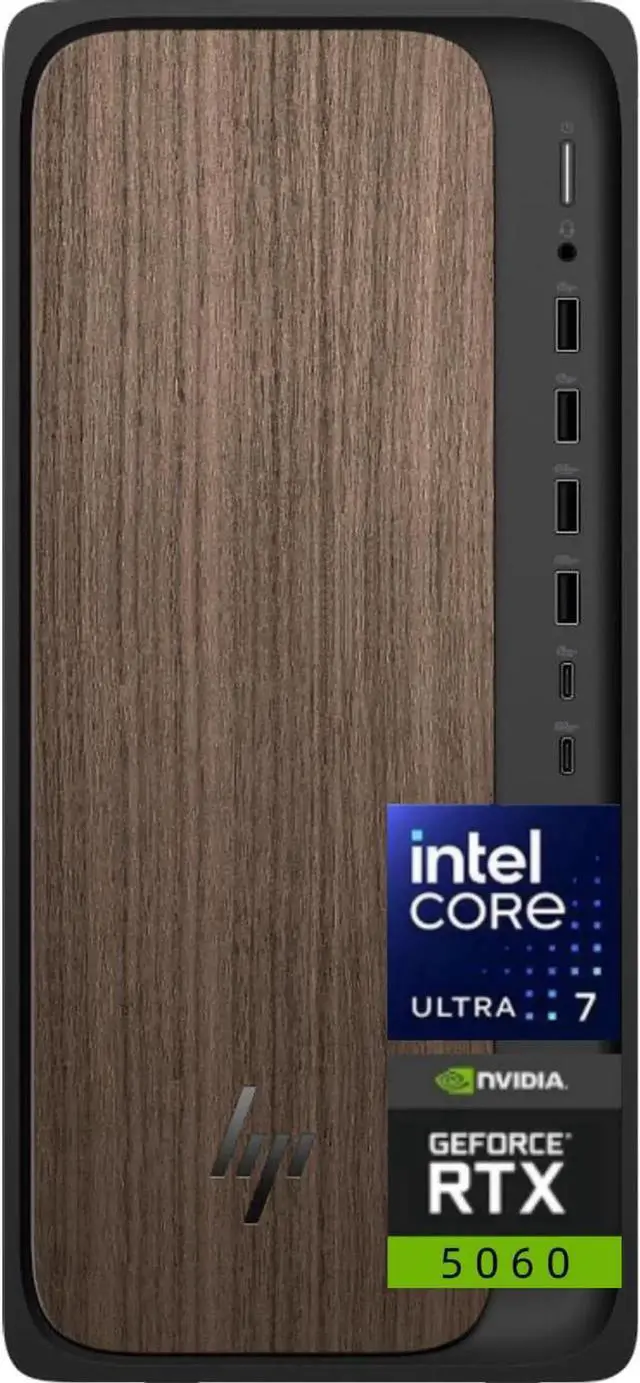





Any questions? Ask CelesteSM will help you find out quickly.
We sell new,unused computers,the original Seal is opened for upgrade ONLY. If you've selected a custom-configured computer, our professional technicians will carefully open the original manufacturer's box and professionally install the upgrades to achieve the advertised specifications.
CPU:Intel Core Ultra 7 265 (up to 5.3 GHz with Intel Turbo Boost Technology, 30 MB L3 cache, 20 cores, 20 threads)+Intel AI Boost (13 NPU TOPS)
Display:NO
Memory:up to 64 GB DDR5 RAM
Hard Drive:up to 2 TB PCIe NVMe M.2 SSD
Operating System:Windows 11 Home/Pro
Graphics:NVIDIA GeForce 5060 8 GB Graphics
Ports:
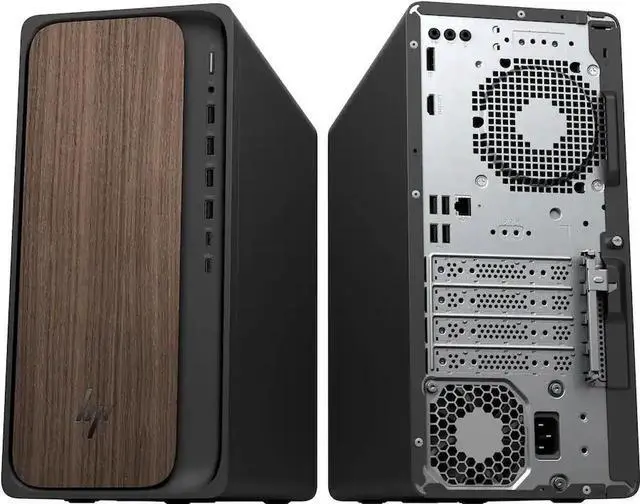
Front : 1 USB Type-C 10Gbps signaling rate; 1 USB Type-C 5Gbps signaling rate; 2 USB Type-A 10Gbps signaling rate; 2 USB Type-A 5Gbps signaling rate; 1 headphone/microphone combo
Rear : 4 USB 2.0 Type-A; 1 RJ-45; 3 3.5 mm audio jack combo
Keyboard and mouse: HP 125 USB Black Wired Keyboard and Mouse
Wireless Connectivity:Intel Wi-Fi 6 (2x2) Gig and Bluetooth 5.4
Chassis Power supply:Chassis Jack Black Plastic and 400 W 80 Plus Platinum certified power supply
Color:Dark Wood
Dimensions:13.27 x 6.10 x 12.40 in,11.78 lb
The HP OmniDesk M03 is a Windows 11 desktop with an Intel Core Ultra 7 265 processor, GeForce RTX 5060 graphics, 16GB DDR5 memory, and a 512GB PCIe SSD, suited to users who want one PC for gaming, everyday computing, and multitasking.
| Attribute | Value |
|---|---|
| Best For | Desktop computing, graphics-intensive use, and AI-ready workloads |
| Processor And Graphics | Intel Core Ultra 7 265 processor with NVIDIA GeForce RTX 5060 graphics |
| Memory And Storage | 16GB DDR5 memory and 512GB SSD storage |
| Operating System And AI | Windows 11 Home with AI-ready capability |
| Wireless Connectivity | Wi-Fi 6 and Bluetooth 5.4 |
| Included Peripherals | Wired keyboard and wired mouse |
| Model Identifiers | HP Omni series, model M03-0000t; desktop PC |
Q: HP OmniDesk M03 with RTX 5060 or the integrated-graphics M03—which should I choose?
A: Choose this configuration if you want a dedicated NVIDIA GeForce RTX 5060 for graphics-focused work or gaming alongside the Core Ultra 7 265. The integrated-graphics M03 is the alternative for a configuration centered on general desktop tasks.
Q: Should I get the HP OmniDesk M03 with Core Ultra 7 265 or the Core Ultra 5 225 version?
A: Choose this Core Ultra 7 265 configuration if your work benefits from more CPU cores and threads: HP lists 20 cores and 20 threads for the Ultra 7 265, compared with 10 cores and 10 threads for the Ultra 5 225. Both options are available in the M03 lineup.
Q: How does this HP OmniDesk M03 compare with the previous-generation OmniDesk M02?
A: Choose this M03 if you want the listed combination of an Intel Core Ultra 7 265, Intel AI Boost, and GeForce RTX 5060. HP’s M02 series lists earlier Intel Core processor options, while HP’s M03 series lists Core Ultra 5 and Core Ultra 7 options.
Q: Does the HP OmniDesk M03 come with a monitor?
A: No. A monitor is not included, so you will need to provide one separately. The listing specifies a wired keyboard and mouse.
Q: Is the HP OmniDesk M03 suitable for PC gaming?
A: It has a dedicated NVIDIA GeForce RTX 5060 graphics card with 8 GB of graphics memory and an Intel Core Ultra 7 265 processor, making it configured for gaming as well as general computing. Actual performance depends on the game, resolution, and graphics settings; check the requirements for games you plan to play.
Q: Is this desktop suitable for office work and everyday multitasking?
A: Yes. The Core Ultra 7 processor, 16 GB of DDR5 memory, Windows 11 Home, Wi-Fi 6, and Bluetooth 5.4 suit everyday office tasks, web use, and video meetings. For especially memory-intensive workloads or frequent heavy multitasking, the listed 16 GB of RAM may be a limitation.
Q: Can the RAM or storage be upgraded later?
A: The listing confirms 16 GB of DDR5 RAM and a 512 GB PCIe NVMe SSD, but does not specify available memory slots, maximum RAM, or additional storage bays. Check the exact model’s upgrade compatibility with HP before buying parts.
Q: Is this OmniDesk suitable for Fusion 360 and 3D-printer slicers?
A: Its Core Ultra 7 265 and RTX 5060 8 GB make it a potential fit for these tasks, but the 16 GB of RAM may be a constraint for larger projects or heavy multitasking. A Reddit discussion about a different 16 GB OmniDesk raised the same software-use question, so consider whether you may want more memory; this listing does not specify an upgraded configuration.
Q: Is 16 GB of RAM enough, or should I plan to upgrade?
A: The listed configuration has 16 GB of DDR5 RAM. That may be adequate for ordinary use, but a Reddit owner of a different 16 GB OmniDesk reported memory use near capacity while troubleshooting slow performance. That is one user report, not proof of a general issue; for demanding workloads or many open applications, check upgrade options before buying.
Q: Should I buy this prebuilt OmniDesk or build a PC myself?
A: The Reddit discussion raises the same trade-off for an M03 configuration aimed at 3D work, but it does not establish a clear consensus. Compare the price of this exact RTX 5060, 16 GB RAM, 512 GB SSD configuration with a DIY build, including the cost of any RAM or storage upgrades you expect to need.
Q: Can I add an internal drive if 512 GB is not enough?
A: A Reddit user reported adding a 3.5-inch drive to an OmniDesk using a particular power cable, but the post does not confirm that this exact configuration has the same connections or available space. Treat internal expansion as unverified for this listing and check the specific unit before relying on it.


