




 here!
I’m your shopping assistant for PC builds, upgrades, and everything tech.
Got questions? Ask away!
Start a conversation
here!
I’m your shopping assistant for PC builds, upgrades, and everything tech.
Got questions? Ask away!
Start a conversation

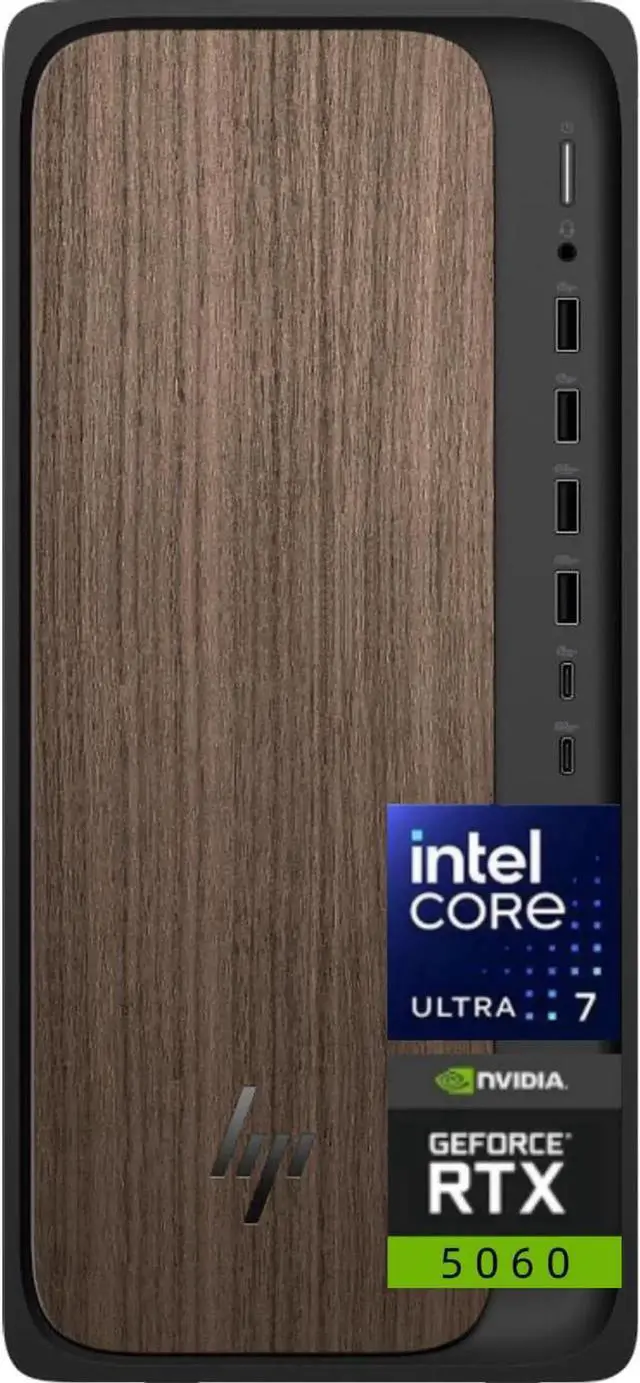


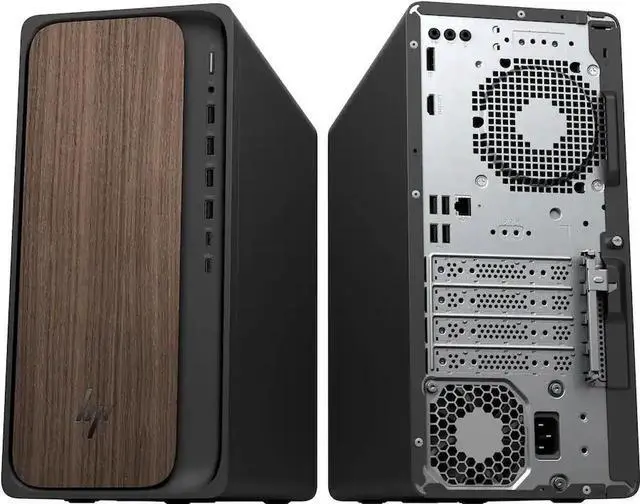



Any questions? Ask CelesteSM will help you find out quickly.
We sell new,unused computers,the original Seal is opened for upgrade ONLY. If you've selected a custom-configured computer, our professional technicians will carefully open the original manufacturer's box and professionally install the upgrades to achieve the advertised specifications.
CPU:Intel Core Ultra 7 265 (up to 5.3 GHz with Intel Turbo Boost Technology, 30 MB L3 cache, 20 cores, 20 threads)+Intel AI Boost (13 NPU TOPS)
Display:NO
Memory:up to 64 GB DDR5 RAM
Hard Drive:up to 2 TB PCIe NVMe M.2 SSD
Operating System:Windows 11 Home/Pro
Graphics:NVIDIA GeForce 5060 8 GB Graphics
Ports:
Front : 1 USB Type-C 10Gbps signaling rate; 1 USB Type-C 5Gbps signaling rate; 2 USB Type-A 10Gbps signaling rate; 2 USB Type-A 5Gbps signaling rate; 1 headphone/microphone combo
Rear : 4 USB 2.0 Type-A; 1 RJ-45; 3 3.5 mm audio jack combo
Keyboard and mouse: HP 125 USB Black Wired Keyboard and Mouse
Wireless Connectivity:Intel Wi-Fi 6 (2x2) Gig and Bluetooth 5.4
Chassis Power supply:Chassis Jack Black Plastic and 400 W 80 Plus Platinum certified power supply
Color:Dark Wood
Dimensions:13.27 x 6.10 x 12.40 in,11.78 lb
The HP OmniDesk AI desktop pairs an Intel Core Ultra 7 265 processor and NVIDIA GeForce RTX 5060 graphics with 32GB DDR5 memory and a 2TB PCIe NVMe SSD, making it suitable for gaming, creative work, and demanding everyday multitasking.
| Attribute | Value |
|---|---|
| Best For | Desktop users seeking an AI-ready system with Intel Core Ultra 7 processing, GeForce RTX 5060 graphics, 32GB DDR5 memory, and 2TB SSD storage |
| Processor | Intel Core Ultra 7 265 |
| Graphics | NVIDIA GeForce RTX 5060 |
| Memory And Storage | 32GB DDR5 memory and a 2TB SSD |
| Operating System | Windows 11 Home |
| Wireless Connectivity | Wi-Fi 6 and Bluetooth 5.4 |
| Included Peripherals | Wired keyboard and wired mouse |
| Model Identifiers | HP Omni series, model M03-0000t |
Q: Should I choose this HP OmniDesk or an OmniDesk with integrated graphics?
A: Choose this configuration if you want a dedicated GeForce RTX 5060 for graphics-intensive applications and gaming, plus 32 GB of memory and a 2 TB SSD. An integrated-graphics OmniDesk is a different configuration for buyers prioritizing everyday desktop use. HP lists both graphics options for the OmniDesk line.
Q: How does this OmniDesk with an RTX 5060 compare with an RTX 4060 OmniDesk?
A: Choose this configuration if you want the RTX 5060 graphics option and the listed 32 GB RAM and 2 TB SSD. HP documentation lists RTX 4060 and RTX 5060 options across OmniDesk configurations; check the specific SKU for its processor, memory, and storage before comparing.
Q: Should I get this OmniDesk or an HP OMEN 35L with an RTX 5070?
A: Choose the OmniDesk for its listed RTX 5060, 32 GB RAM, and 2 TB SSD. Choose the OMEN 35L configuration if you want the RTX 5070 graphics tier; HP lists that model with 32 GB RAM and a 1 TB SSD. The choice comes down to graphics configuration versus included storage capacity.
Q: Should I choose this OmniDesk or an HP OMEN 16 laptop with an RTX 5060?
A: Choose this OmniDesk for a stationary desktop setup with 32 GB RAM and a 2 TB SSD. Choose the OMEN 16 when you want a built-in 16-inch display and a portable PC. HP lists the laptop’s graphics as an RTX 5060 Laptop GPU, a distinct configuration from the OmniDesk’s desktop RTX 5060.
Q: Is this desktop suitable for gaming?
A: It has an NVIDIA GeForce RTX 5060 with 8 GB of graphics memory, an Intel Core Ultra 7 265 processor, and 32 GB of DDR5 RAM, making it configured for gaming as well as general computing. Actual frame rates depend on the game, resolution, and graphics settings; the product information does not provide specific benchmarks.
Q: Does it come with a monitor?
A: No. The product information says a display is not included, so you will need a separate monitor. It lists a wired keyboard and wired mouse.
Q: Can I connect it to Wi-Fi?
A: Yes. It includes Wi-Fi 6 for wireless network access and Bluetooth 5.4 for compatible wireless devices.
Q: Is this desktop suitable for office work and multitasking?
A: It is suitable for typical office work and multitasking: it runs Windows 11 Home and has an Intel Core Ultra 7 265 processor, 32 GB of DDR5 memory, and a 2 TB SSD. It is a desktop tower, and a monitor is not included.
Q: Is this OmniDesk suitable for 3D modeling and 3D-printer slicers?
A: Its Core Ultra 7 265, 32 GB RAM, and dedicated RTX 5060 make it better equipped on paper than the 16 GB, integrated-graphics OmniDesk discussed in a Fusion 360 and slicer thread. The discussion does not provide benchmark results for this configuration, so performance on specific projects is not verified.
Q: Is this a good choice for gaming, or should I compare it with other gaming PCs?
A: It has a dedicated RTX 5060 with 8 GB of graphics memory, so it is more gaming-capable than OmniDesk configurations discussed on Reddit that use integrated graphics. Reddit comparisons also raise value trade-offs against gaming PCs with stronger graphics cards; without the purchase price or game-specific benchmarks, value and performance are hard to judge.
Q: What should I check before buying it for sustained CPU-heavy work?
A: The listed specs do not establish how the system handles sustained CPU loads, heat, or fan noise. A Reddit discussion about an OmniDesk with the same Core Ultra 7 265 raises those questions but does not provide verified test results, so seek model-specific thermal and noise testing if those factors matter to your workload.


