Your Browsing History
- Free 30-day Returns
$86.28
Ships from Hong Kong.
Meet Your Seller
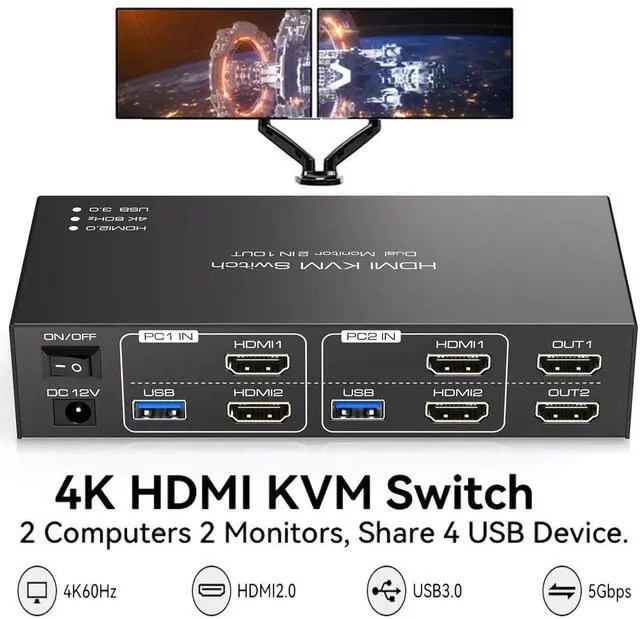
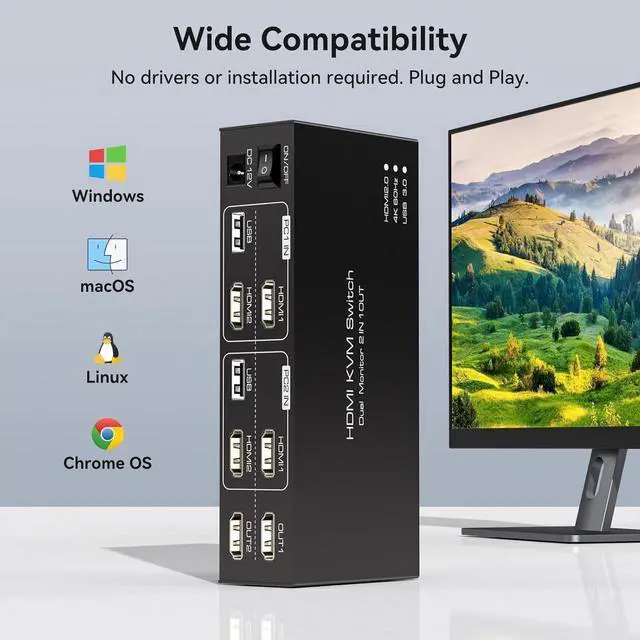
HDMI KVM Switch 2 Monitors 2 Computers 4K@60Hz Dual Monitor HDMI USB 3.0 KVM Switch for 2 Computers share 4 USB USB 3.0 Devices Support Copy & Extend Mode with 12V DC Power Supply & Cable
Limited time offer, ends 07/29 By E-tech
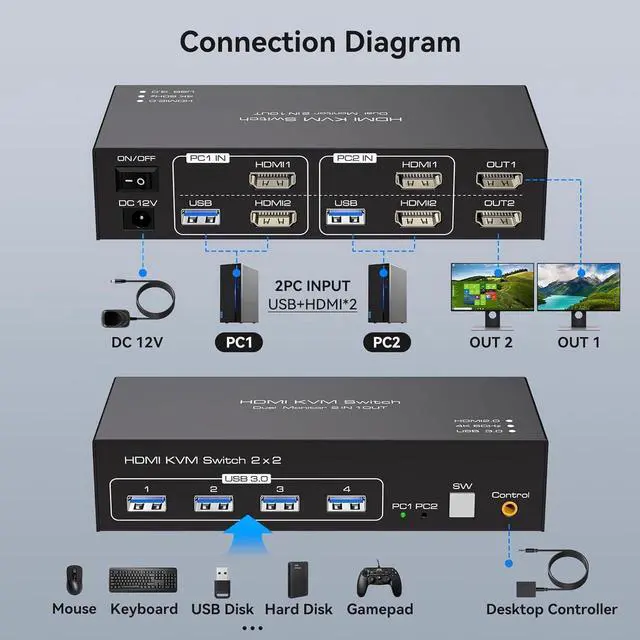
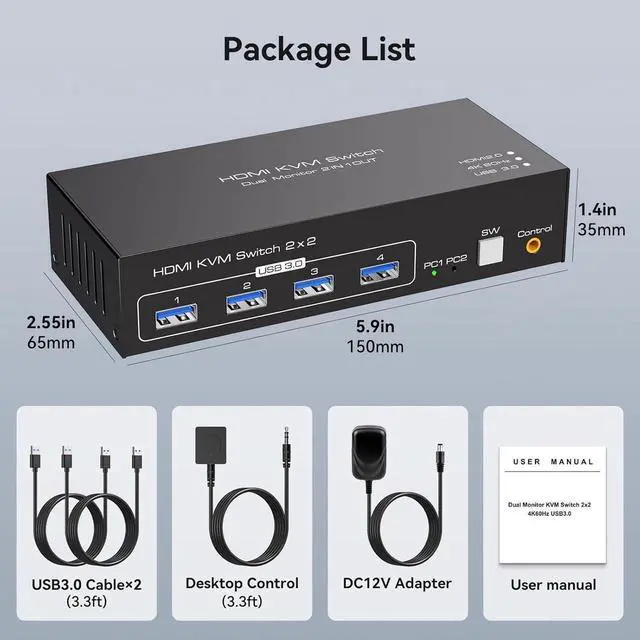
- [HDMI KVM Switch 2 Monitors 2 PC] KVM switch dual monitor allows 2 computers to share 2 monitors and 4 USB devices such as mouse, keyboard, etc. By distributing the HDMI1 and HDMI2 input ports on the upper and lower levels.
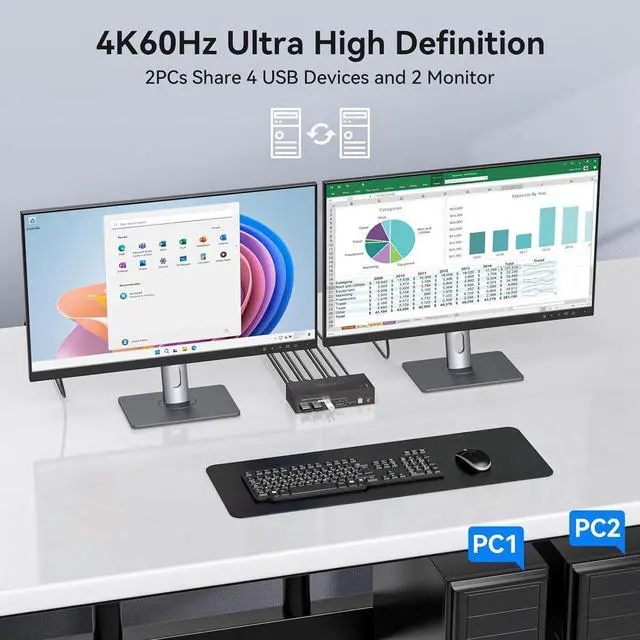
- [Display Mode] Supports resolutions up to 4K60Hz and is also backward compatible with lower resolutions. KVM switch supports copy mode and extension mode. Extension mode expands your desktop to multiple screens. Copy mode duplicates your desktop to multiple monitors.
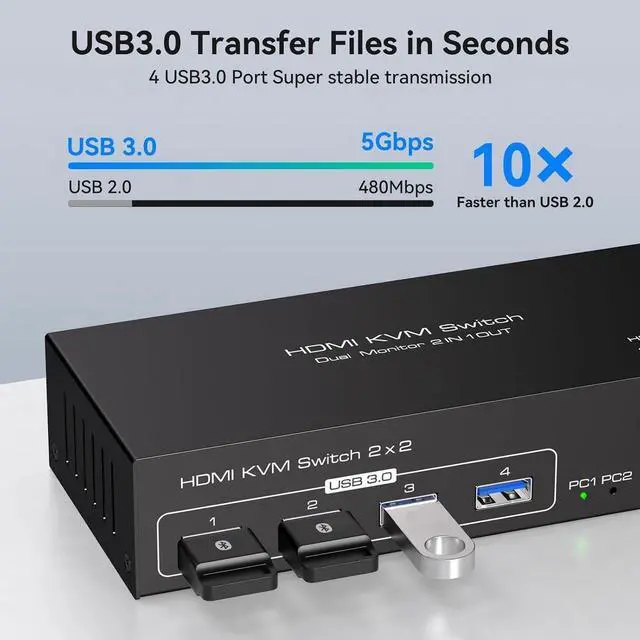
- [USB 3.0 High-Speed Data Transfer] Equipped with 4 USB 3.0 ports, so you can easily transfer data and files between connected devices at up to 5Gbps, experiencing lightning-fast data transfer speeds for increased productivity.
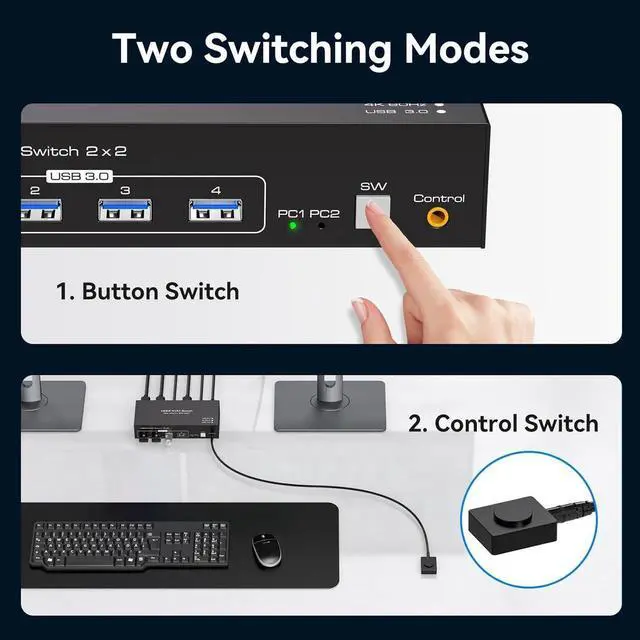
- [Easy Switching of Input Signals] Supports switching signal sources via panel buttons and external controllers. With an external controller, you can place the KVM outside your workspace to keep your desk cleaner and tidier. LED indicator shows which port is active.
+
+
Overview
Specs
Reviews
See all Q & A
Any questions? Our AI beta will help you find out quickly.
Try me now
Caveat
To use two monitors, each computer must be connected to the KVM with 2 HDMI and the computer itself should support the display of two monitors.
If the USB device is not recognised or disconnected, try swapping the ends of the USB cable between the computer and the KVM.
The KVM switcher is only used to switch the signal source and the two monitors will only display the screen of the same computer.
The KVM switch can only be used for signal transmission and cannot change any information.
The switch does not support the use of hotkeys to switch signal sources.
If the monitor flickers or has other display problems after connecting to the KVM, please try to exchange a shorter HDMI cable for the connection, it is not recommended to use an adapter cable.
KVM is equipped with 4 USB 3.0 ports
The transfer speed of USB 3.0 is 10 times faster than that of USB 2.0, and the USB 3.0 interface is compatible with USB 2.0, so you don't have to worry about compatibility issues.
4K@60hz Resolution
Our KVM switch supports up to 4K@60Hz, provided that the cables, computers and monitors you use all support 4K@60Hz.

To use two monitors, each computer must be connected to the KVM with 2 HDMI and the computer itself should support the display of two monitors.
If the USB device is not recognised or disconnected, try swapping the ends of the USB cable between the computer and the KVM.
The KVM switcher is only used to switch the signal source and the two monitors will only display the screen of the same computer.
The KVM switch can only be used for signal transmission and cannot change any information.
The switch does not support the use of hotkeys to switch signal sources.
If the monitor flickers or has other display problems after connecting to the KVM, please try to exchange a shorter HDMI cable for the connection, it is not recommended to use an adapter cable.
KVM is equipped with 4 USB 3.0 ports
The transfer speed of USB 3.0 is 10 times faster than that of USB 2.0, and the USB 3.0 interface is compatible with USB 2.0, so you don't have to worry about compatibility issues.
4K@60hz Resolution
Our KVM switch supports up to 4K@60Hz, provided that the cables, computers and monitors you use all support 4K@60Hz.
Warranty & Returns
Warranty, Returns, And Additional Information
Warranty
- Please contact the Seller directly for warranty information. Warranty information may also be found on the Manufacturer's website.
- CONTACT
Return Policies
- Return for refund within: 30 days
- Return for replacement within: non-replaceable
- This item is covered by E-tech Return Policy
Manufacturer Contact Info
- For a directory of all our manufacturers, please click below.
- Manufacturers Directory
LOADING...