




 here!
I’m your shopping assistant for PC builds, upgrades, and everything tech.
Got questions? Ask away!
Start a conversation
here!
I’m your shopping assistant for PC builds, upgrades, and everything tech.
Got questions? Ask away!
Start a conversation





Combo Up Savings Up To $210+
The more you add, the more you'll save!
Any questions? Ask CelesteSM will help you find out quickly.


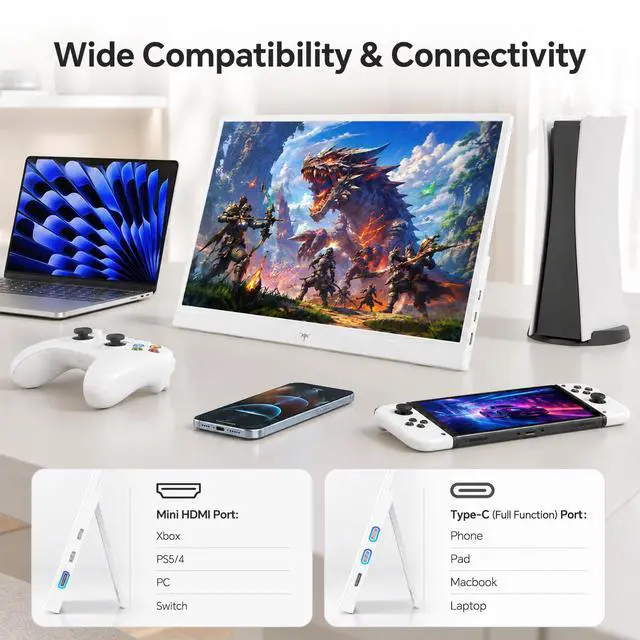
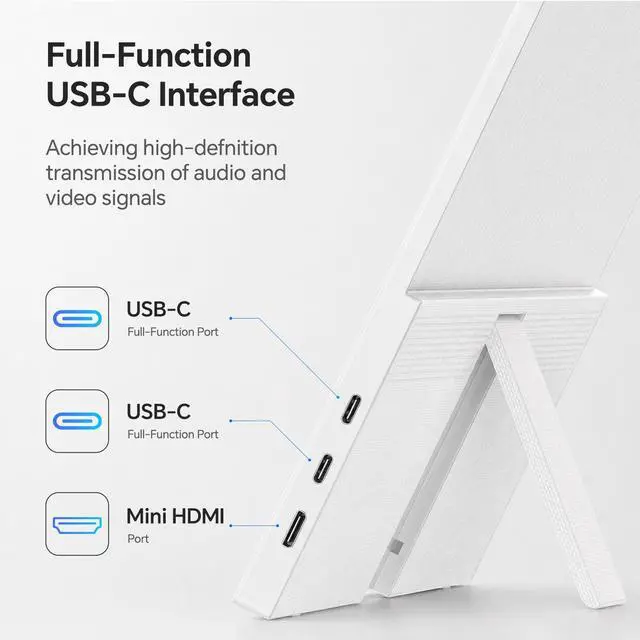
Widely compatible with smartphones, laptops, desktops, Xbox, PS4, PS5 and more for versatile content creation. It enables one-cable connectivity via full-featured Type-C. For non-Type-C devices, use the included HDMI to Mini HDMI cable for seamless connection.

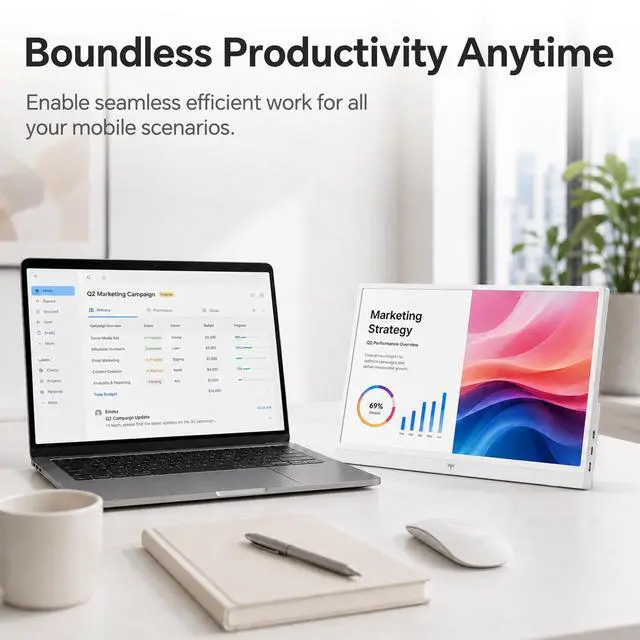
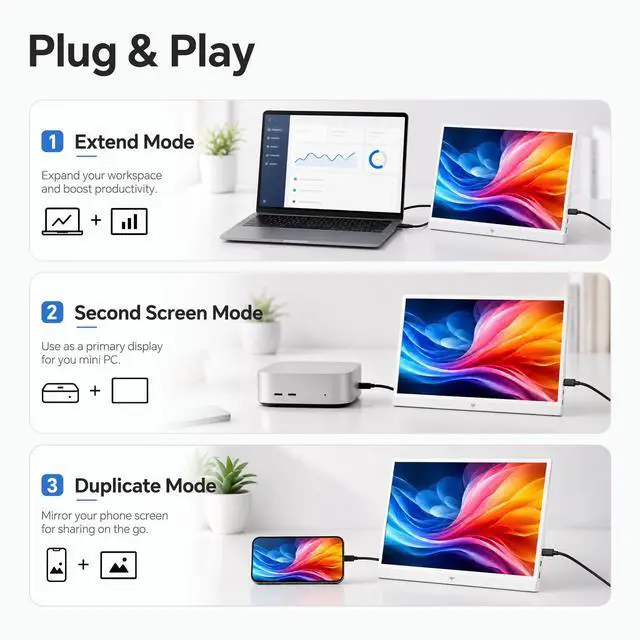
Expand your desktop seamlessly. Run multiple apps for smooth multitasking and work efficiency

Act as an independent secondary display for a cleaner layout and easier operation

Mirror your screen instantly for meetings, presentations and home entertainment.


Widely compatible with smartphones, laptops, desktops, Xbox, PS4, PS5 and more for versatile content creation. It enables one-cable connectivity via full-featured Type-C. For non-Type-C devices, use the included HDMI to Mini HDMI cable for seamless connection.


Expand your desktop seamlessly. Run multiple apps for smooth multitasking and work efficiency
Act as an independent secondary display for a cleaner layout and easier operation
Mirror your screen instantly for meetings, presentations and home entertainment.


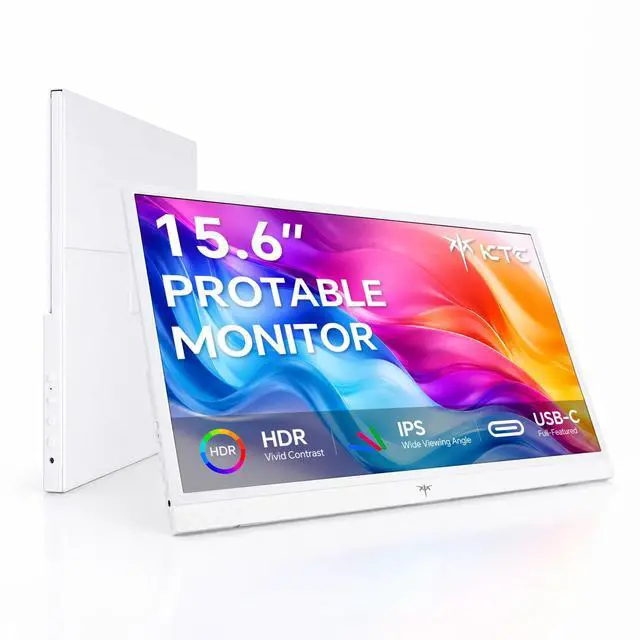
KTC Portable Monitor 15.6 Inch White (Model: H15F8)
Experience versatile productivity and entertainment with the KTC Portable Monitor. This 15.6 inch monitor features a vibrant IPS panel with 1080P FHD resolution, delivering sharp, lifelike visuals from a wide 178° viewing angle. Enhanced with HDR technology, it provides rich contrast and vivid colors, while low blue light and flicker-free technology help minimize eye strain for comfortable, extended use.
The portable screen offers seamless plug-and-play connectivity via dual full-featured USB-C ports and a Mini HDMI port, supporting laptops, phones, Mac, PS5, Xbox, Switch, and more. Effortlessly use it as a second screen monitor, travel monitor, or monitor extender for multitasking, gaming, or presentations. The included scratch-resistant protective case and adjustable stand ensure durability and optimal viewing angles, making it ideal for travel and mobile work. Lightweight and compact, the KTC Portable Monitor is your reliable companion wherever you go.
The KTC H15F8 is a 15.6-inch portable monitor with 1080p FHD IPS HDR visuals, USB-C and Mini HDMI connectivity, built-in speakers, and mirror or extend display modes. It suits professionals, students, and gamers who need a travel-ready second screen for laptops, phones, consoles, or streaming.
| Attribute | Value |
|---|---|
| Best For | Portable second-screen use with laptops, phones, Mac devices, and gaming consoles such as PS5, Xbox, and Switch |
| Model Identifiers | KTC H15F8 |
Q: Should I buy the KTC H15F8 or the ASUS ZenScreen Go MB16AHP for travel?
A: Choose the KTC H15F8 when you want a 15.6-inch 1080p portable monitor with two USB-C ports, Mini HDMI connectivity, speakers, and broad compatibility with laptops, phones, and game consoles. Choose the ASUS ZenScreen Go MB16AHP when battery-powered operation is the priority, because it includes a 7,800mAh battery. The KTC offers more flexible wired connectivity, while the ASUS reduces dependence on power from the connected device.
Q: Is the KTC H15F8 better than a basic USB-C-only portable monitor?
A: The KTC H15F8 is the more practical choice when you need to connect HDMI devices such as a PS5, Xbox, Switch, or a laptop without USB-C video output. It also provides two USB-C ports, built-in speakers, HDR support, and a 15.6-inch 1080p IPS display. A basic USB-C-only model can be preferable when your use is limited to a compatible laptop and you want the simplest single-cable setup.
Q: Should I upgrade from the KTC H15F8 to the Lenovo ThinkVision M14t Gen 2?
A: Upgrade to the Lenovo ThinkVision M14t Gen 2 when sharper text, touch input, and color-focused productivity are more important than screen size and device compatibility. The Lenovo uses a 14-inch 2240x1400 touchscreen with 100% sRGB coverage and two USB-C ports. Choose the KTC H15F8 when you prefer a larger 15.6-inch display, Mini HDMI support, built-in speakers, and compatibility with gaming consoles and phones.
Q: Is the KTC H15F8 suitable for gaming, or should I buy a portable gaming monitor?
A: Choose the KTC H15F8 for console gaming, casual play, and general-purpose use where 1080p resolution, HDMI connectivity, speakers, and portability matter. Choose a dedicated portable gaming monitor such as the ASUS ROG Strix XG17AHPE when fast motion is the priority; it offers a 240Hz refresh rate, faster response behavior, variable refresh rate support, and a built-in battery. The gaming-focused model is designed for smoother competitive play, while the KTC is more versatile for work, streaming, and console use.
Q: Is the KTC H15F8 a good travel monitor for remote work?
A: Yes. The 15.6-inch FHD screen, compact design, protective case, and adjustable stand make it suitable for travel work, presentations, and temporary desk setups. It is most useful for buyers who need extra screen space without carrying a full-size monitor.
Q: Can it be used as an extended second screen for a laptop?
A: Yes. The KTC H15F8 supports mirror and extend display modes, so it can provide additional workspace for documents, spreadsheets, meetings, note-taking, and multitasking. The connected laptop or device must support video output through USB-C or HDMI.
Q: Does USB-C provide both video and power with the KTC H15F8?
A: It can, when the connected device's USB-C port supports video output, such as DisplayPort Alt Mode, and provides sufficient power. Otherwise, the Mini HDMI connection can carry video while USB-C power is supplied separately. Buyers should verify their laptop, phone, or tablet's USB-C specifications before purchase.
Q: Is the KTC H15F8 suitable for gaming with a PS5, Xbox, or Nintendo Switch?
A: Yes, it is suitable for portable console gaming through its Mini HDMI input and 1080P display. The main trade-off is that it is designed as a compact 60Hz-class travel monitor rather than a high-refresh competitive gaming display. Console users may also need the correct HDMI-to-Mini-HDMI cable or adapter and a separate power source.
Q: Does it have built-in speakers for meetings, videos, and gaming?
A: Yes. The KTC H15F8 includes built-in speakers, so it can provide basic audio for meetings, streaming, and games when the connected device sends audio through USB-C or HDMI. Buyers who need louder or higher-quality sound may prefer headphones or external speakers.
Q: Is the KTC 15.6-inch portable monitor worth buying for travel work?
A: It is suitable for laptop users who want a larger workspace while traveling. The 15.6-inch 1080p display, USB-C connectivity, Mini HDMI input, and second-screen modes support mobile productivity. The main trade-off is portability: community users note that 15.6-inch monitors can take up significant backpack space, even though they provide more viewing area than smaller models.
Q: Does the KTC portable monitor work well as a second screen for a laptop?
A: It is designed for this use case and supports mirrored or extended display modes through full-featured USB-C or Mini HDMI. It is a practical choice for email, documents, spreadsheets, and video calls, but buyers should confirm that their laptop's USB-C port supports video output and can provide sufficient power for one-cable operation.
Q: What are the main trade-offs of choosing this KTC portable monitor?
A: The main trade-offs are size, power, brightness, and feature depth. A 15.6-inch screen is more useful for multitasking but less compact than 13.3- or 14-inch alternatives. USB-C setups may require a compatible laptop port or separate power source, and community discussion highlights that portable monitors can be less bright than desktop monitors. The 1080p, 60Hz specification is suited to office work, streaming, and console gaming rather than high-refresh competitive gaming.
Q: Who is the KTC portable monitor best suited for?
A: It is best suited for laptop owners, remote workers, students, travelers, and console users who need a lightweight external display. It is less suitable for buyers seeking a desktop-monitor replacement, battery-powered operation, very high brightness, or refresh rates above 60Hz.


