




 here!
here!
I’m your shopping assistant for PC builds, upgrades, and everything tech.
Got questions? Ask away!
Start a conversation
here!
I’m your shopping assistant for PC builds, upgrades, and everything tech.
Got questions? Ask away!
Start a conversation


Combo Up Savings Up To $210+
The more you add, the more you'll save!
Any questions? Ask CelesteSM will help you find out quickly.


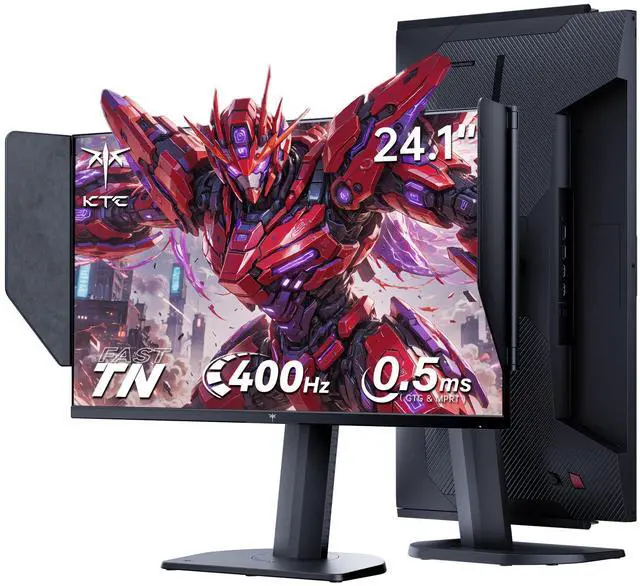
KTC 24.1-inch monitor with hood engineered for competitive esports, Adopts a professional Fast TN panel, 400Hz high refresh rate and an ultra-fast 0.5ms response time, it greatly reduces input lag and screen stutter. FHD 1920×1080 resolution, 350 cd/m² brightness, 125% sRGB gamut and HDR10,restores lifelike and true-to-nature colors It supports full-range ergonomic adjustment, including 150±5mm height adjustment, -5°~35° tilt, ±60° swivel and -5°~90° pivot rotation, allowing free customization of viewing angles. Flicker-free and low blue light modes effectively block harsh reflected light and relieve eye fatigue. 2×HDMI 2.0 ports (240Hz), 2×DP 1.4 ports (400Hz), USB 2.0 and mini-USB interfaces, it enables stable and seamless connection with PCs, game consoles and various devices, while the external dedicated controller allows you to quickly switch gaming modes and optimize display performance to adapt to different usage scenarios.
The KTC 25M1 is a 24.1-inch FHD esports gaming monitor with a Fast TN panel, 400Hz refresh rate through DisplayPort, and 0.5ms GTG response time. It is best suited for competitive PC gamers who prioritize fast motion clarity and quick response in high-frame-rate games.
| Attribute | Value |
|---|---|
| Best For | High-refresh-rate esports gaming and fast-paced gameplay with a compact 24.1-inch Full HD display |
| Panel And Resolution | 24.1-inch Fast TN panel with 1920 x 1080 resolution, 16:9 aspect ratio, and 16.7 million display colors |
| Refresh Rate And Response | 400Hz refresh rate with a 0.50 ms response time for responsive motion handling in fast-paced games |
| Ports And Connectivity | Two HDMI ports and one USB 2.0 port for connecting gaming systems and peripherals |
| Stand And Ergonomics | Adjustable stand with height, pivot, swivel, and tilt positioning for a customizable viewing setup |
| Model Identifiers | KTC 25M1 |
Q: Should I buy the KTC 25M1 or the BenQ ZOWIE XL2566X+?
A: Choose the KTC 25M1 when you want a 24.1-inch, 1080p, 400Hz Fast TN esports monitor with a shielding hood and ergonomic stand at a lower expected cost. Choose the BenQ ZOWIE XL2566X+ when motion clarity tuning, DyAc 2 backlight strobing, game-specific presets, and ZOWIE’s established esports feature set justify paying more. Both target competitive FPS gaming, but professional testing indicates that the BenQ provides fewer strobe-crosstalk artifacts.
Q: Is the KTC 25M1 worth upgrading to from a 240Hz gaming monitor?
A: The KTC 25M1 is a sensible upgrade for competitive FPS players who can regularly render near 400 frames per second and want smoother motion at high refresh rates. The improvement from 240Hz to 400Hz is visible in motion clarity, but it is more specialized than a general-purpose upgrade. Stay with a good 240Hz monitor if you play a broad mix of games, cannot sustain high frame rates, or would benefit more from higher resolution, stronger contrast, or an IPS or OLED panel.
Q: Is the KTC 25M1 better than a 1440p 240Hz or OLED monitor for gaming?
A: Choose the KTC 25M1 for competitive 1080p shooters where high refresh rate, fast pixel response, and a compact 24.1-inch viewing area are the priorities. Choose a 1440p 240Hz IPS or OLED monitor for a more versatile setup with sharper detail, stronger image quality, and better performance in single-player games, media, and everyday use. The KTC 25M1 prioritizes esports motion performance over resolution, contrast, and HDR quality.
Q: Should I choose the KTC 25M1 or a higher-refresh 540Hz or 600Hz monitor?
A: Choose the KTC 25M1 when 400Hz is sufficient for your competitive games and you want to avoid paying a premium for small additional refresh-rate gains. Choose a 540Hz or 600Hz model only when you play competitive shooters almost exclusively, can maintain exceptionally high frame rates, and value every available motion-performance advantage. Reviews of higher-refresh esports monitors consistently position them as specialized products with diminishing practical gains and limited versatility outside competitive play.
Q: Who is the KTC 25M1 best suited for?
A: The KTC 25M1 is best suited for competitive PC gamers who prioritize very high refresh rates, low motion blur, and a compact 24.1-inch 1080p screen. Its Fast TN panel, 400Hz DisplayPort support, 0.5ms GTG response time, Adaptive Sync, and shielding hood favor esports performance over high-resolution cinematic gaming.
Q: Is the KTC 25M1 suitable for work, studying, and note-taking?
A: Yes. The 24.1-inch 1920x1080 display, height adjustment, tilt, swivel, pivot rotation, anti-glare hood, flicker-free mode, and low-blue-light mode make it suitable for office work, studying, and note-taking. Its main trade-off is that the Fast TN panel is optimized for speed rather than the viewing angles and image characteristics typically preferred for color-focused productivity work.
Q: Can the KTC 25M1 run at 400Hz with any computer?
A: No. The computer's graphics output, game settings, cable, and frame rate must support 400Hz at 1920x1080. On this monitor, the two DisplayPort 1.4 inputs are rated for up to 400Hz, while the two HDMI 2.0 inputs are rated for up to 240Hz. If the computer cannot consistently produce high frame rates, the monitor will operate below its maximum refresh rate.
Q: Can the KTC 25M1 be used with a game console?
A: It can connect to a console through HDMI, but the console determines the available resolution and refresh rate. The KTC 25M1 has two HDMI 2.0 ports rated for up to 240Hz, while its 400Hz specification is intended for compatible PC connections through DisplayPort. Console users should verify that their system supports 1080p at the desired refresh rate.
Q: Can the KTC 25M1 be mounted on a monitor arm or used in portrait mode?
A: Yes. The monitor supports VESA mounting and includes height, tilt, swivel, and pivot adjustments. It can therefore be used with a compatible monitor arm or rotated for portrait-oriented tasks such as documents, coding, and reading. Confirm the arm's VESA pattern and weight capacity before installation.
Q: Is the KTC 25M1 worth buying instead of a more expensive Zowie esports monitor?
A: It can be a reasonable value choice for competitive FPS gaming because it combines a 24.1-inch 1080p Fast TN panel with 400Hz refresh and ergonomic features at a lower expected price than comparable Zowie models. The main trade-off is that its motion-strobing implementation and overall refinement may not match premium Zowie features such as DyAc, so buyers prioritizing the best motion clarity should compare both before choosing.
Q: Who is the KTC 25M1 best suited for?
A: It is best suited for competitive PC gamers who primarily play fast esports titles such as Counter-Strike or Valorant and can produce high frame rates. It is less suitable as an all-purpose monitor for users who prioritize higher resolution, wide viewing angles, stronger contrast, or more vivid image quality for movies and mixed gaming.
Q: What are the main trade-offs of the KTC 25M1's Fast TN panel?
A: The Fast TN panel is designed to prioritize low response times and motion performance, but it generally provides narrower viewing angles and weaker contrast than IPS, mini-LED, or OLED displays. The monitor's 1920×1080 resolution is appropriate for esports performance at 24.1 inches, but it offers less desktop space and image detail than a 1440p monitor.
Q: Does the KTC 25M1 provide good motion clarity for competitive gaming?
A: The 400Hz refresh rate and Fast TN panel are aimed at reducing perceived motion blur and improving responsiveness when the computer can sustain high frame rates. Its shielding hood and Adaptive Sync support are additional gaming features, but buyers should not assume that the monitor's motion-strobing performance is identical to premium alternatives; setup and overdrive selection can affect ghosting and overshoot.
Q: Does the KTC 25M1 require calibration or careful settings adjustment?
A: Yes. Community discussion indicates that factory colors may look washed out and that using the most aggressive overdrive setting can introduce inverse ghosting. Buyers should expect to adjust the monitor's color controls and use a moderate response-time setting rather than assuming the default configuration is optimal.


