




 here!
I’m your shopping assistant for PC builds, upgrades, and everything tech.
Got questions? Ask away!
Start a conversation
here!
I’m your shopping assistant for PC builds, upgrades, and everything tech.
Got questions? Ask away!
Start a conversation



Combo Up Savings Up To $220
The more you add, the more you'll save!
Any questions? Ask CelesteSM will help you find out quickly.
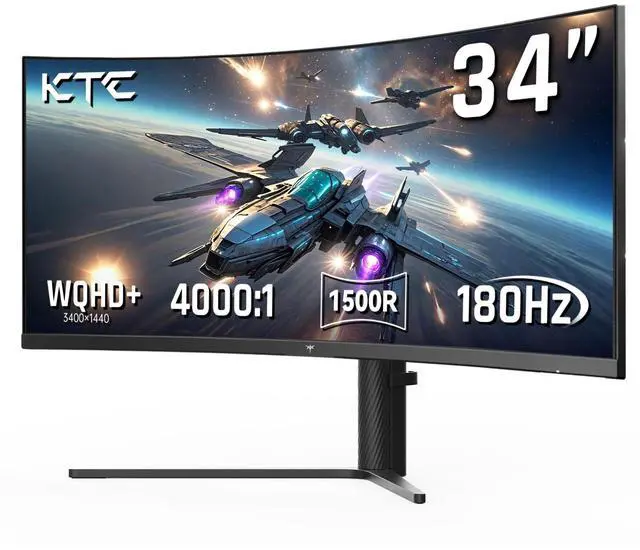
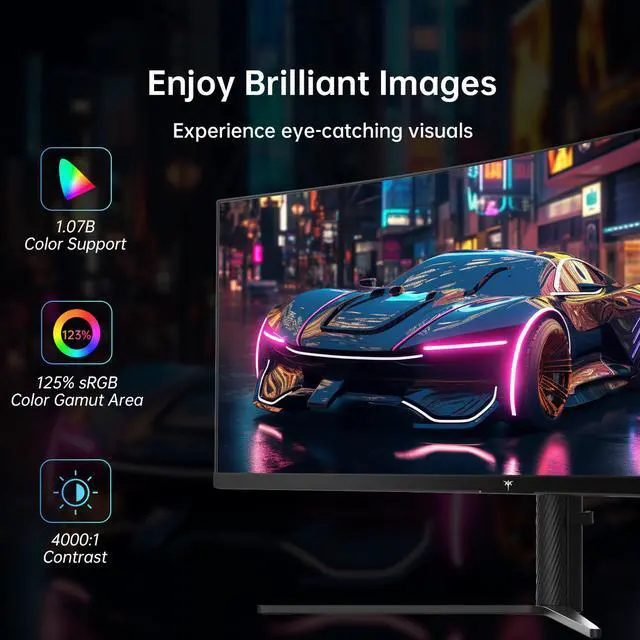
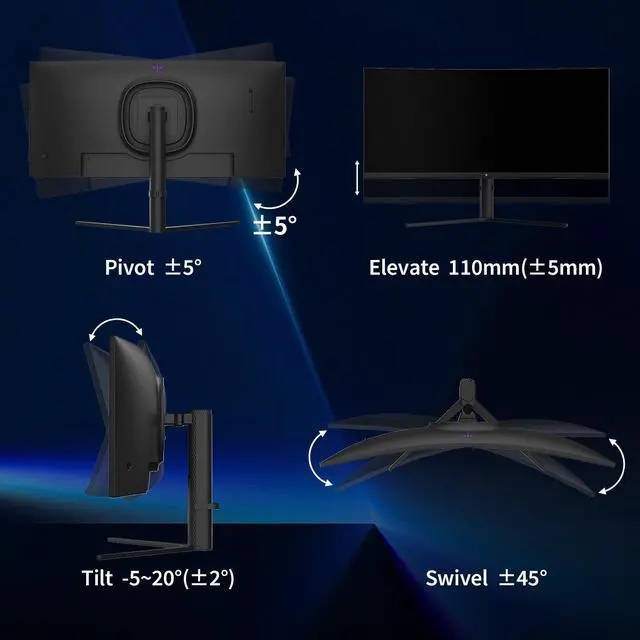
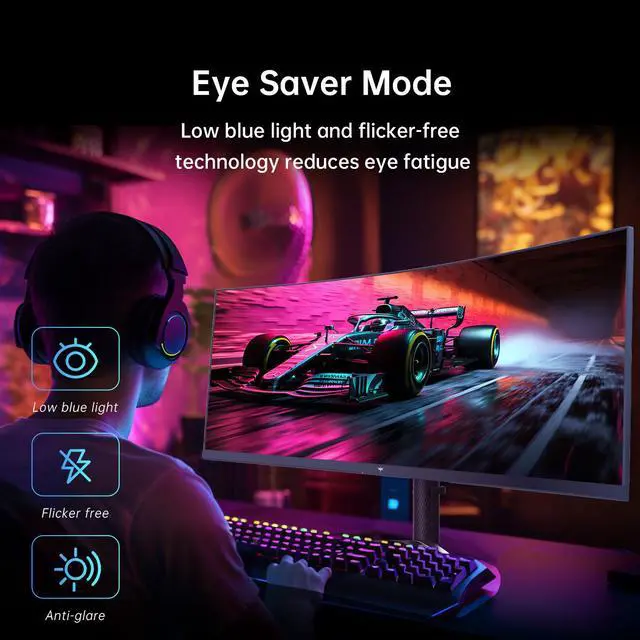
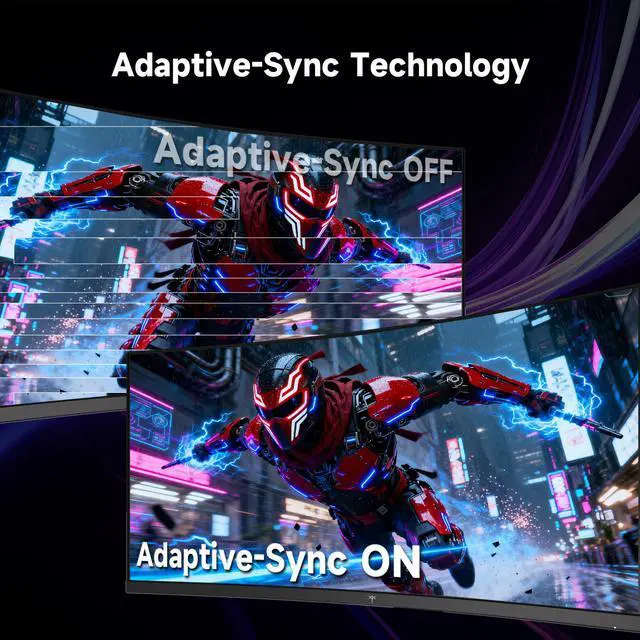
KTC 34'' UltraWide QHD monitor uses a 1500R curved display, 21:9 aspect ratio, and Tilt Swivel Height Pivot adjustment, showing excellent user comfort. Make colors look vivid and lifelike with HDR technology, 3000:1 contrast ratio, 123% sRGB wide color gamut, low blue light and flicker-free technology to reduce eye fatigue. 180Hz refresh rate and adaptive sync let you eliminate screen tearing.
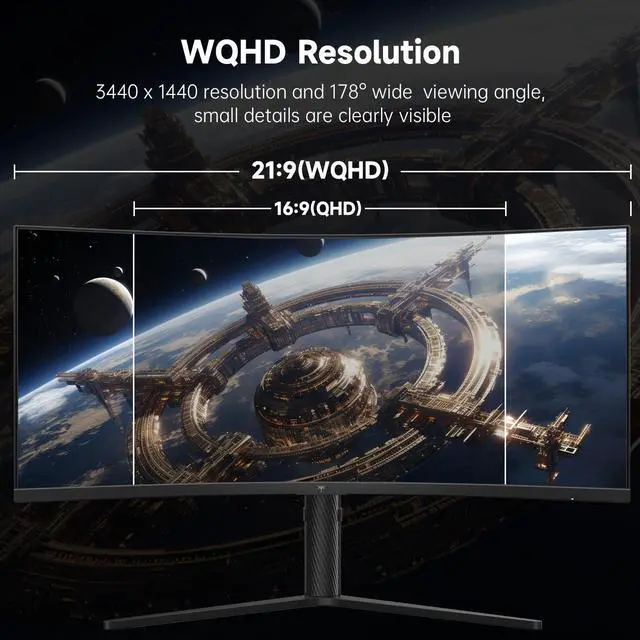
The KTC H34S5 is a 34-inch curved ultrawide gaming monitor with 3440×1440 WQHD resolution, a 180Hz refresh rate, HDR, and adaptive sync support, making it suitable for PC gamers who want smooth motion, a wide field of view, and detailed visuals.
| Attribute | Value |
|---|---|
| Best For | Gaming and immersive viewing on a large 34-inch display with 3440 x 1440 resolution and a 180Hz refresh rate |
| Panel And Resolution | 34-inch display with 3440 x 1440 resolution for detailed widescreen viewing |
| Refresh Rate And Response | 180Hz refresh rate for smooth motion in gaming and other fast-moving content |
Q: KTC H34S5 vs H34S18S: is the newer model worth it?
A: Choose the KTC H34S5 if the prices are close. It keeps the same 34-inch 3440×1440 curved VA format while increasing the tested refresh rate from 165Hz to 180Hz and adding a better-calibrated sRGB mode. Choose the H34S18S when it is substantially cheaper and you do not need the extra 15Hz or improved factory color mode. ([displayninja.com](https://www.displayninja.com/ktc-h34s5-review/?utm_source=openai))
Q: Should I buy the KTC H34S5 or a 27-inch 1440p 180Hz IPS monitor?
A: Choose the KTC H34S5 for a wider 21:9 workspace, racing games, immersive single-player titles, and side-by-side multitasking. Choose a 27-inch 1440p IPS monitor for a smaller desk, sharper typical viewing angles, and generally more consistent motion handling in dark transitions. The H34S5’s VA panel provides stronger native contrast, but professional testing notes that budget VA displays can show dark-scene smearing and VRR brightness flicker. ([displayninja.com](https://www.displayninja.com/ktc-h34s5-review/?utm_source=openai))
Q: KTC H34S5 vs a 34-inch OLED ultrawide: which upgrade matters more?
A: Choose the KTC H34S5 when you want a lower-cost 34-inch 3440×1440 gaming monitor for mixed gaming and everyday desktop use. Choose a 34-inch OLED such as the LG 34GS95QE when HDR impact, near-instantaneous pixel response, per-pixel black levels, and 240Hz gaming are worth the higher purchase cost. The H34S5’s VA panel offers high native contrast, but it does not provide OLED-level black uniformity or motion response. ([us.ktcplay.com](https://us.ktcplay.com/products/34-inch-2k-180hz-hva-1500r-curved-monitor?utm_source=openai))
Q: Is the KTC H34S5 better than a standard 60Hz or 75Hz ultrawide for work and gaming?
A: Choose the KTC H34S5 if gaming performance is part of the purchase decision. Its 3440×1440 resolution gives an ultrawide workspace, while the 180Hz refresh rate and adaptive sync support improve motion smoothness during compatible gaming. Choose a 60Hz or 75Hz ultrawide if your use is primarily documents, spreadsheets, video playback, or general office work and you do not need high-refresh gaming. ([displayninja.com](https://www.displayninja.com/ktc-h34s5-review/?utm_source=openai))
Q: Is this monitor good for both gaming and office work?
A: Yes. The 34-inch 21:9 WQHD display provides substantial horizontal workspace for spreadsheets, documents, note-taking, and side-by-side applications, while the 180Hz refresh rate and adaptive sync support are suited to PC gaming. It is best for users who want one large desktop display instead of separate monitors.
Q: Who is this 34-inch ultrawide monitor suitable for?
A: It is suitable for PC gamers, multitaskers, home-office users, and creators who benefit from a wide 3440×1440 workspace. The curved 1500R screen, adjustable stand, low-blue-light mode, and flicker-free mode support longer desktop sessions. It is less suitable for users who need a portable or compact display.
Q: Can it replace a dual-monitor setup for work?
A: For many users, yes. The 21:9 aspect ratio and 3440×1440 resolution allow multiple documents or application windows to be arranged side by side. It does not provide the same physical separation as two monitors, and the listed connections do not include USB-C docking or power delivery, so a laptop may still require an adapter or separate dock.
Q: Will it run at 180Hz and 3440×1440 resolution?
A: The monitor is specified for up to 180Hz at 3440×1440, but the achievable refresh rate depends on the computer’s graphics hardware, cable, connection type, and display settings. DisplayPort 1.4 is the preferred connection for maximizing high-resolution refresh rates; HDMI 2.0 may have lower limits depending on the source device.
Q: Is it a good choice for console gaming and online meetings?
A: It can connect to compatible consoles through HDMI 2.0, but console support for the 21:9 ultrawide format and 3440×1440 resolution varies. Unsupported console output may use a lower resolution or display side bars. The product information does not list a built-in webcam or microphone, so online meetings will require separate camera and audio equipment.
Q: Is the KTC H34S5 worth buying for a budget ultrawide gaming setup?
A: It is a reasonable choice if you want a 34-inch 3440×1440 display with a 180Hz refresh rate, curved VA panel, adaptive sync, and ergonomic adjustment at a budget-oriented price. The main trade-off is that HDR is not a strong reason to choose it, and users seeking OLED-level image quality or premium motion performance should consider other options.
Q: Who is the KTC H34S5 best suited for?
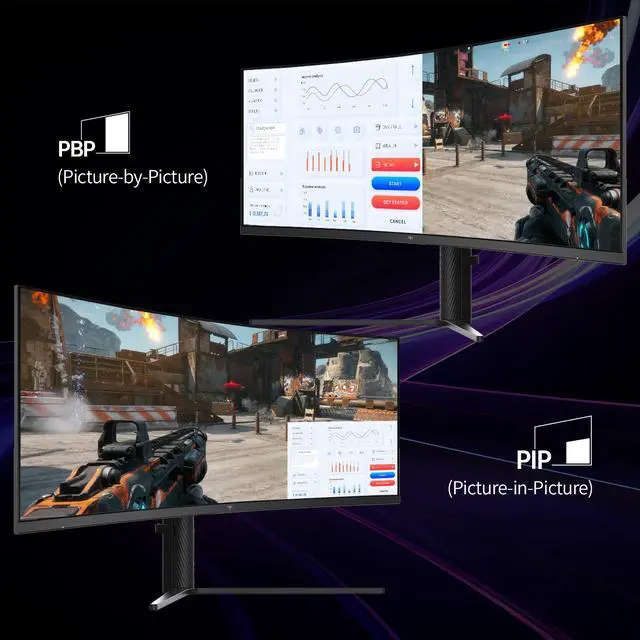
A: It is best suited for PC gamers who want an immersive 21:9 screen for ultrawide games, especially story-driven games and simulation-style setups. It can also suit multitasking because its wide 3440×1440 workspace supports side-by-side content, while PIP/PBP features allow two input sources to be displayed together.
Q: What are the main trade-offs of the KTC H34S5?
A: The H34S5 prioritizes screen size, contrast, resolution, and refresh rate over premium HDR and OLED-level motion performance. Reddit discussion describes dark scenes as acceptable but calls HDR essentially limited, so it is a better fit for general gaming and productivity than for buyers specifically prioritizing high-end HDR or competitive esports performance.
Q: Can the KTC H34S5 actually use 3440×1440 at 180Hz?
A: Yes, but the connection matters. DisplayPort 1.4 is the intended connection for 3440×1440 at 180Hz, while the HDMI 2.0 inputs are listed for lower maximum refresh rates. A compatible graphics card and DisplayPort cable are therefore recommended for full refresh-rate performance.


