




 here!
here!
I’m your shopping assistant for PC builds, upgrades, and everything tech.
Got questions? Ask away!
Start a conversation
here!
I’m your shopping assistant for PC builds, upgrades, and everything tech.
Got questions? Ask away!
Start a conversation






Any questions? Ask CelesteSM will help you find out quickly.


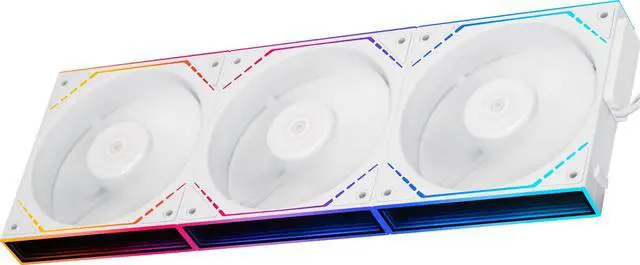
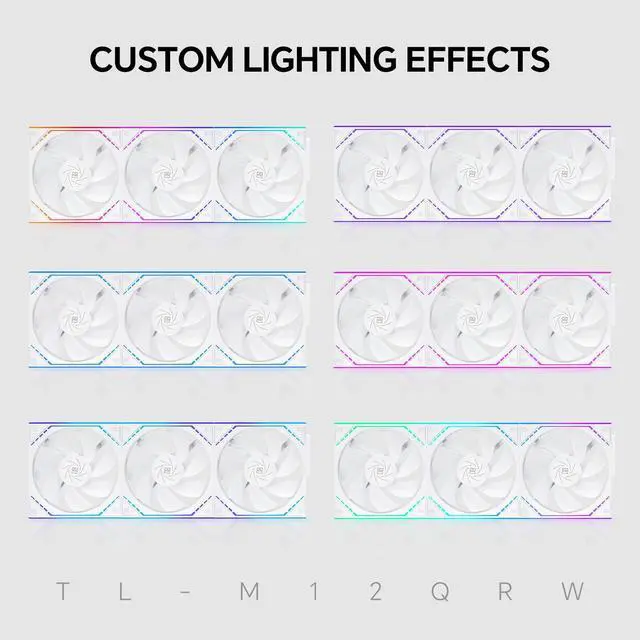
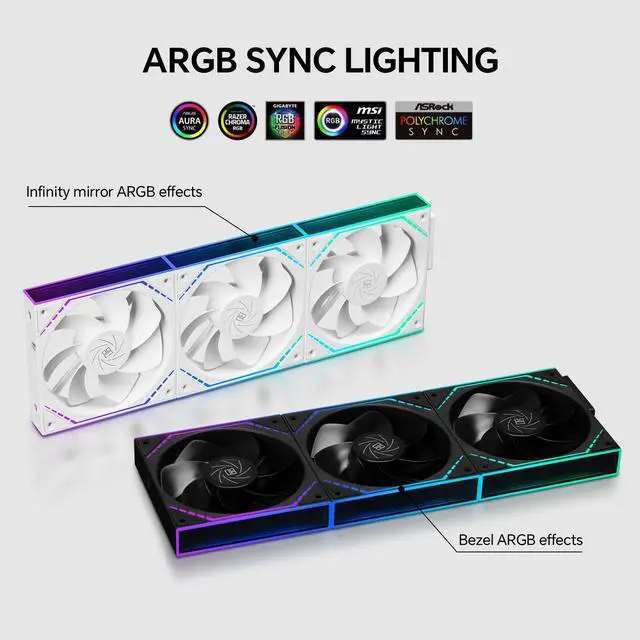
Thermalright TL-M12QRW X3 is a 3-pack of 120mm reverse-blade PC case fans with daisy-chain connectivity, ARGB dual infinity-mirror lighting, and speeds up to 2000 RPM. It suits gaming PC builders who want strong airflow, coordinated lighting, and simpler cable management.
| Attribute | Value |
|---|---|
| Best For | Desktop PC cases needing a three-fan reverse-airflow cooling setup |
| Cooling Performance | Air-cooled case fans with S-FDB bearings, up to 2000 RPM, 68.9 CFM airflow, 2.21 mm H2O static pressure, and 28.2 dBA maximum noise |
| Physical Specifications | White plastic fans measuring 124 x 120 x 25 mm, with a 25 mm thickness and 180 g individual weight |
| Connectivity And Power | 12 V fans using 4-pin power connectors with 1.8 W power consumption |
| Package Configuration | Three TL-M12QRW fans included in one pack |
| Model Identifiers | Thermalright TL-M12Q series, part number TL-M12Q; set model TL-M12QRWX3 |
Q: Should I choose the Thermalright TL-M12QRW X3 or the standard TL-M12Q for my PC case?
A: Choose the TL-M12QRW X3 for front or bottom intake positions where you want reverse-blade airflow with the fan face and infinity-mirror lighting visible. Choose the standard TL-M12Q when airflow performance is the priority: the standard model is rated for up to 2,000 RPM, 68.9 CFM, and 2.21 mm H2O, while the reverse version is rated around 1,500 RPM, 47.6–47.9 CFM, and 1.31 mm H2O. The standard model is therefore the more suitable option for radiators, restrictive filters, or performance-focused exhaust use.
Q: Is the Thermalright TL-M12QRW X3 better than the ARCTIC P12 PWM PST for case airflow?
A: The TL-M12QRW X3 is the better choice for a showcase build that needs reverse-blade intake fans, ARGB infinity-mirror lighting, and linked installation with fewer visible cables. The ARCTIC P12 PWM PST is the more performance-oriented choice for heatsinks, radiators, restrictive front panels, or users who prefer a wider 200–1,800 RPM PWM range and zero-RPM operation. ARCTIC rates the P12 PWM PST at 56.3 CFM and 2.20 mm H2O, compared with approximately 47.6–47.9 CFM and 1.31 mm H2O for the TL-M12QRW reverse model.
Q: Should I buy the TL-M12QRW X3 or a higher-performance Thermalright TL-K12?
A: Choose the TL-M12QRW X3 for visible intake locations, reverse airflow, quieter case-focused operation, and cleaner multi-fan installation. Choose the TL-K12 for radiators, CPU coolers, dense filters, or other applications where static pressure and maximum airflow matter more than reverse-blade appearance. The TL-K12 is rated at up to 2,150 RPM, 69 CFM, and 2.87 mm H2O, giving it substantially more pressure headroom than the reverse TL-M12Q configuration.
Q: Is the TL-M12QRW X3 a good upgrade from basic 120mm case fans?
A: The TL-M12QRW X3 is a meaningful upgrade when the goal is cleaner wiring and a more visible lighting design rather than maximum cooling capacity. Its main advantages over basic fans are reverse-blade intake orientation, ARGB lighting on both sides of the frame, infinity-mirror effects, S-FDB bearings, and cluster-style connection. For a system that already has adequate airflow, the upgrade is primarily about layout flexibility, appearance, and cable management; for a system limited by radiator or filter restriction, a higher-pressure fan is a more targeted upgrade.
Q: Will these fans work with my motherboard?
A: They require a case with 120 mm fan mounting points, a standard 4-pin PWM fan connection, and a compatible 5V 3-pin ARGB header for lighting. The fan may operate without ARGB, but the lighting requires the correct 5V ARGB connection; a 12V RGB header is not interchangeable. ([bestbuy.com](https://www.bestbuy.com/site/questions/corsair-ll-series-rgb-120mm-computer-case-fan-black/6229606/question/dd9ee8c7-316b-3e91-86b6-f7a2cc31320c?utm_source=openai))
Q: Does the 3-pack reduce cable clutter?
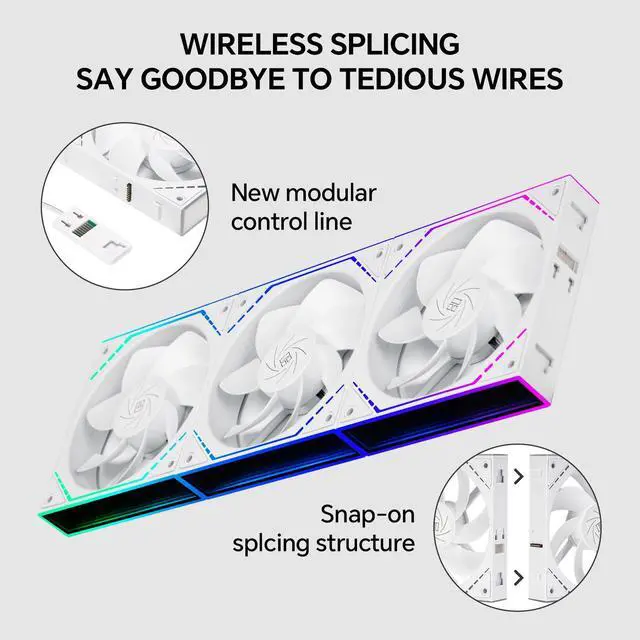
A: Yes. The fans are designed for daisy-chaining, so a connected fan group can use one 4-pin PWM connection and one ARGB connection to the motherboard, reducing the number of separate cables. Confirm the included cables and motherboard header limits before installation. ([bestbuy.com](https://www.bestbuy.com/site/questions/corsair-rs120-argb-120mm-pwm-case-fans-3-pack-black/6587622?utm_source=openai))
Q: Are reverse-blade fans useful for front or side intake?
A: Yes. Reverse-blade airflow is intended to provide intake airflow while keeping the more visible side of the fan and its lighting facing the viewer. This is useful when appearance matters on front, bottom, or side intake positions. Airflow direction should still be checked during installation. ([newegg.com](https://www.newegg.com/cooler-master-mfx-b2dn-18npa-r1-case-fan/p/1YF-0010-002P2?msockid=29a21b14ee39651124a60d7def056474&utm_source=openai))
Q: Are these fans suitable for radiators or CPU coolers?
A: They are primarily 120 mm case fans but are also listed as suitable for CPU water coolers and air coolers. Their listed maximum static pressure is 2.21 mm H2O, so they may work in radiator or restricted-airflow positions, although radiator performance depends on the cooler, case airflow, and fan curve. ([newegg.com](https://www.newegg.com/p/1YF-0038-000X4/questions?utm_source=openai))
Q: Are these fans a good choice if I want both cooling and quiet operation?
A: They offer a balance between airflow and noise control: the listed specifications are up to 68.9 CFM, 2.21 mm H2O static pressure, and 28.2 dBA at maximum operation. The 4-pin PWM connection allows speed adjustment, so they can run more quietly at lower loads, while maximum-speed operation will be louder than idle or reduced-speed use. ([bestbuy.com](https://www.bestbuy.com/site/questions/corsair-rs120-argb-120mm-pwm-case-fans-3-pack-black/6587622?utm_source=openai))
Q: Are the Thermalright TL-M12QRW fans a good lower-cost alternative to Lian Li-style daisy-chain fans?
A: They are suitable for buyers who want linked 120mm fans, ARGB mirror lighting, and reduced cable clutter at a lower-cost positioning. The trade-off is that community reports describe some differences in how the forward- and reverse-blade versions handle ARGB effects, so buyers prioritizing highly consistent per-fan lighting may prefer a more established ecosystem.
Q: Should I use the TL-M12QRW reverse-blade fans for intake or exhaust?
A: Use the reverse-blade version where you want the fan's attractive face visible while maintaining the desired airflow direction, commonly for visible intake positions. Confirm the actual airflow direction using the fan's arrows before installation, and use standard-blade fans where that layout is more appropriate for exhaust.
Q: Is the daisy-chain design easy to install?
A: The design is intended to simplify installation by linking compatible fans into clusters and reducing the number of cables routed to the motherboard. The fans still require proper PWM and ARGB connections, so users should confirm motherboard headers, connector compatibility, and the recommended connection order before building.
Q: Will the TL-M12QRW ARGB lighting work with my motherboard or Linux RGB software?
A: The fans are designed for ARGB lighting and PWM speed control, but software support can vary. Reddit reports indicate that some Linux users have had difficulty detecting or controlling these fans with OpenRGB, so buyers using Linux should verify compatibility before purchase rather than assuming every RGB utility will support them.


