




 here!
here!
I’m your shopping assistant for PC builds, upgrades, and everything tech.
Got questions? Ask away!
Start a conversation
here!
I’m your shopping assistant for PC builds, upgrades, and everything tech.
Got questions? Ask away!
Start a conversation




Any questions? Ask CelesteSM will help you find out quickly.
|
CPU |
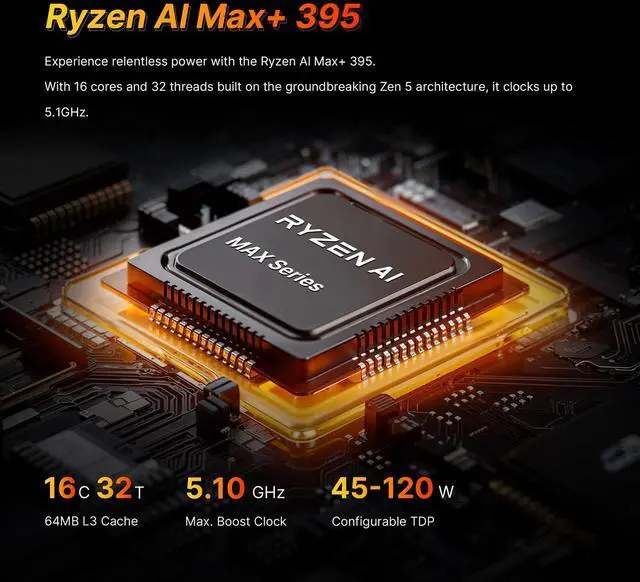
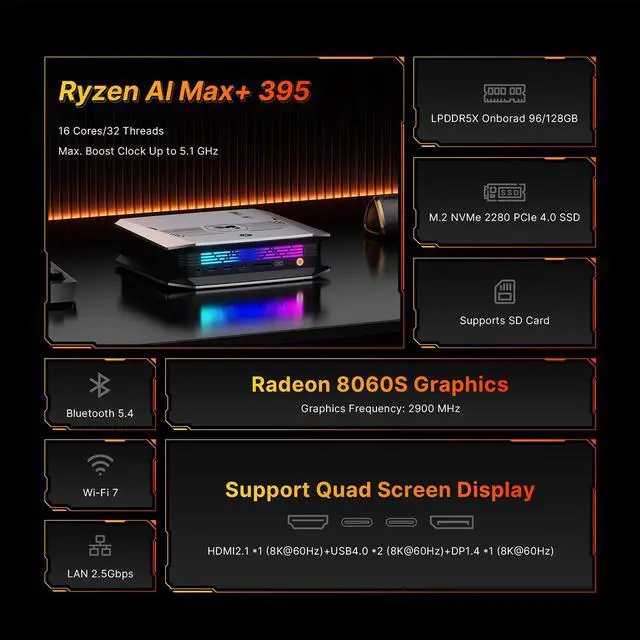
AMD Ryzen Al Max+ 395,16C/32T,Up to 5.1GHz |
|---|---|
|
Memory |
128GB LPDDR5X on borad |
|
WiFi |
M.2 KEY E 2230 WIFI (Include) |
|
Ethernet |
RJ45 LAN x1 (2.5 Gigabit Etheret Port, RTL8125BG) |
|
GPU |
Radeon 8060S Graphics (Graphics Frequency 2900MHz) |
|---|---|
|
Storge |
2TB M.22280 NVMe PCIE4.0 SSD |
|
Storage Expansion |
M.22280 NVMe PCIE4.0 SSD |
|
Adapter |
20V-12A Certification |


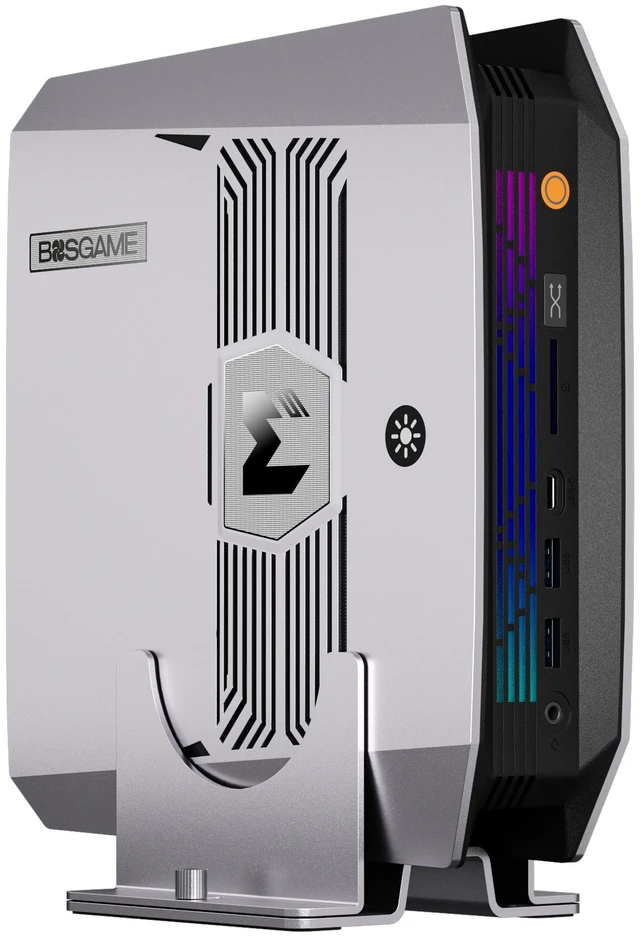
The BOSGAME M5 is a creator-focused mini PC built for AI workflows, 8K media work, and extreme multitasking, with an AMD Ryzen AI Max+ 395, 128GB LPDDR5X memory, 2TB PCIe 4.0 SSD, and Radeon 8060S graphics. It suits video editors, developers, traders, and power users who want desktop-class performance in a compact setup with support for up to four 8K displays.
Q: Should I choose the BOSGAME M5 or a Mac mini with M4 Pro for local AI and creator work?
A: Choose the BOSGAME M5 if your priority is running larger local AI models on-device, using more system memory, or keeping Windows and x86 app compatibility. The M5 configuration listed here pairs Ryzen AI Max+ 395 with 128GB LPDDR5X unified memory and Radeon 8060S graphics, which fits the common buyer case of local inference, heavy multitasking, and GPU-accelerated creative work in a compact PC. A Mac mini with M4 Pro is the stronger fit if your workflow is centered on macOS software, Apple’s media stack, or lower-power desktop use. In short: BOSGAME M5 is the more practical choice for memory-heavy local AI and broader Windows compatibility, while Mac mini M4 Pro is the better fit for macOS-first users.
Q: Is the BOSGAME M5 worth it over a Ryzen AI 9 HX 370 or Radeon 890M mini PC?
A: Choose the BOSGAME M5 when you want a clear step up in integrated graphics class, CPU core count, and memory ceiling without moving to a larger desktop. Ryzen AI Max+ 395 uses Radeon 8060S graphics and 16 cores, while Ryzen AI 9 HX 370 systems commonly pair 12 cores with Radeon 890M graphics. Across official positioning and early benchmark coverage, the 8060S platform is treated as a higher-performance tier for gaming, creator workloads, and AI workloads that benefit from more shared memory. A HX 370 or 890M mini PC still makes sense if you want a lower-cost compact system for general productivity, lighter editing, or lighter gaming.
Q: Should I buy the 128GB BOSGAME M5 or a lower-memory mini PC for AI and multitasking?
A: Buy the 128GB BOSGAME M5 if you plan to run local LLMs, large creative projects, multiple virtual machines, or many apps at once. The main advantage is not just speed; it is capacity. On this class of AMD AI Max system, large unified memory can matter more than small CPU differences because the GPU and AI workloads also draw from the same memory pool. A lower-memory mini PC is the better value if your use is mainly office work, browser-heavy use, media playback, coding without local model work, or light photo editing.
Q: Is the BOSGAME M5 a better choice than a mini PC with OCuLink or an external-GPU path?
A: Choose the BOSGAME M5 if you want strong all-in-one performance from the box with no external GPU dock, extra power brick, or desk clutter. Its value is the combination of high-end CPU performance, Radeon 8060S integrated graphics, and very large memory in a single compact system. A mini PC with OCuLink is the better fit if you know you want to add desktop-class graphics later for heavier gaming, 3D rendering, or CUDA-dependent workflows. In short: BOSGAME M5 favors simplicity and integrated capability; OCuLink systems favor future graphics expansion.
Q: Is this mini PC a good fit for creators, developers, or local AI work?
A: Yes, if your workload benefits from high CPU core count, very large memory, fast SSD storage, and strong integrated graphics in a compact desktop. The BOSGAME M5 is better suited to creators, developers, VM users, and local AI workloads than to basic office-only buyers, because its main value is the Ryzen AI Max+ 395, 128GB LPDDR5X memory, Radeon 8060S graphics, and multi-display support. For simple web, email, and documents, it is likely more machine than most users need.
Q: Is it overkill for office work, meetings, note-taking, and general productivity?
A: For typical office use, yes. It will handle office apps, video meetings, browser tabs, and multitasking easily, but the M5 is positioned far above what those tasks require. It makes more sense if the same machine will also be used for heavier work such as content creation, multi-monitor productivity, local AI, or virtual machines.
Q: Is this a practical travel or carry-between-locations work PC?
A: It can work as a portable desktop, but not as a true travel computer. A mini PC is easier to move than a tower and works well for hot-desk, studio, or between-office setups, but you still need external power, a monitor, keyboard, and mouse. The BOSGAME M5 is best for users who want workstation-class performance in a small box, not for users who need laptop-style all-in-one mobility.
Q: Can it realistically handle a large multi-monitor setup?
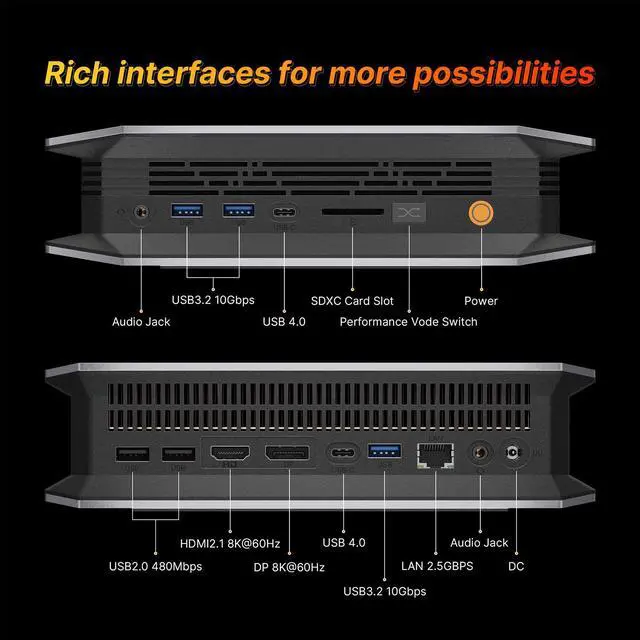
A: Yes. Multi-monitor support is one of the clearest reasons to choose this system. Based on the provided specs, the BOSGAME M5 offers HDMI 2.1, DisplayPort 1.4, and dual USB4, which matches the common retail buying question around running two to three displays and goes further by targeting up to four external displays. It is a stronger fit for trading desks, editing setups, and dense workspace layouts than a typical office mini PC.
Q: What are the main trade-offs versus a more typical mini PC from ASUS, Lenovo, or Minisforum?
A: The main advantage is much higher performance headroom and memory capacity for advanced workloads. The main trade-off is flexibility: the BOSGAME M5 lets you add storage with an extra M.2 slot, but its LPDDR5X memory is effectively fixed at purchase, unlike many competing mini PCs that allow later RAM upgrades. Buyers who want maximum longevity through memory upgrades may prefer socketed-RAM models; buyers who want the highest-spec compact system out of the box may prefer this one.
Q: Who is the BOSGAME M5 best suited for?
A: The BOSGAME M5 is best suited for users who need a very compact desktop with unusually high memory capacity for creator workloads, virtual machines, or large local AI models. Its 16-core Ryzen AI Max+ 395, 128GB LPDDR5X memory, 2TB PCIe 4.0 SSD, and Radeon 8060S make the most sense for developers, AI hobbyists, and media users who value unified memory and small size more than upgrade flexibility.
Q: Is the BOSGAME M5 a good choice for local AI and big models?
A: It can be a good choice if your priority is fitting larger models into local memory on a compact machine. The main advantage is 128GB of unified LPDDR5X memory, which helps with model capacity. The trade-off is speed: community discussion repeatedly points out that bandwidth and integrated-graphics limits can make it slower than a desktop PC with a strong dedicated GPU for many AI workloads.
Q: Can the BOSGAME M5 replace a larger desktop workstation?
A: It can replace a larger desktop for many CPU-heavy, multitasking, and display-heavy workflows, especially if you want a small system that can drive up to four 8K displays. It is less convincing as a full replacement if you need desktop-class GPU performance, broad internal expandability, or easy memory upgrades, because this model relies on integrated graphics and fixed LPDDR5X memory.
Q: What are the main trade-offs before buying the BOSGAME M5?
A: The main trade-offs are price, limited upgradeability, and uncertainty around software behavior in some AI or Linux setups. You get a compact system with high memory capacity, fast storage, Wi‑Fi 7, 2.5GbE, USB4, and multi-display support, but memory is not user-upgradable, internal expansion is limited, and some community reports discuss Linux GPU stability or performance limits versus desktop GPU systems.
Q: Is the BOSGAME M5 worth buying over other Ryzen AI Max+ 395 mini PCs?
A: It is worth considering if you specifically want this class of compact AI-focused mini PC with 128GB memory, strong I/O, and creator-oriented display support. It is a weaker value choice if your goal is maximum AI speed per dollar or long-term upgradability, because community comparisons often treat these systems as premium, niche machines where buyers are paying for compactness and high memory more than for best raw performance per dollar.


