here!
here!
I’m your shopping assistant for PC builds, upgrades, and everything tech.
Got questions? Ask away!
Start a conversation
here!
I’m your shopping assistant for PC builds, upgrades, and everything tech.
Got questions? Ask away!
Start a conversation



Any questions? Ask CelesteSM will help you find out quickly.
|
CPU |
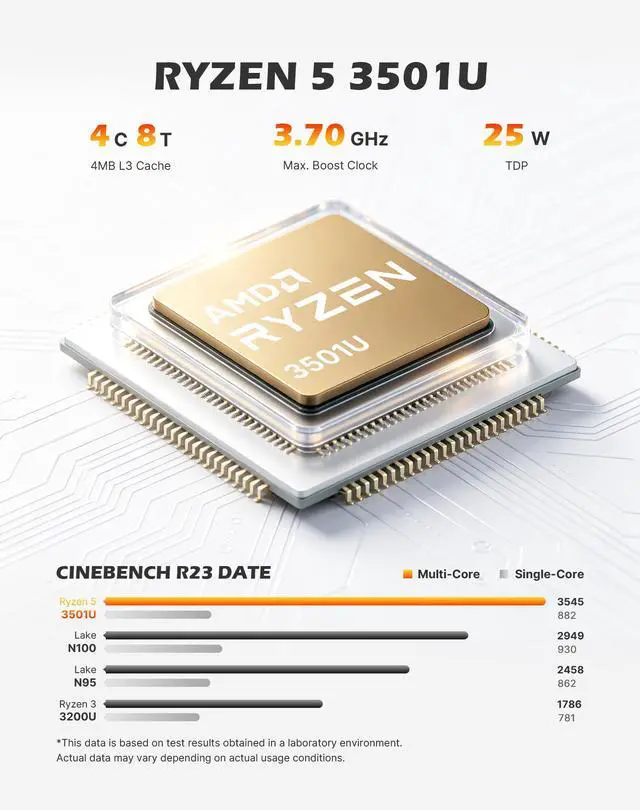
AMD Ryzen 5 3501U(4C/8T) |
|---|---|
|
Graphics |
Radeon Vega 8 Graphics(Max Graphics Frequency 1200MHz) |
|
Memory |
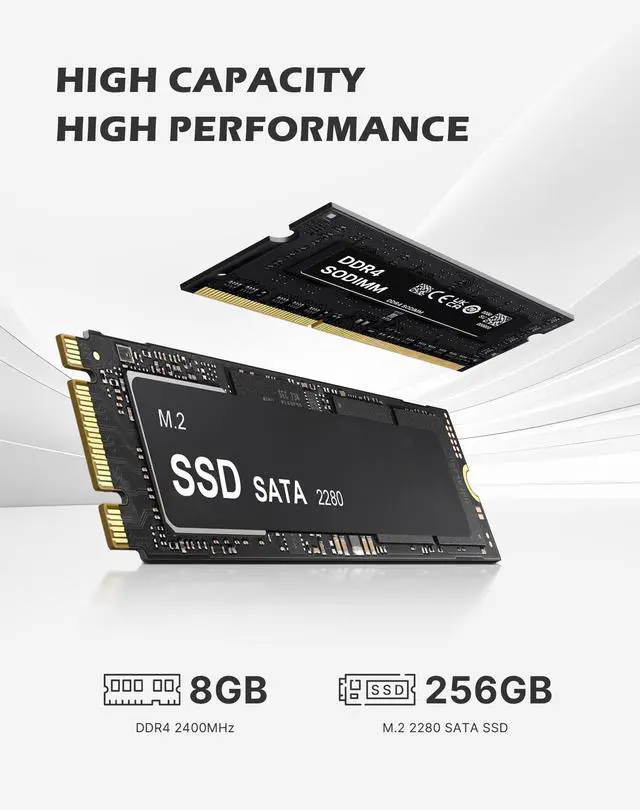
8GB DDR4 2400MT/s SODIMM(Dual-channel, Included); Max 32GB |
|
Storage |
256GB M.2 2280 SATA SSD |
|
Connectivity |
WiFi-5 (802.11 a/b/g/n/ac); Bluetooth 5.0 |
|
Video Output |
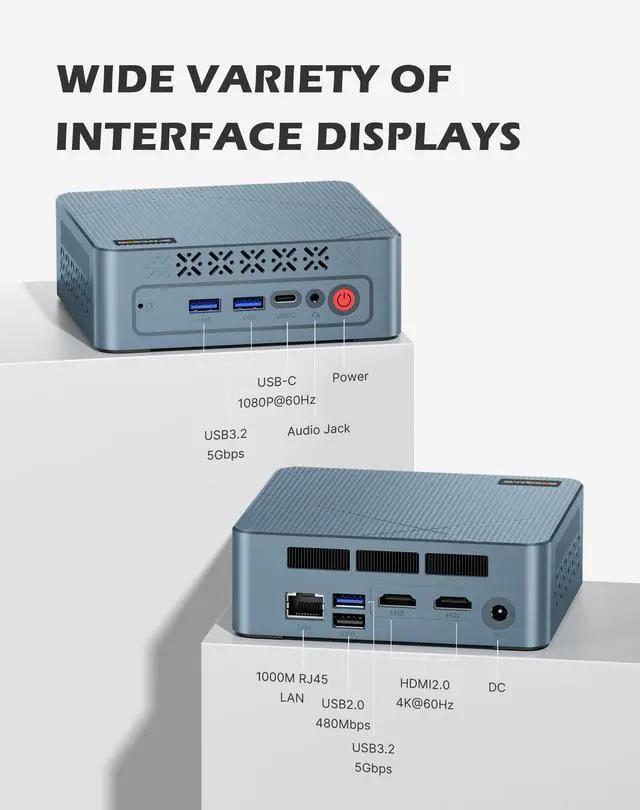
HDMI2.0 x2 (4K@60Hz) |
|
Package Included |
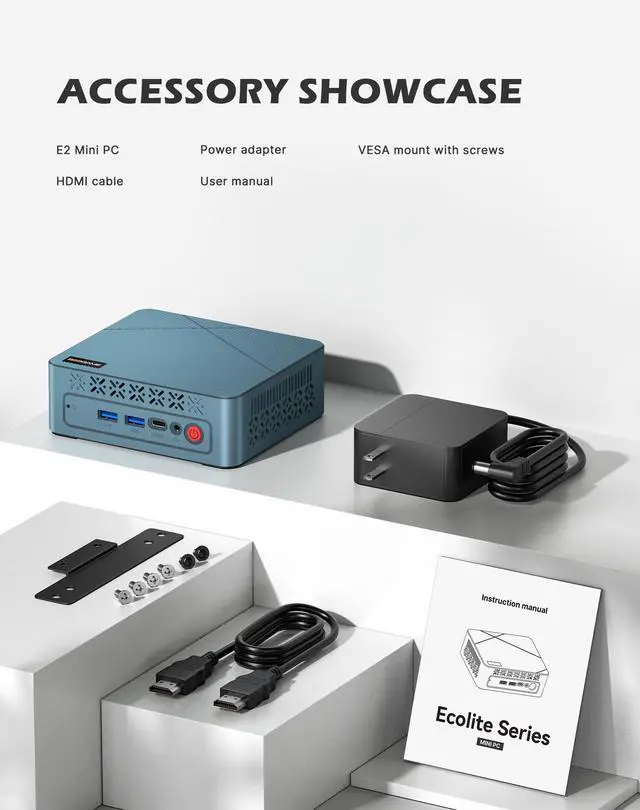
1x Mini PC, 1x Power adapter, 1x VESA mount with screws, 1x HDMI cable, 1x User Manual |


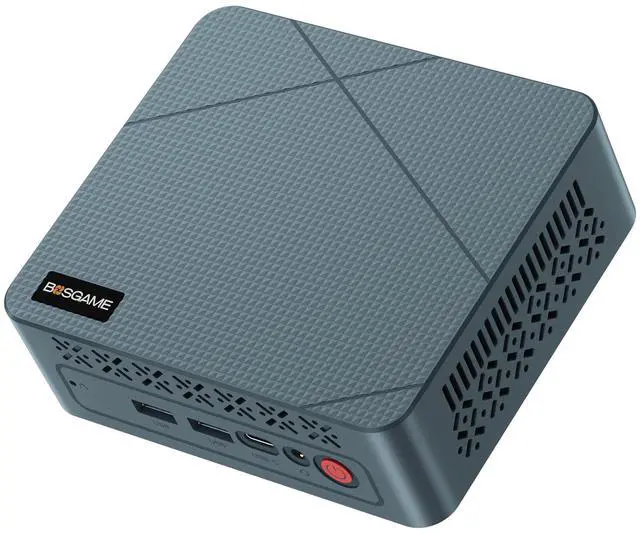
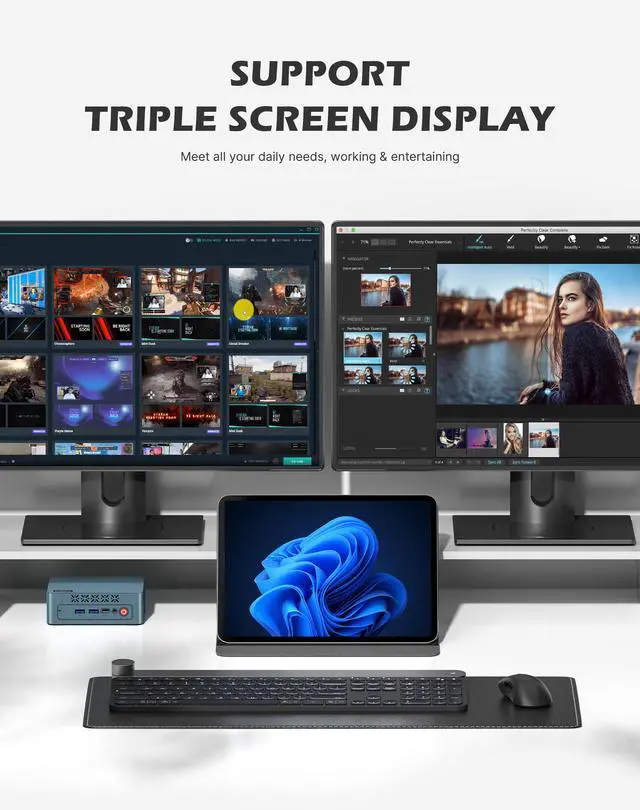
The BOSGAME E2 Plus is a compact Windows 11 Pro mini PC with an AMD Ryzen 5 3501U, 8GB DDR4, and 256GB SSD, making it a practical fit for home office users, students, and small-business setups that need smooth everyday multitasking and support for up to three displays.
Q: Should I buy the BOSGAME E2 Plus or an Intel N100 mini PC for office work and media playback?
A: Choose the BOSGAME E2 Plus if you want stronger CPU performance, better integrated graphics, and more headroom for multitasking or older/light games. The Ryzen 5 3500U is a 4-core/8-thread chip with Radeon Vega 8 graphics, while Intel N100 systems are usually aimed at lower-power basic computing. An N100 mini PC is the better fit when low cost, very light workloads, and lower power draw matter more than performance. For multi-tab work, dual-monitor productivity, and more capable iGPU performance, the BOSGAME E2 Plus is the safer choice.
Q: Is the BOSGAME E2 Plus worth choosing over an 8GB/256GB entry mini PC with a weaker processor?
A: Yes, if your priority is smoother everyday responsiveness and longer useful life. The BOSGAME E2 Plus already includes a 4-core/8-thread Ryzen 5 processor, upgradeable DDR4 memory with two SODIMM slots, and Radeon Vega 8 graphics, which gives it more flexibility than many entry systems built around lower-tier chips. A weaker entry mini PC still makes sense for web browsing, streaming, and simple kiosk-style use, but the BOSGAME E2 Plus is the better fit if you expect heavier multitasking, more browser tabs, or occasional GPU-assisted workloads.
Q: Should I choose the BOSGAME E2 Plus now, or pay more for a Ryzen 5 5500U or Ryzen 7 5800H mini PC?
A: Choose the BOSGAME E2 Plus if your main jobs are office apps, web work, streaming, and a compact desktop for multiple displays. Step up to a Ryzen 5 5500U or Ryzen 7 5800H mini PC if you want a more modern CPU architecture, stronger sustained multi-core performance, and better performance for heavier creation, virtualization, or more demanding gaming. In practical terms, the BOSGAME E2 Plus fits budget productivity, while 5500U and especially 5800H systems are better performance-first upgrades.
Q: Is the BOSGAME E2 Plus with 8GB RAM enough, or should I look for a 16GB mini PC instead?
A: The 8GB version is enough for basic office work, streaming, and light multitasking, but a 16GB configuration is the better choice if you keep many browser tabs open, run heavier apps, or want the integrated Vega 8 graphics to perform more consistently. This matters because Ryzen APUs benefit from memory bandwidth, and community testing commonly points to better results with dual-channel memory. If you expect the mini PC to stay in service for several years, choosing 16GB now or planning an upgrade later is the more flexible path.
Q: Is the BOSGAME E2 Plus better for portability-focused setups or performance-first desktop replacement use?
A: The BOSGAME E2 Plus is better suited to portability-focused and space-saving setups. Its compact size, integrated graphics, and triple-display support make sense for home office desks, dorm rooms, front-desk stations, and tidy workspaces where full desktop bulk is unnecessary. If your goal is a performance-first desktop replacement for sustained heavy workloads, content creation, or modern gaming, a higher-power mini PC with a newer Ryzen 5000-series H-class processor is the better comparison point.
Q: Is this mini PC good for everyday office work, web browsing, meetings, and light multitasking?
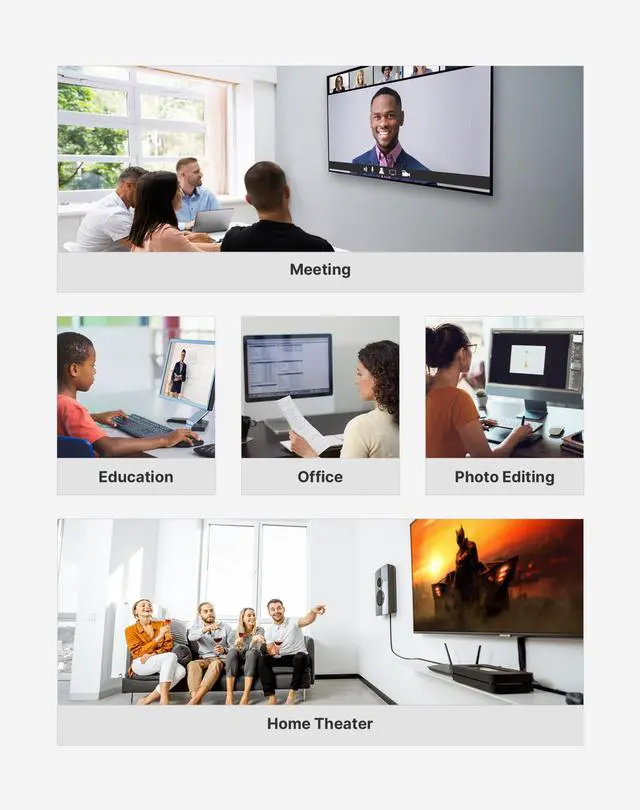
A: Yes. For email, web apps, documents, spreadsheets, video calls, and 4K media playback, this configuration is a reasonable fit. The Ryzen 5 3501U is a 4-core/8-thread chip, and the included 8GB RAM plus 256GB SSD match the level commonly positioned for office and home productivity. The main trade-off is multitasking headroom: 8GB is fine for basic use, but users who keep many browser tabs, large spreadsheets, or multiple apps open at once will likely benefit from a RAM upgrade.
Q: Can it run multiple monitors well for office productivity?
A: Yes, if your use case is productivity rather than gaming. This model advertises support for three displays through 2 HDMI 2.0 ports and 1 USB-C output, which is useful for spreadsheets, browser windows, dashboards, coding, and general multitasking. The key trade-off is that multi-display support does not mean high-end graphics performance. It is best suited to office workflows, media playback, and general desktop use, not demanding 3D workloads across several screens.
Q: Who is this mini PC suitable for, and who should skip it?
A: It is best for home office users, students, remote workers, and anyone who wants a compact desktop for browsing, documents, streaming, and multi-monitor desk work. It is a weaker fit for heavier creators, advanced gamers, or users who need stronger CPU/GPU performance out of the box. Compared with newer mini PCs that often start with 16GB RAM and faster processors, this model is more of a basic productivity system than a performance-focused one.
Q: Is it worth buying if I want a small, portable desktop for travel or moving between workspaces?
A: Yes, if you want a compact desktop that is easy to pack and set up in different locations, but it is not a laptop substitute. A mini PC travels more easily than a tower and fits well in temporary desks, dorms, or shared offices, but you still need external power, a monitor, keyboard, and mouse. It makes the most sense for users who want portability between fixed workstations, not true on-the-go computing.
Q: What are the main trade-offs versus a newer mini PC with 16GB RAM and a newer Ryzen 5 or Core i5?
A: The main differences are performance headroom and longevity, not basic functionality. This BOSGAME model should still handle standard office tasks, but newer mini PCs typically offer faster processors, more RAM from the start, and better capacity for heavier multitasking or longer-term use. If your workload is simple and price matters most, this type of spec can still be enough. If you want smoother multitasking, better future-proofing, or more demanding app use, a newer 16GB model is the safer choice.
Q: Is the BOSGAME E2 Plus a good buy for basic work, web use, and a multi-monitor desk setup?
A: Yes for basic desktop use. Based on its Ryzen 5 3501U, 8GB RAM, 256GB SSD, and support for up to three displays, it fits office work, browsing, streaming, and general productivity better than gaming or heavy creative workloads. The main limitation is the entry-level memory and storage configuration, so it is a better fit for light everyday use than long-term power users.
Q: Is it good enough for gaming?
A: Only for light or older games. The integrated Radeon Vega 8 graphics are suitable for casual gaming, emulation, and less demanding titles, but this is not a strong choice for modern AAA gaming or users expecting consistently high settings and frame rates. As a buying decision, it makes more sense as a work-first mini PC with some light gaming ability.
Q: What are the main trade-offs compared with better-known mini PC brands?
A: The trade-off is value versus polish. Community discussion around BOSGAME mini PCs often focuses on decent specs for the price, but also raises concerns about cooling, noise, long-term reliability, and OEM software quality. If low price and compact size matter most, it can make sense; if reliability, thermals, and cleaner software support matter more, a more established brand may be the safer choice.
Q: Should I plan to upgrade the RAM, or is the included 8GB enough?
A: Upgrading is worth considering. 8GB is enough for light office use, web browsing, and media playback, but it is a clear limit for heavier multitasking. Since the system has two DDR4 SODIMM slots, supports dual-channel memory, and supports up to 32GB, a memory upgrade is one of the most practical ways to improve longevity and responsiveness.
Q: Is this a good fit if I want a low-maintenance Windows mini PC?
A: It may not be ideal for buyers who want a completely hands-off setup. Reddit discussion around the BOSGAME E2 line includes driver and Windows-install issues, which suggests this category may require more manual setup or troubleshooting than mainstream desktops. It is a better fit for buyers comfortable with driver updates and basic PC maintenance.