• $359.99
  • Free 30-day Returns
  • Sold by Direct from manufacturerOWC
    4.7 (29 seller ratings)

    Shipped by Direct from manufacturerOWC

    Price alert
    Server System configurator/ABS
    Shop it at NeweggBusiness.

    Meet Your Seller

    OWC 32GB Replacement for Synology D4RD-2666-32G, D4ER01-32G, DDR4 2666 MHz PC4-21300 ECC Registered RDIMM RAM Memory Compatible with Synology RACKSTATION RS18017xs+

    • 8GB
    • 16GB
    • 32GB
    • 32GB (2 x 16GB)
    • 32GB (4 x 8GB)
    • 64GB (2 x 32GB)
    • 64GB (4 x 16GB)
    • 128GB (4 x 32GB)
    • 1Rx4
    • 2Rx4
    • ECC REGISTERED UPGRADE: This type of memory is used in Workstations and Servers. It will NOT be compatible with standard desktop computers. Also, it cannot be mixed with UNBUFFERED -or- ECC LOAD REDUCED memory.
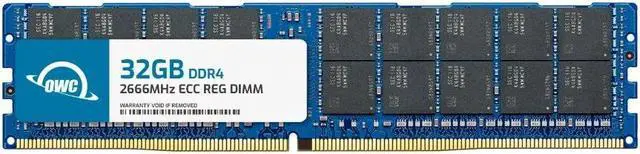
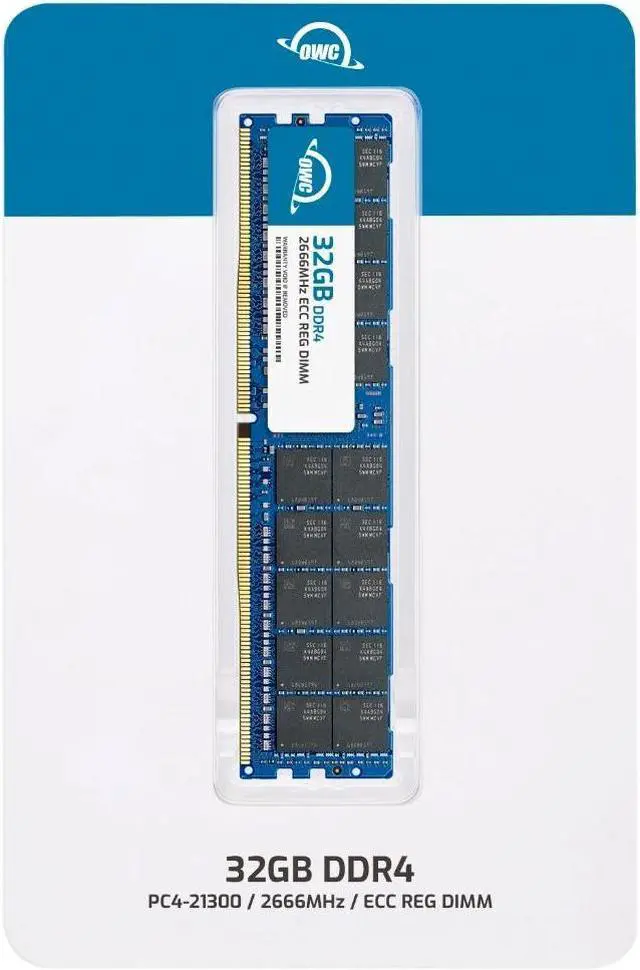
    • OWC 32GB UPGRADE: Consists of a single 32GB DDR4 2666 PC4-21300 CL19 2Rx4 288-pin 1.2V ECC Registered DIMM Memory RAM Module Upgrade .
    • 100% COMPLIANT: JEDEC-Standard and ROHS Compliant. Warranty-Safe Upgrade. Designed and Tested to Meet or Exceed all Manufacturer OEM Specs.
    • MAXIMIZE YOUR SERVER: With OWC's ECC Registered Server Memory, you will extend the life of your old infrastructure or save money when building a new one.
    • INDUSTRY LEADING: Consumer-friendly Advanced Replacement Program and Limited Lifetime Warranty, which includes Free Tech Support by Other World Computing.
    +
    +
    Overview
    Specs
    Reviews
    See all Q & A

    Any questions? Ask CelesteSM will help you find out quickly.

    OWC DDR4 PC4-21300 2666MHz ECC REGISTERED DIMM SPECIFICATIONS

    Technology DDR4
    Speed PC4-21300 2666MHz CL19
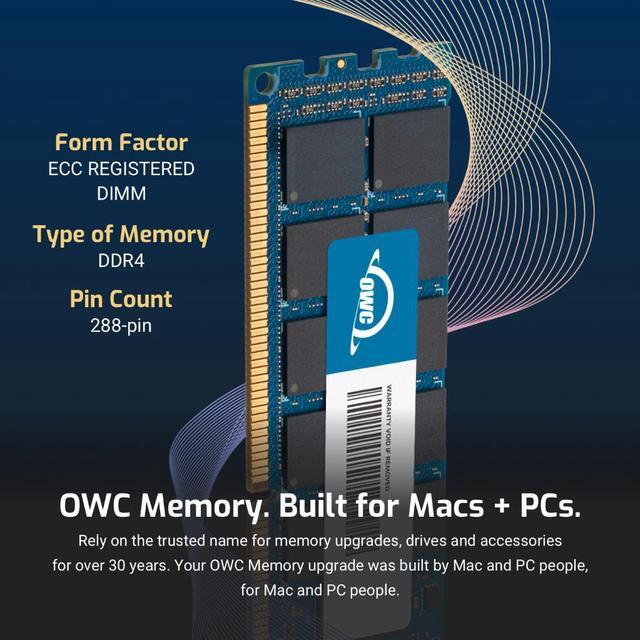
    Form Factor 288PIN ECC REGISTERED DIMM
    ECC Type ECC REGISTERED
    Voltage 1.2v
    Compatibility Server, Workstation, NAS System
    Backward Compatibility Also Compatible with 2133MHz, 2400MHz
    ECC ddr4 ram 2666 REGISTERED memory mac pro pc4-21300 memory 32gb 64gb 128gb 2019 ram 7,1
    DDR5 ECC REGISTERED REG MEMORY RAM MODULE DIMM STICK 32gb 16gb 8gb 288pin 4800MHz PC5-38400 CL40
    ECC ddr4 ram 2666 REGISTERED memory mac pro pc4-21300 memory 32gb 64gb 128gb 2019 ram 7,1

    OWC DDR4 PC4-21300 2666MHz ECC REGISTERED DIMM SPECIFICATIONS

    Technology DDR4
    Speed PC4-21300 2666MHz CL19
    Form Factor 288PIN ECC REGISTERED DIMM
    ECC Type ECC REGISTERED
    Voltage 1.2v
    Compatibility Server, Workstation, NAS System
    Backward Compatibility Also Compatible with 2133MHz, 2400MHz
    ecc registered server dimm memory ram upgrade NAS 64gb 32gb 16gb 8gb 288pin stick module
    unbuffered dimm memory ram upgrade desktop workstation non ecc ram 288pin stick module
    ecc registered server dimm memory ram upgrade NAS 64gb 32gb 16gb 8gb 288pin stick module
    OWC DDR4 memory is Fully compliant with JEDEC specifications, ROHS compliant, providing a warranty safe upgrade. OWC Memory is the most cost effective and simple DIY upgrade you can install to unleash your Mac or PC's full potential and speed up overall responsiveness. Become a multitasking maven when you upgrade your Mac or PC with OWC Memory. Open more apps. Open larger files. Plus, work with multiple files all at the same time. We test every OWC memory module at our in house lab so you can upgrade with the confidence that your memory is built to last.

    We built your OWC Memory upgrade to meet or exceed the toughest industry specs to provide years of worry-free service. OWC recommends that all DIMMs be the same capacity, speed, and manufacturer to ensure optimal memory performance.

    Warranty & Returns

    Warranty, Returns, And Additional Information

    Warranty

    • Please contact the Seller directly for warranty information. Warranty information may also be found on the Manufacturer's website.
    • CONTACT

    Return Policies

    • Return for refund within: 30 days
    • Return for replacement within: 60 days
    • This item is covered by OWC Return Policy

    Manufacturer Contact Info

    LOADING...

    The OWC 32GB DDR4-2666 ECC Registered RDIMM is a server-memory upgrade compatible with the Synology RackStation RS18017xs+, suited to users replacing or expanding memory in supported server systems.

    Recommended For

    • RS18017xs+ administrators expanding memory for virtualization workloads; Synology positions this NAS for VMware, Citrix, Hyper-V, and other virtualization environments.
    • Business IT teams using an RS18017xs+ for intensive data processing or video post-production who need to expand its memory capacity.
    • RS18017xs+ owners adding a 32GB ECC registered DIMM to an existing server-memory configuration; OWC lists this module as compatible with that model.
    • Storage administrators maintaining an RS18017xs+ for business workloads such as centralized backup or video storage who want a memory-capacity upgrade rather than a change to the storage drives.

    Real-World Use Scenarios

    • When configuring a RAID 5 or RAID 6 volume larger than 108 TB, use a supported memory configuration with at least 32 GB of RAM; Synology lists that threshold for volumes up to 200 TB. This 32 GB module may help meet the threshold when installed in a compatible configuration, but check the NAS’s total memory and module requirements before upgrading.
    • When the RS18017xs+ serves shared iSCSI storage to VMware, Hyper-V, Citrix, or OpenStack hosts, additional memory can provide more headroom if the NAS is running short of RAM. It does not, by itself, guarantee faster virtual-machine storage or better network throughput.
    • When a business uses the RackStation as a backup repository with scheduled snapshots and replication, added RAM may give DSM more operating headroom if memory is a bottleneck during backup activity. It supports the backup workflow, but should not be treated as a guaranteed increase in backup speed.
    • When the NAS stores large video-production projects for teams, an upgrade can provide more memory headroom for DSM and related services if the system is already memory-constrained. The RackStation is positioned for video post-production, but the module alone does not guarantee faster editing or file transfers.
    • When the RackStation records business security-camera footage through Surveillance Station, extra memory may help if monitoring and other NAS services are competing for RAM. It is a capacity upgrade, not a promise of support for more cameras or smoother live view.

    Spec Summary

    AttributeValue
    Best ForServer and workstation memory upgrades in compatible Synology systems, using ECC registered DDR4 DIMM memory
    Capacity32GB in a single memory module
    Memory Type And Configuration288-pin DDR4 SDRAM DIMM, ECC registered, 2Rx4, 1.2V, with no heat spreader
    Speed And Latency2666 MHz (PC4-21300) with CL19 latency
    Compatible DevicesFS3400, FS3449, FS3600, FS6439, HD6539, SA3400, SA3410, SA3639, SA3610 and SA6439
    Model IdentifiersOWC, part number 2R6D42R432GB; model number OWC2R6D42R432GB

    Reference Q&A

    Q: For an RS18017xs+, should I choose this 32GB module or stay with the 16GB factory memory?

    A: Choose this 32GB module when you want a 32GB memory configuration. Synology specifies that the RS18017xs+ needs at least 32GB of RAM for a single volume larger than 108TB and up to 200TB. The module is a 32GB DDR4-2666 ECC registered DIMM; follow Synology’s recommended memory configuration when installing it.

    Q: Should I use one 32GB module or configure 64GB in the RS18017xs+?

    A: Choose a 32GB configuration when that capacity meets your planned memory needs; choose 64GB when you want more total RAM. This OWC module provides 32GB per DIMM, and Synology specifies that modules in a multi-module configuration should be identical and share the same model number.

    Q: Is this 32GB module enough, or should I plan for the RS18017xs+’s 128GB maximum?

    A: Choose this 32GB module for a 32GB memory target; plan a larger configuration when your workload calls for more RAM. Synology lists 128GB as the RS18017xs+ maximum, while this OWC DIMM contributes 32GB toward the installed total.

    Q: Is this RAM compatible with the Synology RS18017xs+?

    A: The product is listed as compatible with the Synology RackStation RS18017xs+. It is a 32GB DDR4-2666 ECC Registered RDIMM; confirm your NAS’s memory configuration before installation.

    Q: Can I use this 32GB module in a standard desktop computer?

    A: No. This is ECC Registered RDIMM server memory, not standard desktop memory. The product information says it is not compatible with standard desktop computers.

    Q: Can I mix this module with the RAM already in my server?

    A: Do not mix it with unbuffered memory or ECC Load-Reduced DIMMs. Check the server’s existing modules and supported configuration before combining memory; this product is an ECC Registered RDIMM.

    Q: Does this provide 32GB of total memory or add 32GB?

    A: It is one 32GB memory module, so it adds 32GB to the system’s existing memory if installed alongside supported RAM. The final total depends on the server’s current configuration.

    Q: Will adding RAM make the RS18017xs+ faster for file transfers?

    A: Not necessarily. In a Reddit discussion about upgrading this model from 16GB to 32GB, a commenter expected extra RAM to help cached reads more than write speed and said results depend on the workload. The OWC module adds 32GB, but the discussion does not test this specific module or guarantee faster transfers.

    Q: Is 32GB of RAM needed for a larger volume on the RS18017xs+?

    A: A Reddit discussion about this model reports that 32GB was needed for a volume above roughly 108TB, while the default 16GB limited the volume to about 108TB. That is a community report, not confirmation that this specific OWC module will enable a particular volume size.

    Q: Should I add a matching RAM stick or use a single 32GB module?

    A: A Reddit user upgrading an RS18017xs+ planned to add a matching 16GB stick to an existing 16GB module. That discussion does not establish whether a single 32GB OWC module can be mixed with the installed RAM. Check the NAS’s supported configuration and the existing module type; the product information says not to mix registered RAM with unbuffered or load-reduced memory.