




 here!
here!
I’m your shopping assistant for PC builds, upgrades, and everything tech.
Got questions? Ask away!
Start a conversation
here!
I’m your shopping assistant for PC builds, upgrades, and everything tech.
Got questions? Ask away!
Start a conversationShipped by Hebei XG Technology Co., Ltd.






Any questions? Ask CelesteSM will help you find out quickly.
1. Dual - Controller Redundancy:The dual - controller setup ensures high availability and seamless operation. In case one controller fails, the other can take over, minimizing downtime and ensuring continuous data access for your business.
2. Flexible Storage Expansion:With 12 x 3.5 - inch drive bays and no pre - installed disks, you have the freedom to choose the exact storage capacity and type (such as HDDs for large - scale storage or SSDs for high - speed access) to meet your specific data storage needs.
3. Power Redundancy:The dual power supplies offer power backup. This redundancy guards against power outages, ensuring that your server remains operational even in the event of a power supply failure, enhancing the overall reliability of your storage system.
4. Brand - New & Ready - to - Deploy:Being brand - new and in stock, you can start integrating this server into your infrastructure immediately. Dell's quality build ensures reliable performance right from the start.
5. Ideal for Scalable Storage Solutions:Whether you're a small business looking to grow your storage capacity or a large enterprise in need of a modular storage addition, the MD2412 provides a scalable solution. You can add disks as your data volume increases.
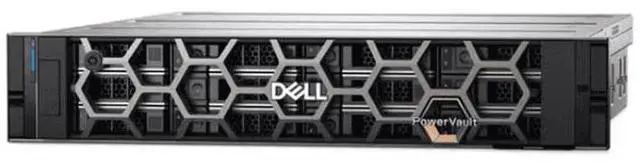
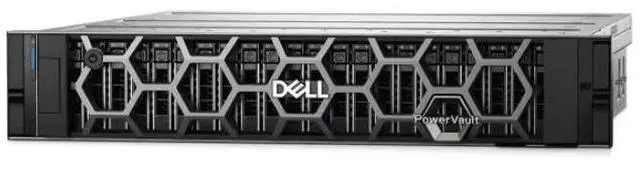
The Dell MD2412 is a 2U diskless storage enclosure with 12 x 3.5-inch bays, dual controllers, and dual power supplies, making it well suited for businesses and IT teams that need expandable shared storage with built-in hardware redundancy.
| Attribute | Value |
|---|---|
| Best For | Scalable rack-mounted storage deployments that need up to 12 3.5-inch drives with hardware redundancy; suited for businesses that want a disk-less enclosure to populate HDDs for capacity or SSDs for performance |
| Drive Bays & Media | 12 × 3.5-inch drive bays; shipped disk-less so you can install HDDs or SSDs to tailor capacity or performance |
| Controllers & Redundancy | Dual-controller configuration providing controller-level redundancy and failover to minimize downtime |
| Power And Redundancy | Dual (redundant) power supplies to maintain operation if one supply fails |
| Chassis & Form Factor | 2U rack-mount enclosure sized for data-center rack deployment |
| Condition & Availability | Brand new and in stock, ready to deploy |
| Model Identifiers | Dell MD2412 2U storage array (DELL / Server System) |
Q: Should I choose the Dell MD2412 or the Dell MD2424 for direct-attached server storage?
A: Choose the MD2412 when your priority is high-capacity 3.5-inch drive expansion for backup, archive, file serving, or general capacity growth behind a PowerEdge server. Choose the MD2424 when your priority is performance density with 24 x 2.5-inch bays and support focused on 10K SAS and SSD configurations. Dell positions the MD2412 as the high-capacity 12-bay 3.5-inch model and the MD2424 as the performance-oriented 24-bay 2.5-inch model, so the practical decision is capacity-per-drive and lower bay count versus higher spindle/SSD density.
Q: Is the Dell MD2412 a better fit than an older Dell MD1200-style 12-bay shelf?
A: The MD2412 is the better fit if you want a current-generation Dell 12-bay DAS platform for PowerEdge, 24Gb SAS host connectivity, and iDRAC-based enclosure management. An older MD1200-style shelf can still make sense for low-cost secondary storage or homelab use, but community discussions around older shelves often focus on age, acoustics, and older SAS generation limits. In practical buying terms, MD2412 is the cleaner choice for new production deployments, while older 12-bay shelves are mainly value-driven alternatives.
Q: Should I buy the Dell MD2412 or move up to the Dell MD2460?
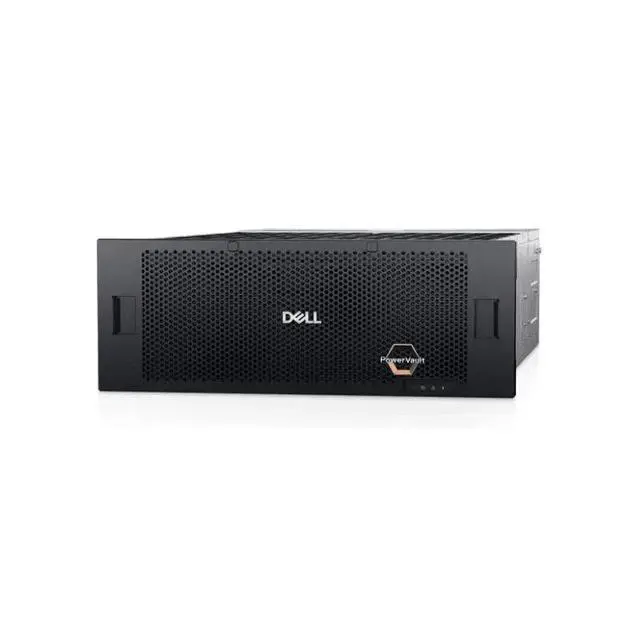
A: Choose the MD2412 when you want a simpler 2U footprint with 12 large-form-factor bays and more modest capacity expansion. Move up to the MD2460 when rack density and total raw capacity matter more than compactness, because the MD2460 uses 60 x 3.5-inch bays in 4U and is positioned by Dell for archive, video, and backup at much higher scale. The trade-off is straightforward: MD2412 is easier to fit and right-size, while MD2460 is for buyers who already know they need much larger storage pools per server.
Q: For the Dell MD2412, should I use fewer larger HDDs or more smaller HDDs?
A: Use fewer larger HDDs when your main goal is maximizing usable capacity per bay and preserving expansion room. Use more smaller HDDs when you want shorter rebuild windows and potentially more aggregate disk-level throughput from a wider set of spindles. Community discussions around MD2412 deployments commonly frame this as a capacity-versus-rebuild trade-off, especially for RAID 6 planning. For archive and read-heavy storage growth, larger drives are often the cleaner fit; for more conservative rebuild behavior, smaller drives can be easier to manage.
Q: Does this server come with any hard drives installed?
A: No. This is a disk-less configuration, so you must add your own 3.5-inch drives before deployment. That setup is best for buyers who want to choose capacity and drive type themselves, but it also means extra cost and planning before the system is usable.
Q: Who is this storage server suitable for?
A: It is best suited to business, lab, and IT environments that need shared storage capacity, hardware redundancy, and room to scale over time. It is less suitable for casual home users because it is a 2U rackmount, disk-less, enterprise-style unit that assumes you already have compatible infrastructure, drives, and deployment knowledge.
Q: Is this a good choice if I want high uptime and fewer single points of failure?
A: Yes, if uptime is a priority, this model is a strong fit because it includes dual controllers and dual power supplies. Those features reduce two common hardware failure risks, but they do not replace the need for proper drive selection, RAID planning, and backup strategy.
Q: Can I start with fewer drives and expand later?
A: Yes. A disk-less 12-bay system is well suited to phased expansion because you can install storage as your needs grow. The main trade-off is that usable capacity, redundancy options, and final cost depend on how many drives you add and how you configure the storage.
Q: What are the main trade-offs of buying a disk-less enterprise storage server like this?
A: The main advantages are flexibility, scalability, and hardware redundancy. The trade-offs are higher total setup cost, the need to purchase and validate your own drives, and a more complex deployment process than a pre-populated or consumer-oriented storage product.
Q: Who is this Dell MD2412-style 12-bay disk shelf suitable for?
A: It is best suited to buyers who already have a server and want expandable direct-attached storage with redundancy. The main fit is homelab, backup, media, surveillance, or virtualization storage where a 12-bay 3.5-inch shelf and dual controllers/power supplies are useful. It is less suitable for buyers expecting a complete standalone server, because the listing is disk-less and community discussion around similar Dell MD12xx shelves consistently treats them as storage expansion units that need a host system.
Q: Is this a good buy if I need a complete storage system ready to use on day one?
A: Usually no. This listing is disk-less, so you still need to buy drives, and similar Reddit discussions show buyers often also care about trays, host adapters, and cables. It is a better buy for someone who already has compatible infrastructure or wants to choose drives separately, not for someone looking for an all-in-one plug-and-play storage setup.
Q: What are the main trade-offs of buying this dual-controller, dual-PSU disk-less Dell unit?
A: The main advantages are redundancy and flexible drive choice. The main trade-offs are higher total setup cost and more deployment complexity, because you must add drives and may also need trays, SAS connectivity, and a host server. Community discussion around similar Dell MD12xx shelves also suggests buyers should expect rackmount JBOD-style behavior rather than a quiet, consumer-friendly appliance.
Q: Is a 12 x 3.5-inch Dell shelf like this better for large-capacity storage than for high-density flash storage?
A: Yes. A 12-bay 3.5-inch layout is generally a better fit for large-capacity bulk storage, backups, and media than for maximizing SSD density. Reddit discussions around the related MD1200 and MD1220 often distinguish the 3.5-inch model from the 2.5-inch variant, which buyers view as the more natural choice when drive count or smaller-form-factor media matters more.


