




 here!
here!
I’m your shopping assistant for PC builds, upgrades, and everything tech.
Got questions? Ask away!
Start a conversation
here!
I’m your shopping assistant for PC builds, upgrades, and everything tech.
Got questions? Ask away!
Start a conversationShipped by Hebei XG Technology Co., Ltd.



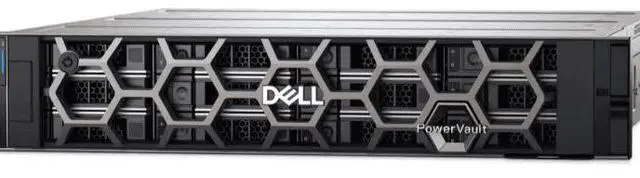
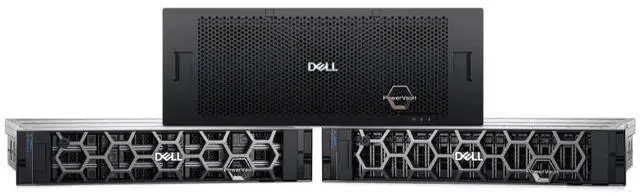
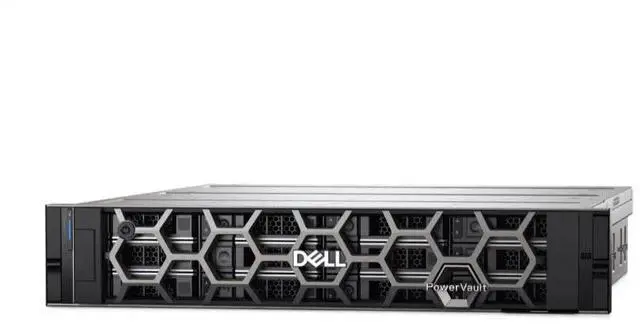



Any questions? Ask CelesteSM will help you find out quickly.
1. High - density Storage Design:The 2U form - factor with 24 x 2.5 - inch drive bays offers a high - density storage solution. It allows for a large amount of data to be stored in a relatively compact space, perfect for data - intensive businesses.
2. Dual - Controller Redundancy:With dual - controllers, the MD2424 provides enhanced reliability. In case of a controller failure, the other controller can maintain operations, ensuring continuous data access and minimizing downtime for your business.
3. Flexible Disk Configuration:The absence of pre - installed disks gives you the freedom to choose from a wide range of storage media. You can opt for high - speed SSDs for applications that require low - latency data access or high - capacity HDDs for cost - effective long - term data storage.
4. Power Redundancy:The dual power supplies ensure uninterrupted operation. In the event of a power failure in one supply, the other can keep the storage system running, safeguarding your data and maintaining business continuity.
5. New and Ready for Deployment:As a brand - new product that's in stock, you can quickly deploy the MD2424 into your existing infrastructure. Dell's reputation for quality ensures reliable performance right out of the box.
The Dell MD2424 is a 2U diskless storage array with 24 x 2.5-inch drive bays, dual controllers, and dual power supplies, making it well suited for businesses and IT teams that need a compact, high-density platform for building redundant shared storage in data-center environments.
| Attribute | Value |
|---|---|
| Best For | Rack-mounted, data-dense deployments that need a 2U, 24 x 2.5-inch disk-less storage enclosure with dual controllers and redundant power—suitable when you plan to populate the array with your choice of SSDs or HDDs |
| Chassis And Drive Bays | 2U form factor with 24 x 2.5-inch drive bays; ships disk-less so drives are user-supplied |
| Controllers And Redundancy | Dual controllers providing controller-level redundancy so the remaining controller can maintain operations if one fails |
| Power And Redundancy | Dual redundant power supplies to maintain operation if one power supply fails |
| Storage And Media | Disk-less enclosure accepting 2.5-inch drives (allows user choice of SSDs for lower latency or HDDs for higher capacity) |
| Condition And Availability | New and in stock, ready for deployment |
| Model Identifiers | Dell MD2424 storage enclosure (DELL — Server System); first listed on Newegg June 11, 2026; product page available |
Q: Should I choose Dell MD2424 or Dell MD1420 for a 24-bay 2.5-inch DAS setup?
A: Choose the MD2424 if you want Dell's newer 24-bay 2U direct-attached enclosure for PowerEdge servers, especially when higher SAS bandwidth and newer platform support matter. Dell positions the MD2424 as part of the MD24xx generation with 24Gb SAS4 expansion and host connectivity support, while the older MD1420 is a 12Gb SAS enclosure tied to an earlier PowerEdge generation. In practice, the MD2424 fits refresh projects that are moving to newer servers and faster SSD-oriented DAS, while the MD1420 remains the simpler comparison point for legacy 12Gb environments.
Q: Is Dell MD2424 a better fit than Dell ME5 for direct-attached storage?
A: Choose the MD2424 when you need a straightforward JBOD expansion shelf for PowerEdge DAS and plan to manage storage from the server side. Choose a PowerVault ME5 array when you need array features such as native block storage provisioning, RAID services, snapshots, replication, and SAN-style deployment options. Dell positions MD24xx as direct-attached JBOD for PowerEdge servers, while ME5 is a dual-active controller storage array for SAN or DAS block storage. The trade-off is simplicity and enclosure-focused expansion with MD2424 versus controller-based storage services with ME5.
Q: MD2412 or MD2424: which one makes more sense?
A: Choose the MD2424 if your priority is higher drive density in 2U using 24 small-form-factor bays and a design aimed at performance-focused 2.5-inch SAS or SSD deployments. Choose the MD2412 if you prefer 12 large-form-factor 3.5-inch bays for capacity-heavy DAS with fewer drives. Dell's own positioning separates them clearly: MD2412 is the 12-bay 3.5-inch model, while MD2424 is the 24-bay 2.5-inch model with 24Gb SAS4 support. The decision is mainly small-form-factor performance density versus larger-drive capacity orientation.
Q: Should I buy the diskless MD2424 or a pre-populated configuration?
A: Choose the diskless MD2424 if you already have a drive strategy, need to match existing SAS media, or want to tune the enclosure for either SSD-heavy performance or HDD-based capacity within Dell's supported drive options. A pre-populated configuration makes more sense when you want faster deployment and a validated parts combination from day one. The main trade-off is flexibility versus convenience: diskless is better for controlled customization, while pre-populated is better for simpler procurement and rollout.
Q: Does this unit come with drives installed, or do I need to add my own?
A: You need to add your own drives. This MD2424 listing is disk-less, so it is sold as the storage chassis with 24 x 2.5-inch bays, not as a ready-populated array. That gives you flexibility to choose SSDs for higher IOPS and lower latency or HDDs for lower cost per TB, but it also means your total cost, usable capacity, and performance depend on the drives you buy and how you configure them.
Q: Who is this storage system suitable for?
A: This system is best suited to business or IT environments that need dense rack storage, fault tolerance, and flexible media choice. Its 2U chassis with 24 small-form-factor bays fits data-intensive workloads where space efficiency matters, and its dual controllers and dual power supplies make more sense in uptime-sensitive deployments than in casual or home use.
Q: Is this a good fit if I need high availability and less downtime?
A: Yes, that is one of its clearest strengths. The dual-controller design helps maintain access if one controller fails, and the dual power supplies add protection against a single PSU failure. That does not remove the need for proper drive selection, RAID planning, and backups, but it does make the platform better aligned with continuity-focused deployments.
Q: What are the main trade-offs of buying a disk-less 24-bay system like this?
A: The main trade-off is flexibility versus complexity and total cost. A disk-less 24-bay platform lets you tailor performance, endurance, and capacity to your workload, but you must separately budget for drives and plan the storage layout yourself. A 24-bay 2.5-inch design is strong for density and fast media options, but it also assumes you already have rack space, power, and an environment where enterprise storage management makes sense.
Q: Can I start with fewer drives and expand later?
A: Probably yes at the chassis level, but the listing does not explicitly confirm expansion rules, minimum drive counts, or supported RAID behavior. In practical buying terms, disk-less storage buyers often ask whether they can add drives over time, and similar retail NAS products commonly support installing drives progressively, though some RAID layouts work best when all planned drives are installed up front. For this product, expansion planning should be verified before purchase.
Q: Who is the Dell MD2424 best suited for?
A: The MD2424 is best suited for business or lab environments that need dense 2U shared storage, controller redundancy, and the flexibility to choose their own drives. It makes more sense for users who already plan around external SAS storage and enterprise-style management than for buyers looking for a simple plug-and-play NAS.
Q: Is the Dell MD2424 a good buy if I want to choose my own drives?
A: Yes, if drive flexibility is part of the buying decision. This listing is disk-less, so you can size the system for SSD performance or HDD capacity later. The trade-off is that total cost, compatibility planning, and deployment effort are higher than with a pre-populated system.
Q: What are the main trade-offs of buying the Dell MD2424 instead of a simpler NAS?
A: The MD2424 offers higher drive density, dual controllers, and dual power supplies, but it is a better fit for enterprise storage workflows than for simple file sharing. The trade-off is more planning around host connectivity, drive selection, and storage management in exchange for better redundancy and a more modular setup.
Q: Is the Dell MD2424 worth buying for reliability-focused workloads?
A: It can be, if redundancy matters more than lowest upfront cost. The dual-controller and dual-power-supply design make it a stronger fit for workloads where continued access is important. It is less compelling for casual use cases that do not benefit from enterprise redundancy features.


