here!
here!
I’m your shopping assistant for PC builds, upgrades, and everything tech.
Got questions? Ask away!
Start a conversation
here!
I’m your shopping assistant for PC builds, upgrades, and everything tech.
Got questions? Ask away!
Start a conversation


Any questions? Ask CelesteSM will help you find out quickly.


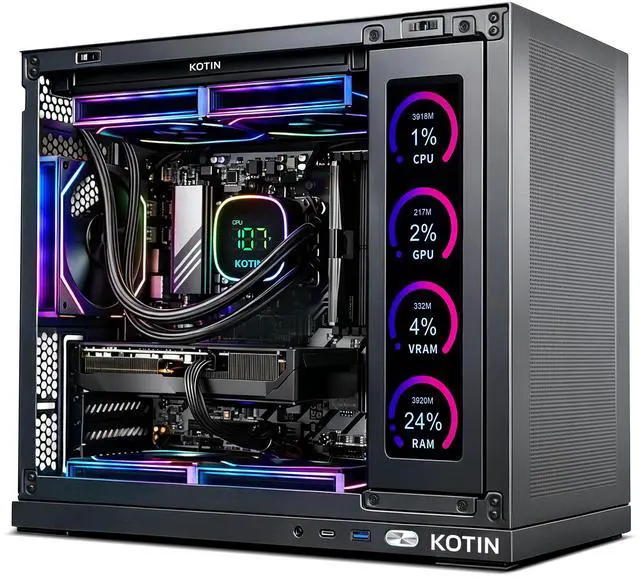
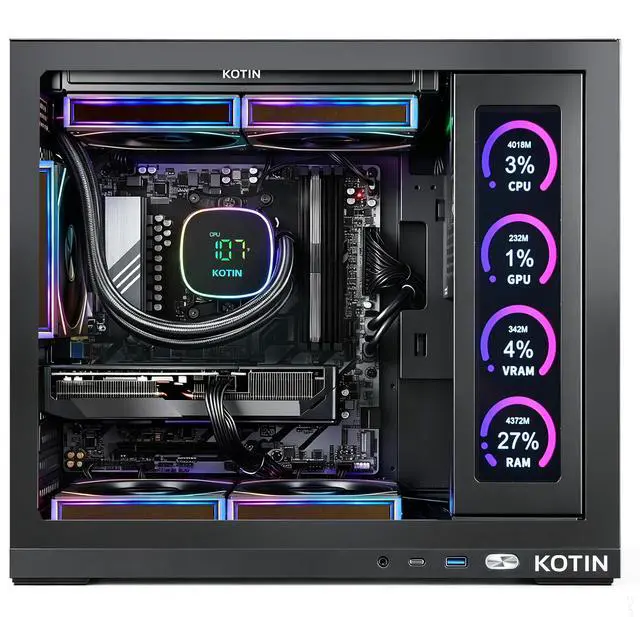
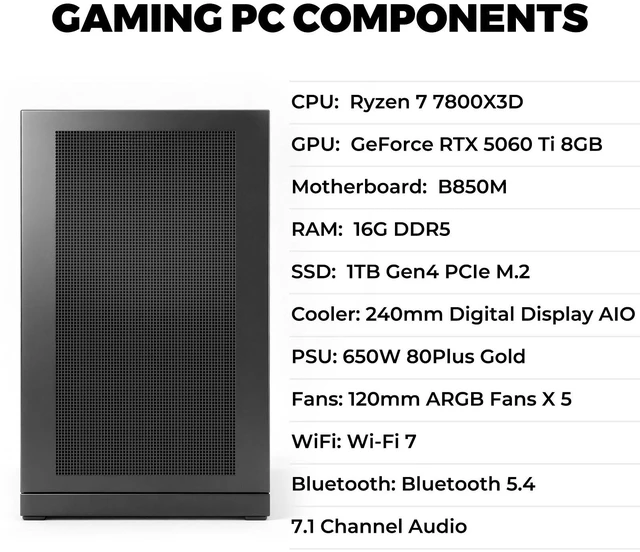
The KOTIN Gaming PC is a prebuilt desktop for gamers who want strong 1080p esports performance and capable 1440p play, using a Ryzen 7 7800X3D, GeForce RTX 5060 Ti, 16GB DDR5, and 1TB Gen4 SSD in a ready-to-use Windows 11 system with modern Wi-Fi 7 connectivity.
| Attribute | Value |
|---|---|
| Best For | Home and personal gaming, streaming, and content creation at 1080p–1440p driven by an AMD Ryzen 7 7800X3D CPU paired with an NVIDIA RTX 5060 Ti GPU |
| Processor And Core Count | AMD Ryzen 7 7800X3D (AM5) 8-core 64-bit processor, 4.20 GHz base clock, up to 5.0 GHz turbo, 104 MB total cache (96 MB L3 + 8 MB L2) |
| GPU And VRAM | NVIDIA GeForce RTX 5060 Ti with 8 GB GPU memory, PCI Express 5.0 graphics interface, VR-ready; no SLI/CrossFire support |
| Memory Configuration | 16 GB DDR5-6000 installed (16 GB x 1); memory slot reporting: 2 available of 4 total; maximum supported listed as 16 GB |
| Storage And Expansion | Primary 1 TB NVMe M.2 SSD plus an additional 1 TB HDD |
| High-Speed I/O And Expansion | PCI Express 5.0 graphics interface and NVMe M.2 storage support for high-bandwidth GPU and SSD connectivity |
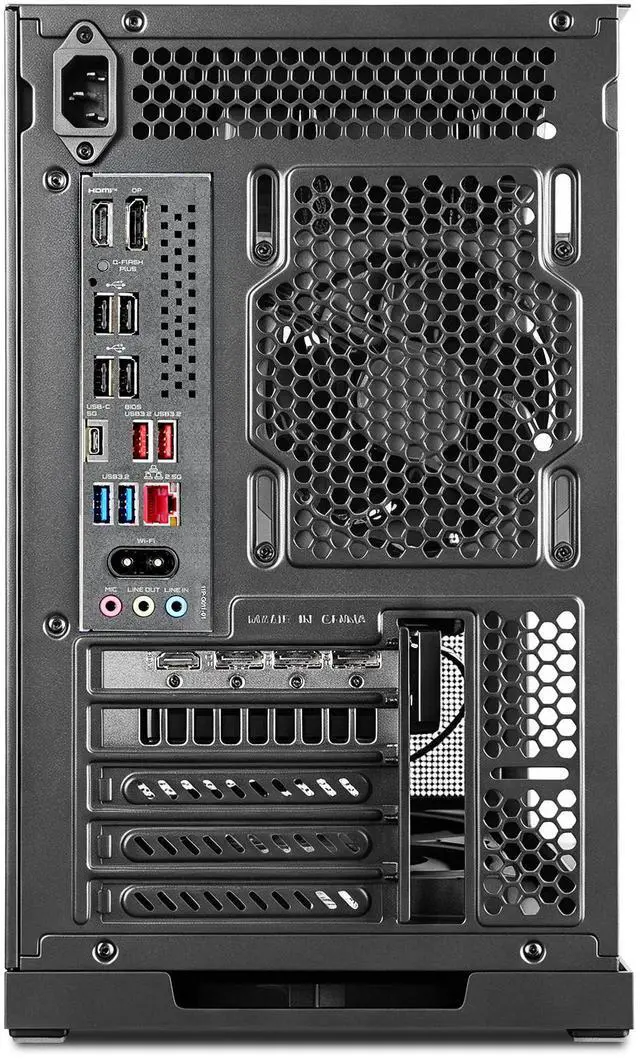
| Wired And Wireless Networking | 2.5 Gbps wired LAN plus Wi‑Fi 7 wireless and Bluetooth 5.3 |
| Power And Cooling | 650W power supply |
| Operating System And Software | Windows 11 Home ready/installed |
| Audio Setup | 7.1 channel audio |
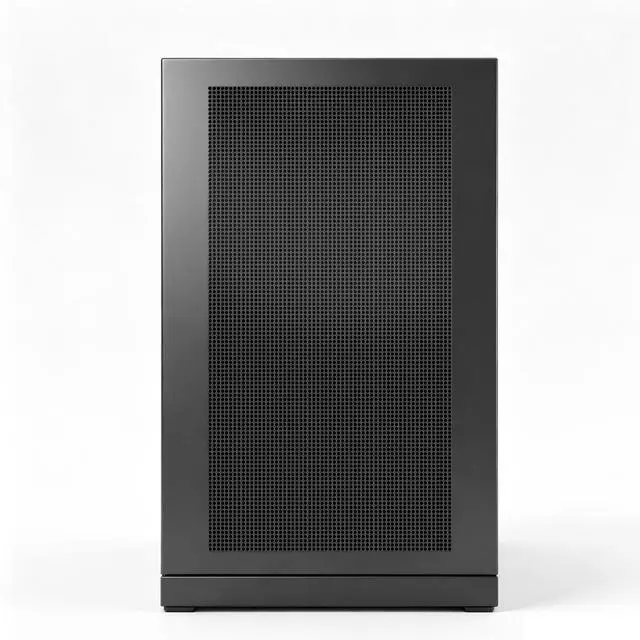
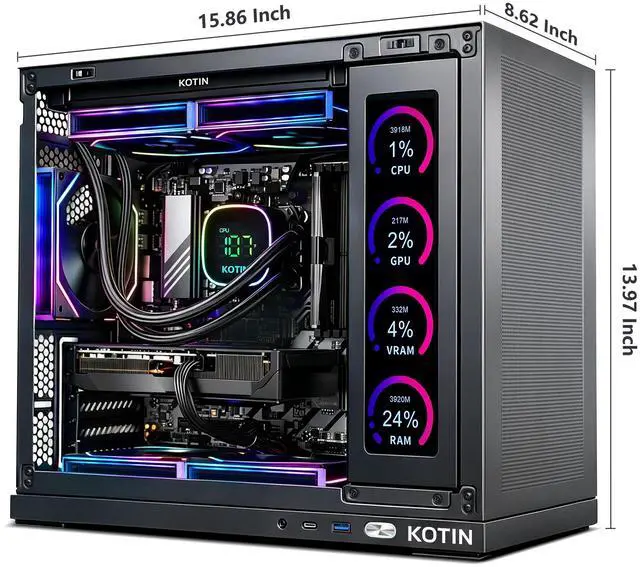
| Chassis And Dimensions | Desktop form factor in black; chassis dimensions 20.6 x 19.6 x 13.1 inches; monitor not included |
| Model Identifiers | KOTIN model KTG50BA778X16506T8G, release year 2025 |
| Capabilities And Use Notes | System marked as VR-ready and lists AI features; intended for home/personal use |
Q: Should I choose this RTX 5060 Ti desktop or a similar prebuilt with RTX 5060?
A: Choose this KOTIN system if your main goal is smoother 1440p gaming or better headroom for newer games. Reviews consistently show the RTX 5060 Ti ahead of the RTX 5060, and NVIDIA positions the 5060 Ti as the higher tier with both 8GB and 16GB variants available. This KOTIN model uses the 8GB version, so the upgrade is mainly about higher GPU performance rather than extra VRAM. A plain RTX 5060 prebuilt makes more sense when the price gap is meaningful and you are focused mostly on 1080p gaming.
Q: Is this 7800X3D + RTX 5060 Ti PC better than a similar prebuilt with a weaker CPU like Ryzen 7 7700 or Core i7?
A: Choose this KOTIN desktop if gaming frame rate consistency matters more than workstation-style CPU throughput. The Ryzen 7 7800X3D is widely positioned and reviewed as a gaming-first processor, and it is especially useful in esports titles, CPU-heavy games, and situations where you want to avoid the processor becoming the limit at 1080p. A prebuilt with a Ryzen 7 7700 or mainstream Core i7 can still be a sensible option if it is notably cheaper or if your use includes more mixed productivity work.
Q: Should I buy this PC or spend more on a similar prebuilt with RTX 5070?
A: Choose this KOTIN system when you want a gaming-focused CPU and capable 1080p to 1440p performance without stepping into a higher GPU budget tier. Move to an RTX 5070 prebuilt if you want more 1440p headroom, heavier ray tracing settings, or a configuration that shifts more of the budget toward graphics performance. In practical terms, this KOTIN build is the better fit for buyers who value the 7800X3D platform and do not need the extra GPU margin of the 5070.
Q: Is this 16GB RAM configuration enough, or should I choose a similar 32GB prebuilt instead?
A: This configuration is generally enough for gaming, especially if the main goal is playing at 1080p or 1440p and keeping the total system cost lower. A similar 32GB prebuilt is the better choice if you expect heavier multitasking, content creation, large mod packs, or simply want more memory headroom over time. Community discussions around current gaming prebuilts usually treat 16GB as workable today, while 32GB is the more flexible long-term option.
Q: Should I get this desktop or a gaming laptop for 1080p and 1440p play?
A: Choose this desktop if performance per dollar, upgrade flexibility, and sustained gaming performance matter more than mobility. A gaming laptop is the better fit when you need one machine that travels easily or saves space. For a buyer comparing form factors, this KOTIN desktop is the stronger choice for home setup use, while a laptop is the better choice for portability-first use.
Q: Is 16GB of RAM enough, or should I plan to upgrade to 32GB?
A: For 1080p gaming and general everyday use, 16GB is usually enough. For newer AAA games, heavy multitasking, streaming, or content creation, 32GB is the safer long-term target. Based on repeated retail Q&A patterns for comparable prebuilts, RAM upgrade questions are one of the most common buyer concerns. This KOTIN configuration lists 16GB DDR5 6000 and available memory slots, so it is best suited to buyers who are fine starting at 16GB and upgrading later if needed.
Q: Is this PC a good fit for 1080p and 1440p gaming?
A: Yes. This build is well matched for high-FPS 1080p gaming and should also handle 1440p well in many titles. The strongest part of the system is the Ryzen 7 7800X3D, which is widely chosen for gaming-focused desktops. The main trade-off is that the RTX 5060 Ti 8GB is more midrange than high-end, so buyers focused on ultra settings, heavier ray tracing, or more VRAM headroom may want a higher GPU tier.
Q: Who is this prebuilt best for?
A: It is best for buyers who want a ready-to-use gaming desktop with a very strong gaming CPU, fast SSD storage, modern wireless connectivity, and no need to build a system from scratch. It fits gamers targeting 1080p or 1440p, plus users who also do light streaming or everyday productivity. It is less ideal for buyers who already know they want 32GB RAM, a larger SSD, or a stronger GPU for more demanding creator workloads or longer-term high-end gaming.
Q: What are the main trade-offs versus a similar prebuilt with 32GB RAM or a stronger GPU?
A: The trade-off is balance versus headroom. This KOTIN system prioritizes a top-tier gaming CPU and a ready-to-use feature set, but similar prebuilts with 32GB RAM, more storage, or a higher-tier graphics card will usually be better for multitasking, heavier content creation, and more demanding 1440p settings. In short: this model is the better fit if you value the 7800X3D and plan to game now, while 32GB or higher-GPU alternatives are better if you want fewer future upgrades.
Q: Is this a good fit for 1080p gaming, and can it handle 1440p?
A: Yes for 1080p, and generally yes for 1440p with some settings trade-offs. The Ryzen 7 7800X3D is a strong gaming CPU, so this system is mainly limited by the RTX 5060 Ti 8GB. Based on repeated Reddit and YouTube discussion around 5060 Ti and 7800X3D builds, this class of GPU is usually a better match for high-FPS 1080p and lighter or optimized 1440p gaming than for maxed-out 1440p in newer demanding titles. If your priority is competitive games, this configuration makes sense. If your priority is long-term 1440p ultra settings, the 8GB GPU is the main compromise.
Q: Is this PC balanced, or is the CPU overkill for the GPU?
A: For gaming, the CPU is stronger than this GPU needs in many situations. The Ryzen 7 7800X3D is a high-end gaming processor, while the RTX 5060 Ti 8GB is a more midrange graphics card. Community discussion around similar builds repeatedly treats this pairing as GPU-limited, especially at 1440p. That does not make it a bad system, but it means some of the budget is going toward CPU headroom rather than a more balanced GPU upgrade.
Q: Is 16GB RAM enough in this prebuilt?
A: It is enough for gaming today, but it is one of the clearest trade-offs in this configuration. The product data lists 16GB DDR5 as a single 16GB stick, which is acceptable for mainstream gaming and everyday use, but repeated Reddit discussion treats single-stick memory as a compromise versus a 2-stick setup. If you plan to multitask heavily, stream, or keep the system for several years, memory capacity and single-stick configuration are likely to be the first areas you would want to upgrade.
Q: Who is this PC most suitable for?
A: This PC is most suitable for buyers who want a ready-to-use gaming desktop focused on strong 1080p performance, high refresh esports, and some 1440p gaming without building their own system. It is less suitable for buyers who want the most balanced price-to-performance mix, heavy creator workloads, or a more future-proof 1440p setup, because the GPU VRAM and 16GB memory configuration are the main limits.
Q: What are the main trade-offs of buying this prebuilt instead of a more upgrade-focused option?
A: The main trade-offs are GPU class, VRAM, and memory configuration. The 7800X3D gives the system a strong gaming foundation, but the RTX 5060 Ti 8GB and 16GB single-stick RAM are the parts most likely to feel limiting first. In practical decision terms, this is a convenience-first prebuilt with a strong CPU, not a maximally balanced build for buyers optimizing every dollar around long-term 1440p gaming.