here!
I’m your shopping assistant for PC builds, upgrades, and everything tech.
Got questions? Ask away!
Start a conversation
here!
I’m your shopping assistant for PC builds, upgrades, and everything tech.
Got questions? Ask away!
Start a conversation




Any questions? Ask CelesteSM will help you find out quickly.

| Products | ||||
|---|---|---|---|---|
| Screen Size | 27 | 24 | 27 | 32 |
| Resolution | 2560 x 1440 (2K) | 2560 x 1440 (2K) | 2560 x 1440 (2K) | 2560 x 1440 (4K) |
| Refresh Rate | 200Hz | 180Hz | 240Hz | 165Hz/144Hz |
| Curved Surface Screen | ||||
| HDR Standard | HDR 400 | HDR 400 | HDR 400 | HDR400 |
| Panel | VA | IPS | VA | VA |
| Aspect Ratio | 16:9 | 16:9 | 16:9 | 16:9 |
| Display Colors | 8bit | 8bit | 8bit | 8bit |
| VESA | 100 x 100 mm | 75 x 75mm | 75 x 75mm | 100 x 100mm |
| Maximum Operating Plan DP interface | QHD200Hz | QHD180Hz | 4K160Hz 1080p320Hz | 165Hz/2K 144Hz/4K |
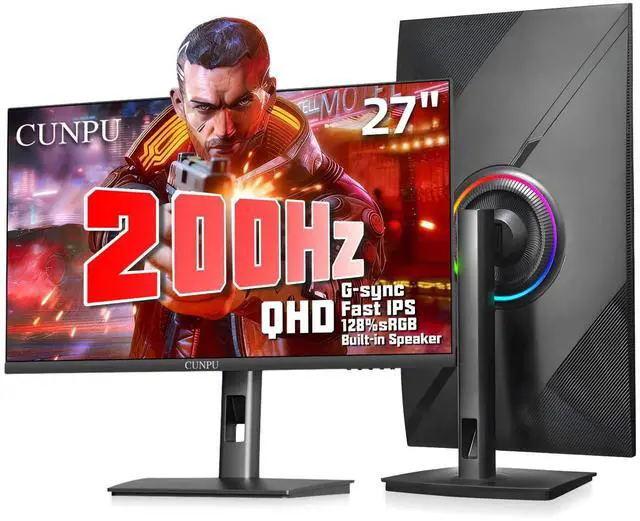
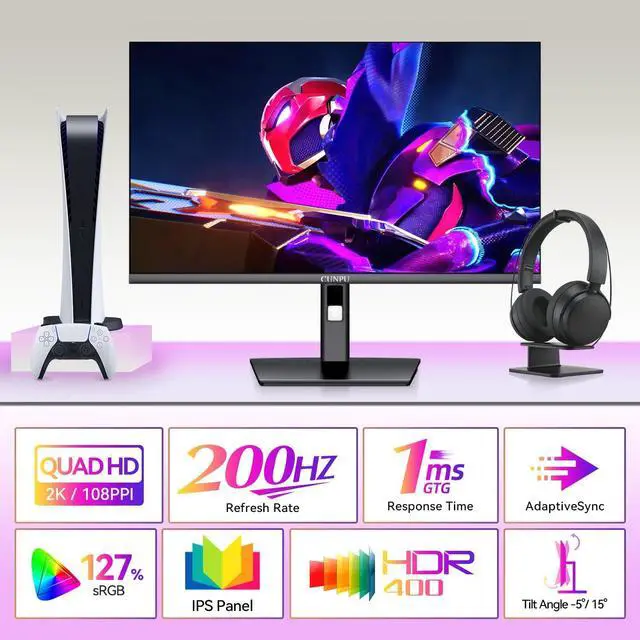
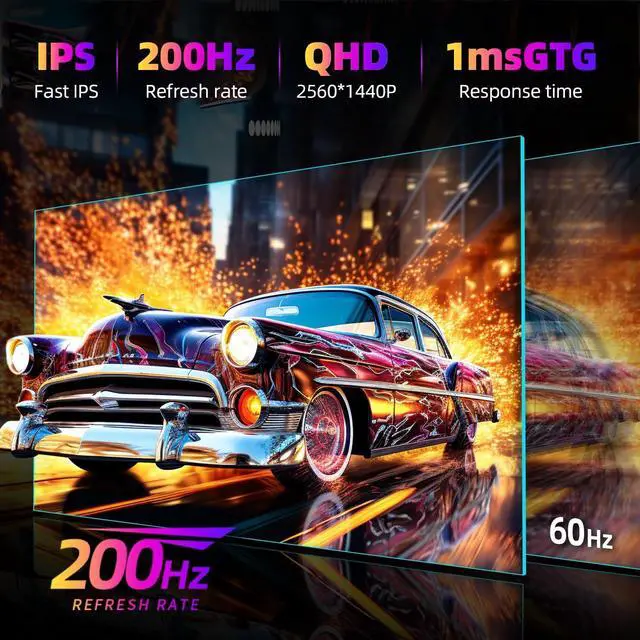
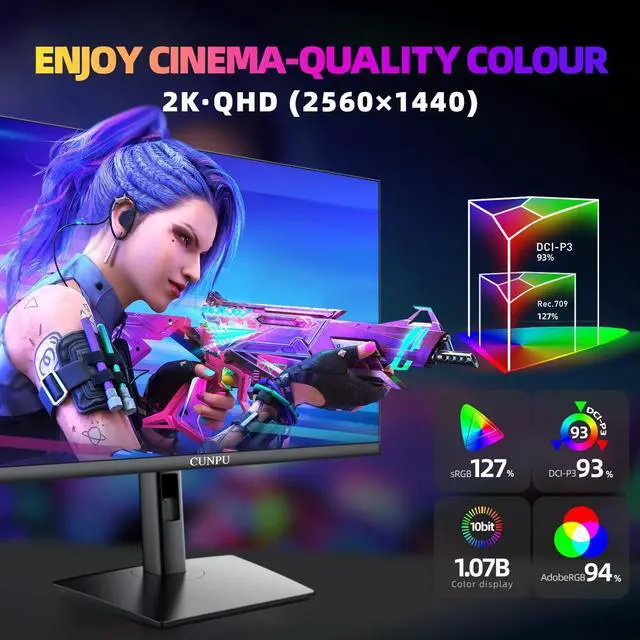
PRO GAMING KEY SPEC: The 27-inch QHD gaming monitor is a fast IPS display with 125% sRGB and 100% DCI-P3 color gamut coverage, giving you more than 16.7 million colors for a more natural-looking display, and an excellent 1000:1 dynamic contrast ratio that makes deep blacks and whites more clearly visible. It also features HDR10, 240Hz refresh rate and 1ms (GTG) response time. This monitor is perfect for eSports gaming as it delivers crisp, detailed images that keep you ready for enemy attacks
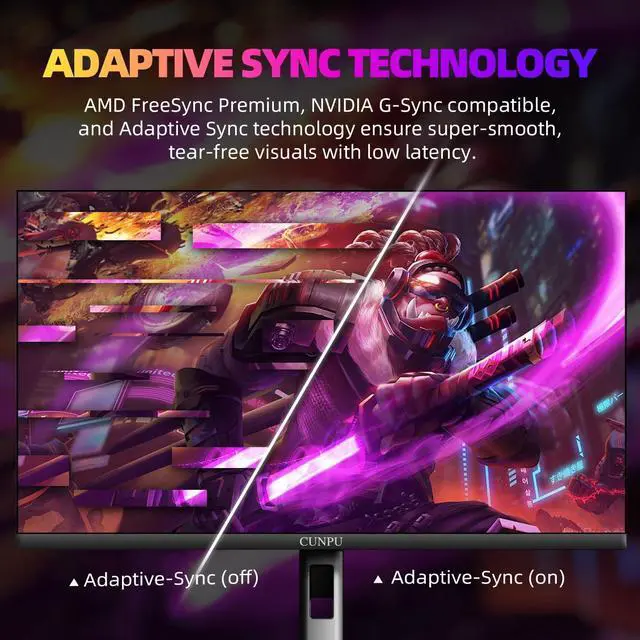
FASTER WITH EVERY MOVE: CUNPU 1440p 200Hz gaming monitors are compatible with both FreeSync and G-Sync technology. This ensures synchronized transfer rates between the graphics card and monitor, which eliminates screen tearing and latency. As a result, you can enjoy a smooth and stable gaming experience. Enjoy hours of gaming or video-watching without straining your eyes
ERGONOMIC GAMING STAND: The quick mounting bracket allows for a seamless connection to the base without the need for screws, streamlining the installation process. The stand offers a tilt range of -5 to 15°, a swivel range of -90 to 90°, a pivot range of -90 to 90° and a height adjustment range of 5.11 inches, providing a comfortable gaming experience. It is compatible with any 100 x 100 mm VESA wall mount, desk mount stand, or articulating arm
ENHANCING THE ENTERTAINMENT EXPERIENCE: Built-in 2x 2W speakers ensure that your movies, shows, music, and video conference calls will all sound as good as they look. The entertai
The LiteVis M27U2200 is a 27-inch QHD gaming monitor with a Fast IPS panel, 200Hz refresh rate, and 1ms GTG response time, making it well suited for competitive gaming and fast-paced action where smooth motion and detailed 2560 x 1440 visuals are important.
| Attribute | Value |
|---|---|
| Best For | Competitive and fast-paced gaming where QHD detail, a 200Hz refresh rate, 1ms response time, and an IPS panel support smooth, responsive visuals |
| Panel And Resolution | 27-inch IPS display with 2560 x 1440 QHD resolution, 16:9 aspect ratio, and 16.7 million display colors |
| Refresh Rate And Response | 200Hz refresh rate with a 1ms response time for responsive motion in gaming |
| Ports And Connectivity | Two HDMI 2.0 inputs and one DisplayPort 1.4 connection |
| Stand And Ergonomics | Adjustable stand with height, pivot, swivel, and tilt adjustments for flexible desk positioning |
| Display Features | Built-in TV tuner for viewing broadcast television through the monitor |
| Model Identifiers | LiteVis M27U2200 in a black cabinet |
Q: Is the LiteVis M27U2200 better than a 165Hz 1440p gaming monitor?
A: Choose the LiteVis M27U2200 if its listed 200Hz refresh rate is confirmed and the price difference is small. It keeps the same 27-inch QHD Fast IPS format while offering a higher refresh ceiling than common 165Hz models, which can provide smoother motion when the graphics card consistently produces high frame rates. Choose a 165Hz model when it is substantially less expensive or when gaming performance typically stays below 165 frames per second. The Newegg listing contains conflicting refresh-rate claims—200Hz in the title and specifications, but 240Hz in the bullet description—so verify the actual maximum refresh rate before buying.
Q: Should I buy the LiteVis M27U2200 or ASUS ROG Strix XG27ACS?
A: Choose the LiteVis M27U2200 if the confirmed refresh rate is higher than ASUS's 180Hz mode and you value its built-in speakers plus height, swivel, pivot, and tilt adjustments. Choose the ASUS XG27ACS if USB-C connectivity, a documented 180Hz specification, factory-calibrated positioning, and stronger third-party review coverage matter more. Both target 27-inch QHD Fast IPS gaming, support adaptive sync, and specify a 1ms response time, so the decision mainly depends on connectivity, verified specifications, stand features, and price.
Q: Is the LiteVis M27U2200 a good alternative to the LG 27GR83Q-B 240Hz monitor?
A: Choose the LG 27GR83Q-B when you want a clearly documented 240Hz refresh rate, HDMI 2.1, USB connectivity, and established manufacturer specifications. Choose the LiteVis M27U2200 when its lower price is the priority and a verified 200Hz mode meets your gaming needs. The LG offers a higher confirmed refresh ceiling, but the practical advantage is greatest in competitive games where the PC can sustain frame rates near 200 to 240 fps. Because the LiteVis listing also mentions 240Hz without consistently specifying it, confirm whether 240Hz is actually supported or treat the monitor as a 200Hz model.
Q: Should I choose the LiteVis M27U2200 or a 4K 144Hz gaming monitor?
A: Choose the LiteVis M27U2200 for high-refresh-rate 1440p gaming, especially competitive titles where reaching 200Hz is more realistic than reaching very high frame rates at 4K. Choose a 4K 144Hz monitor for sharper text, higher-detail single-player games, and image quality that benefits from the 3840×2160 resolution. The LiteVis uses 2560×1440 resolution, so it generally places less rendering demand on the graphics card than 4K while offering a higher listed refresh rate.
Q: Is the LiteVis M27U2200 better for gaming than a 1440p OLED monitor?
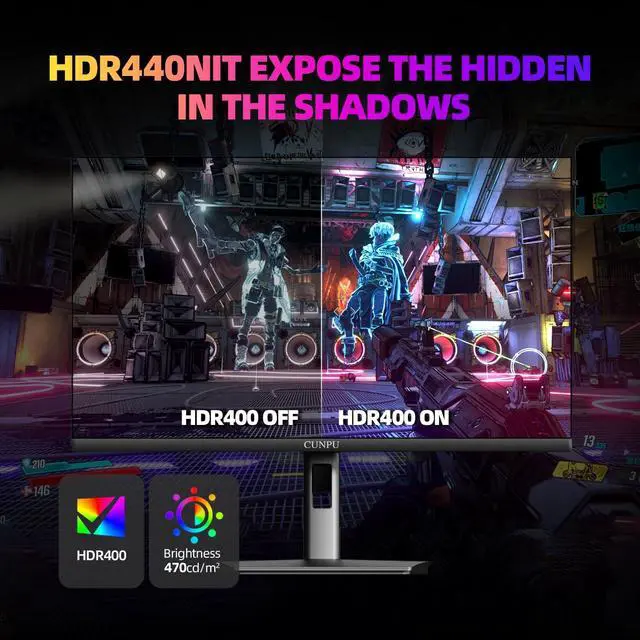
A: Choose the LiteVis M27U2200 if you prefer a conventional Fast IPS display, built-in speakers, an extensively adjustable stand, and a lower-complexity option for mixed gaming and desktop use. Choose a 1440p OLED monitor when motion clarity, pixel-level black levels, and HDR contrast are the main priorities. Professional testing generally finds 1440p OLED monitors particularly strong for response time and dark-scene image quality, while IPS gaming monitors remain a practical fit for users who prioritize high refresh rates, wide viewing angles, and general-purpose use. The LiteVis's real-world HDR quality cannot be confirmed from the PDP alone because brightness and local-dimming performance are not fully documented.
Q: Is this monitor good for office work, note-taking, and meetings?
A: Yes. The 27-inch QHD IPS screen provides more workspace and sharper text than Full HD monitors, while the height, tilt, swivel, and pivot adjustments support longer desk sessions. It includes built-in 2 x 2W speakers, but a webcam and microphone are not listed, so separate devices may be needed for video meetings.
Q: Who is this 27-inch QHD 200Hz monitor best suited for?
A: It is best suited for PC gamers who want high refresh rate gaming at 2560 x 1440 resolution, especially for fast-moving competitive games. It is also suitable for general productivity, streaming, and multitasking, but users who only browse the web or perform basic office tasks may not fully benefit from the 200Hz refresh rate.
Q: Does it support both FreeSync and G-Sync-compatible gaming?
A: Yes. The product is listed as compatible with both FreeSync and G-Sync. Adaptive-sync performance still depends on the graphics card, driver settings, connection type, and the supported refresh-rate range. DisplayPort 1.4 is the recommended connection to investigate first when targeting the monitor’s highest refresh rate.
Q: Can the monitor be mounted or used in portrait orientation?
A: Yes. It supports standard 100 x 100 mm VESA mounting and its stand includes height, swivel, tilt, and pivot adjustment. The pivot function allows portrait-style positioning, provided the desk setup and software support screen rotation.
Q: Can its built-in speakers replace a headset or separate speakers for meetings?
A: The monitor includes two built-in 2W speakers, so it can provide basic audio for games, videos, calls, and notifications. However, the product information does not list a built-in webcam or microphone, and the speakers may not provide the positioning or audio quality preferred for competitive gaming or frequent meetings.
Q: Is a 27-inch QHD 200Hz monitor a worthwhile upgrade from 1080p or 165Hz?
A: Yes, if your PC can produce high frame rates at 2560×1440. Compared with 1080p, QHD provides a sharper image at 27 inches, while 200Hz offers smoother motion than 144Hz or 165Hz. The upgrade is less valuable if your system rarely exceeds 100–144 FPS.
Q: Is this type of monitor suitable for both work and gaming?
A: Yes. The 27-inch QHD IPS format is suitable for general work, reading, video editing, and gaming. The high resolution improves workspace clarity, while the 200Hz refresh rate mainly benefits gaming and smoother scrolling. Professional color-critical work may require calibration or a more specialized display.
Q: Is 200Hz enough for competitive gaming, or should I choose a 320Hz 1080p monitor?
A: Choose 200Hz QHD for a balance of image sharpness, screen space, and smoothness. A 320Hz 1080p monitor is more targeted at competitive players who prioritize the lowest possible display latency and can consistently sustain very high frame rates. For mixed gaming, QHD 200Hz is the more versatile option.
Q: What are the main trade-offs of choosing this IPS gaming monitor instead of OLED or a higher-end HDR display?
A: The IPS panel should provide wide viewing angles, fast response performance, and strong color coverage, but it will not deliver OLED-level black levels or contrast. The listed HDR10 support can improve compatibility with HDR content, but it should not be treated as equivalent to a high-brightness OLED or advanced local-dimming display.