




 here!
I’m your shopping assistant for PC builds, upgrades, and everything tech.
Got questions? Ask away!
Start a conversation
here!
I’m your shopping assistant for PC builds, upgrades, and everything tech.
Got questions? Ask away!
Start a conversation



Any questions? Ask CelesteSM will help you find out quickly.


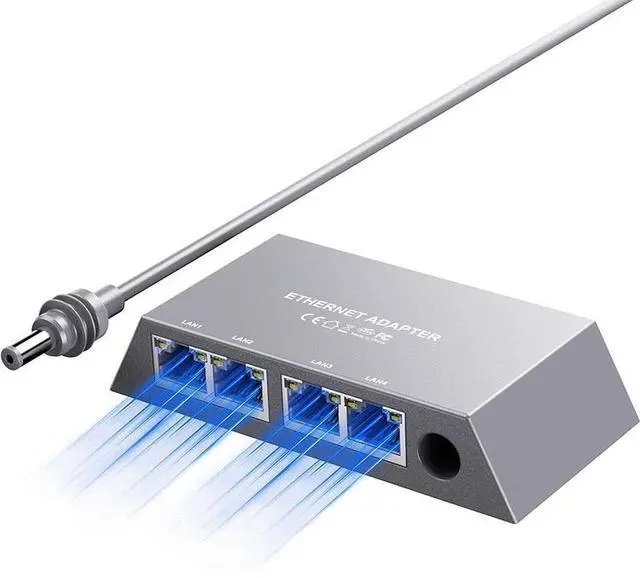
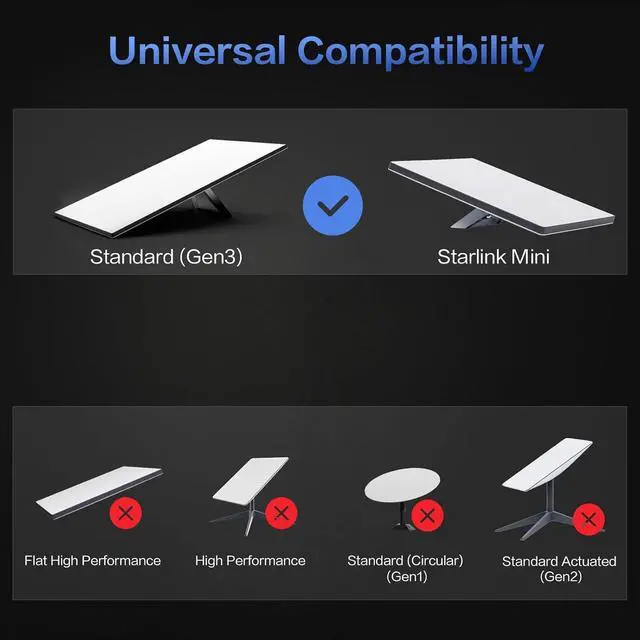
Compatibility -- Works seamlessly with Starlink Gen3/ Standard 4/ 4 X/ V4 and Starlink Mini, suitable for various environments.
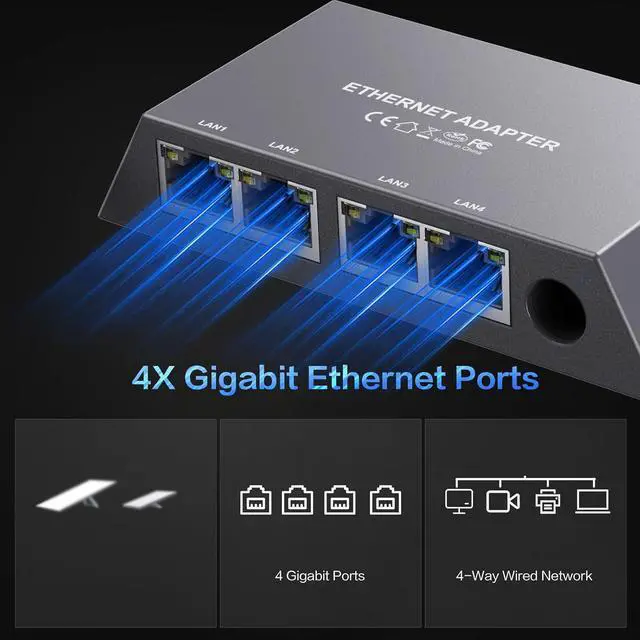
Multi-Device Connectivity -- 4 Gigabit Ethernet ports support multiple devices simultaneously, maximizing Starlink's high-speed internet.
Reliable Performance -- Tested for 72 hours under full load, ensuring stable performance with no speed drops or interruptions.
Easy to Use -- Plug-and-play design makes installation quick and hassle-free.
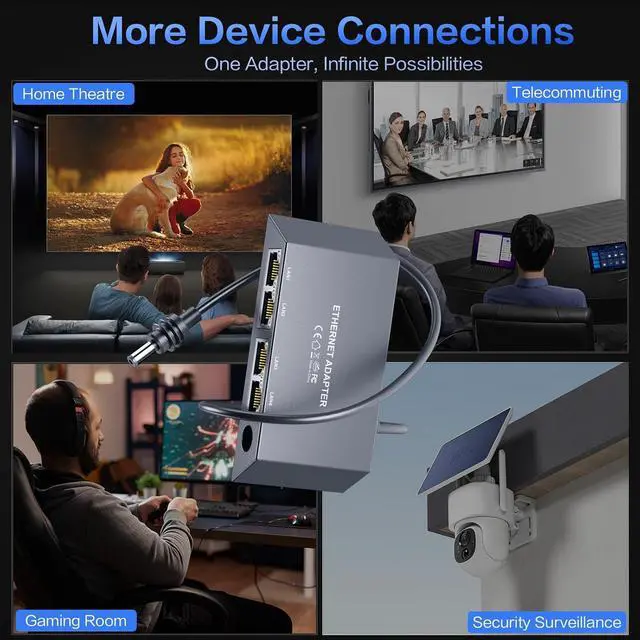
High-Speed Stability -- Whether for work, entertainment, or smart home management, this adapter delivers fast, stable, and convenient networking performance. Upgrade your network setup today
The KESHOW SS-SLV204 is a four-port Gigabit Ethernet adapter for Starlink Gen 3, Standard 4, 4 X, V4, and Starlink Mini systems. It is suitable for households, home offices, and smart homes that need to connect up to four wired devices simultaneously at speeds up to 1 Gbps.
| Attribute | Value |
|---|---|
| Best For | Starlink Gen 3, Standard 4, 4 X/V4, and Starlink Mini users who need wired connectivity for up to four networked devices |
| Model Identifiers | KESHOW SS-SLV204 |
Q: Is this 4-port Starlink Ethernet adapter better than using the two Ethernet ports on the Starlink Gen 3 router?
A: Choose this adapter when you need to connect three or four wired devices from a compatible Starlink Gen 3 or Standard 4 setup. The Starlink Gen 3 router already includes two 1Gbps LAN ports, so users with only one or two wired devices can avoid the extra adapter and use the built-in ports instead.
Q: Should I buy this adapter or a regular 5-port Gigabit Ethernet switch for Starlink?
A: A regular 5-port unmanaged Gigabit switch is the more flexible choice when you already have a standard Ethernet connection and want to expand any wired network. This adapter is the more direct choice when Starlink-specific compatibility and plug-and-play installation are the priorities, but its compatibility with each Starlink model should be confirmed before purchase, especially for Starlink Mini.
Q: Is this a good upgrade from the original Starlink Gen 2 Ethernet Adapter?
A: For a Gen 3 or Standard 4 installation, this product is the better fit when four wired connections are needed because it is marketed for those newer Starlink platforms and provides four Gigabit Ethernet outputs. Gen 2 users should choose an adapter specifically designed for the Gen 2 router, because Starlink documents Gen 2 Ethernet expansion separately from the Gen 3 router’s built-in LAN ports.
Q: Can I use this 4-port adapter with Starlink Mini instead of Wi-Fi?
A: Use a wired connection with Starlink Mini when a fixed device, wired router, or network switch needs a more direct link than Wi-Fi. However, Starlink’s official Mini guidance specifies a latching Ethernet connection and recommends the 15 m Mini Ethernet Cable for a wired setup; it does not independently confirm this specific four-port adapter. For Mini, verify the connector, sealing, and power arrangement before buying.
Q: Can this adapter connect four wired devices to a Starlink network at the same time?
A: Yes. The adapter provides four Gigabit Ethernet ports for simultaneous wired connections, such as a computer, TV, game console, printer, or smart-home hub. The available internet bandwidth is shared across active devices, so each device may receive less than 1 Gbps when multiple devices are transferring data.
Q: Will this work with Starlink Gen 3, Standard 4, Standard 4X, and Starlink Mini systems?
A: The product is specified for Starlink Gen 3, Standard 4, Standard 4X, V4, and Starlink Mini systems. Compatibility still depends on using the correct Starlink Ethernet connection and cable arrangement for the specific kit. Starlink Gen 3 routers already include Ethernet ports, while Starlink Mini provides one Ethernet port that can be expanded for additional wired devices.
Q: Is this adapter useful for work-from-home, video meetings, and streaming?
A: It is suitable for users who want wired connections for office computers, video-meeting equipment, streaming devices, or gaming hardware. Wired Ethernet can provide a more consistent connection than Wi-Fi for fixed devices, but actual performance depends on Starlink service speed, network conditions, cable quality, and the connected equipment.
Q: Does the adapter provide up to 1 Gbps to every connected device?
A: No. Each port supports up to Gigabit Ethernet link speed, but 1 Gbps is a maximum connection rate rather than a guaranteed internet speed. The total available bandwidth is limited by the Starlink connection and shared among devices that are active at the same time.
Q: Can I connect several wired devices to Starlink with this adapter?
A: Yes. The adapter provides four Gigabit Ethernet ports for devices such as computers, printers, TVs, cameras, or access points. Multiple devices should receive local IP addresses when the Starlink router is operating normally rather than in bypass mode.
Q: Can I keep using Starlink Wi-Fi while wired devices use the adapter?
A: Yes. Users report that wired devices connected through the Ethernet adapter or switch can operate alongside Starlink Wi-Fi devices. No special configuration is generally required when the Starlink router remains enabled.
Q: Is this suitable for a home office or smart-home setup?
A: It is suitable when you need several stable wired connections for equipment such as a work computer, printer, scanner, streaming device, security-camera base station, or smart-home controller. It is less suitable if you need advanced routing, firewall, VLAN, or DHCP-management features.
Q: Does this replace a third-party router?
A: No. This type of adapter expands one Starlink Ethernet connection into multiple wired ports, but it does not replace a router. Choose a third-party router instead if you need custom DHCP settings, network segmentation, stronger Wi-Fi controls, or other routing features.
Q: Will each connected device receive up to 1 Gbps?
A: The ports support Gigabit Ethernet, but the available internet speed is shared through the single Starlink uplink. Individual devices will not necessarily receive 1 Gbps, because actual speeds depend on Starlink service performance, network traffic, cabling, and the connected equipment.


