




 here!
here!
I’m your shopping assistant for PC builds, upgrades, and everything tech.
Got questions? Ask away!
Start a conversation
here!
I’m your shopping assistant for PC builds, upgrades, and everything tech.
Got questions? Ask away!
Start a conversationShipped by Newegg
 Top Rated Top Rated Top Rated


Make informed decisions with expert advice. Learn More




Any questions? Ask CelesteSM will help you find out quickly.
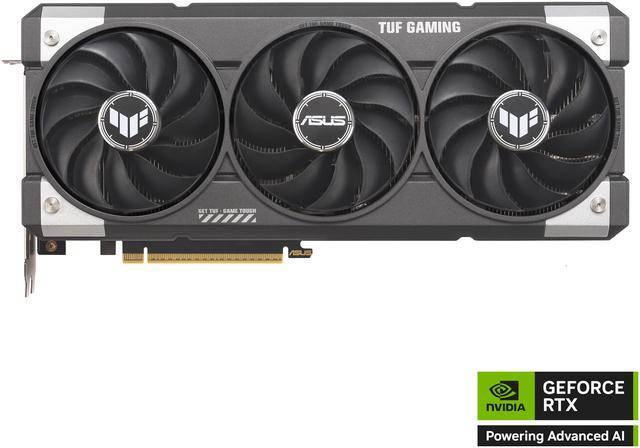
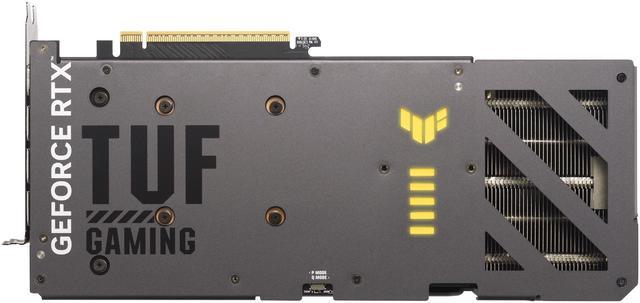
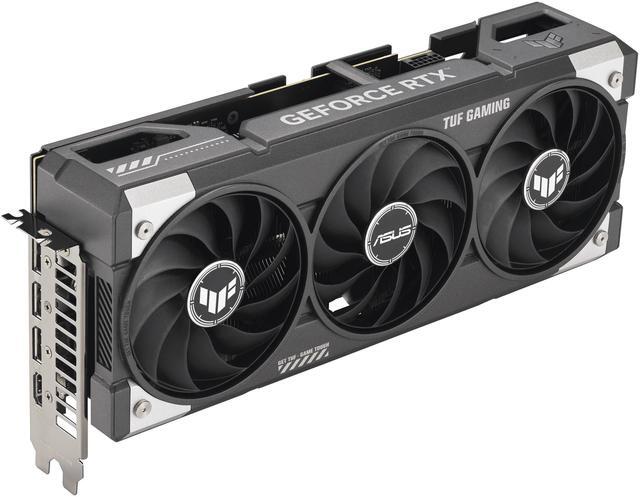
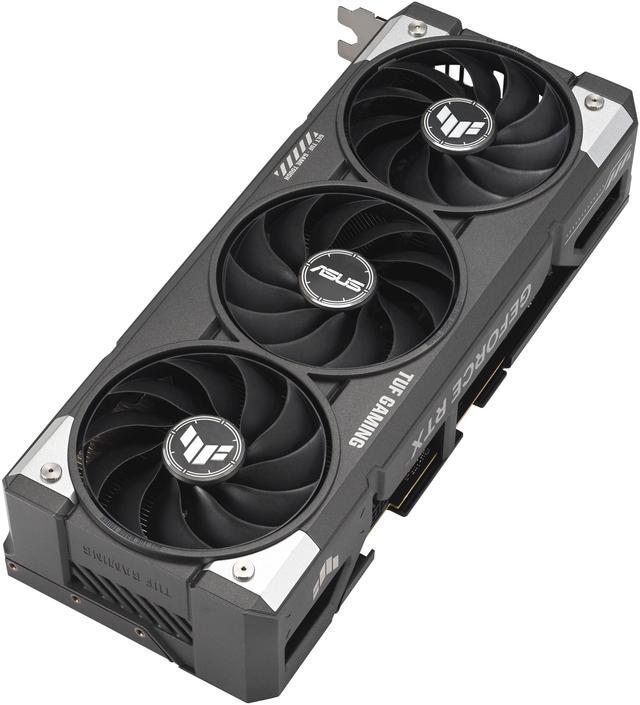
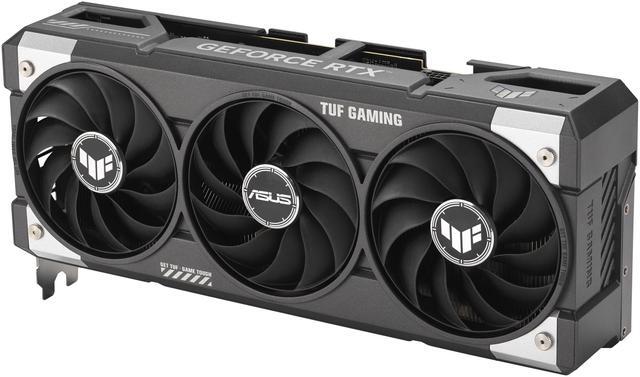
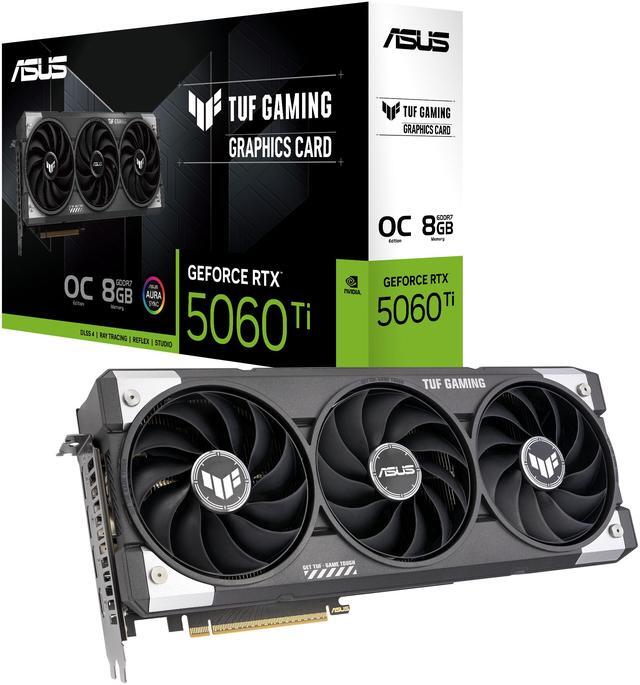
The ASUS TUF Gaming GeForce RTX 5060 Ti 8GB is a triple-fan ATX graphics card built for 1080p to 1440p gamers and creators who want NVIDIA Blackwell features, DLSS 4, and durable TUF cooling in a full-size desktop.
| Attribute | Value |
|---|---|
| Best For | Desktop gamers and VR users who want an NVIDIA GeForce RTX 5060 Ti with 8GB GDDR7 for high-resolution and multi-monitor gaming (up to 7680 x 4320, up to 4 displays); suited for desktop PCs with a PCI Express 5.0 x8 interface and a recommended 550W PSU |
| Model Identifiers | ASUS TUF Gaming TUF-RTX5060TI-O8G-GAMING, part number 90YV0MR0-M0AA00; variant/size label RTX5060Ti|OC|8GB |
| GPU And Architecture | NVIDIA GeForce RTX 5060 Ti (GeForce RTX 50 Series) built on the NVIDIA Blackwell architecture |
| Cores And Clock Speeds | 4608 CUDA cores; GPU boost/clock modes: 2692 MHz (OC mode) and 2662 MHz (Default mode) |
| Memory Configuration | 8GB GDDR7 on a 128-bit / 128-Bit memory bus with an effective memory clock of 28 Gbps |
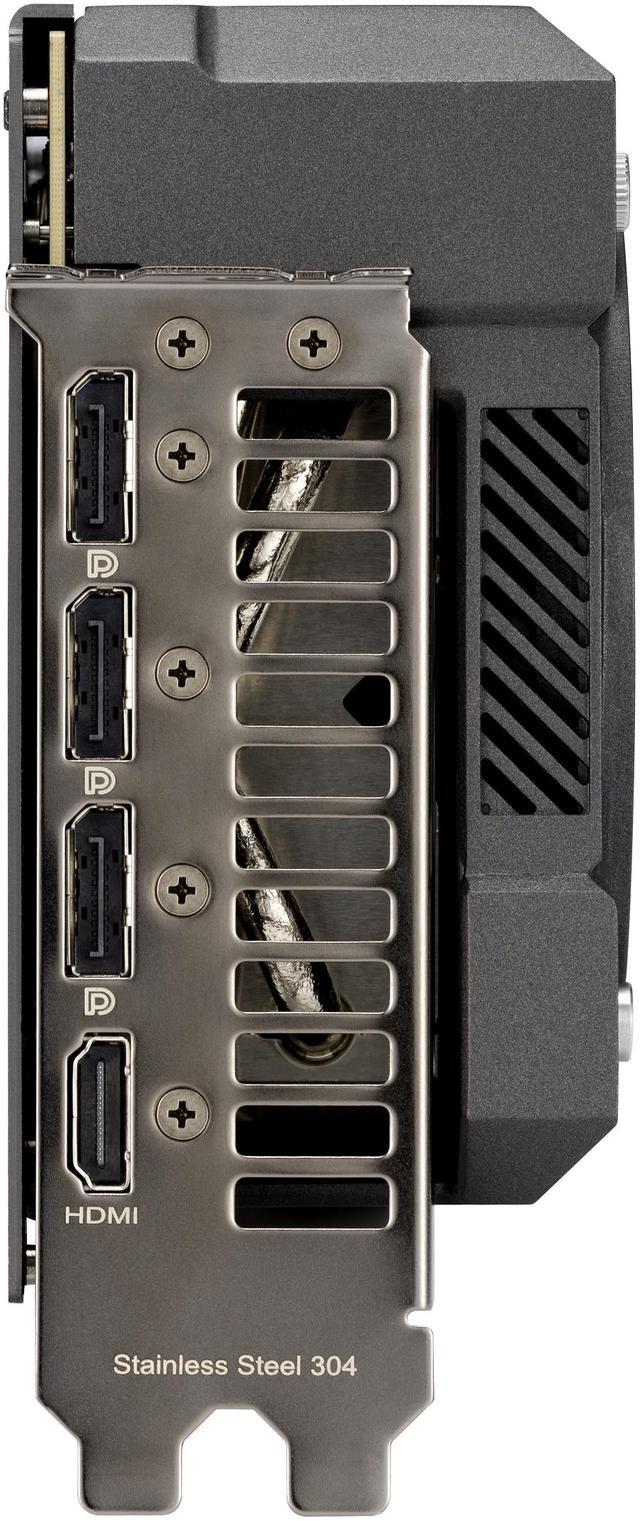
| Display Outputs And Max Resolution | 1 x HDMI 2.1b and 3 x DisplayPort 2.1b outputs; supports up to 7680 x 4320 and up to 4 simultaneous monitors |
| Interface And Form Factor | PCI Express 5.0 x8 interface; 3.1-slot ATX card with card dimensions 302 x 133 x 62 mm (max GPU length 302 mm); item weight ~3.95 lb |
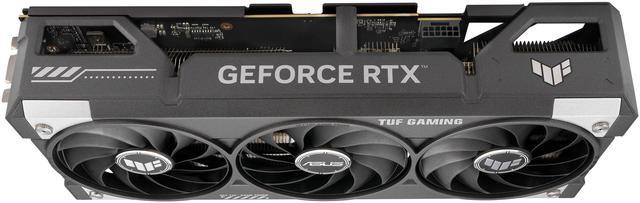
| Power And Cooling | Triple-fan cooler / 3 Axial-tech fans in a 3.1-slot design; single 16-pin power connector; recommended PSU 550W |
| Features And Software | Includes DLSS 4 and NVIDIA Blackwell AI acceleration (785 AI TOPS), OC/default clock modes, military-grade components, protective PCB coating, ASUS GPU Guard, Auto-Extreme manufacturing, and GPU Tweak III software for tuning and monitoring |
| Compatibility And Standards | Supports DirectX 12 Ultimate and OpenGL 4.6; HDCP ready; not SLI or CrossFireX capable; labeled as Virtual Reality Ready and designed for desktop systems |
| Packaging And Accessories | Sold as a single unit (package quantity 1) and includes items such as a speed setup manual, TUF graphics card holder, TUF Velcro hook & loop, TUF GAMING certificate, thank you card, and an adapter cable (1 to 2); package dimensions and weight provided |
Q: Should I buy the RTX 5060 Ti 8GB or the RTX 5060 Ti 16GB?
A: Choose the RTX 5060 Ti 8GB if you want the same GPU class, Blackwell features, and strong 1080p gaming at a lower cost. Choose the 16GB version if you plan to keep the card longer, play more 1440p AAA games, use heavier texture settings, or care about avoiding VRAM-related performance limits in newer titles. Reviews and community discussions consistently treat the 16GB model as the safer long-term option, while the 8GB model makes more sense when price is the main reason for the purchase.
Q: Is the RTX 5060 Ti 8GB a better buy than the RTX 5060?
A: Buy the RTX 5060 Ti 8GB if you want a clearer step up in core performance and are targeting higher settings or more demanding games at 1080p and entry-level 1440p. Buy the RTX 5060 instead if you are more budget-focused and mainly play lighter games or esports titles. The 5060 Ti 8GB is the better fit when you want more headroom without moving into a higher price tier like the 16GB model or RTX 5070-class cards.
Q: Is the RTX 5060 Ti 8GB a worthwhile upgrade from the RTX 4060 Ti 8GB?
A: The RTX 5060 Ti 8GB is a sensible upgrade if you want newer Blackwell features, GDDR7 memory, and a moderate performance uplift without changing your target resolution. It is a practical move for users who value DLSS 4 support and want a current-generation card, but it is not a category change because both cards still carry 8GB of VRAM. If your main goal is longer-term 1440p use, the 16GB version is usually the more meaningful step up.
Q: Should I choose the RTX 5060 Ti 8GB or an AMD Radeon RX 9060 XT 16GB?
A: Choose the RTX 5060 Ti 8GB if you prefer NVIDIA features such as DLSS 4, broader creator and AI software support, or stronger ray tracing performance in games that favor NVIDIA. Choose the Radeon RX 9060 XT 16GB if you want more VRAM for the money and care more about long-term texture and memory headroom than NVIDIA-specific features. Across reviews, this comparison usually comes down to feature set and ray tracing on the NVIDIA side versus 16GB value and memory capacity on the AMD side.
Q: Is this ASUS TUF RTX 5060 Ti 8GB a good choice for an older PCIe 4.0 system?
A: It can still be a good fit, but it is a stronger match for newer platforms than for older ones. This card uses a PCIe 5.0 x8 interface, and testing shows the 8GB RTX 5060 Ti can lose some performance on PCIe 4.0, especially in workloads that already push memory limits. Choose it for an older system if you want to keep an existing build and mainly game at 1080p, but if platform age and long-term headroom are both concerns, a higher-VRAM alternative is often the safer comparison point.
Q: Is this ASUS TUF RTX 5060 Ti 8GB a good fit for 1080p and entry-level 1440p gaming?
A: Yes. This card is a sensible fit for buyers targeting strong 1080p gaming and lighter or settings-adjusted 1440p use. The main trade-off is the 8GB memory capacity: it is usually fine for mainstream gaming, but buyers who plan to keep the card longer, use heavier texture settings, or play more demanding 1440p titles may prefer a 16GB alternative.
Q: Should I buy this 8GB model or step up to a 16GB RTX 5060 Ti?
A: Choose this 8GB model if your priority is mainstream gaming value and you mainly play at 1080p. Step up to a 16GB RTX 5060 Ti if you want more headroom for newer games, higher texture settings, heavier 1440p use, or longer-term peace of mind. The key buying decision is memory capacity, not basic feature support.
Q: Will this card fit in most PC cases and is it a good choice for compact builds?
A: It is not the best choice for compact builds. This ASUS TUF version is a large triple-fan card at 302 mm long and 3.1 slots thick, so buyers should measure case clearance carefully. It is better suited to mid-tower or larger cases than small-form-factor systems.
Q: What power supply and cable do I need for this card?
A: Plan for at least a 550W power supply, which matches the product specification and aligns with similar RTX 5060 Ti retail Q&A. This model uses a single 16-pin GPU power connector, so buyers should confirm that their PSU either has the correct native cable or supports the required adapter setup before purchase.
Q: Who is this ASUS TUF version best for versus a smaller or cheaper RTX 5060 Ti card?
A: This ASUS TUF model is best for buyers who value a heavier cooler, sturdier build, and lower-noise potential more than compact size or minimum cost. A smaller or cheaper RTX 5060 Ti is often the better pick if your case is tight, your budget is strict, or you do not need a premium triple-fan design.
Q: Is the ASUS TUF RTX 5060 Ti 8GB worth buying, or should I skip the 8GB model?
A: Buy this card if you want a newer NVIDIA midrange GPU for 1080p gaming, DLSS 4 features, and a larger triple-fan cooler. Skip it if long-term VRAM headroom is a priority. The main trade-off is the 8GB memory capacity on a 128-bit bus, which is the most repeated concern in Reddit and YouTube discussion. It makes more sense for current 1080p use than for buyers trying to maximize lifespan or run heavier AAA settings over time.
Q: Who is the ASUS TUF RTX 5060 Ti 8GB best suited for?
A: It is best suited for 1080p gamers who want NVIDIA features, moderate power requirements, and a physically robust cooler design. It fits buyers who value DLSS 4, ray tracing support, and quiet/cool operation more than maximum memory capacity. It is less suitable for buyers targeting heavier 1440p AAA use, higher texture settings, or longer-term VRAM margin.
Q: Is 8GB of VRAM enough on this card for 1440p gaming?
A: It can work at 1440p in many games, especially with DLSS, but it is not the safer choice for consistent 1440p AAA use. Community discussion repeatedly treats 8GB as the limiting factor at higher settings and in newer, heavier games. If your goal is 1440p with high textures and better longevity, this 8GB version is a compromise rather than an ideal fit.
Q: Should I buy this ASUS TUF 8GB card instead of a 16GB alternative?
A: Choose this ASUS TUF 8GB card if price, NVIDIA-specific features, or the TUF cooler/build matter more to you than memory headroom. Choose a 16GB alternative if you want a better margin for future games, heavier AAA workloads, or 1440p use. The repeated decision theme in community discussion is that 8GB can be acceptable for tighter budgets, but 16GB is the more flexible option.
Q: What are the main trade-offs of the ASUS TUF RTX 5060 Ti 8GB?
A: The strengths are modern NVIDIA features, a substantial triple-fan TUF cooler, and a 550W recommended PSU target that is manageable for many builds. The trade-offs are the 8GB VRAM limit, 128-bit memory interface, PCIe 5.0 x8 link, large 302 mm card length, 3.1-slot thickness, and a 16-pin power connector. In short: the board design is premium for its class, but the memory configuration is the main buying caution.


