




 here!
here!
I’m your shopping assistant for PC builds, upgrades, and everything tech.
Got questions? Ask away!
Start a conversation
here!
I’m your shopping assistant for PC builds, upgrades, and everything tech.
Got questions? Ask away!
Start a conversation






Any questions? Ask CelesteSM will help you find out quickly.
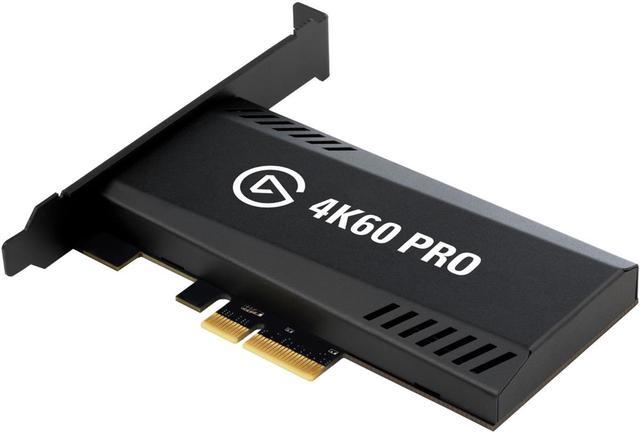
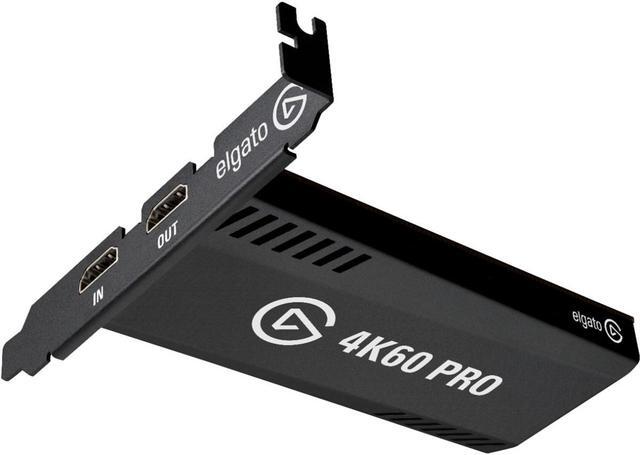
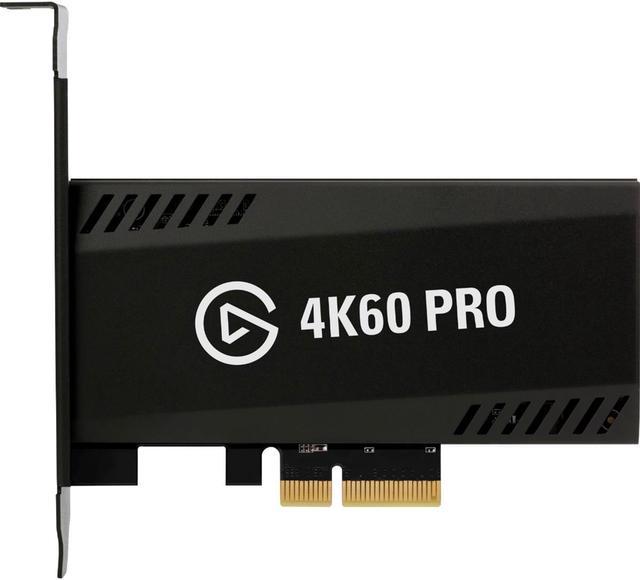
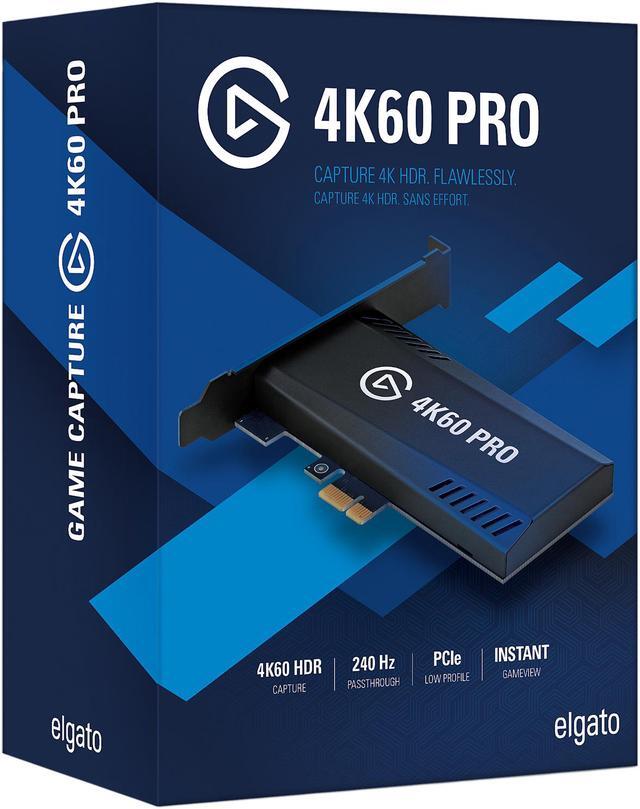
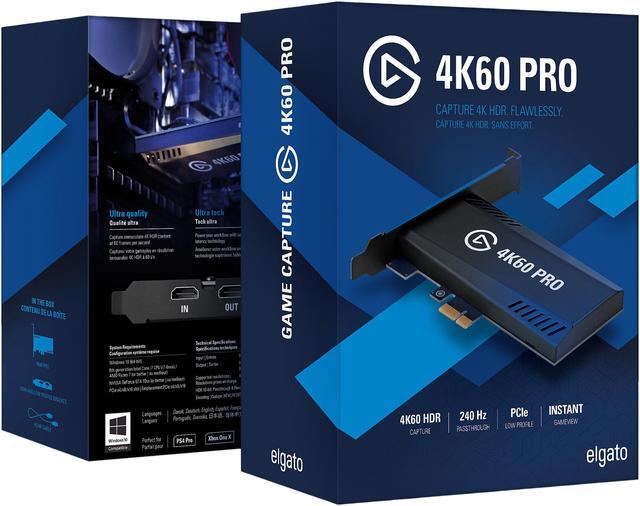
Elgato Game Capture 4K60 Pro MK.2 is a PCIe capture card for Windows PCs that captures and passes through video up to 4K60 HDR10 with low latency. It is suitable for streamers, content creators, and dual-PC gamers who need high-quality recording, streaming, and up to 240 Hz passthrough.
| Attribute | Value |
|---|---|
| Best For | PC-based capture of unencrypted HDMI gameplay from PS4 Pro or Xbox One X at up to 2160p60, with lag-free passthrough |
| Capture Resolution And Passthrough | Captures up to 2160p60 video with 4K60 HDR10 support through 1 HDMI input and provides lag-free HDMI output passthrough, including support for up to 240 Hz passthrough |
| Streaming And Recording | Supports streaming to Twitch or YouTube, recording 4K HDR10 footage to a hard drive, Flashback Recording, live voice commentary, and simultaneous video access in multiple apps |
| Interface And Installation | PCI-Express x4 capture card that fits PCIe x4, x8, or x16 slots |
| System Requirements | Requires Windows 10 64-bit, a 6th-generation Intel Core i7 or AMD Ryzen 7 processor or better, and an NVIDIA GeForce GTX 10xx or AMD Radeon RX Vega GPU or better |
| Compatible Devices | Compatible with PS5, PS4 Pro, Xbox Series X/S, Xbox One X, and PC |
| Package Contents | Includes the 4K60 Pro MK.2 capture card, high- and low-profile brackets, and an HDMI cable |
| Physical Specifications | Black capture card measuring 0.75 x 2.20 x 4.76 inches and weighing 0.23 lb |
| Model Identifiers | Elgato Game Capture 4K60 Pro, model 10GAS9901 |
Q: Should I buy the Elgato 4K60 Pro MK.2 or the Elgato 4K X?
A: Choose the 4K60 Pro MK.2 for a permanent Windows desktop or dual-PC setup that prioritizes 4K60 HDR10 capture, PCIe connectivity, high-bitrate recording, and multi-app support. Choose the 4K X when you need HDMI 2.1 features such as 4K120/4K144 passthrough, VRR, Mac or iPad compatibility, or portable USB installation. The 4K X supports newer high-refresh gaming signals, while the 4K60 Pro MK.2 is oriented toward 4K60 capture in a Windows PCIe system. ([help.elgato.com](https://help.elgato.com/hc/en-us/articles/360033795031-Elgato-Game-Capture-4K60-Pro-MK-2-Technical-Specifications)
Q: Is the 4K60 Pro MK.2 better than the Elgato HD60 X for 4K recording?
A: Yes, choose the 4K60 Pro MK.2 if you need native 4K60 capture. The HD60 X supports up to 4K60 HDR10 passthrough but captures 4K input at up to 4K30, with 1440p60 and 1080p60 as its higher-frame-rate capture modes. Choose the HD60 X for a simpler external USB setup, Mac compatibility, VRR passthrough, or a lower-resolution streaming workflow. ([help.elgato.com](https://help.elgato.com/hc/en-us/articles/360033795031-Elgato-Game-Capture-4K60-Pro-MK-2-Technical-Specifications)
Q: Should I get the newer Elgato 4K Pro instead of the 4K60 Pro MK.2?
A: Choose the newer 4K Pro if your gaming PC or console uses HDMI 2.1 features, including 4K120, 4K144, 1080p240, VRR, or 8K passthrough. Choose the 4K60 Pro MK.2 when 4K60 HDR10 capture and up to 240Hz passthrough are sufficient and your system already has an available PCIe slot. The 4K Pro extends the performance range, while the 4K60 Pro MK.2 remains suited to standard 4K60 capture workflows. ([help.elgato.com](https://help.elgato.com/hc/en-us/articles/360033795031-Elgato-Game-Capture-4K60-Pro-MK-2-Technical-Specifications)
Q: Is the 4K60 Pro MK.2 better than the Elgato 4K60 S+ for portable recording?
A: Choose the 4K60 Pro MK.2 for a desktop streaming or recording PC because it provides PCIe-based capture, Instant Gameview, high-bitrate 4K60 recording, and multi-app workflows. Choose the 4K60 S+ for travel, events, or console recording without a full desktop setup because it can record 4K60 HDR footage to an SD card and operate as an external device. The 4K60 S+ prioritizes portability and standalone recording, while the 4K60 Pro MK.2 prioritizes integrated PC production. ([help.elgato.com](https://help.elgato.com/hc/en-us/articles/360033795031-Elgato-Game-Capture-4K60-Pro-MK-2-Technical-Specifications)
Q: Is the Elgato Game Capture 4K60 Pro MK.2 suitable for a desktop PC setup?
A: Yes. It is designed for Windows desktop PCs with an available PCIe x4, x8, or x16 slot. It is not a portable or plug-and-play laptop capture device, and the PC must also meet the required CPU and GPU specifications for 4K60 HDR10 capture.
Q: Can it capture 4K video at 60 frames per second with HDR10?
A: Yes. The card supports capture of up to 2160p60, including 4K60 HDR10 footage, when paired with a compatible Windows PC and unencrypted HDMI source. It can also record the footage directly to the computer's hard drive.
Q: Does it support high-refresh-rate passthrough for competitive gaming?
A: Yes. The HDMI output provides lag-free passthrough, with support for up to 240 Hz in compatible dual-PC setups. Passthrough capability can differ from the capture resolution, so users should verify that their source, display, and video settings are supported.
Q: Can I use the card for a dual-PC streaming setup?
A: Yes. Its PCIe design, HDMI input, lag-free HDMI passthrough, and low-latency Instant Gameview make it suitable for sending gameplay from one PC or console to a dedicated streaming or recording PC. Both the capture system and source setup must meet the required hardware and signal specifications.
Q: Can it record protected streaming services, movies, or other HDCP-encrypted HDMI content?
A: No. The card is intended for unencrypted HDMI sources, such as compatible game consoles, PCs, and cameras. HDCP-protected content from many streaming services and other protected sources is not designed to be captured.
Q: Who is the Elgato Game Capture 4K60 Pro MK.2 best suited for?
A: It is best suited for Windows-based creators who need internal PCIe capture, 4K60 recording, HDR10 support, low-latency HDMI passthrough, or a dual-PC streaming setup. It is less suitable for laptops, consoles-only users, or systems without a compatible PCIe slot and sufficiently powerful CPU/GPU.
Q: Can it let me play at a high refresh rate while capturing video?
A: Yes, but the passthrough refresh rate and capture format are not the same thing. Community discussions report that high-refresh passthrough can work while capture remains limited to supported capture modes, such as 4K60 or lower-resolution 60 fps. Users targeting 1080p240 or 4K240 should verify the exact resolution, refresh-rate combination, HDMI setup, and EDID configuration before buying.
Q: Is the 4K60 Pro MK.2 a good choice for a dual-PC streaming setup?
A: Yes, if the streaming PC has the required PCIe slot and hardware. It supports 4K60 capture, low-latency passthrough, HDR10 workflows, and direct use in applications such as OBS. The main trade-off is configuration complexity: high-refresh gaming displays may require cloning outputs, matching EDID settings, or limiting the capture feed to a supported mode.
Q: What are the main compatibility and setup risks?
A: The card requires a Windows PC with a PCIe x4, x8, or x16 slot and adequate CPU/GPU performance. Reddit users report that insufficient PCIe bandwidth, motherboard lane sharing, EDID mismatches, unsupported refresh rates, or HDMI limitations can cause black screens, flicker, green distortion, or fallback to lower resolutions. Buyers should confirm the motherboard slot bandwidth and intended display mode before purchase.
Q: Should I play through OBS or the capture preview?
A: For responsive gameplay, use the card's HDMI passthrough to a display rather than relying on the software preview. Community discussions describe capture-preview latency, even though the 4K60 Pro MK.2 is generally considered suitable for low-latency monitoring compared with older capture hardware.


