




 here!
I’m your shopping assistant for PC builds, upgrades, and everything tech.
Got questions? Ask away!
Start a conversation
here!
I’m your shopping assistant for PC builds, upgrades, and everything tech.
Got questions? Ask away!
Start a conversation



Any questions? Ask CelesteSM will help you find out quickly.


Plug Comet Q into your iPhone, Mac mini, or laptop, open a browser on your Windows/iOS device, and you're in control in seconds.
No setup hassle. Control from browser or APP.


For the supporters who were there from the start.
Comet Q VIP Pass holders received priority purchase access and recognition on the official Supporter Wall.


Connect Comet Q to your iPhone, iPad, Mac mini, or MacBook via USB-C,to start remote controlling it.
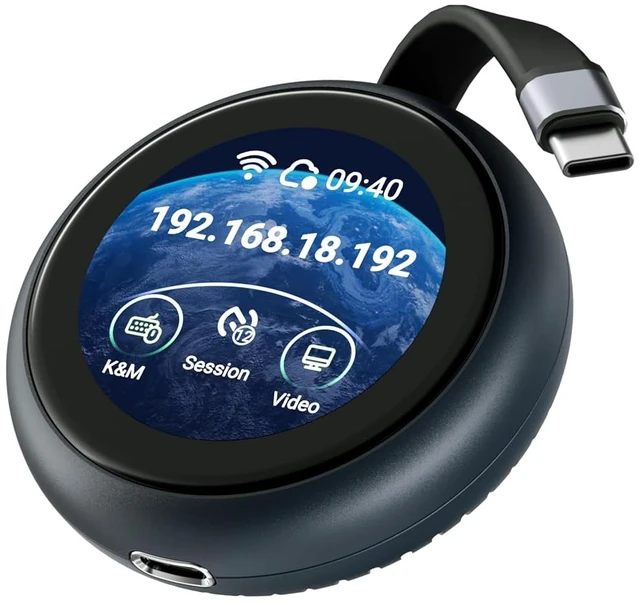
No complicated network setup. The built-in 1.8" touchscreen lets you configure, check status, and trigger actions right on the device.
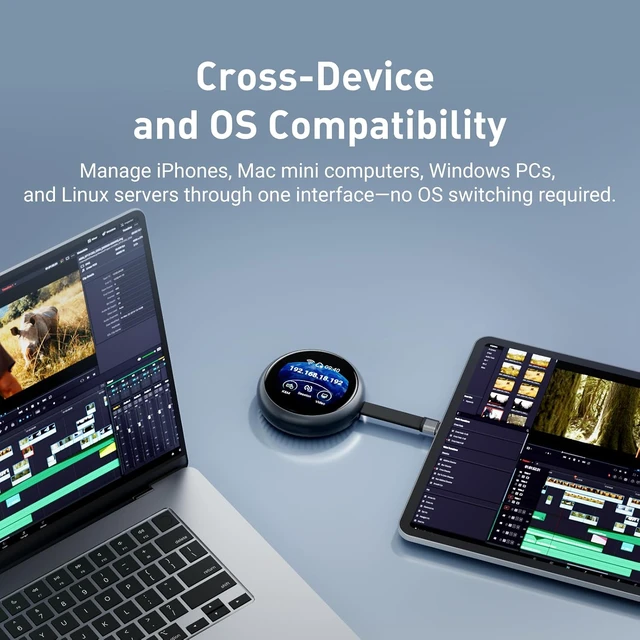
Tap, swipe, and operate an iOS device from a Windows desktop. This cross-operating system control is something that used to require complicated setup, now built in.
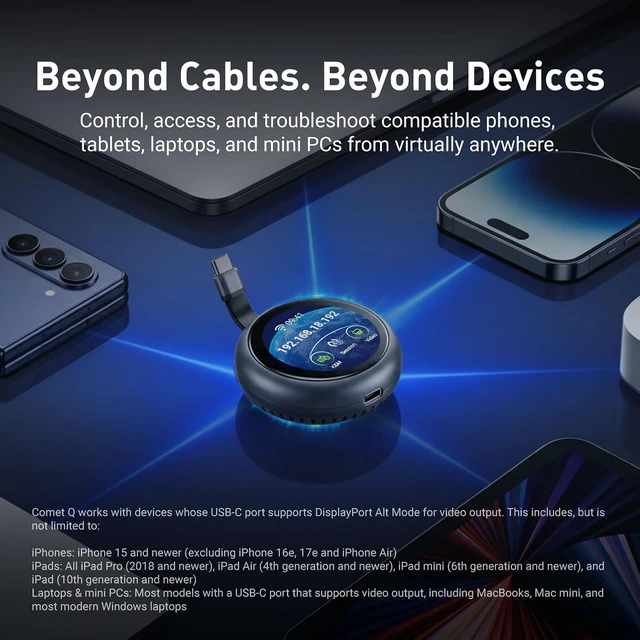
Comet Q works with any device whose USB-C port supports DisplayPort Alt Mode for video output. This includes, but not limited to:
Don't see your device above? See this guide https://docs.gl-inet.com/kvm/en/tutorials/how_to_check_usb-c_port_dp_alt_mode/ to check if your device supports DP Alt Mode.
No driver install. No complicated setup. Just connect, power, and take control from your browser.
Step 1
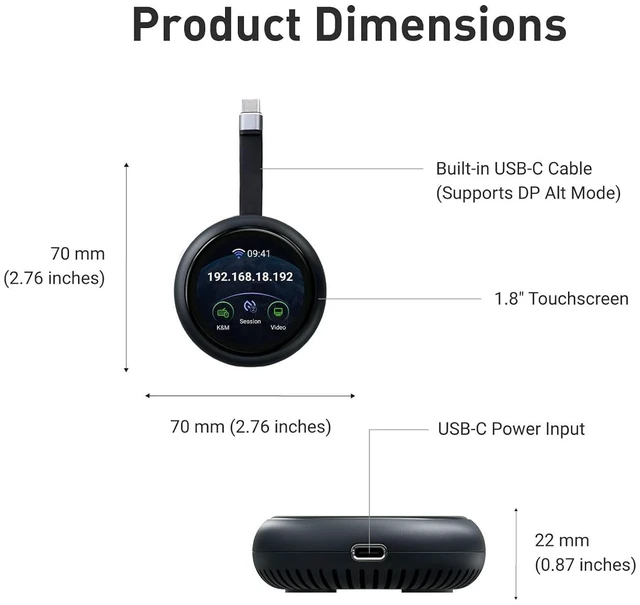
Use the built-in USB-C cable to connect Comet Q to the device you want to control. For everyday use, Comet Q draws power directly from that device.
Step 2
For long-hour operation, or when the controlled device has only one USB-C port and also needs charging, plug external power into Comet Q’s second USB-C port.
Step 3
Comet Q connects to a nearby Wi-Fi network so you can access its admin panel remotely from any device, on any OS. Even if the controlled device is offline or restarting, control stays with Comet Q.
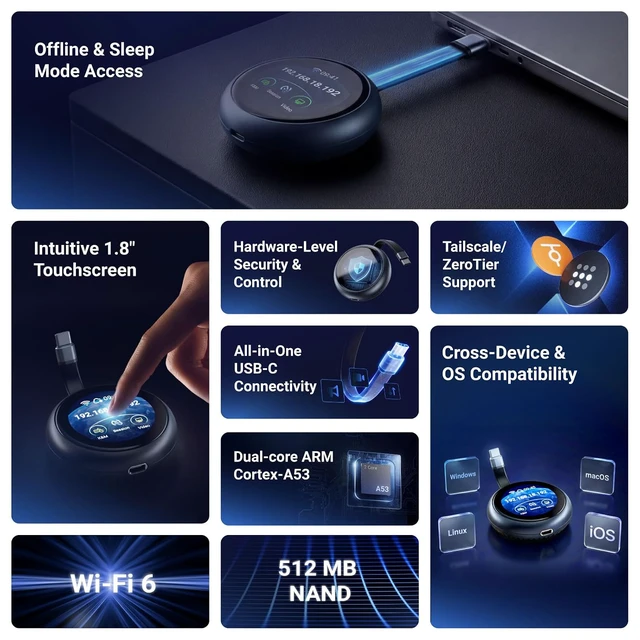
Every feature you need is packed into a compact device that fits in your pocket.
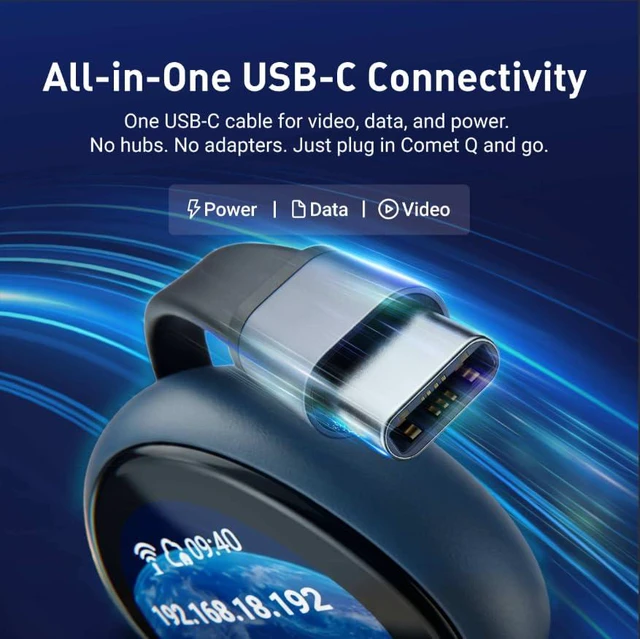
A single USB-C cable carries video, data, and power simultaneously. Plug in Comet Q and you're ready. A built-in USB-C passthrough port keeps your device charging while you work.

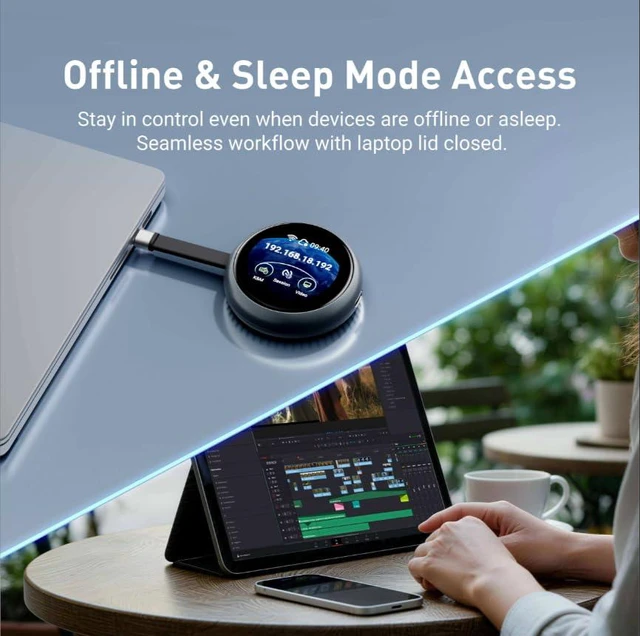
Comet Q operates at the hardware level. Stay in full control even if the controlled device is logged out, asleep, or offline. This feature enables a seamless workflow even with a laptop lid closed.

Access from a laptop or desktop? Open any browser and you're ready. Controlling from your phone or tablet? Download the Comet Q app for the best experience. Check out app https://www.gl-inet.com/en-us/pages/app-rm?country=US.

Comet Q operates at the hardware level, ensuring any active session ends the moment Comet Q is disconnected. No residual access, no background processes left running.

The circular touchscreen on Comet Q's face means you can complete the initial setup without opening a laptop. Everything is self-explanatory from the moment it's in your hand.

Built-in support for Tailscale and ZeroTier lets you access your devices securely over the internet.


Troubleshooting a family member's phone or managing a device you're not near usually means you're stuck, until now.
Comet Q connects directly via USB-C to give you hardware-level control over your iPhone, iPad, or Mac, accessible from a browser on your PC.
Comet Q brings the kind of remote hardware control usually reserved for desktops and servers to your mobile devices too.
The built-in touchscreen with an intuitive graphical user interface, lets you easily view and manage features that are important like connecting to a Wi-Fi network, and enabling or disabling the Cloud Service.

Access and control your Comet Q from any browser at glkvm.com. This maximizes convenience, without needing to install any applications to make sure you always have access to your Comet Q.


While browser access covers most use cases, some interactions — particularly touch gestures and precise input — are better handled natively. The GLKVM app is built to fill that gap, delivering a smoother, more responsive experience where the browser falls short.
The app is especially recommended when using a mobile device as the controller, such as operating a laptop from an iPad, where touch compatibility in a browser can be limiting. Available on Windows, macOS, App Store, and Google Play, the GLKVM app also lets you manage all your GL.iNet Comet devices in one place — no need to connect to each one individually.
Comet Q lets you save and preset Wi-Fi credentials before sending the device to someone else. Set it up at home, ship it to your parents, and all they need to do is plug it in — no calls asking for help setting it up. True plug and play.

Need to give someone else access? Comet Q lets you securely share device access with multiple users, each connecting through their own individual account. This mitigate the risk of security compromises from shared passwords.
Every user connects independently via browser or the GLKVM app, making it ideal for team collaboration, remote tech support, training sessions, and handoffs between colleagues.

With Multi-device Management, users can view multiple Windows, macOS, and Linux computer screens simultaneously. This feature supports dynamic viewing, full-screen display, and customizable split-screen layouts, allowing administrators to monitor several devices in real time, including server errors and anomalies, without switching between computers.
We’ve also added cross-screen mouse and keyboard control, enabling users to seamlessly switch between multiple computers using just one set of peripherals for a smooth, efficient workflow.

Comet Q is built with security at every layer. Two-Factor Authentication (2FA) lets you pair your preferred authenticator app for an added layer of account protection.

Set a 4-digit PIN to lock Comet Q's touchscreen and prevent unauthorized physical access.
At the same time, a one-time dynamic code is generated on demand when binding Comet Q to your account — a significantly more secure approach than relying on a fixed, preset device ID that anyone could potentially intercept or guess.

With Wake on LAN functionality, you can bring your connected mobile devices out of sleep or standby mode remotely.
Please note: WoL requires the connected device to be in a low-power sleep state; it cannot remotely power on a device that is completely turned off or dead.

Comet Q (GL-RMQ1)

|
Other No. 1

|
Other No. 2

|
|
| Display | |||
| Max. Resolution | 2K QHD @ 60FPS | 1080p @ 60FPS | 1080p @ 60FPS |
| Touchscreen | 1.8" | 1.69" | Varies |
| Latency | ~80ms (incl. Wi-Fi) | 30–60 ms | 100ms |
| Two Way Audio | ? | – | Varies |
| System & Connectivity | |||
| Processor | Dual-core ARM Cortex-A53 | Single-core ARM Cortex-A7 | Single-core |
| Memory | LPDDR4 512MB | DDR3L 256MB | Varies (1–8GB) |
| Storage | 512MB Nand | SD Card | SD Card |
| Wi-Fi | Wi-Fi 6 | – | – |
| Control Mobile Devices | iPhone & iPad | – | – |
| Cross OS Compatibility | ? | ? | ? |
| Sleep Mode Access | ? | ? | ? |
| File Transfer | ? | ? | ? |
| Wake on Lan | ? | ? | ? |
| Cloud Management & Access | ? | ? | – |
| Browser-based Control | ? | ? | ? |
| One-Time Purchase | ? | ? | ? |
| GLKVM App | ? | – | – |
| Security | |||
| 2 Factor Authentication | ? | – | – |
| Dynamic Binding Code | ? | – | – |
| Built-in Tailscale | ? | – | – |
| Built-in ZeroTier | ? | – | – |
| Self-hosted Option | ? | – | – |
| Screen Password Protection | ? | – | – |
| Option for Double Approval | ? | – | – |

|

|
|
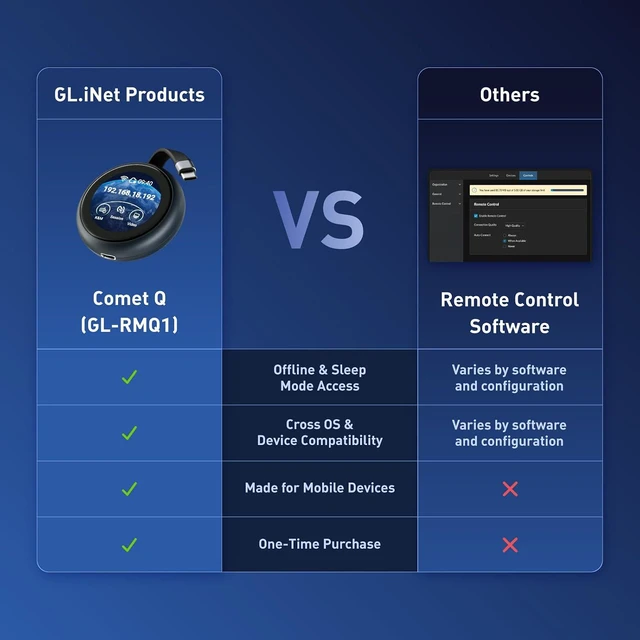
| Offline & Sleep Mode Access | ? | – |
| Cross OS & Device Compatibility | ? | – |
| One-Time Purchase | ? | – |
| No leftover background activity after unplug | ? | – |

We want to ensure your holiday shopping this year is hassle-free. That’s why we’re automatically extending our return policies on almost every product! For purchases placed between November 1st, 2026 and December 31, 2026 you will have until January 31, 2027 to return your product.


