




 here!
I’m your shopping assistant for PC builds, upgrades, and everything tech.
Got questions? Ask away!
Start a conversation
here!
I’m your shopping assistant for PC builds, upgrades, and everything tech.
Got questions? Ask away!
Start a conversationShipped by Newegg



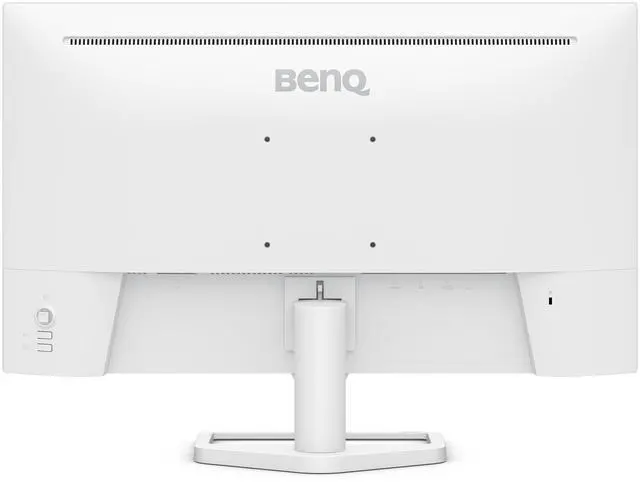
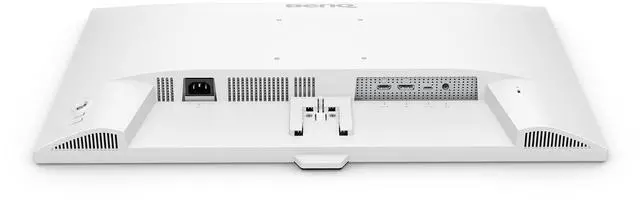


| Brand | BenQ |
|---|---|
| Model | EW270Q |
| Cabinet Color | White |
| Screen Size | 27" |
|---|---|
| LED Backlight | Yes |
| Widescreen | Yes |
| Resolution | 2560 x 1440 (2K) |
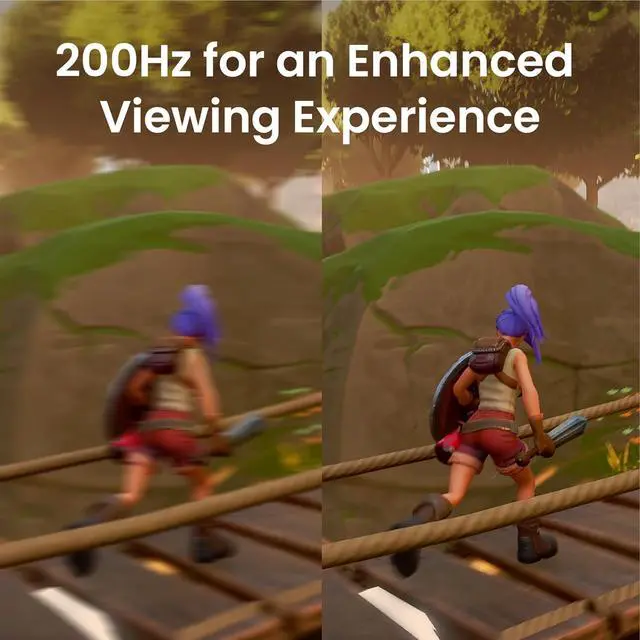
| Refresh Rate | 200Hz |
| Viewing Angle | 178° (H) / 178° (V) |
| Display Colors | 1.07 Billion |
| Brightness | 350 cd/m2 |
| Contrast Ratio | 1,200:1 |
| Aspect Ratio | 16:9 |
| Response Time | 5.9ms (Typ.)/1ms (OD) |
| Panel | IPS |
| Color Gamut | 90% DCI-P3 |
| HDR Standard | HDR10 |
| Curved Surface Screen | Flat Panel |
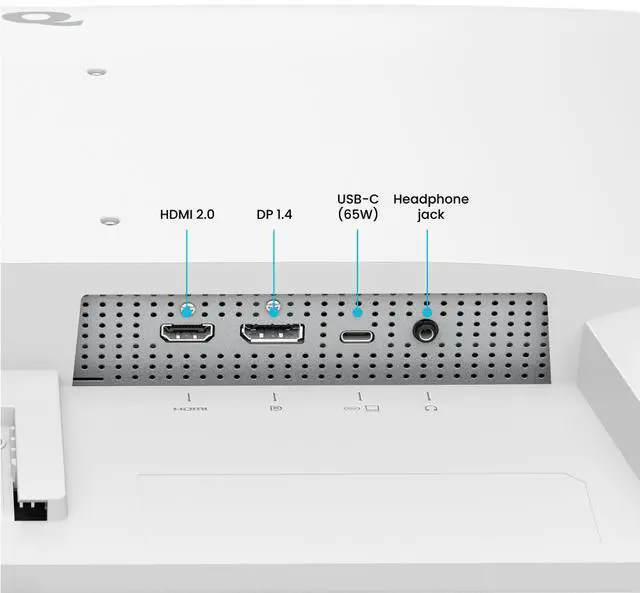
| Video Ports | 1 x HDMI 2.0, 1 x DisplayPort 1.4 |
|---|---|
| Headphone | Headphone Jack |
| Power Supply | 100-240V, Built-in |
|---|---|
| Power Consumption | 26W (normal), 150W (max), 0.5W (sleep mode) |
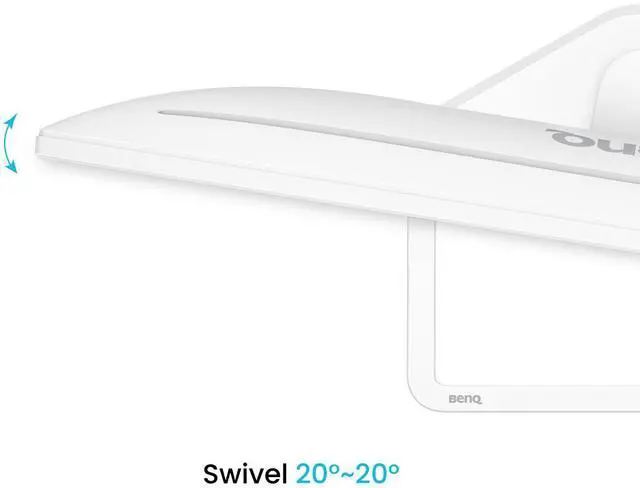
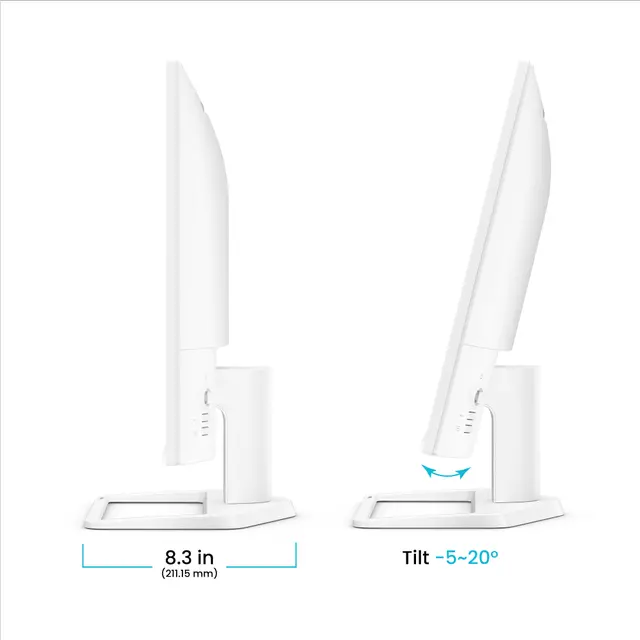
| Stand Adjustments | Tilt: -5° to 20°, Swivel: -20° to 20° |
|---|---|
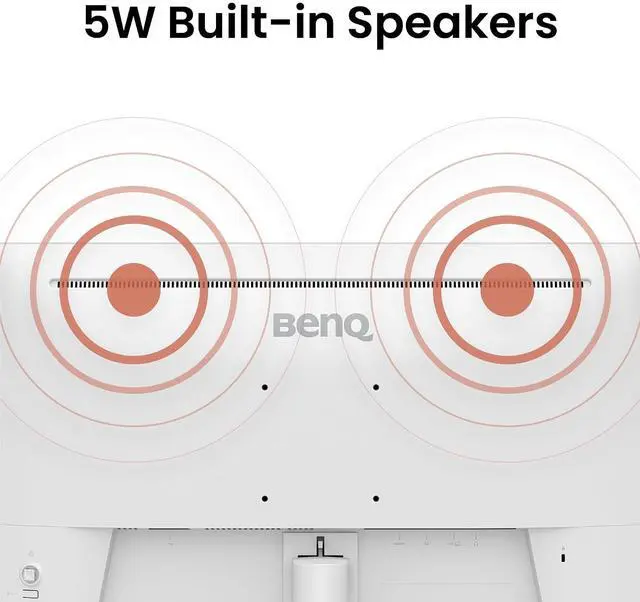
| Built-in Speakers | 2 x 5W |
| Built-in Webcam | No |
| HDCP Support | Yes |
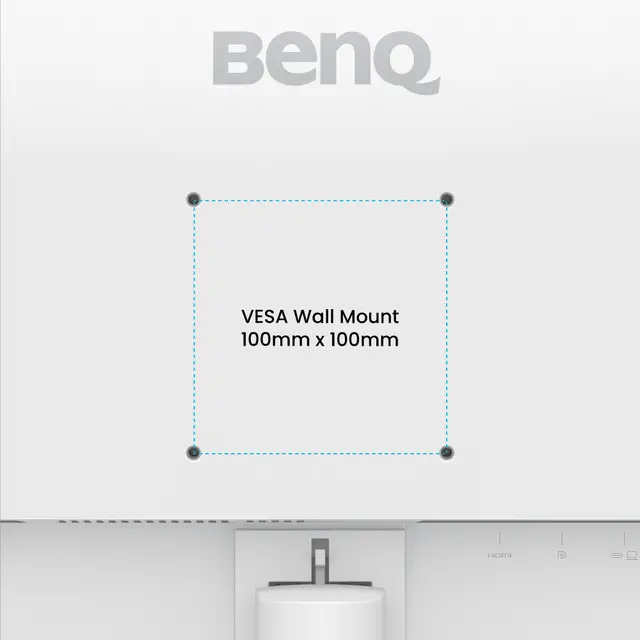
| VESA Compatibility - Mountable | 100 x 100mm |
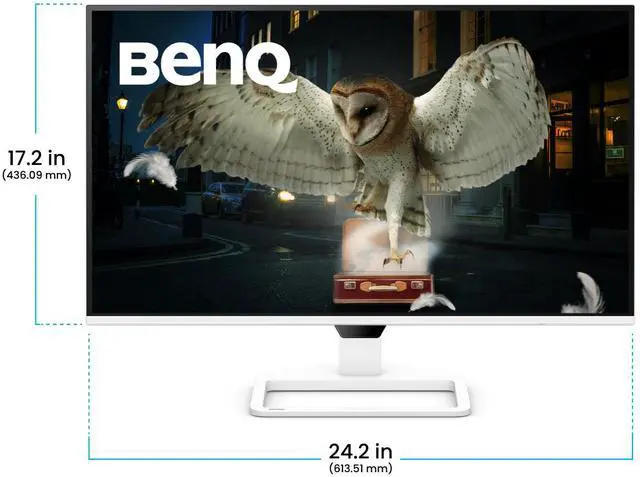
| Dimensions | 17.17" x 24.15" x 8.31" with Stand 14.64" x 24.15" x 2.35" without Stand |
|---|---|
| Weight | 10.23 lbs. with Stand 8.84 lbs. without Stand |
| First Listed on Newegg | January 29, 2026 |
|---|
We want to ensure your holiday shopping this year is hassle-free. That’s why we’re automatically extending our return policies on almost every product! For purchases placed between November 1st, 2026 and December 31, 2026 you will have until January 31, 2027 to return your product.
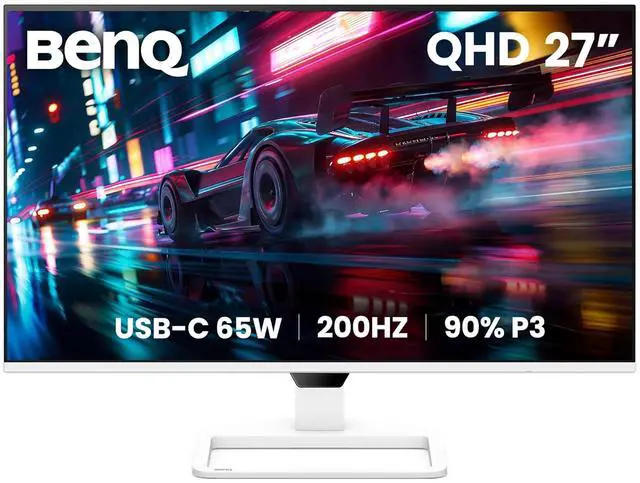
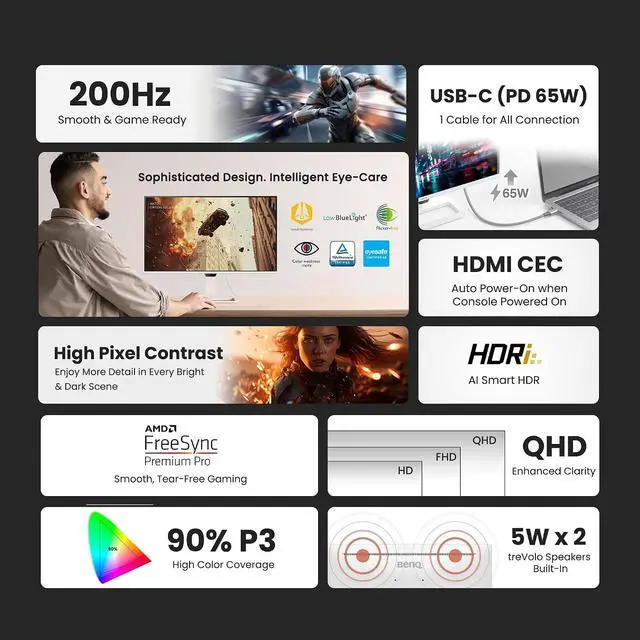
The BenQ EW270Q is a 27-inch QHD IPS monitor with a 200Hz refresh rate, suited to gamers who want smooth motion alongside vivid color and a sharp 2560 × 1440 picture for movies and everyday use.
| Attribute | Value |
|---|---|
| Best For | 27-inch QHD gaming and entertainment, with a high refresh rate, USB-C connectivity, and built-in speakers |
| Panel And Image Quality | 27-inch flat, widescreen IPS LED panel with a matte finish, 2560 × 1440 resolution, 16:9 aspect ratio, 178° horizontal and vertical viewing angles, 90% DCI-P3 color gamut, 1.07 billion colors, 350 cd/m² brightness, and 1,200:1 contrast ratio |
| Refresh Rate And Response | 200Hz refresh rate, 5.9ms typical response time and 1ms overdrive response, with FreeSync adaptive sync |
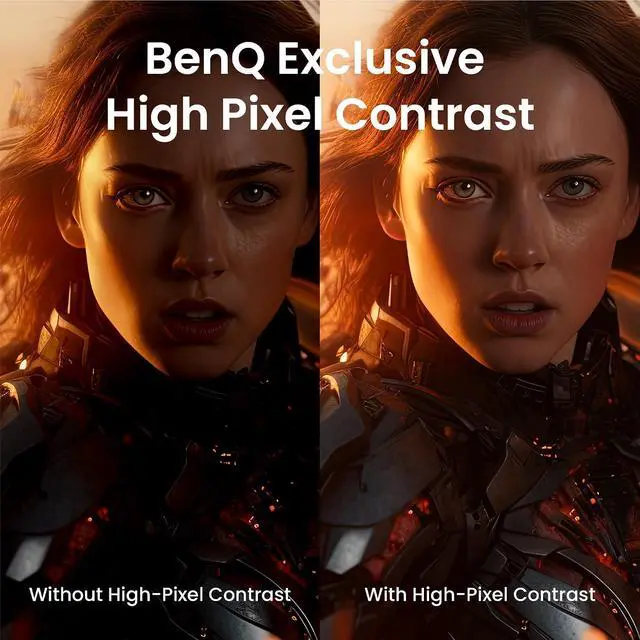
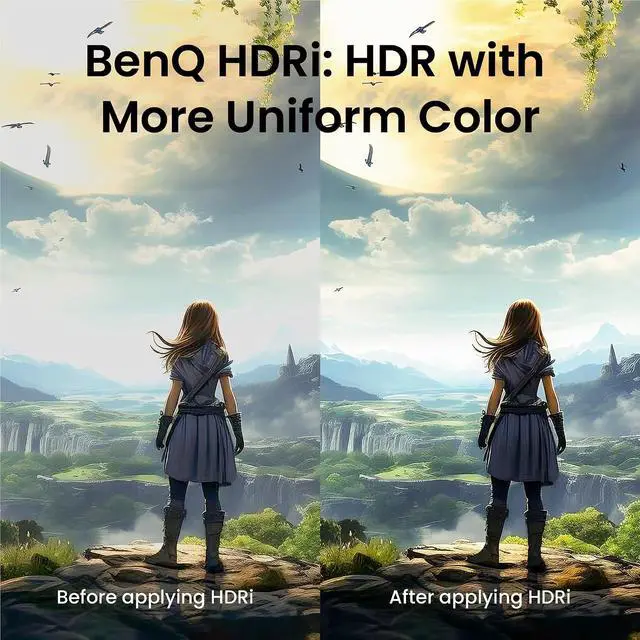
| HDR And Eye Care | HDR10 support with HDRi, High Pixel Contrast, Visual Optimizer, and a Low Blue Light Panel |
| Ports And Connectivity | USB-C connectivity, one HDMI 2.0 port, one DisplayPort 1.4 port, and a headphone jack |
| Audio | Two built-in 5W speakers |
| Stand And Mounting | Tilt from -5° to 20° and swivel from -20° to 20°; VESA 100 × 100mm compatible |
| Power | Built-in 100–240V power supply; 26W typical, 150W maximum, and 0.5W in sleep mode |
| Physical Specifications | White cabinet; 24.15 × 17.17 × 8.31 inches with stand and 24.15 × 14.64 × 2.35 inches without stand; weighs 10.23 lb with stand or 8.84 lb without stand |
| Model Identifiers | BenQ EW270Q |
Q: BenQ EW270Q vs. GW2790Q: which is better for gaming and entertainment?
A: Choose the BenQ EW270Q if you want a 27-inch QHD display with a 200Hz refresh rate, 90% DCI-P3 color coverage, USB-C with 65W Power Delivery, and dual 5W speakers. The GW2790Q is positioned as a QHD home-office monitor and offers a 100Hz refresh rate and 99% sRGB coverage. In short, EW270Q emphasizes faster gaming and entertainment features; GW2790Q emphasizes everyday home-office use.
Q: BenQ EW270Q vs. MOBIUZ EX271Q: which should I choose for PC gaming?
A: Choose the EW270Q if you prioritize a 200Hz refresh rate and USB-C with 65W Power Delivery alongside its entertainment features. Choose the MOBIUZ EX271Q if gaming-focused features are the priority: BenQ lists 180Hz over DisplayPort, a 1ms response time, FreeSync, gaming picture controls, and height adjustment. Both are 27-inch QHD IPS monitors; their feature sets emphasize different parts of a gaming setup.
Q: Is the BenQ EW270Q a worthwhile upgrade from the EW2780Q?
A: The EW270Q is the more fitting upgrade if you want QHD gaming at a high refresh rate or USB-C laptop connectivity with up to 65W charging. BenQ lists the EW2780Q at 2560 × 1440 and 60Hz, with HDRi and dual 5W speakers. The EW270Q retains the QHD resolution and dual 5W speakers while adding a 200Hz refresh rate and USB-C connectivity.
Q: Is this monitor suitable for office work and video meetings?
A: Yes. Its 27-inch QHD IPS display provides space for documents and multiple windows, and the listed USB-C connection supports video and up to 65W laptop charging. The monitor has built-in speakers but no webcam, so video calls require a separate or laptop camera. Its listed stand adjustments are tilt and swivel; height adjustment is not specified.
Q: Is the 200Hz refresh rate useful for gaming?
A: It can provide smoother motion in games when the computer and connection can output high frame rates. The monitor is specified as 2560 × 1440 at up to 200Hz, with HDMI 2.0 and DisplayPort 1.4 inputs. The actual refresh rate depends on the source device, connection, and settings.
Q: Are the built-in speakers enough for calls and everyday listening?
A: The monitor has two built-in 5W speakers for audio without a separate speaker setup. The listing does not specify their sound quality, so users who need clearer or more immersive audio may prefer headphones or external speakers. It also has a headphone jack.
Q: Can I use it with a game console?
A: The monitor has an HDMI 2.0 input, so it can connect to a console with HDMI output. Its maximum listed refresh rate is 200Hz, but the resolution and refresh rate available in practice depend on the console, game, and connection; the product information does not specify console-specific modes.
Q: Is the BenQ EW270Q suitable for both gaming and everyday work?
A: It may suit people who want one 27-inch monitor for QHD work and gaming: an owner discussion reports clear text for reading, smooth-feeling 200Hz gaming, and convenient USB-C laptop use. The stand offers tilt and swivel, but not height adjustment.
Q: Can the EW270Q simplify a laptop desk setup with one USB-C cable?
A: It can, if the laptop’s USB-C port supports video output. The product information lists USB-C with up to 65W power delivery, and an owner reports using it to connect and charge a work laptop. Check that 65W is enough for your laptop’s charging needs.
Q: Is the EW270Q a good choice for PS5 or Xbox gaming?
A: It is a 1440p monitor with HDMI 2.0, but its 200Hz maximum refresh rate should not be treated as a console refresh-rate guarantee. A console-focused review discusses 1440p support and gaming performance, while Reddit users raise questions about PS5 refresh-rate limits and the lack of HDMI 2.1. Confirm the console’s supported output and your desired settings before buying.
Q: Should reports of dead pixels or panel gaps put me off buying the EW270Q?
A: Reddit posts describe individual units with dead pixels or panel gaps, but those reports do not establish how common the issues are. If you buy one, inspect the panel and casing soon after delivery and check the seller’s return or replacement terms.


