




 here!
I’m your shopping assistant for PC builds, upgrades, and everything tech.
Got questions? Ask away!
Start a conversation
here!
I’m your shopping assistant for PC builds, upgrades, and everything tech.
Got questions? Ask away!
Start a conversationShipped by Newegg





Any questions? Ask CelesteSM will help you find out quickly.
We want to ensure your holiday shopping this year is hassle-free. That’s why we’re automatically extending our return policies on almost every product! For purchases placed between November 1st, 2026 and December 31, 2026 you will have until January 31, 2027 to return your product.
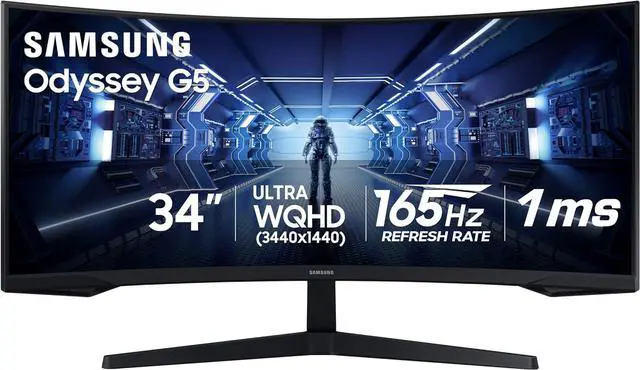
The Samsung Odyssey G5 LC34G55T is a 34-inch curved UWQHD gaming monitor with a 3440 × 1440 resolution, 165Hz refresh rate, 1ms response time, and AMD FreeSync Premium, suited to gamers seeking a wide, immersive view and smooth gameplay.
| Attribute | Value |
|---|---|
| Best For | Gaming setups that benefit from a curved ultrawide display with a 165Hz refresh rate and adaptive sync |
| Panel And Resolution | 34-inch VA panel with a 3440 × 1440 UWQHD resolution, 21:9 aspect ratio, and 1000R curve; supports HDR10, with 250 cd/m² brightness and 2500:1 contrast |
| Refresh Rate And Response | 165Hz refresh rate, 1ms response time, and AMD FreeSync Premium adaptive sync |
| Ports And Connectivity | 1 HDMI 2.0 port, 1 DisplayPort 1.4, 1 USB port, and 3.5 mm audio connectivity |
| Stand And Ergonomics | Tilt-adjustable stand; compatible with 75 × 75 mm VESA mounts |
| Design And Physical Specifications | Black finish with a three-sided thin-frame bezel; measures 31.76 × 18.71 × 10.73 inches with stand and 31.76 × 15 × 6.01 inches without; weighs 12.3 lb with stand and 11.5 lb without |
| Display Color | 16.7 million display colors; 72 CIE 1976 color gamut |
| Power | 100–240 VAC, 50/60Hz power supply; maximum power consumption of 50W |
| Audio And Webcam | No built-in speakers or webcam |
| Model Identifiers | Samsung Odyssey G5 series; model C34G55T; part/model number LC34G55TWWNXZA |
Q: Should I get the 34-inch Odyssey G5 or the 32-inch Odyssey G7?
A: Choose the 34-inch Odyssey G5 for a 21:9 ultrawide view, 3440 × 1440 resolution, and 165Hz refresh rate. Choose the 32-inch Odyssey G7 if you prefer a 16:9 QHD screen and its 240Hz refresh rate for high-frame-rate gaming.
Q: How does the 34-inch Odyssey G5 compare with the 27- or 32-inch Odyssey G5?
A: The 34-inch model is the ultrawide option, with a 21:9 aspect ratio, 3440 × 1440 resolution, and 165Hz refresh rate. The 27- and 32-inch G5 variants use a 16:9 aspect ratio, 2560 × 1440 resolution, and 144Hz refresh rate. Choose this 34-inch model for a wider gaming view and more horizontal workspace; choose a smaller variant for a standard-format screen.
Q: Should I choose the 34-inch Odyssey G5 or the 49-inch Odyssey G9?
A: Choose the 34-inch Odyssey G5 for a 21:9, 3440 × 1440 ultrawide display with a 165Hz refresh rate. Choose the 49-inch Odyssey G9 for a wider 32:9, 5120 × 1440 display and a 240Hz refresh rate. The G5 suits buyers seeking a more compact ultrawide format, while the G9 provides a broader screen area for gaming and side-by-side windows.
Q: Is this monitor suitable for gaming and everyday work?
A: Yes. Its 34-inch, 3440 × 1440 ultrawide screen and 165Hz refresh rate suit PC gaming, while the wide 21:9 workspace can also fit multiple windows. Its 1000R curve is pronounced, so consider whether you prefer a strongly curved screen for desk work.
Q: Does it have built-in speakers or a webcam for meetings?
A: No. This monitor has neither built-in speakers nor a webcam, so plan to use separate audio and camera equipment for meetings.
Q: Can I mount it on a monitor arm?
A: Yes. It supports a 75 × 75 mm VESA mount. Check that the arm supports the monitor’s 11.5 lb weight without the stand.
Q: Is it a good choice for video meetings and office work?
A: It can serve as an office display, with a wide 3440 × 1440 workspace for documents and applications. It is not an all-in-one meeting setup: it has no webcam or speakers, no USB-C input, and its stand supports tilt adjustment only.
Q: Is the Odyssey G5 34-inch suitable for both work and gaming?
A: It can suit desktop work and gaming if you want a 34-inch, 3440 × 1440 ultrawide. Its 21:9 format gives extra horizontal workspace, and its 165Hz refresh rate and FreeSync Premium support gaming. One Reddit discussion notes that the PS5 does not support ultrawide output, so console games may appear with side bars rather than fill the screen.
Q: What are the main gaming trade-offs to consider?
A: The monitor’s VA panel, 165Hz rate, and advertised 1ms response time are its key gaming specifications. However, owners have reported ghosting or smearing, and some describe flickering at higher refresh rates. These are individual reports, not a guarantee that every unit will have those issues; check the monitor with your games during the return period.
Q: Is it a good choice for PS5 gaming?
A: It can connect to a PS5 over HDMI, but its 21:9 ultrawide aspect ratio is not a good match for PS5 games that output in 16:9. A Reddit discussion notes that this can leave black bars at the sides. Consider a 16:9 monitor if filling the screen is important to you.
Q: Will the curve and stand suit every desk setup?
A: The 1000R curve is pronounced, and the included stand supports tilt but not height or swivel adjustment. Reddit users have discussed disliking the curve or wanting more stand adjustment. Check that the curve suits your viewing distance; the monitor also supports a 75 × 75mm VESA mount if you want another mounting option.


