Best Sellers
- $279.07
- + FREE SHIPPING
- $290.44
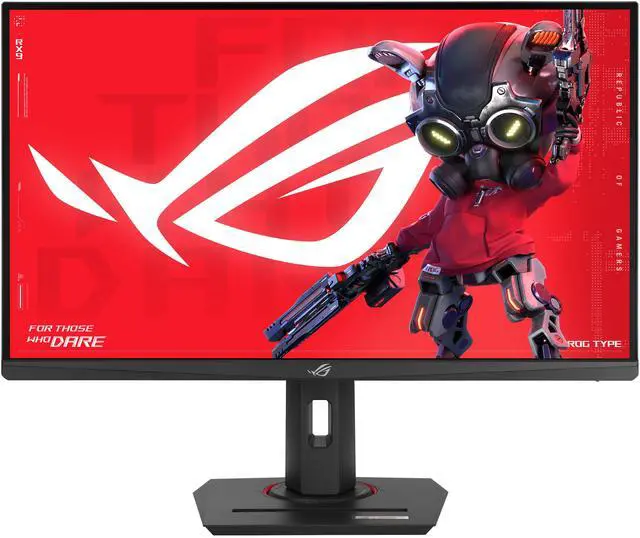
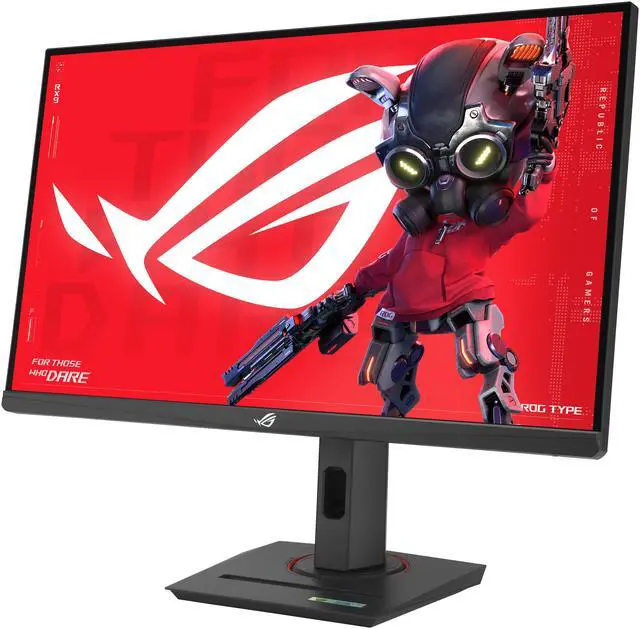
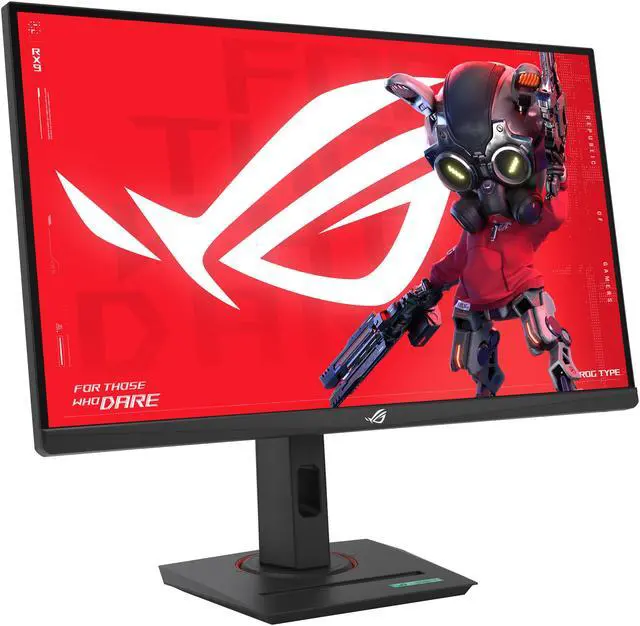
ASUS ROG Strix 27" Full HD 380Hz IPS FreeSync Premium & G-Sync compatible 0.3ms HDR400 USB-C phone accessories slot Gaming Computer Monitor with Height Adjustable, Swivel, Pivot & Tilt Stand XG279CNS
- 27-inch Full HD (1920x1080) HDR gaming monitor with overclock to ultrafast 380Hz refresh rate designed for professional gamers and immersive gameplay
- ASUS Fast IPS technology enables a 0.3ms response time (GTG) for sharp gaming visuals with high frame rates
- ASUS Extreme Low Motion Blur Sync (ELMB SYNC) technology enables ELMB together with variable refresh rate, eliminating ghosting and tearing for sharp gaming visuals with high frame rates.
- Exclusive ASUS DisplayWidget Center application enables easy OSD access and monitor settings adjustments with a mouse.
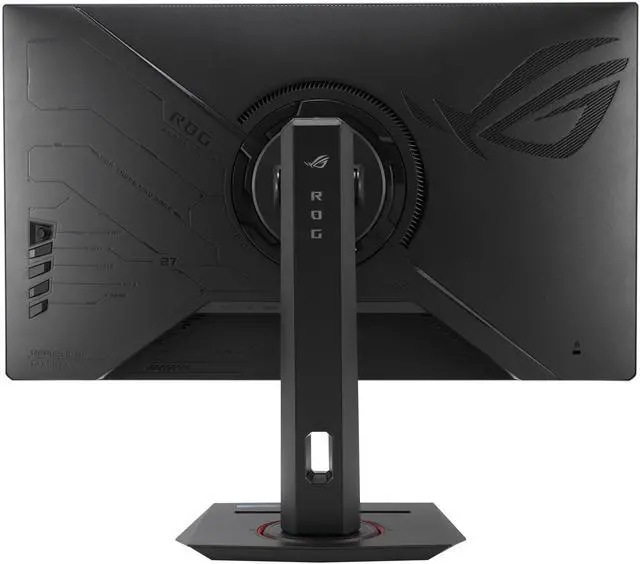
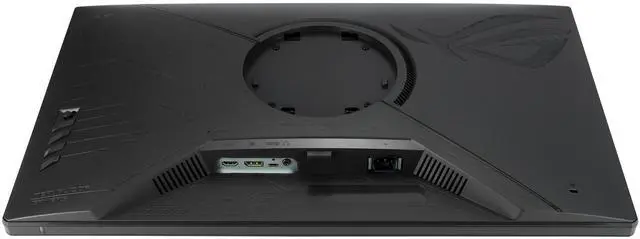
- Extensive connectivity options include DisplayPort 1.4, HDMI 2.1, USB-C (DP Alt mode) and earphone jack
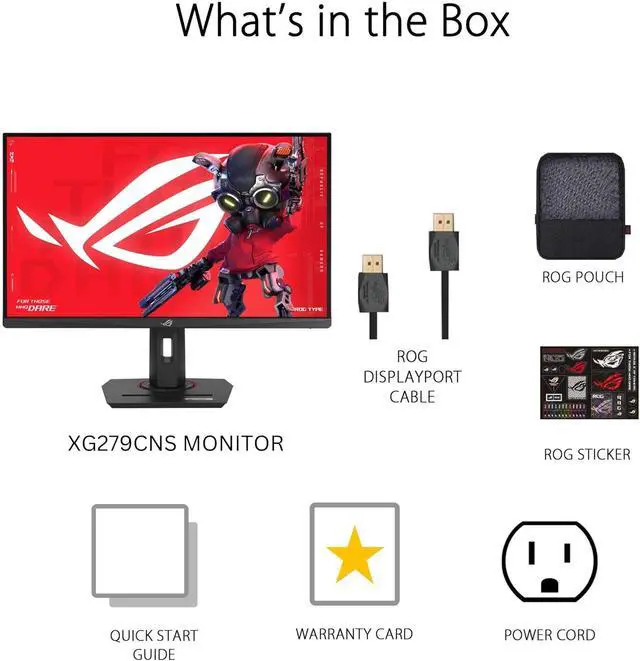
- What's in the Box: DisplayPort cable, ROG pouch, ROG sticker, Power cord, Quick release stand, Quick start guide, Warranty Card
- Free 3-month Adobe Creative Cloud Subscription: Receive complimentary access with the purchase of this product (offer valid until 08/31/2025)
Any questions? Ask CelesteSM will help you find out quickly.
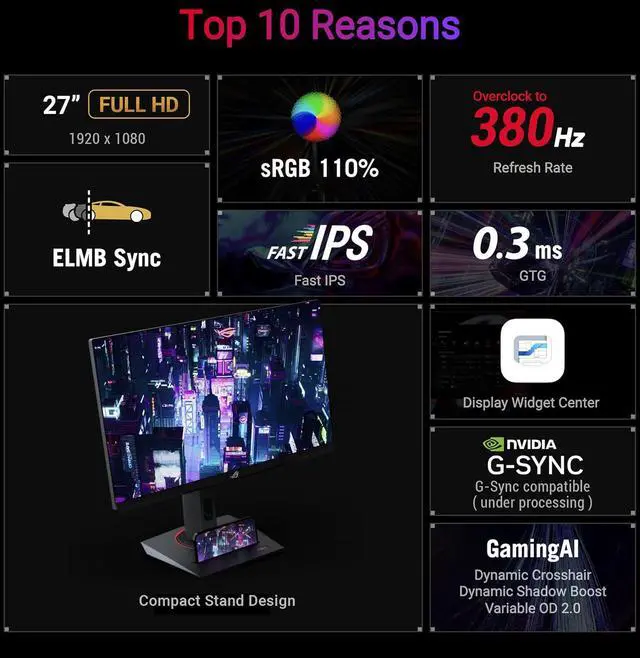
Elevate your gaming experience with the ROG Strix XG279CNS, meticulously crafted for utility and performance. Immerse yourself in smooth, ultra-fast 380Hz (OC) refresh rate, and lightning-fast 0.3ms response time. Conquer challenges effortlessly with AI-powered features, and enhance your connectivity options with the inclusion of a versatile Type-C connection, ensuring you stay ahead while enjoying the convenience of modern connectivity.
27", 1080p, 1920 x 1080 ELMB Sync sRGB 110%
fast IPS Overclock to 380Hz Rapid Refresh Rate
0.3ms GTG Display Widget Center
NVIDIA G-SYNC
GamingAI Dynamic Crosshair Dynamic Shadow Boost Variable OD 2.0 Type-C DisplayPort
HDMI
Fast, Response & Vivid - ASUS Fast IPS Display
ASUS Fast IPS panel technology allows liquid crystal elements in the display to turn on and off up to four times faster than conventional IPS panels, giving ROG Strix XG279CNS a minimum 0.3ms GTG response time and little-to-no smearing or motion blur.
Seamless Speed and Precision
Decimate lag and motion blur with 380Hz refresh rate and lightning-fast 0.3ms (GTG) response time. This combination ensures smooth, responsive gameplay, giving you the edge in fast-paced titles like first-person shooters, racing games, and real-time strategy games. React instantly to on-screen action and land those critical shots with confidence.
Tear-Free, Ghost-Free Gaming
Enjoy a tear-free gaming experience with G-SYNC & FreeSync Premium compatibility. This ensures smooth, synchronized visuals by enabling variable refresh rate (VRR) by default. Additionally, ELMB-SYNC technology eliminates ghosting and tearing for sharp visuals and high frame rates while gaming. Integrated ASUS Variable Overdrive technology dynamically adjusts the monitor's overdrive setting as frame rates fluctuate, ensuring optimal results for any game.
Vivid Colors, Factory Checked
Immerse yourself in a wider range of vibrant colors with sRGB 110% color gamut. Each monitor undergoes rigorous factory checks to ensure color accuracy, guaranteeing a lifelike and immersive visual experience
Versatile Connectivity
Connect your devices with ease thanks to the extensive connectivity options, including a Type-C port supports DP Alt mode for video out and power delivery, DisplayPort 1.4 for high-resolution and high-refresh-rate connections, and HDMI 2.1 port for connecting consoles and other multimedia devices.
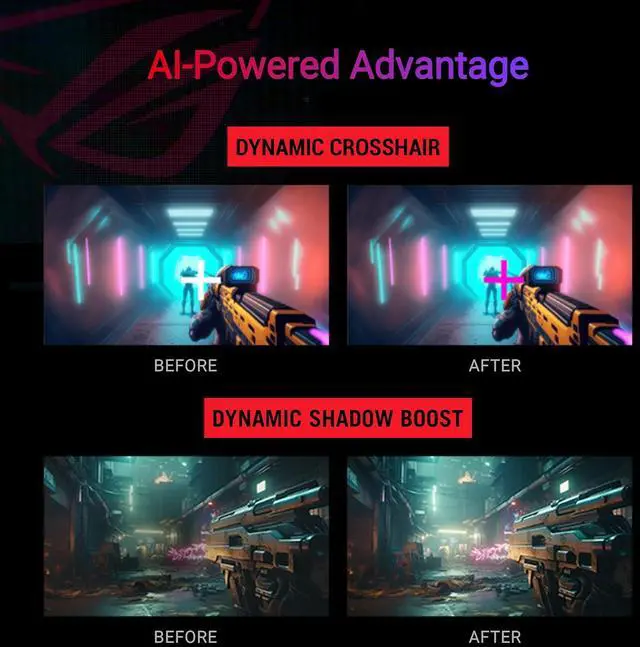
AI-Powered Advantage
With AI-powered GamePlus technology, the monitor analyzes the scene on-screen in real-time and adjusts the GamePlus crosshair to enhance targeting accuracy. Additionally, Dynamic Shadow Boost brightens dark areas without overexposing bright areas, providing a clear advantage in low-light environments.
Compact Design, Ergonomic Comfort
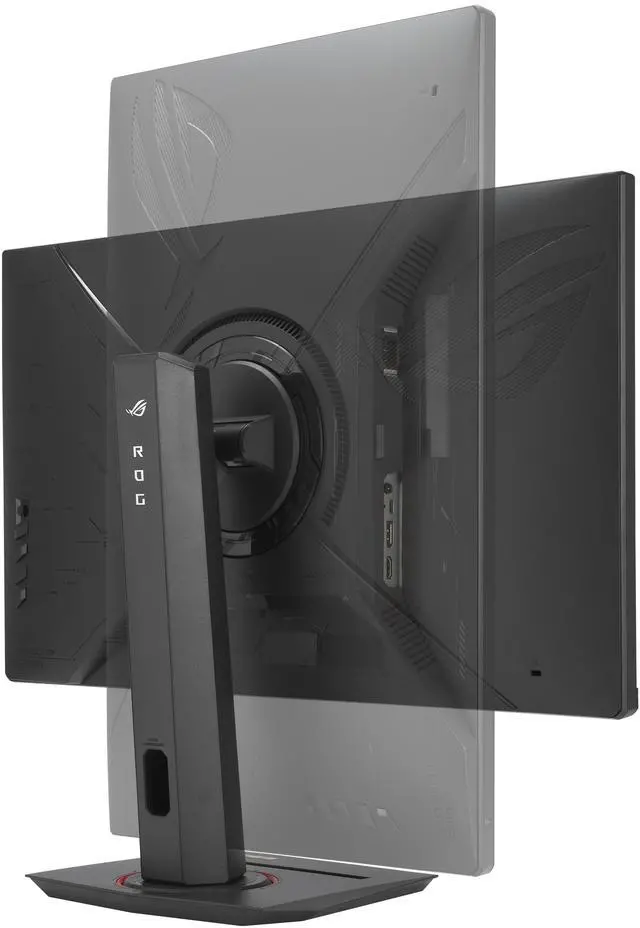
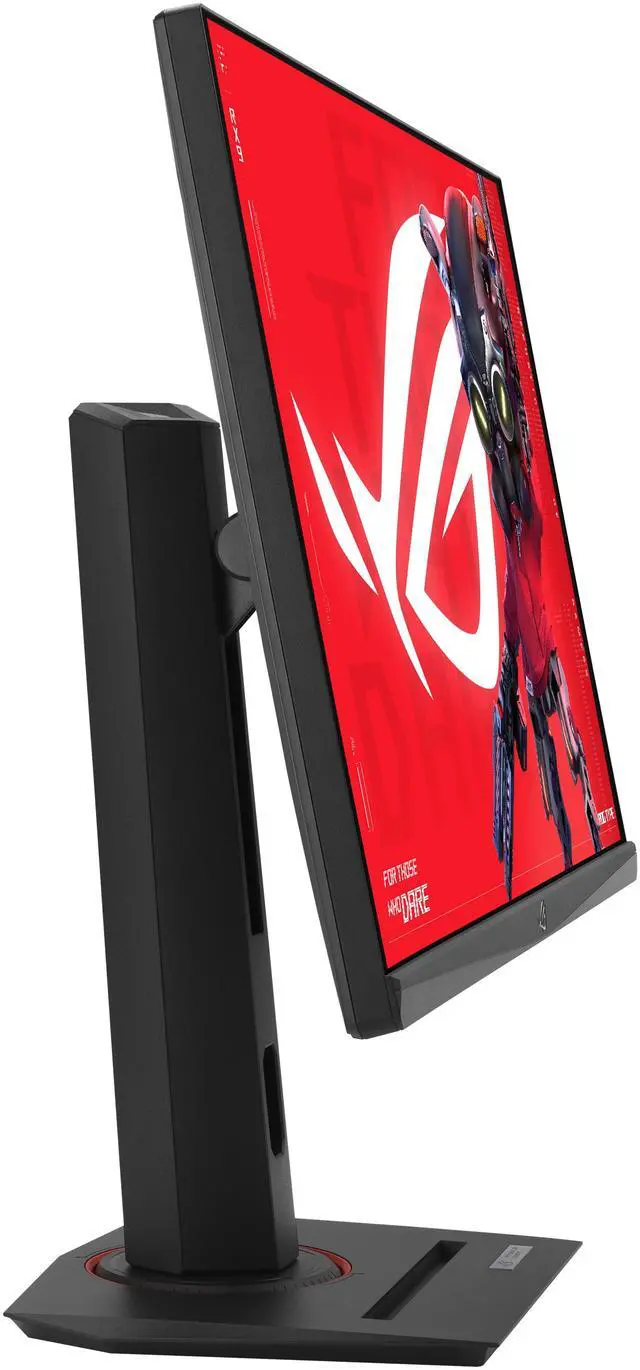
This monitor boasts a compact footprint, saving valuable desk space. It also features a convenient phone holder on the stand, allowing you to easily keep your phone within reach and charge it simultaneously via the Type-C port. The ergonomically-designed stand provides tilt, swivel, pivot and height adjustment, ensuring you find the perfect viewing position for all-day comfort. Additionally, VESA compatibility lets you mount the monitor to the wall for even greater flexibility
Warranty & Returns
Warranty, Returns, And Additional Information
Warranty
- Limited Warranty period (parts): 3 years
- Limited Warranty period (labor): 3 years
- Read full details
Return Policies
- Return for refund until: January 31, 2026
- Return for replacement until: January 31, 2026
- This item is covered by Newegg.com's Extended Holiday Return Policy.
- Read full return policy for details.
We want to ensure your holiday shopping this year is hassle-free. That’s why we’re automatically extending our return policies on almost every product! For purchases placed between November 1st, 2025 and December 31, 2025 you will have until January 31, 2026 to return your product.
Manufacturer Contact Info
- Manufacturer Product Page
- Manufacturer Website
- Support Phone: 1-888-678-3688
- Support Website
- View other products from ASUS
The ASUS ROG Strix XG279CNS is a 27-inch Full HD Fast IPS gaming monitor with an overclocked 380Hz refresh rate and 0.3ms response time, suited to competitive players who prioritize fast, clear motion in high-frame-rate games.
Recommended For
- Competitive FPS and esports players who prioritize fast motion and response over resolution, and whose PC can deliver very high frame rates in games such as Valorant or CS2.
- Players of fast-action games who want a high-refresh display with variable refresh rate and motion-blur reduction features for smoother, clearer gameplay.
- Gamers who want a height-, tilt-, swivel-, and pivot-adjustable setup, plus USB-C video input for a compatible laptop or other device.
- Streamers or gaming creators who want a monitor with a tripod socket for mounting a camera or other compatible gear while gaming.
Real-World Use Scenarios
- In competitive FPS matches such as Valorant or Counter-Strike, players aiming for very high frame rates can use the monitor for smoother motion and clearer tracking during quick turns; the benefit depends on the PC producing similarly high frame rates.
- When game frame rates vary during play, enabling variable refresh rate can help keep the picture in sync with the GPU and reduce visible tearing; ELMB Sync is another motion-clarity option for compatible high-frame-rate play.
- For fast racing games or real-time strategy games, players who prioritize following rapid on-screen movement can use the high-refresh display for smoother motion; the 1080p resolution also avoids the heavier rendering demands of higher-resolution gaming.
- When switching between a gaming desktop and a compatible laptop, users can connect through DisplayPort, HDMI, or USB-C video output; USB-C can carry the laptop’s display signal, but its 7.5W power delivery is limited for charging most laptops.
- For a desk setup that also involves occasional portrait-oriented reading or chat windows, users can pivot the display vertically and adjust its height, tilt, and swivel to suit the task.
Spec Summary
| Attribute | Value |
|---|---|
| Best For | High-refresh-rate PC gaming with desktop or laptop setups |
| Panel And Resolution | 27-inch flat Fast IPS LCD/LED panel with 1920 × 1080 resolution, 16:9 aspect ratio, 178° viewing angle, anti-glare matte finish, 0.311 mm pixel pitch, 400 cd/m² brightness, 1,000:1 contrast ratio, 16.7 million colors, and 110% sRGB color gamut; DisplayHDR 400 certified |
| Refresh Rate And Response | 380 Hz refresh rate and 0.30 ms response time, with FreeSync Premium and G-Sync Compatible adaptive sync, ELMB Sync, and VRR support |
| Ports And Connectivity | 1 × HDMI 2.1, 1 × DisplayPort 1.4, 1 × USB-C with DisplayPort Alt Mode and 7.5 W power, one USB port, and a 3.5 mm headphone jack |
| Stand And Ergonomics | Height, pivot, swivel, and tilt adjustments; 100 × 100 mm VESA mounting; three-sided thin-frame bezel |
| Gaming And Eye-Care Features | GamePlus, Game Visual, Shadow Boost, DisplayWidget Center, aspect control, HDCP 2.3, and low-blue-light support; no built-in speakers or webcam |
| Power | 100–240 VAC, 50/60 Hz input; 20 W operating consumption, 0.5 W in power-saving mode, and under 0.3 W when off |
| Dimensions And Weight | With stand: 20.09 × 24.18 × 8.61 inches and 14.33 lb; without stand: 14.44 × 24.18 × 2.59 inches and 8.60 lb |
| Included Accessories | DisplayPort cable, power cord, quick-start guide, ROG pouch, ROG sticker, and warranty card |
| Model Identifiers | ASUS ROG Strix XG279CNS; black |
Reference Q&A
Q: ASUS XG279CNS or XG27AQMR: which should I choose?
A: Choose the XG279CNS if your priority is competitive gaming at Full HD with up to 380Hz, and you want USB-C video input. Choose the XG27AQMR if you prefer sharper 2560 × 1440 resolution for games and general desktop use; it reaches up to 300Hz. Both are 27-inch Fast IPS monitors, so the main trade-off is higher refresh rate versus higher resolution.
Q: Should I get the XG279CNS or the BenQ ZOWIE XL2566K for FPS games?
A: Choose the XG279CNS for a larger 27-inch Fast IPS screen, a 380Hz maximum refresh rate, and USB-C video connectivity. Choose the XL2566K if you prefer a 24.5-inch Full HD esports monitor with a 360Hz TN panel and BenQ DyAc+ motion-blur reduction. Both target high-refresh competitive play; the choice comes down to screen size, panel type, and feature preferences.
Q: Is the XG279CNS a better fit than a 1440p gaming monitor?
A: The XG279CNS is a better fit if you prioritize very high refresh rates in competitive games and want to keep the display at 1920 × 1080. A 1440p monitor is the more suitable choice if finer image detail and extra desktop space matter more than reaching the XG279CNS’s 380Hz maximum. Consider your PC’s ability to run games at high frame rates when choosing between them.
Q: Who is this monitor best suited for?
A: It is best suited to PC gamers who prioritize very high refresh rates and fast motion, especially in competitive games. The 27-inch 1920 × 1080 display and 380Hz refresh rate favor smooth gameplay over higher-resolution detail; the full refresh rate also depends on the connected PC and game producing sufficiently high frame rates.
Q: Can I use it with a gaming console, or is it mainly for PC?
A: An HDMI-connected console can use the monitor at its supported resolution and refresh rate, but it will not use the full 380Hz capability. That high refresh rate is mainly useful with a PC and games that can produce very high frame rates. The monitor displays at 1920 × 1080.
Q: Does it have built-in speakers?
A: No. It has no built-in speakers, but it includes a 3.5mm headphone jack. Use headphones or connect separate speakers through your audio setup.
Q: Is a 27-inch 1080p screen suitable for office work as well as gaming?
A: It can handle everyday tasks such as browsing, documents, and video, and its height-, tilt-, swivel-, and pivot-adjustable stand supports flexible positioning. Its 1920 × 1080 resolution gives less fine detail on a 27-inch screen than a higher-resolution display, so it is a gaming-focused choice rather than a detail-first work monitor.
Q: Is 27-inch 1080p sharp enough, or should I choose 1440p?
A: The XG279CNS is 27 inches with 1920 × 1080 resolution. Reddit discussion and a YouTube review both raise sharpness as a consideration at this size. Choose it if very high refresh rates matter more to you than pixel density; consider 1440p if sharper text and images are a priority.
Q: Is the XG279CNS worth upgrading to from a 144Hz or 165Hz monitor?
A: It may suit players who prioritize fast competitive gaming and whose PC can deliver high frame rates. One XG279CNS owner reported a noticeable jump from 165Hz to 380Hz, while also noting that the initial novelty faded. The perceived benefit is individual, so the upgrade may matter less if you value resolution or general image quality more.
Q: Should I choose this over a 1440p 240Hz monitor for competitive shooters?
A: Choose the XG279CNS if you prioritize its 380Hz overclocked refresh rate and are comfortable with 1080p on a 27-inch screen. A 1440p 240Hz option is the more suitable direction if you prefer higher resolution. Reddit discussions explicitly compare these priorities, so the choice depends on whether speed or pixel detail matters more to you.
Q: Who is the XG279CNS best suited for?
A: It is aimed at competitive players who prioritize high refresh rates, especially in fast-paced games, and can run those games at high frame rates. The monitor has a 380Hz overclocked refresh rate, Fast IPS panel, and adaptive sync. Its 27-inch 1080p resolution is a trade-off for buyers who want higher pixel density.