




 here!
I’m your shopping assistant for PC builds, upgrades, and everything tech.
Got questions? Ask away!
Start a conversation
here!
I’m your shopping assistant for PC builds, upgrades, and everything tech.
Got questions? Ask away!
Start a conversation





Any questions? Ask CelesteSM will help you find out quickly.


Gaming Products / Headsets
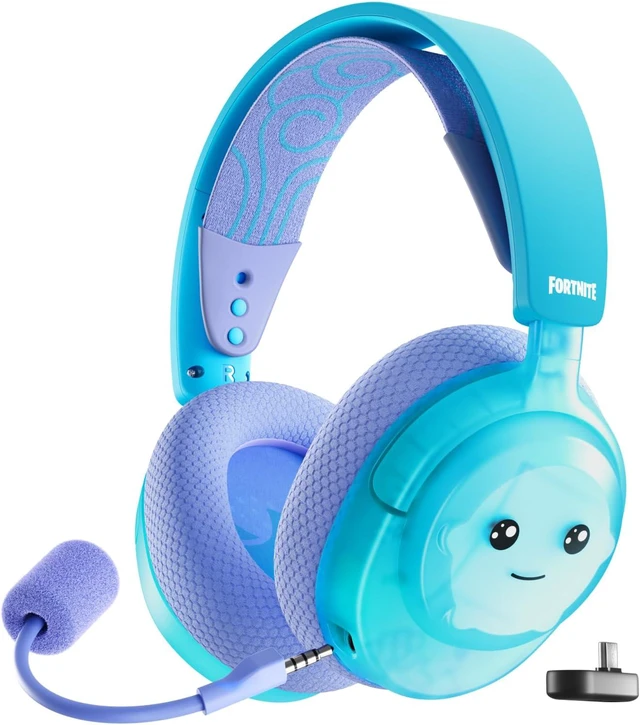
Bring Fortnite to life and equip your very own Sprite with this new-look version of the Arctis Nova 3 Wireless.

With a vibrant design inspired by the Water Sprite, the Arctis Nova 3X Wireless Fortnite Edition is a playful way to turn a Sprite into your own IRL loot. Note: Won't replenish shields in real life. We think.


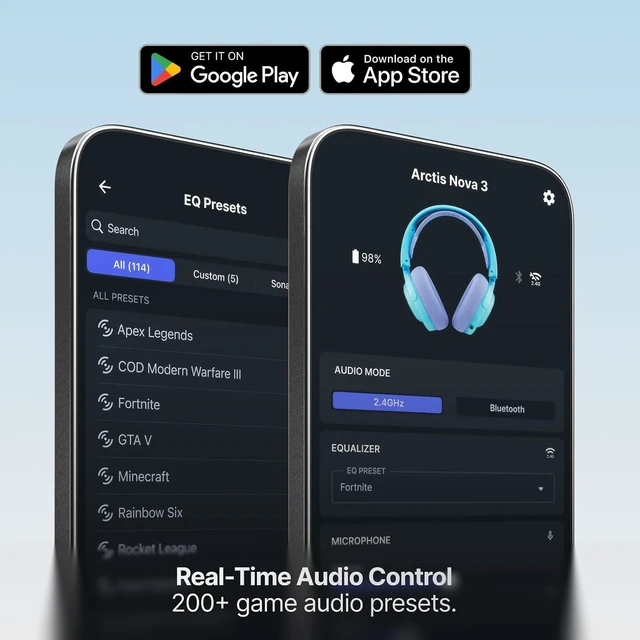
Get perfectly tuned audio presets tailor-made for Fortnite and 200+ other games, all accessible in real time. Simply select your game and hear what matters most.

Seamlessly swap between low-latency 2.4GHz Wireless for gaming on your PlayStation, PC, or Switch and Bluetooth 5.3 for your mobile devices.
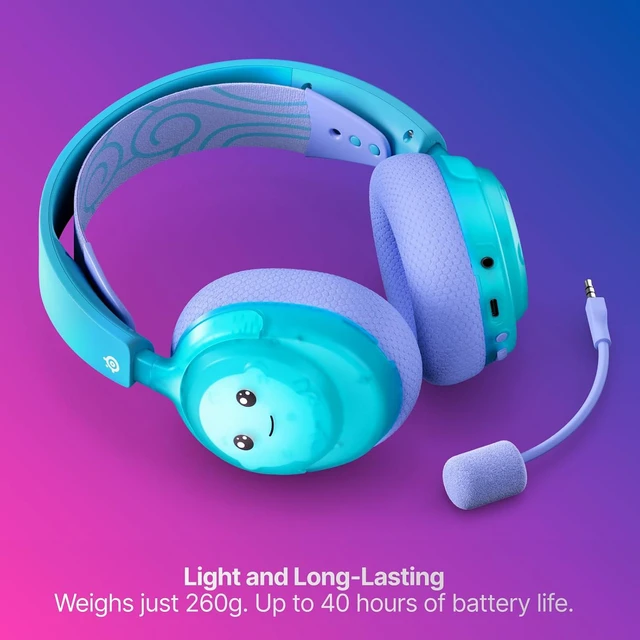
Keep hunting Sprites all day long with a 9-hour boost from 15 minutes of fast-charging, and 40 hours of battery total.


At just 260g, Arctis Nova 3X Wireless makes headset headache a thing of the past. A rugged dual-hinge design keeps it ready for battle wherever you go.

Complement your Arctis Nova 3 Wireless with more Fortnite x SteelSeries gear, including Aerox mice, Arctis GameBuds™, QcK mousepads, SteelSeries PBT keycaps and KontrolFreek® No-Slip Thumb Grips and Thumbsticks.
Can I listen to Bluetooth at the same time as my game?
Although you can have a 2.4GHz and Bluetooth connection at the same time, the Arctis Nova 3 Wireless only allows the ability to listen to one audio stream at once. You can easily switch between 2.4GHz and Bluetooth by pressing the power button on the headset.
What happens when someone calls my phone?
If you're listening on the 2.4GHz connection and receive a phone call, you will hear a notification in the headset. By pressing the Power/Quick-Switch button you will answer the call, and the headset will switch over to Bluetooth mode. To reject an incoming call press the Power/Quick-Switch button twice quickly. To hang up an active call press the Power/Quick-Switch button again. Once the call ends the Arctis Nova 3 Wireless will switch back to your game audio automatically.
Can I have separate audio presets for 2.4GHz and Bluetooth?
Yes! With the Arctis Companion mobile app, you're able to select a preset for gaming 2.4GHz audio and another independent one for on-the-go Bluetooth audio. Whenever you switch, your preset is ready.
Can I control ChatMix directly from my headset?
ChatMix is a feature that balances game volume against your in-game chat. With the Arctis Nova 3 Wireless, long press the volume button once to access ChatMix adjustments. You will hear a tone indicating you are in ChatMix mode. A second long press press will return the control wheel to the standard volume function. You will hear different audio tones to help indicate if the Chat volume mix is at 0%, 50%, and 100% (Game only, 50/50 mix, and chat only modes).
On PC, you must install SteelSeries' free Sonar Software for Windows to enable this function. It can also be controlled directly using the on-screen software.
Note: for PlayStation, ChatMix must be controlled using the on-screen menus accessed via the 'PS' button.
Can I control my Bluetooth music using the headset?
Yes, using the multi-function volume wheel you may press once for play/pause, twice for skip forward, and three times for skip backwards. The volume wheel should be depressed (similar to clicking a mouse wheel) to activate these controls.
We want to ensure your holiday shopping this year is hassle-free. That’s why we’re automatically extending our return policies on almost every product! For purchases placed between November 1st, 2026 and December 31, 2026 you will have until January 31, 2027 to return your product.


