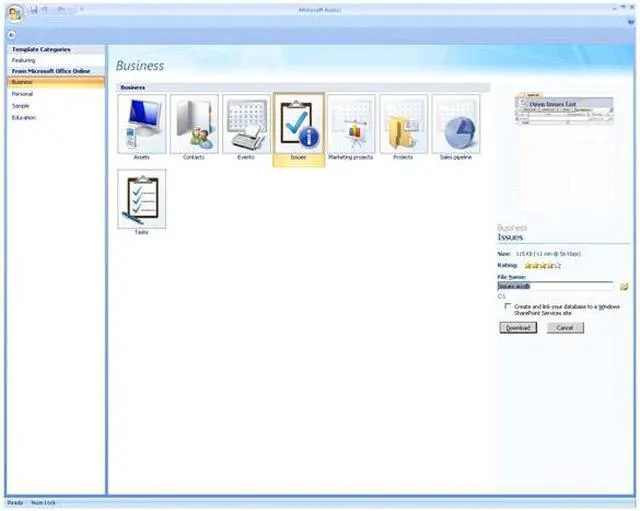
Make managing your business a breeze with Microsoft Access 2007. This new version is easier to use than ever with its Fluent interface. Fluent is context sensitive so it only displays the commands that are relevant to the task you are performing at the time. There are pre-built solutions for common tasks and business cases. You can use them as is or customize them so they fit your business perfectly.
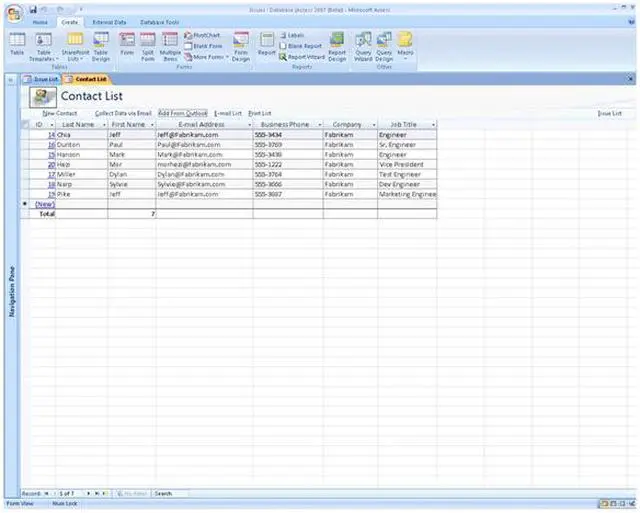
Access 2007 integrates seamlessly with other Office applications like Excel and Outlook. You can import contact information from Outlook, or distribute forms in outgoing email and collate the information when it returns. Once you paste in an Excel table Access will recognize fields and data types and build it into the database.
Once the information is collected and sorted you can easily build reports. Access 2007 can do much more than that. Now you can attach photos, documents and spreadsheets to your application. You can even attach them to individual records for easy reference. If your website is based on Windows SharePoint Services you can built, edit and publish your applications online from multiple offices.
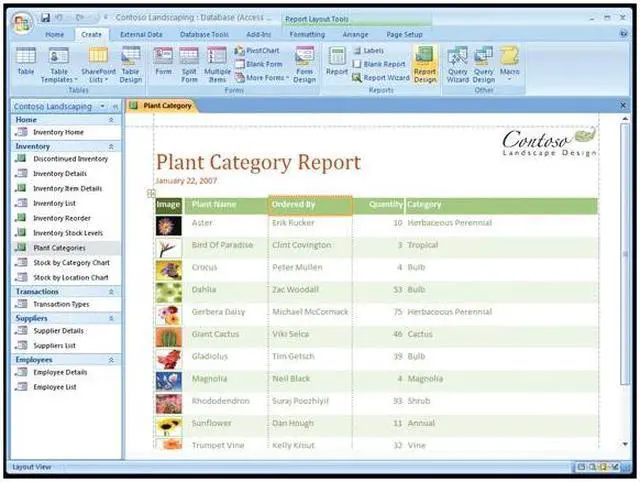
Access 2007 has been updated with a fresh look that makes it easier to create, modify, and work with tracking applications. The new results-oriented user interface (UI) is context-sensitive and optimized for efficiency and flexibility. The main window has a tabbed work area where all open objects reside, helping to keep the development area clean and tidy. Additionally, there are no windows hidden under other windows, so it's much easier to keep track of open documents and applications. To make things even simpler, from the nearly 1,000 available commands, the new UI displays only those relevant to the task you are performing at any given moment. And the new status bar, scroll bars, and title bar give applications built on Access 2007 a very modern look.
 Office Fluent User InterfaceOptimized for efficiency and discoverability, the context-sensitive Office Fluent user interface displays only commands relevant to the current task you are performing, significantly boosting your work efficiency.
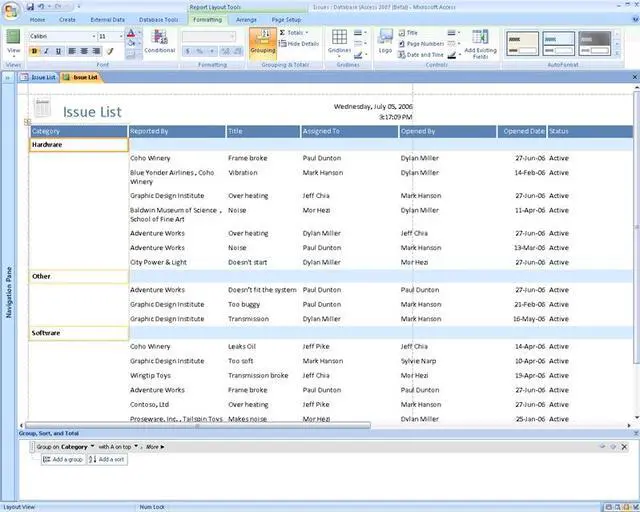
 Interactive Report DesignCreating a report in Office Access 2007 is truly a “what you see is what you get” (WYSIWYG) experience. With the WYSIWYG interface, you can manipulate the report layout in real time on the screen and preview your report as you build it.
 Automatic Data CollectionCollecting information from others is easier than ever before by e-mail with Microsoft Office InfoPath 2007 or HTML forms generated by Office Access 2007 without the hassle of retyping.
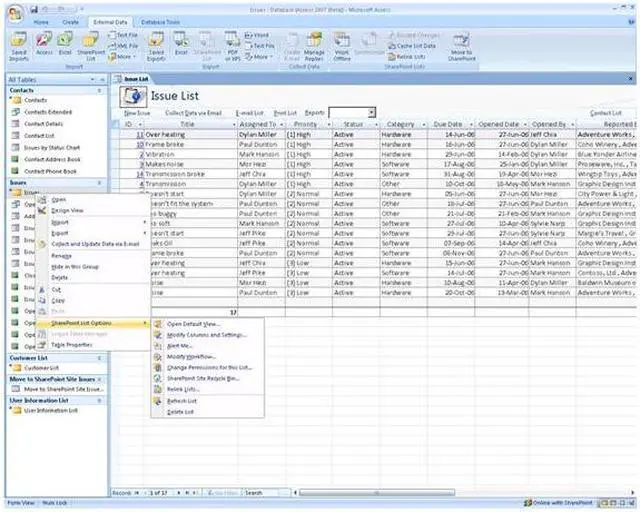
 Web Collaboration with Windows SharePoint ServiceThe Office Access 2007 is supported by Windows SharePoint Services where your team can communicate with each other, share documents and work together on a project through a web interface.
 PDF and XPS SupportIn Office Access 2007, reports can be saved in PDF or XPS (XML Paper Specification) format for convenient printing, posting and e-mail distribution. As all your formatting characteristics are retained in PDF and XPS files, others can review and print your reports even they do not have Office Access 2007.
 Improved SecurityOffice Access 2007 is armed with new and improved security features for enhanced safety and reliability – unified trust decisions integrated with Office Trust Center making it easy to trust all databases in security-enhanced folders.

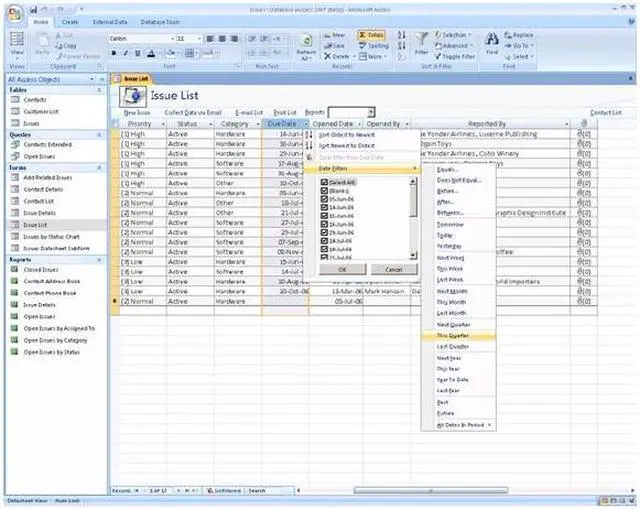
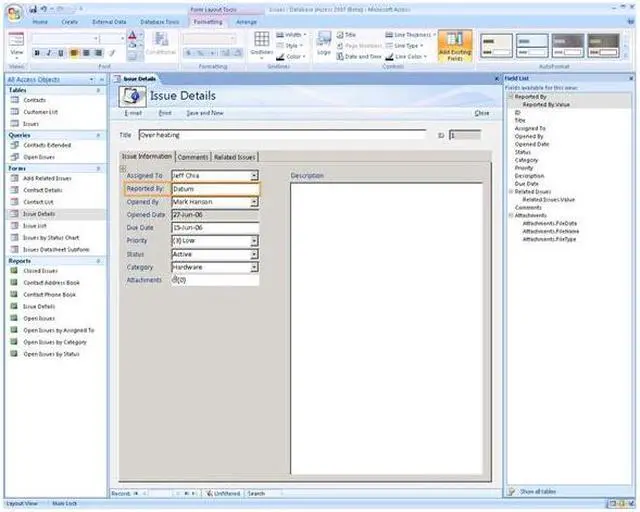




 Office Fluent User InterfaceOptimized for efficiency and discoverability, the context-sensitive Office Fluent user interface displays only commands relevant to the current task you are performing, significantly boosting your work efficiency.
 Interactive Report DesignCreating a report in Office Access 2007 is truly a “what you see is what you get” (WYSIWYG) experience. With the WYSIWYG interface, you can manipulate the report layout in real time on the screen and preview your report as you build it.
 Automatic Data CollectionCollecting information from others is easier than ever before by e-mail with Microsoft Office InfoPath 2007 or HTML forms generated by Office Access 2007 without the hassle of retyping.
 Web Collaboration with Windows SharePoint ServiceThe Office Access 2007 is supported by Windows SharePoint Services where your team can communicate with each other, share documents and work together on a project through a web interface.
 PDF and XPS SupportIn Office Access 2007, reports can be saved in PDF or XPS (XML Paper Specification) format for convenient printing, posting and e-mail distribution. As all your formatting characteristics are retained in PDF and XPS files, others can review and print your reports even they do not have Office Access 2007.
 Improved SecurityOffice Access 2007 is armed with new and improved security features for enhanced safety and reliability – unified trust decisions integrated with Office Trust Center making it easy to trust all databases in security-enhanced folders.

