




 here!
I’m your shopping assistant for PC builds, upgrades, and everything tech.
Got questions? Ask away!
Start a conversation
here!
I’m your shopping assistant for PC builds, upgrades, and everything tech.
Got questions? Ask away!
Start a conversation


Any questions? Ask CelesteSM will help you find out quickly.
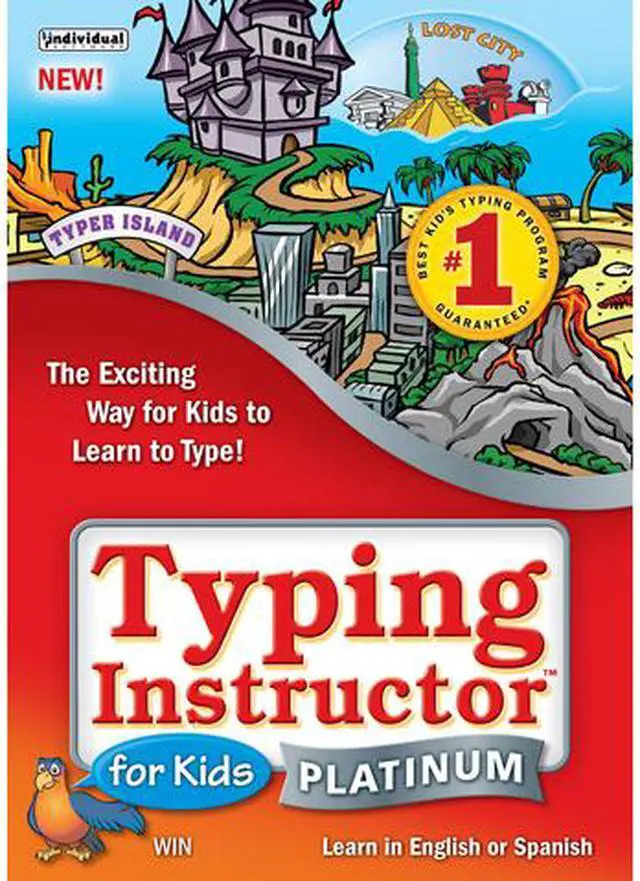
This award-winning typing program is educational, entertaining, and motivating. It will teach your kids all the keyboarding basics, proper hand positions, speed, and accuracy. Kids can learn in English or Spanish. Sit back, relax, and watch your kids get to the head of the class with this program preferred by teachers and parents.
 Island Adventure Theme Motivates Kids to Improve Typing SkillsThis program offers rewards every step of the way! Kids visit distinct lands for lessons, challenges, tests, and games. They search for treasures, earn points, and add gold and jewels to their treasure box, on a journey to reach the Castle and become the Ruler of Typer Island. Once they reach the Castle, they advance to the Lost City, for more challenges and exciting games!
 Creative Lessons and Exercises Help Kids Learn to TypeStep-by-step typing instruction is provided, including proper posture, finger position, and ergonomic features. Visual Guides show finger/key placement. It has 10 customized lesson plans to teach kids of all ages to type, and offers up to 160 lessons in English and Spanish.
 Typing Challenges and TestsThis software features over 30 typing challenges, and comes with hundreds of tests. Tests measure speed and accuracy, and results are provided for adjusted words per minute, based on both typing accuracy and speed.
 Instant Results Give Kids Incentive to Improve Keyboarding SkillsThe software provides instant feedback for the typing results. Kids can see how they did on a lesson, challenge, test, or game right away. Detailed results show kids the keys they know well and the keys that need more practice. Kids can print a certificate of achievement to show they have successfully conquered Typer Island and Rule the Island!
Typing Instructor for Kids Platinum is downloadable Windows typing software for children, with age-based lessons starting at ages 6–7, games, practice activities, and progress feedback. It suits families seeking a structured, kid-focused way to build typing skills in English or Spanish.
| Attribute | Value |
|---|---|
| Best For | Children learning typing, with age-appropriate lessons beginning at ages 6–7 and instruction available in English or Spanish |
| Typing Instruction And Practice | Includes lessons, exercises, tests, challenges, drills, skill-building activities, and 40 practice stories, with standard or split keyboard and keypad options |
| Typing Games And Motivation | Offers more than 30 arcade-style typing game challenges, multi-level and multiplayer games, and a narrated typing adventure; provides instant feedback by key, finger, and row, plus printable progress charts, graphs, and certificates |
| Platform And System Requirements | Supports Windows 10, 8, 7, Vista, and XP; requires a Pentium P4, 480 MB of hard drive space, a CD-ROM drive, an 800 × 600 16-bit-or-higher display, a 16-bit sound card, speakers or headphones, and a mouse; internet connection recommended |
| Product Identifiers | Individual Software Typing Instructor for Kids Platinum, model EKC-TK5 |
| Delivery Format | Download |


