

Your Browsing History

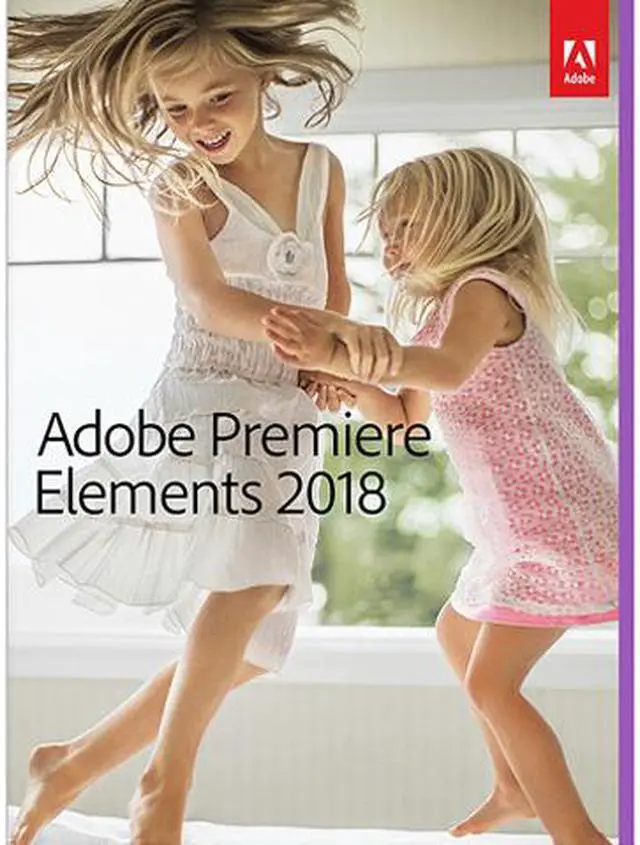

Adobe Premiere Elements 2018 for Windows & Mac - Download
- Hassle-free organization-Go from hundreds of mystery folders scattered across your computer to a visual view of your videos automatically sorted by date. Easily tag and find by people, places, and events.
- No-fear video editing-Smart Trim automatically finds and brings together the best scenes based on the style of your video. Auto-extract candid photos from your raw footage. Fix color and lighting, drag and drop for easy video creation, and get step-by-step help with creative techniques and effects.
- Stunning creations-Add style and polish with freeze frame motion titles, bounce-back effects, and dozens more titles, effects, transitions, and themes. Add music that can be remixed to match the length of your movie. And create animated GIFs* and social media posts.
- Shareable memories-Share with friends and family any way you like-via new dynamic slideshows, HDTVs, YouTube, Facebook, Vimeo, discs, and more.

Learn more about the Premiere Elements 2018 for Windows & Mac - Download
| Brand | Adobe |
|---|---|
| Model | 65281775 |
| Packaging | Download |
|---|---|
| Name | Premiere Elements 2018 for Windows & Mac - Download |
| Operating Systems Supported | Windows & Mac OS |
| System Requirements | Windows: 2 GHz or faster processor with SSE2 support; dual-core processor required for HDV or AVCHD editing; Intel Core i7 required for XAVC-S Microsoft Windows 7 with Service Pack 1, Windows 8, or Windows 10 (64-bit versions only) Microsoft DirectX 9 or 10 compatible sound and display driver Windows Media Player (required if importing/exporting Windows Media formats) Mac OS: 64-bit multicore Intel processor Mac OS X v10.11 through mac OS v10.13 For both Windows and Mac OS 4 GB of RAM 5 GB of available hard-disk space to install applications; additional 10 GB to download all optional content 1280x800 display resolution (at 100% scale factor) DVD-ROM drive (for installation from DVD) DVD burner required to burn DVDs Internet connection required for product activation and content download Adobe Premiere Elements supported import/export formats include: AVCHD (import only), DV-AVI (import/export on Windows, import only on Mac OS), DVD, H.264, HDV, MPEG-1 (import only), MPEG-2, MPEG-4, MP3, QuickTime, Windows Media (Windows only), and many more. Import/export of some formats may require activation via an Internet connection. Activation is fast, easy, and free. This product may integrate with or allow access to certain Adobe or third-party hosted online services. Online services are available only to users 13 and older and require agreement to additional terms of use and the Adobe Privacy Policy (see www.adobe.com/go/terms). Online services are not available in all countries or languages, may require user registration, and may be discontinued or modified in whole or in part without notice. Additional fees or subscription charges may apply. |
| Feature | ENHANCED Hassle-free organization Go from hundreds of mystery folders scattered across your computer to a visual view of your videos automatically sorted by date. Easily tag and find by people, places, and events. NEW Candid Moments Wish you'd been able to capture the moment with photos? Now you can automatically extract great photos from your raw video footage. NEW Smart Trim Automatically trim the bad and keep the good. Smart Trim finds and brings together the best scenes based on the style of your video. ENHANCED Guided Edits for fantastic results Ready to try more creative techniques and effects with your videos? Get step-by-step video editing help with 18 Guided Edits. NEW Guided Edit freeze frames with motion titles This Guided Edit walks you through the steps to create a freeze frame of the action and then add an eye-catching motion title. NEW Guided Edit create fun bounce-back effects Get step-by-step help making a segment of your video run forward and backward repetitively. Export your bounce-back effect as an animated GIF* or short video clip. NEW Guided Edit quickly fixes action cam footage Get a little guidance to expertly trim, correct color, and fix lens distortions in your action cam footage so it looks its best. NEW Guided Edit makes animated social posts Create a short visual story to share on social media by embellishing a video clip with either static or animated text. NEW Totally reimagined slideshows Slideshows are a fun way to showcase your photo and video memories. With one click, they automatically pick your best photos and bring them together with short video clips to create a stylish, animated slideshow that you can easily customize with different photos and clips as well as great-looking themes. |
|---|
| First Listed on Newegg | October 04, 2017 |
|---|
Warranty & Returns
Warranty, Returns, And Additional Information
Return Policies
- Return for refund within: non-refundable
- Return for replacement within: non-replaceable
- Read full return policy for details.
Manufacturer Contact Info
- Manufacturer Product Page
- Manufacturer Website
- Support Phone: 1-800-833-6687
- Support Website
- View other products from Adobe
Digital Download Disclaimer
- View full Digital Download Disclaimer
LOADING...