




 here!
here!
I’m your shopping assistant for PC builds, upgrades, and everything tech.
Got questions? Ask away!
Start a conversation
here!
I’m your shopping assistant for PC builds, upgrades, and everything tech.
Got questions? Ask away!
Start a conversation



Any questions? Ask CelesteSM will help you find out quickly.


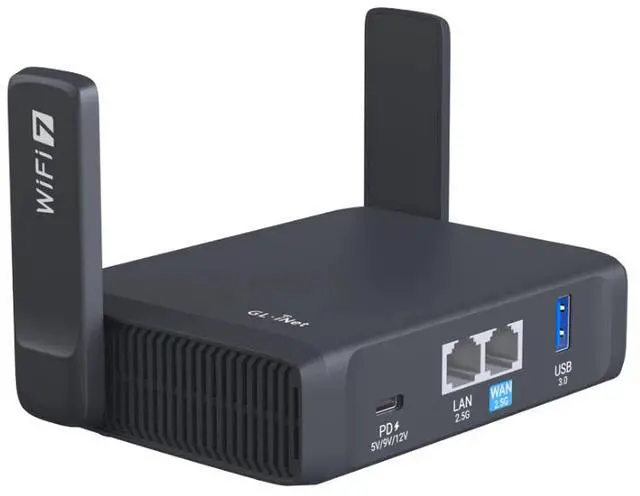
Slate 7 delivers faster speeds and more stable connections, ensuring you stay connected in any environment. Equipped with dual 2.5G high-speed ports, it offers lightning-fast network performance, perfect for demanding tasks such as streaming, gaming, and video calls. Its compact and portable design makes it the ideal choice for business trips and vacations, providing secure internet access wherever you go.
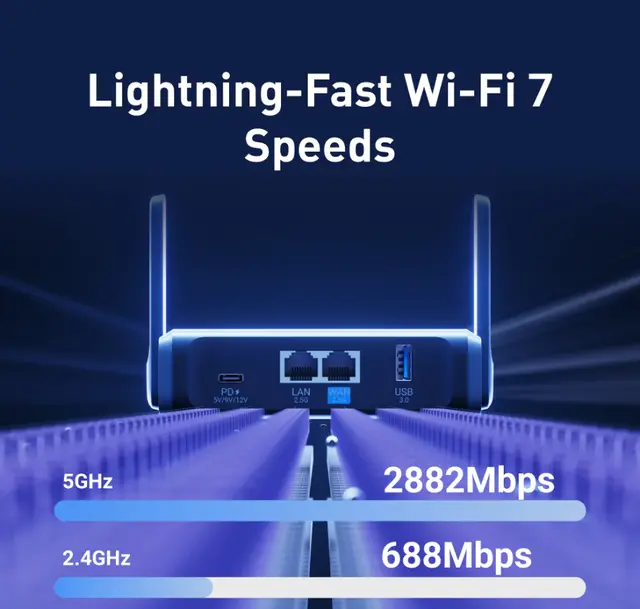
Max. 688 Mbps (2.4GHz) + 2882 Mbps (5GHz) Fast Wi-Fi Speeds
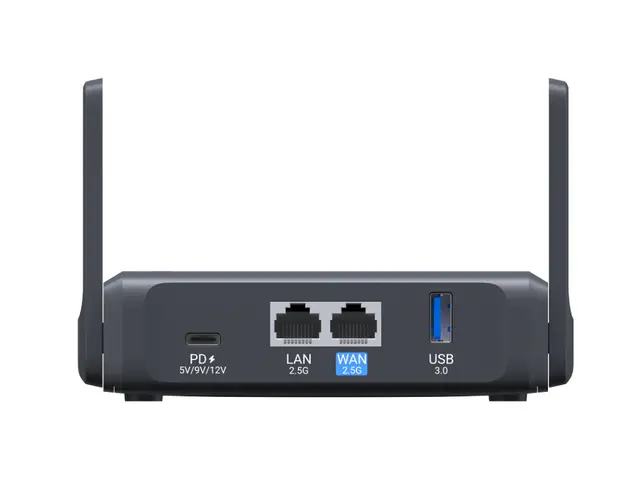
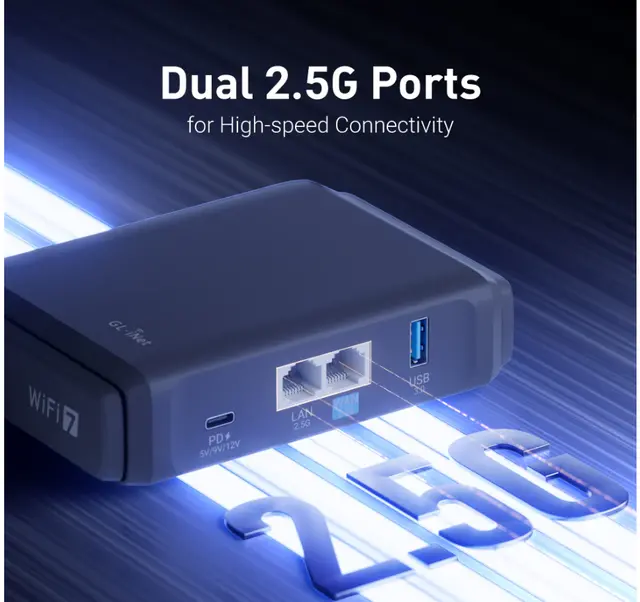
Dual 2.5G Ethernet Ports (1x WAN and 1x LAN Port)
OpenVPN-DCO speed up to 385 Mbps; WireGuard® speed up to 490 Mbps
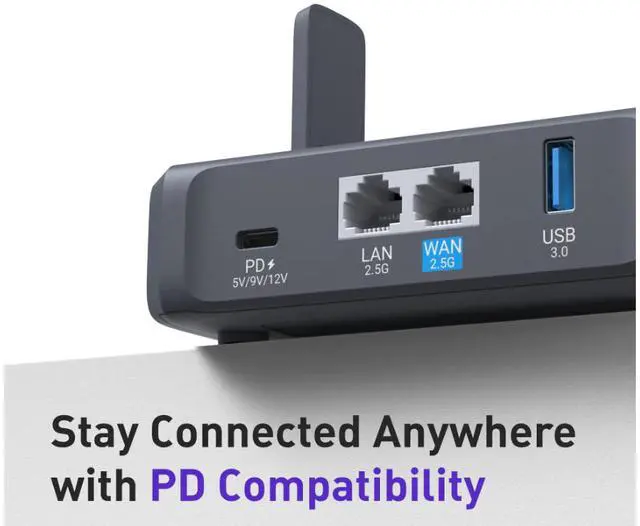
Supports Type-C power with PD Compatibility, Featuring a Lighter Adapter
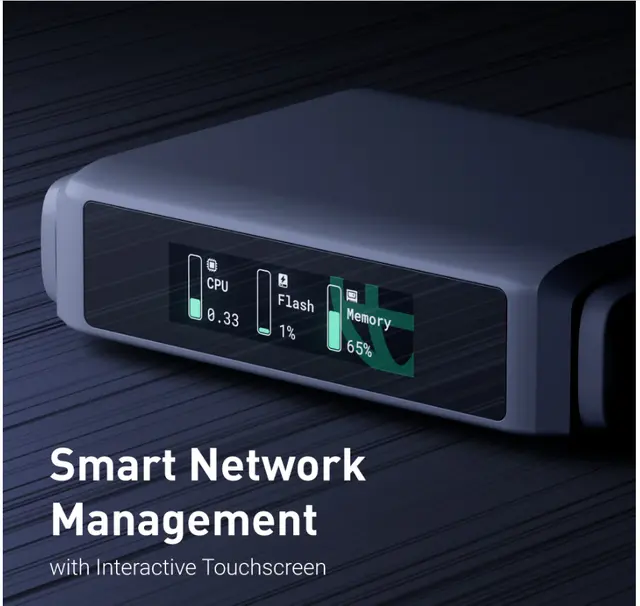
Interactive Touchscreen with Advanced Router Control Functionality
* Tests conducted on a local network. Real world speeds may differ depending on your network configuration.
* OpenVPN and WireGuard speeds will be slower when running the device as a server. Results above are in client mode.


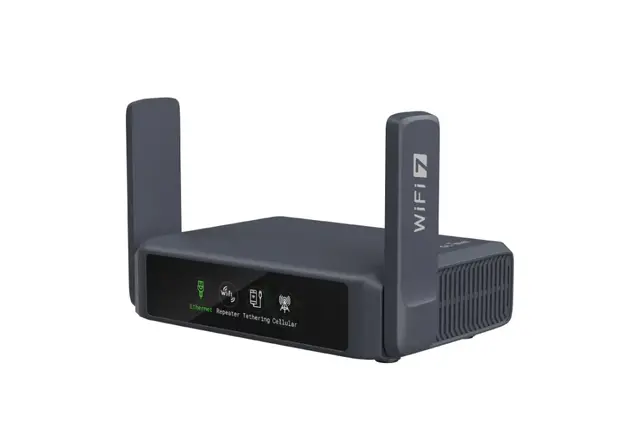
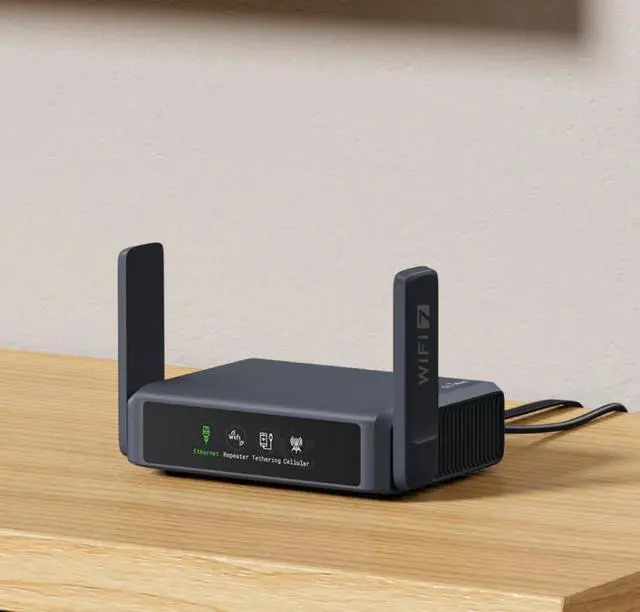
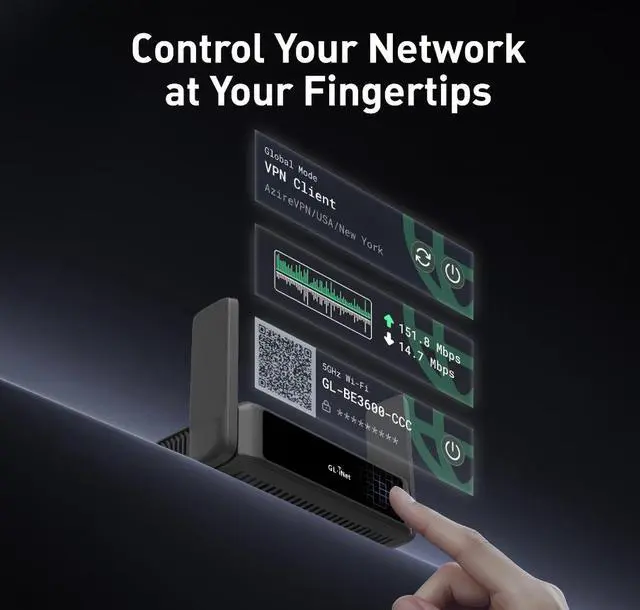
Slate 7 features an innovative touchscreen interface, revolutionizing the way you interact with your router. The intuitive touchscreen allows you to scan QR codes for quick Wi-Fi connections, while also enabling real-time speed monitoring, VPN on/off toggling, and switching between preferred VPN providers directly on the display. The screen provides instant network status updates through color-coded indicators for Ethernet, Tethering, Repeater, and Cellular modes, combining convenience and other advanced functionality to deliver a seamless, user-friendly experience for smarter network management.


Powered by Wi-Fi 7 technology, Slate 7 delivers speeds of up to 688 Mbps on 2.4GHz and 2882 Mbps on 5GHz, ensuring smooth 8K video streaming, secure access to public Wi-Fi while traveling, and efficient connectivity for business trips.
Measuring just 130 x 91 x 34 mm, its compact design makes it a convenient companion for seamless on-the-go internet access.

Slate 7 features a Type-C power interface with PD compatibility, paired with a lightweight adapter to enhance convenience and portability. With 1GB of DDR4 memory and 512MB of NAND Flash storage, the Slate 7 ensures smooth operation and ample space for essential configurations.

Slate 7 includes over 30 built-in VPN services, supporting OpenVPN-DCO (up to 385Mbps) and WireGuard@ (up to 490Mbps). This integrated VPN enhances security by encrypting your internet connection, safeguarding sensitive data from threats, and providing safe access to public Wi-Fi. It allows you to browse, stream, and communicate with peace of mind, no matter where your travels take you.


The Slate 7 (GL-BE3600) is a high-performance Wi-Fi 7 travel router, built with OpenWrt 23.05 (Kernel 5.4.213) for maximum customization and advanced networking capabilities.
With 1GB of storage, users can install a wide range of OpenWrt plugins, enabling features like ad-blocking, traffic monitoring, enhanced security, and custom network configurations.

Powered by advanced enhanced OFDMA technology, Slate 7 optimizes bandwidth by efficiently allocating resources across multiple devices, ensuring seamless data transmission with minimal latency. Whether in high-density environments or demanding applications, Slate 7 delivers stable, high-speed connectivity, making it the ideal solution for handling numerous connections without compromise.
Slate 7 exemplifies the future of wireless technology, offering blazing-fast speeds, diminished latency, and enhanced connectivity in crowded environments through advancements such as Multi-Link Operation (MLO), refined OFDMA, 4K QAM, and preamble puncture.
Slate 7 is designed for modern travelers, featuring PD protocol support for efficient power input. It seamlessly works with 5V/3A, 9V/3A, and 12V/2.5A power sources, ensuring compatibility with a wide range of devices. Paired with a lightweight adapter, this router combines ultimate portability and convenience, keeping you connected on the go without the burden of bulky power supplies.

With support for multiple devices, Slate 7 allows you to connect all your devices simultaneously without sacrificing performance. Additionally, by plugging in an external USB drive, you can create a private network to securely store and easily share photos and videos with your travel companions. Allowing you to maintain connectivity and effortlessly share your journey with others wherever you travel.

Slate 7 comes pre-installed with OpenVPN and WireGuard, supporting over 30 VPN services. It can be easily configured as either a VPN client or server, providing full flexibility. This feature enables remote workers and business travelers to securely connect to their internal networks from anywhere, access sensitive resources, and manage printers at home or in the office, all while maintaining control over their network IP address.

Slate 7 enables connections to servers in various regions, granting access to preferred websites that may be restricted in your current location. It effectively overcomes geographical limitations and provides the flexibility to explore a wider array of online content, ensuring you never miss out on your favorite entertainment options.

The Slate 7 (GL-BE3600) is the ultimate travel and home networking router. With its powerful hardware, flexible connectivity, and open-source firmware, it's the top choice for professionals, gamers, remote workers, and networking enthusiasts alike. But don’t just take our word for it-here are reasons why users want the Slate 7!
Enhance your connectivity with Slate 7-easily share documents by setting it up as a print server, bypass hotel Wi-Fi restrictions with captive portal handling, and build a mobile workstation for secure, high-speed internet anywhere.
Unlock endless possibilities with advanced networking-customize your setup with custom firmware and scripting, deploy it as a mini server for self-hosted apps, or extend your Wi-Fi coverage for seamless connectivity.
Build a seamless remote office with fast, secure connections, optimize bandwidth for VoIP and video calls, and set up a dedicated guest network for clients and partners.
Secure and streamline your network with powerful features-set up a VPN server at home and use Slate 7 as a VPN client for remote file access, monitor traffic with real-time analytics and QoS controls, and safeguard your privacy with DNS encryption and VPN protection.
Experience ultra-fast, lag-free connectivity-optimize QoS settings to reduce latency and packet loss, enjoy seamless gaming on the go, stream 8K videos, and power multiplayer gaming with Wi-Fi 7, all while connecting multiple devices without performance drops.
Stay connected on the road with reliable internet in your RV or campervan, share a single mobile data plan with fellow travelers, and effortlessly set up temporary networks for events and trade shows.


* Tests conducted on a Local Network. Real world speeds may differ depending on your network configuration.
* OpenVPN and WireGuard speeds will be slower when running the device as a server. Results above are in client mode.


Product Initial Setup Guide
Visit the User Guide page https://docs.gl-inet.com/router/en/4/user_guide/gl-be3600/ and choose the product model and specification required for setup from the options on the left-hand side of the page.
How to Set Up OpenVPN Client on GL.iNet Router
Navigate to the OpenVPN Client Configuration section https://docs.gl-inet.com/router/en/4/interface_guide/openvpn_client/, where you can follow the provided guide to effortlessly unlock NordVPN and OpenVPN settings, ensuring seamless VPN functionality.
How to Set Up WireGuard Client on GL.iNet Router
Visit the WireGuard VPN Client page https://docs.gl-inet.com/router/en/4/interface_guide/wireguard_client/ and refer to the guide to effortlessly configure settings for AzireVPN, Mullvad, and other WireGuard client features.
How to Connect to the Internet via an existing Wi-Fi by Repeater
Repeater https://docs.gl-inet.com/router/en/4/interface_guide/internet_repeater/ Mode Basic Setup Guide
How to Build Your Own WireGuard Home Server
Proceed to the Tutorials section https://docs.gl-inet.com/router/en/4/tutorials/build_your_own_wireguard_home_server_with_two_glinet_routers/ and refer to the guide to effortlessly complete the setup of your WireGuard Home Server.
How to do if Can't access web Admin Panel
Visit the FAQ page https://docs.gl-inet.com/router/en/4/faq/cannot_access_web_admin_panel/ and search for the "Can't access the web Admin Panel" section to find the specific reasons and solutions for this issue.
We want to ensure your holiday shopping this year is hassle-free. That’s why we’re automatically extending our return policies on almost every product! For purchases placed between November 1st, 2025 and December 31, 2025 you will have until January 31, 2026 to return your product.
The GL.iNet Slate 7 (GL-BE3600) is a pocket-sized dual-band Wi-Fi 7 travel router with rated wireless data rates of 688 Mbps on 2.4 GHz and 2,882 Mbps on 5 GHz, plus two 2.5G Ethernet ports. It suits travelers who want fast wired and wireless connectivity in hotels, RVs, or other temporary setups.
| Attribute | Value |
|---|---|
| Best For | Portable Wi-Fi and Ethernet access for travel, business trips, and mobile or recreational-vehicle use |
| Wireless Networking | Dual-band Wi-Fi 7 on 2.4 GHz and 5 GHz, with data rates up to 688 Mbps and 2,882 Mbps respectively; supports IEEE 802.11a/b/g/n/ac/ax/be |
| Wired Connectivity | One 2.5G WAN port and one 2.5G LAN port, plus USB 3.0; the LAN port supports 10/100/1000/2500 Mbps |
| Memory And Storage | 1 GB DDR4 memory and 512 MB NAND flash storage |
| Security And Network Features | WPA3, DNS over HTTPS, DNS over TLS, access point mode, guest mode, internet security, and QoS |
| Operating System | OpenWrt |
| Power | USB Type-C power input supporting 5V/3A, 9V/3A, or 12V/2.5A |
| Physical Design | Two foldable external Wi-Fi antennas; 130 × 91 × 34 mm and 295 g |
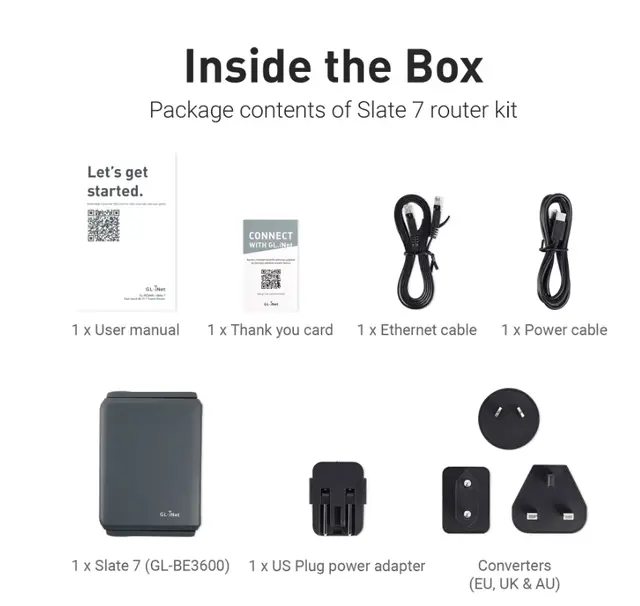
| Included Accessories And Warranty | Power adapter with US, UK, EU, and AU plugs, Ethernet cable, user manual, and a 2-year warranty |
| Compatible Devices | Personal computers, gaming consoles, and printers |
| Model Identifiers | GL.iNet Slate 7, model GL-BE3600; FCC ID 2AFIW-BE3600 |


