here!
here!
I’m your shopping assistant for PC builds, upgrades, and everything tech.
Got questions? Ask away!
Start a conversation
here!
I’m your shopping assistant for PC builds, upgrades, and everything tech.
Got questions? Ask away!
Start a conversation
Any questions? Ask CelesteSM will help you find out quickly.
Gigabyte Laptops for Work, Creativity, and Play
Explore Gigabyte laptop options across everyday, business, creator, and gaming designs. Processor, memory, storage, display, graphics, operating system, keyboard features, included accessories, and product condition vary by model. Review each listing title and specification table for the exact configuration included with your purchase.
Choose the configuration that fits how you work and play. Consider processor and memory for demanding applications, storage capacity for files and games, display size and refresh rate for your setup, and graphics capability for gaming or creative workloads. Review the individual listing for the operating system, connectivity, warranty information, condition, and included accessories.
Compare the Details That Matter
Each Gigabyte laptop listing represents a specific configuration. Before ordering, confirm the model number, processor, installed memory, storage, screen features, graphics, operating system, connectivity, keyboard features, accessories, warranty information, and condition shown in that listing.
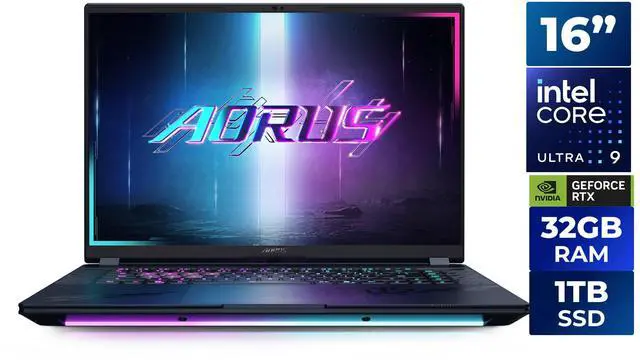
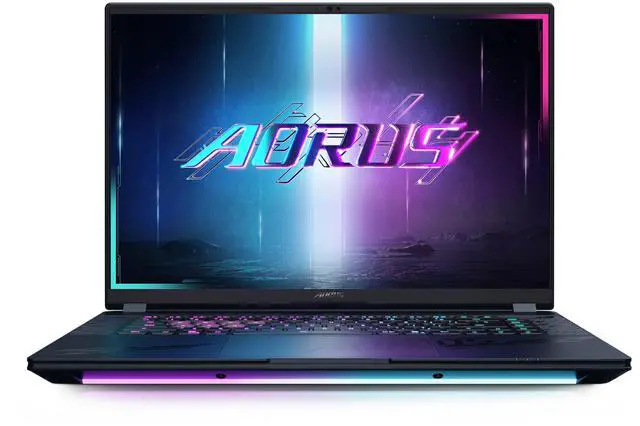
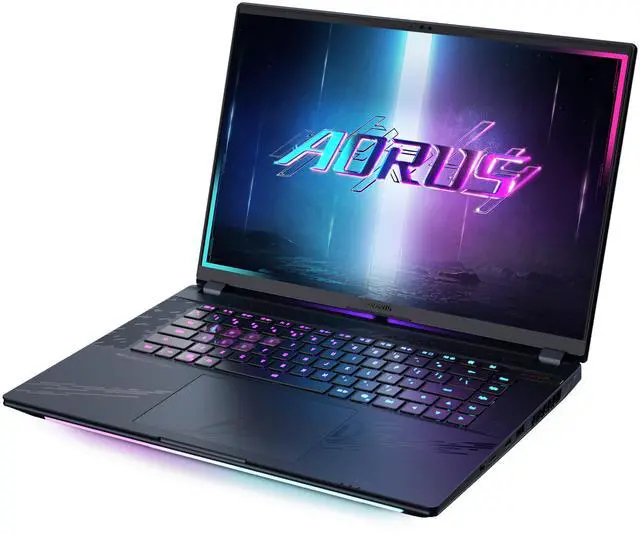
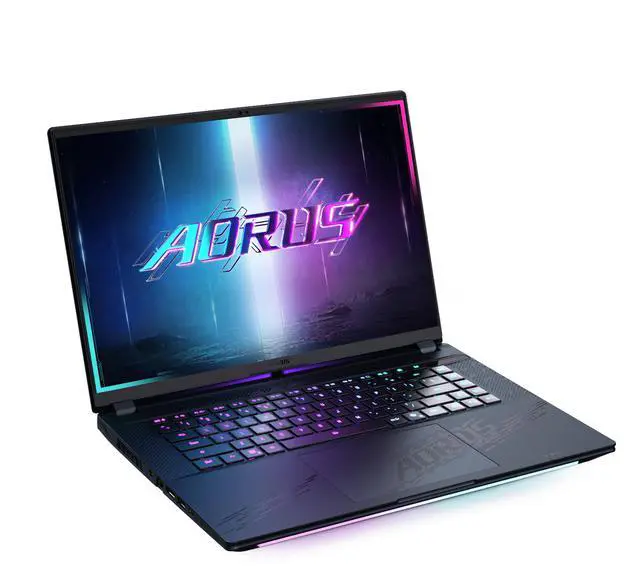
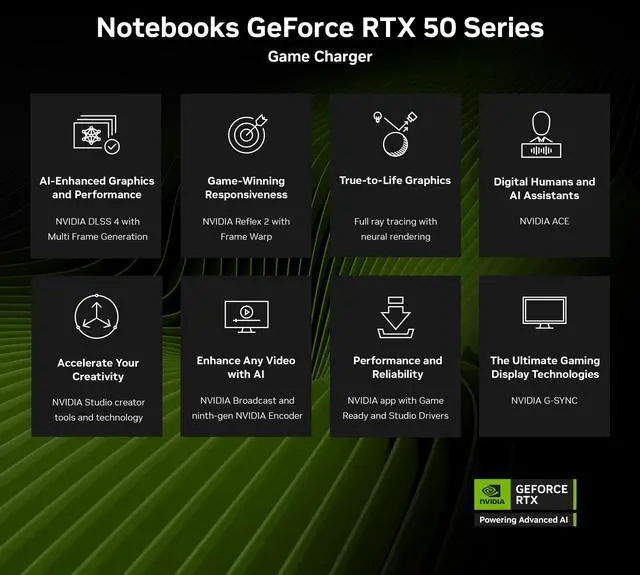
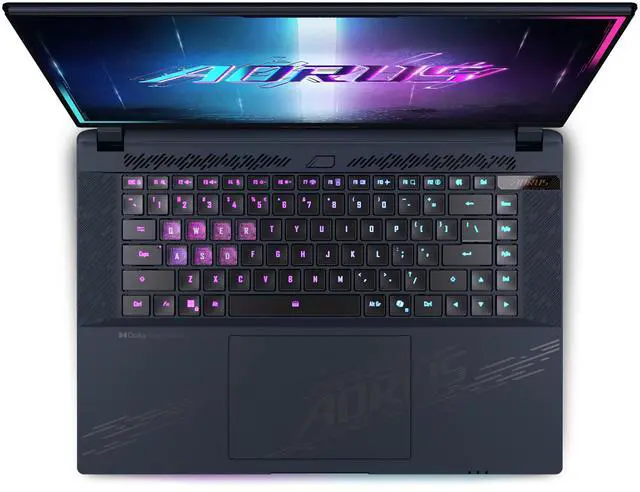
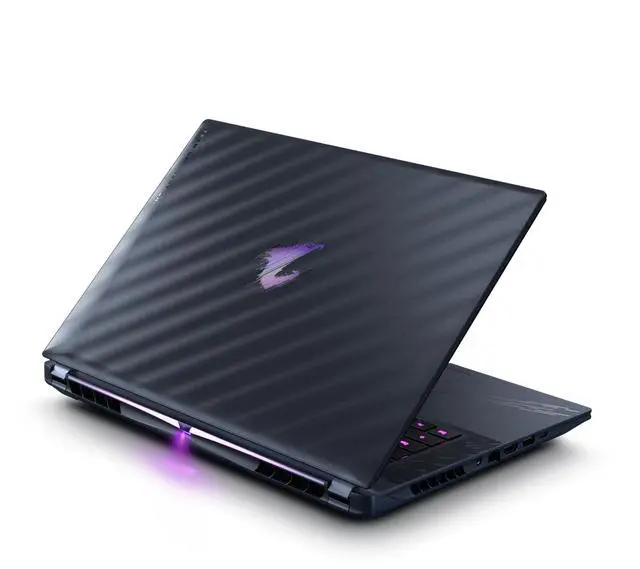
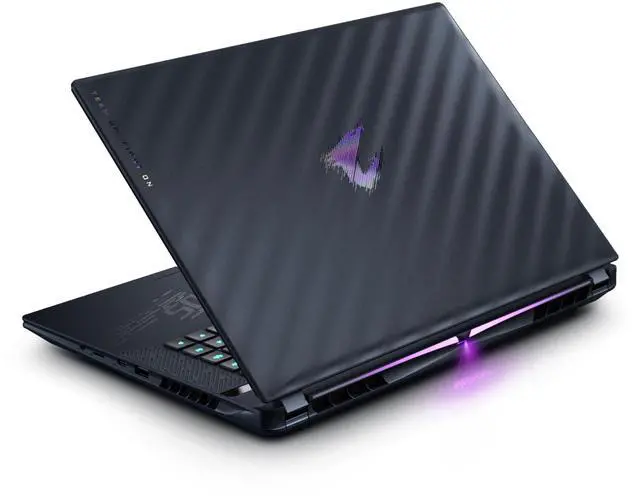
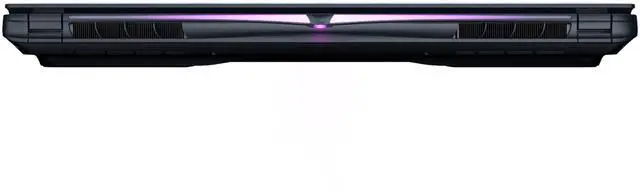
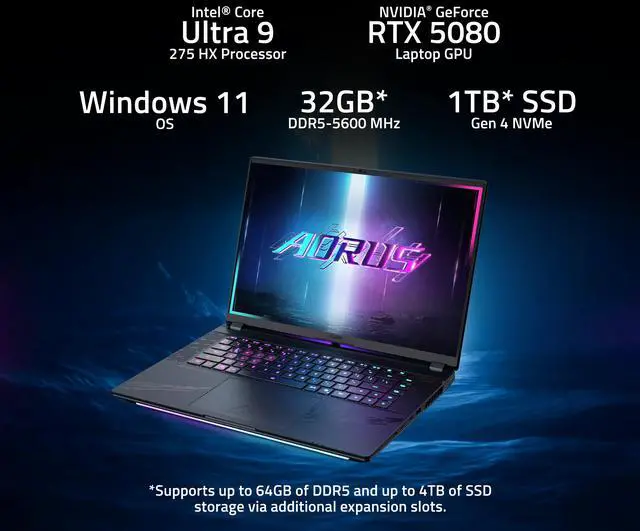
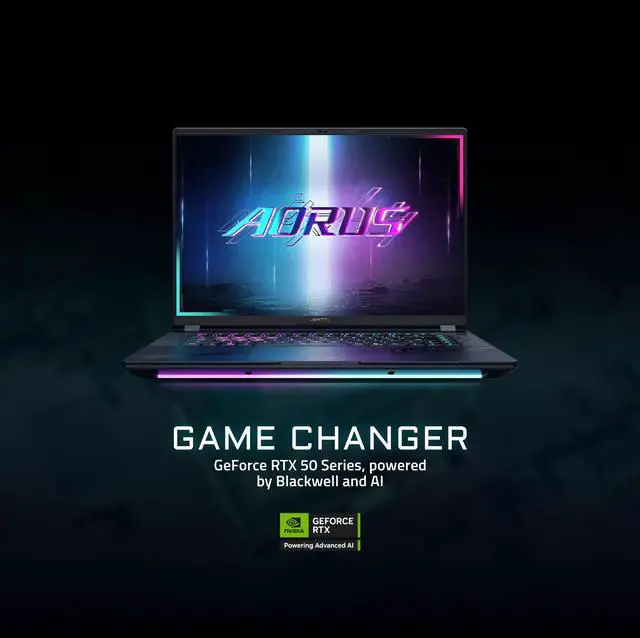
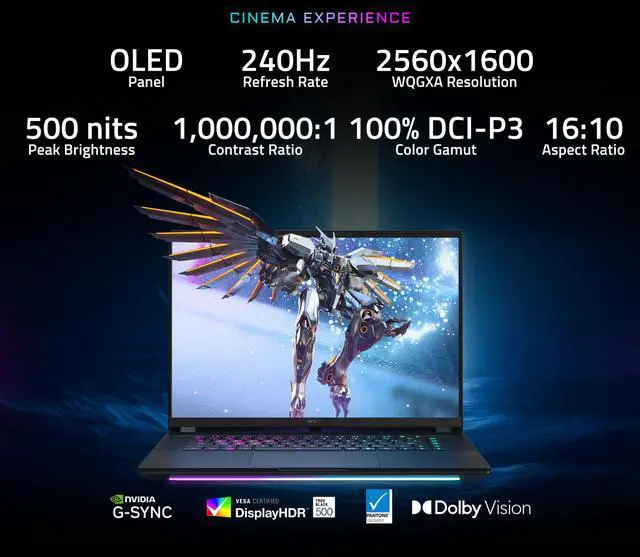
The GIGABYTE AORUS MASTER 16 is a 16-inch gaming laptop built for high-end gaming, 3D rendering, AI workloads, and heavy multitasking, combining an Intel Core Ultra 9 275HX, GeForce RTX 5080 Laptop GPU, 32GB DDR5 RAM, and a 240Hz 2560x1600 OLED display in a relatively portable 5.51 lb design.
| Attribute | Value |
|---|---|
| Best For | High-performance gaming and creative work including 3D/CAD rendering, AI/machine learning, art creation, heavy multitasking and programming |
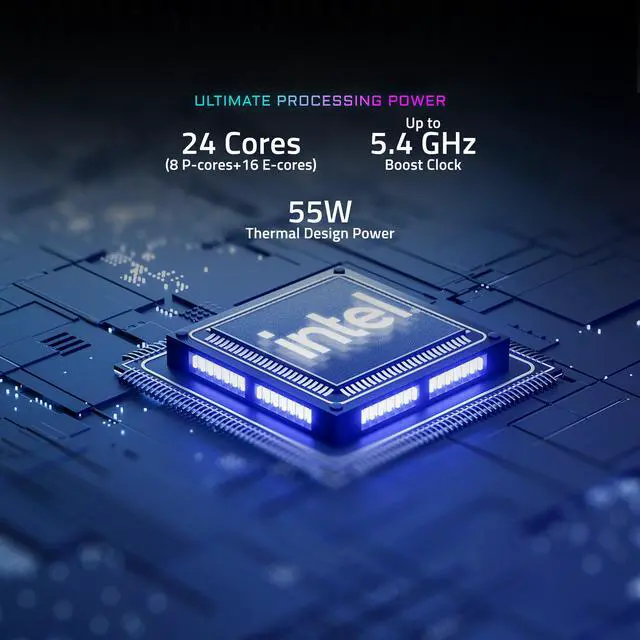
| Processor And Core Count | Intel Core Ultra 9 275HX — 24-core (8P + 16E) processor with listed 5.4 GHz speed and 40MB L2 / 36MB L3 cache |
| GPU And VRAM | NVIDIA GeForce RTX 5080 Laptop GPU with 16 GB dedicated video memory (GDDR7) for gaming and content-creation workloads |
| Display Spec | 16.0" 16:10 WQXGA OLED (2560 x 1600) 240 Hz panel, 100% DCI-P3, Pantone® validated, TÜV Rheinland-certified, Dolby Vision, NVIDIA Advanced Optimus and G-SYNC |
| Memory Configuration | 32 GB (16 GB x2) DDR5-5600 dual-channel installed; 4 SO-DIMM slots (2 available) and expandable up to 128 GB |
| Storage And Expansion | 1 TB PCIe NVMe M.2 SSD (Gen4) installed; M.2 expansion includes 1x PCIe Gen5 slot and three PCIe Gen4x4 slots for additional SSDs |
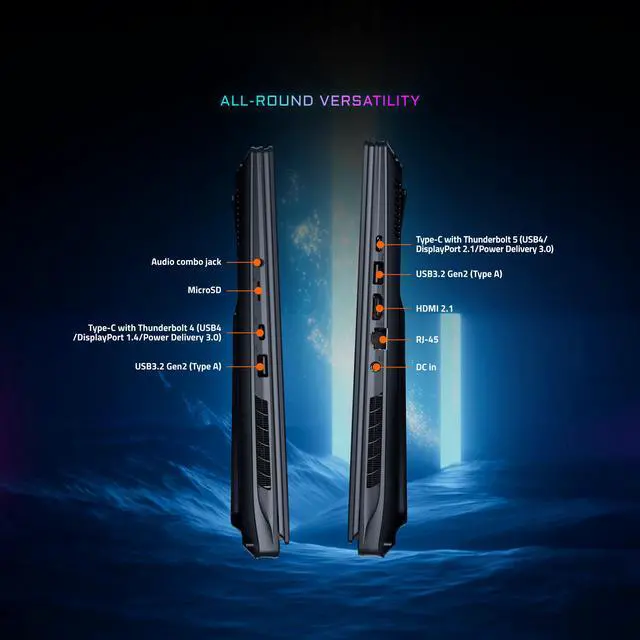
| High Speed I O | 2 × USB 3.2 Gen2 Type‑A ports, 2 × USB‑C/Type‑C with Thunderbolt (one TB5: USB4/DisplayPort 2.1/PD 3.0, one TB4: USB4/DisplayPort 1.4/PD 3.0), 1 × HDMI 2.1, microSD card reader, combo headphone/mic jack |
| Battery And Power | 99 Wh Li‑Polymer battery (8 cells) with 330W AC adapter included and up to 100W Power Delivery support; battery weight listed at ~450 g |
| Wired And Wireless Networking | Wi‑Fi 7 (802.11be) wireless and Bluetooth 5.4, plus Gigabit Ethernet (RJ‑45, 1 Gbps) for wired networking |
| Webcam And Privacy | Front FHD (1080p) IR webcam with built‑in array microphone and Windows Hello face authentication |
| Keyboard And Control | 3‑zone RGB backlit keyboard with up to 1.7 mm key travel, N‑Key support, QWERTY layout and clickpad touchpad |
| Audio Setup | 4 × 2W speakers with Dolby Atmos support, Smart Amp technology and built‑in microphone |
| Portability | Thin-and-light gaming chassis; dimensions 14.06" x 10.0" x 0.91–1.18" and weight ~5.51 lbs |
| External Display And Docking Fit | Thunderbolt ports provide DisplayPort (DP 2.1 via TB5, DP 1.4 via TB4) and HDMI 2.1 output for high‑refresh external monitors or Thunderbolt docks |
| Model Identifiers | GIGABYTE AORUS MASTER 16 (model AORUS MASTER 16 BYHC5USE64SH), 2025 release, Dark Tide color, Windows 11 Home Advanced |
Q: Should I buy the AORUS MASTER 16 with RTX 5080 or move up to the RTX 5090 version?
A: Choose the RTX 5080 AORUS MASTER 16 if you want near-flagship gaming performance without paying for the highest-tier GPU. Multiple reviews describe the AORUS MASTER 16 chassis as able to let the RTX 5080 perform very close to some RTX 5090 laptops in real games and creator workloads, especially when those thinner RTX 5090 systems run at lower power. Move to the RTX 5090 version mainly if you specifically want the extra VRAM headroom for heavier 3D, AI, or longer-term high-end use.
Q: Is the AORUS MASTER 16 RTX 5080 worth it over the RTX 5070 Ti model?
A: The RTX 5080 version is the better buy if you want this laptop for high-refresh 1600p gaming, heavier creator workloads, or more GPU longevity. The AORUS MASTER 16 line keeps the same core design across RTX 5070 Ti, 5080, and 5090 trims, but the RTX 5080 steps up to 16GB of VRAM and a higher-power GPU configuration, which gives it more room in demanding games and production tasks. The RTX 5070 Ti model makes more sense when price matters more than maximizing frame rates or VRAM capacity.
Q: How does the AORUS MASTER 16 RTX 5080 compare with a thinner laptop like the Razer Blade 16?
A: Pick the AORUS MASTER 16 if performance per dollar matters more than carrying comfort. Reviews consistently position it as a larger, heavier gaming laptop that uses its thicker cooling design to push the RTX 5080 hard, sometimes landing close to thinner RTX 5090 competitors in gaming results. Choose a thinner system like the Blade 16 if portability, lower weight, quieter day-to-day use, and better battery life are higher priorities than extracting the most performance from the chassis.
Q: Should I choose the AORUS MASTER 16 RTX 5080 or a rival 16-inch flagship like the HP OMEN MAX 16 or ASUS ROG Strix Scar 16?
A: The AORUS MASTER 16 is the stronger choice when you want a 16-inch flagship focused on GPU value, an OLED 240Hz panel, and very high gaming performance without automatically stepping into the most expensive class. Review coverage shows it trading closely with other premium 16-inch gaming laptops and even outperforming some costlier models in selected tests. A rival like the OMEN MAX 16 or Strix Scar 16 may make more sense if you prefer that brand's tuning, design, keyboard, software, or configuration options rather than maximizing value within this performance tier.
Q: Is the AORUS MASTER 16 a better fit for portable everyday use or for performance-first gaming?
A: The AORUS MASTER 16 is better matched to performance-first gaming. Its 240Hz 1600p OLED display, Core Ultra 9 275HX processor, and high-power RTX 5080 configuration make it a strong fit for demanding games and creator workloads. Reviews also note that it is relatively heavy for a 16-inch laptop, so buyers who travel often or want a slimmer daily-carry system may prefer a lighter alternative even if that means giving up some sustained GPU performance.
Q: Is this a good buy for gaming, 3D work, and AI workloads, or is it overkill for general use?
A: Yes for high-end gaming, 3D/CAD, and AI-assisted creative work; no for basic office or school use. This configuration combines an Intel Core Ultra 9 275HX, RTX 5080 Laptop GPU with 16GB GDDR7, 32GB DDR5, and a 240Hz 2560x1600 OLED display, so it is best suited to users who will actually use top-tier GPU and CPU performance. For web, documents, meetings, and light productivity, it is more machine, weight, heat, and charger than most buyers need.
Q: Can it work as a travel laptop for work, meetings, and note-taking?
A: It can, but it is not ideal if portability is the main priority. At 5.51 lbs with a 330W power adapter, this is still a performance-first 16-inch gaming laptop. It has the right features for work use, including a 1080p IR webcam with Windows Hello, Wi‑Fi 7, Thunderbolt 5, Thunderbolt 4, HDMI 2.1, and a 99Wh battery, but buyers should expect a heavier carry and better results when plugged in than with an ultraportable or business laptop.
Q: Is it good for office work and meetings, or mainly for gaming?
A: It can handle office work and meetings easily, but it is built mainly for gaming and heavy creative workloads. The laptop includes a 1080p IR webcam, built-in microphone array, Windows Hello face authentication, OLED display, and strong connectivity, so it will be excellent for video calls, multitasking, and content viewing. The trade-off is that you are paying for a much stronger GPU and cooling system than typical office users need.
Q: How upgrade-friendly is it compared with similar thin 16-inch OLED laptops?
A: It is more upgrade-friendly than many premium thin OLED competitors. This AORUS MASTER 16 ships with 32GB as 2x16GB DDR5, has 4 total memory slots with 2 available, supports up to 128GB RAM, and uses M.2 SSD storage. That makes it a stronger fit for buyers who want to expand memory later. By comparison, some competing 16-inch OLED laptops discussed on retail Q&A pages use soldered memory or have fewer practical upgrade options.
Q: What are the main trade-offs versus a slimmer alternative like the ASUS Zephyrus G16 or MSI Stealth 16?
A: The AORUS MASTER 16 trades portability for higher-end performance and expansion headroom. Its RTX 5080 Laptop GPU, Core Ultra 9 275HX, 240Hz OLED panel, 32GB RAM, and stronger upgrade path make it the better choice for buyers prioritizing maximum gaming or creator performance. Slimmer alternatives are often easier to carry and may feel more practical for mixed work-and-travel use, but they can give up GPU tier, socketed memory, or overall thermal headroom.
Q: Is the AORUS MASTER 16 a good buy if I want top-tier gaming performance without stepping up to an RTX 5090 laptop?
A: Yes, if your priority is high-end gaming performance and you do not need the absolute top mobile GPU tier. Reddit and YouTube review discussions around the AORUS MASTER 16 repeatedly focus on it as a strong RTX 5080-class machine with a fast 240Hz OLED display and desktop-class Intel Core Ultra 9 275HX CPU. Based on the product specs, it is best suited to buyers who want premium gaming, creator workloads, or GPU-heavy work, but are comfortable with a larger 5.51 lb chassis and gaming-laptop trade-offs.
Q: Who is the AORUS MASTER 16 best for?
A: It is best for users who want one laptop for demanding gaming and heavy productivity. The provided specs fit workloads like 3D rendering, programming, AI or machine learning experimentation, video editing, and multitasking: Core Ultra 9 275HX, RTX 5080 Laptop GPU with 16GB VRAM, 32GB DDR5, and a 16-inch 2560x1600 240Hz OLED panel. It is less ideal for buyers who mainly want a simple office laptop, long unplugged use, or a subtle design.
Q: Is the AORUS MASTER 16 good for travel or everyday carry?
A: Only if performance matters more than portability. At 5.51 lbs with a 330W charger, this is closer to a transportable high-performance laptop than a lightweight daily carry. The 99Wh battery is large for the category, but the hardware class and OLED 240Hz panel mean it is still better suited to desk use, commuting between fixed locations, or travel where you expect to plug in regularly.
Q: What are the main trade-offs of choosing the AORUS MASTER 16?
A: The main trade-offs are portability, design subtlety, and likely value sensitivity at the high end. Community discussion around this model often centers on whether the strong performance outweighs concerns such as size, gamer styling, software tuning, and whether competing laptops feel more premium. From the provided specs, the upside is clear: powerful CPU and GPU, OLED 240Hz display, upgradeable memory, and modern connectivity. The trade-off is that it is a performance-first gaming laptop, not a thin, quiet, understated, or budget-focused machine.