Sponsored Products
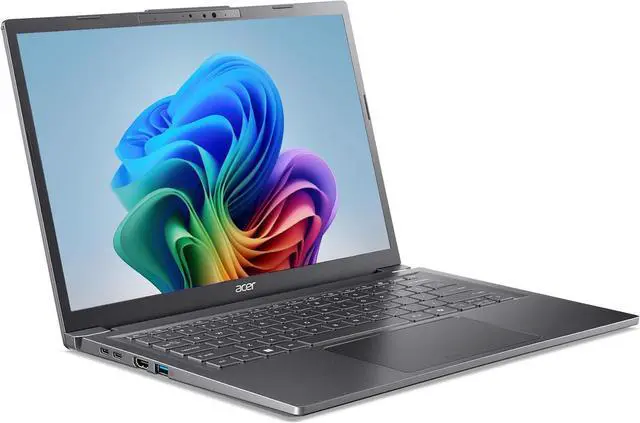
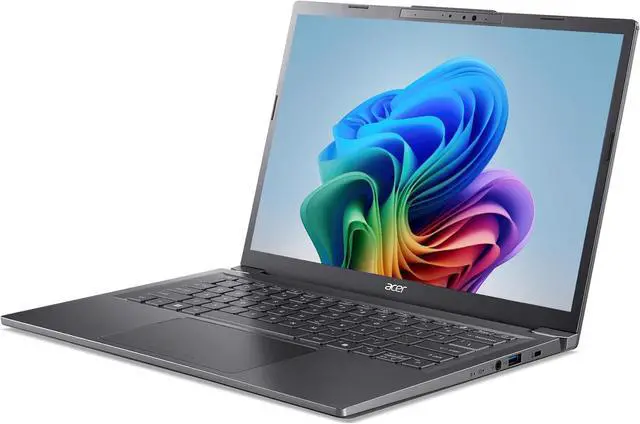
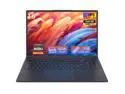
Acer Aspire Go 15 15.6" AMD Ryzen 7 5825U 48GB DDR4 Memory DDR4 3200 512GB PCIe Gen4 SSD Windows 11 Home AG15-42P-R6GZ
- AMD Ryzen 7 5825U
- 48GB DDR4 Memory / 512GB PCIe Gen4 SSD
- AMD Radeon Graphics
- Non-Touch Screen
- 1920 x 1080
- Windows 11 Home
Any questions? Our AI mode will help you find out quickly.
Warranty & Returns
Warranty, Returns, And Additional Information
Warranty
- Limited Warranty period (parts): 1 year
- Limited Warranty period (labor): 1 year
- Read full details
Return Policies
- Return for refund within: 15 days
- Return for replacement within: 15 days
- This item is covered by Newegg.com's 15-Day Return Policy.
- Read full return policy for details.
Manufacturer Contact Info
- Manufacturer Product Page
- Manufacturer Website
- Support Phone: 1-800-816-2237
- Support Website
- View other products from Acer America
Learn about this product
The Acer Aspire Go 15 AG15-42P-R6GZ is a 15.6-inch FHD IPS laptop with an AMD Ryzen 7 5825U, 48GB DDR4 memory, and a 512GB PCIe Gen4 SSD, making it a strong fit for students, home users, and office multitaskers who want lots of RAM for heavy browser, productivity, and everyday work loads.
Recommended For
- Students or home users who keep many browser tabs, Office apps, PDFs, and video calls open at once, and want a 15.6-inch Windows laptop with a numpad and full-size ports instead of a smaller ultraportable.
- Remote workers and small-business users doing spreadsheets, email, web apps, and light multitasking who still need practical connectivity like USB-C, HDMI, and RJ-45 without moving to a business-class laptop.
- Buyers who want a budget-friendly desktop replacement for everyday use at home, with enough memory overhead for multitasking now and an extra M.2 slot for future storage expansion.
- People who travel occasionally for work but do not want to carry a heavy gaming laptop, and mainly need battery-conscious productivity, coding, media playback, or remote access to a more powerful desktop.
Real-World Use Scenarios
- Running everyday work or school tasks with many browser tabs, Office apps, email, and a video call at the same time is a realistic fit. In practice, users should expect smooth general multitasking and fast app launches, with the large 48GB memory setup leaving plenty of headroom for heavy tab use and multiple open documents.
- Using it as a home office laptop with Zoom or Teams, spreadsheets, document editing, and an external monitor is a common real-world scenario. The port selection makes this straightforward without a dock, and performance is well suited to routine business, admin, and remote-work workloads; the main compromise is a basic 720p webcam.
- For students or home users who want one laptop for writing papers, research, streaming, and light photo work, this model is a practical all-rounder. It should feel responsive for classwork and media use, but it is better matched to general productivity than to color-critical creative work or demanding editing.
- Light gaming is a reasonable secondary use, such as older esports titles, indie games, or less demanding 3D games at modest settings. Users should expect casual playability rather than gaming-laptop performance, and newer AAA games or higher settings will quickly run into the limits of the integrated Radeon graphics.
- Basic content creation is workable when the goal is simple photo edits, short 1080p clips, or hobby projects with light effects. It is not a strong match for heavier video production, 3D work, CAD, or workflows that expect dedicated graphics, so larger projects will take longer and feel constrained.
- Working away from a desk for part of the day is realistic, especially for classes, meetings, or coffee-shop productivity. The sub-4-pound chassis helps portability, but buyers should plan around decent rather than standout battery life, especially if they keep brightness up, stay on Wi-Fi, and juggle multiple apps.
Spec Summary
| Attribute | Value |
|---|---|
| Best For | Everyday home, personal and mainstream work use on a 15.6" FHD IPS laptop with an 8-core Ryzen 7 processor, large 48GB DDR4 memory and a PCIe Gen4 SSD — suited for multitasking, productivity and multimedia workflows |
| Processor And Core Count | AMD Ryzen 7 5825U 8-core processor (part of the Ryzen 7/5000 series) with L2 4MB and L3 16MB cache; single CPU installed |
| Clock Speed | Processor reported at 2 GHz (as listed by external attributes) |
| GPU And VRAM | Integrated AMD Radeon Graphics using shared system memory (no discrete video RAM listed) |
| Display Spec | 15.6" FHD (1920 x 1080) IPS non-touch widescreen display |
| Memory Configuration | 48GB DDR4-3200 installed (configured as 16GB + 32GB SO-DIMM); system has 2 SODIMM slots and shows 0 available slots |
| Storage And Expansion | 512GB PCIe Gen4 SSD (PCIE x4) with 2x M.2 slots total and 1 M.2 slot available for expansion |
| High Speed I O | 1x USB-C (USB 3.2 Gen 2) with DisplayPort and Power Delivery up to 65W, plus 3x USB 3.2 Gen 1 ports (4 total USB 3.x), HDMI 2.1 with HDCP, 1x RJ-45 1Gbps Ethernet, headphone/microphone combo jack, Kensington lock and DC-in |
| Battery And Power | 65W AC adapter included; built-in Lithium‑ion battery (external attribute lists 51.6 Wh and 1 battery/cell included); USB-C supports charging/Power Delivery up to 65W |
| Wired And Wireless Networking | Wireless LAN listed as 802.11ac with Bluetooth 5.1 and wired Gigabit Ethernet (internal entries also list Wi‑Fi generation tag Wi‑Fi 6) |
| Webcam And Privacy | HD webcam (1280 x 720) with Blue Glass Lens and Acer TNR |
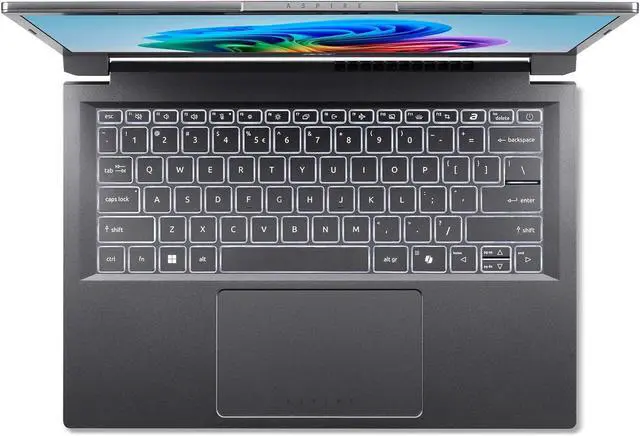
| Keyboard And Control | Backlit keyboard with a Precision touchpad supporting gestures |
| Audio Setup | Dual stereo speakers and dual microphones with Acer PurifiedVoice and AI noise reduction |
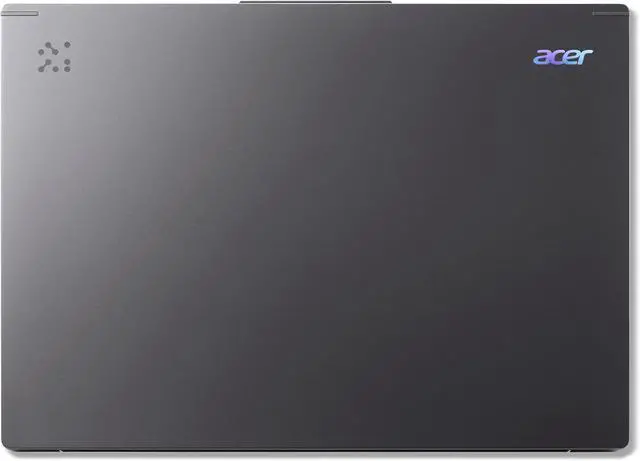
| Portability | Dimensions 14.29" x 9.5" x 0.53"–0.78" and weight 3.92 lbs in Steel Gray finish |
| External Display And Docking Fit | Supports external displays via USB-C DisplayPort and HDMI 2.1; USB-C also supports charging/PD which can be used with USB-C docks that accept DisplayPort over USB-C |
| Model Identifiers | Acer Aspire Go 15 AG15-42P-R6GZ (NX.JQJAA.002) — Windows 11 Home, Steel Gray, Aspire Go 15 series |
Reference Q&A
Q: Should I buy the Acer Aspire Go 15 with Ryzen 7 5825U or a Ryzen 5 5625U laptop?
A: Choose the Aspire Go 15 with Ryzen 7 5825U if you regularly multitask, keep many browser tabs open, run office apps alongside video calls, or want more headroom for light content creation. The 5825U has 8 cores and 16 threads, while the Ryzen 5 5625U has 6 cores and 12 threads, so the Ryzen 7 model is the better fit for heavier everyday productivity. A Ryzen 5 5625U system is the better choice when price matters more than peak multitasking speed and your workload is mainly web, documents, streaming, and schoolwork.
Q: Is the Acer Aspire Go 15 Ryzen 7 5825U a better buy than a newer Ryzen 7 7730U laptop?
A: Usually, choose based on the full laptop design rather than the processor name alone. Ryzen 7 7730U and Ryzen 7 5825U are widely treated as very close in CPU and integrated graphics performance because both are 8-core Zen 3 chips with Radeon Vega graphics. If the Acer Aspire Go 15 is priced lower or gives you more memory or storage, it is often the smarter value. A Ryzen 7 7730U laptop becomes the better pick when it also includes meaningful extras such as a better display, larger battery, lighter chassis, or quieter cooling.
Q: Should I choose this Acer Aspire Go 15 or a thinner 14-inch laptop for travel and commuting?
A: Choose the Aspire Go 15 if screen space, a full-size work setup, and built-in ports matter more than minimum carry weight. Its 15.6-inch FHD IPS display, RJ-45 Ethernet, HDMI 2.1, and multiple USB ports make it a practical home, school, and desk-first laptop. A thinner 14-inch laptop is the better choice if you carry your system daily, work in tight spaces, or want a more compact bag-friendly size. The trade-off is usually less screen area and sometimes fewer ports.
Q: Is this Aspire Go 15 a better fit than a higher-performance H-series or gaming laptop?
A: Choose the Aspire Go 15 if your priority is everyday work, browsing, remote meetings, and light creative tasks in a simpler and more efficient package. The Ryzen 7 5825U is a U-series processor designed for thin-and-light productivity laptops, and the integrated Radeon graphics are suitable for basic graphics work and light gaming. An H-series or gaming laptop is the better choice if you need sustained performance for video editing, 3D work, software builds, or modern games, because those systems usually bring higher power limits and stronger graphics.
Q: Is this a good laptop for office work, note-taking, video meetings, and many browser tabs?
A: Yes for mainstream work. The Ryzen 7 5825U is an 8-core processor, 48GB RAM is far above normal office needs, and the laptop includes a backlit keyboard, 720p webcam, dual microphones, and Windows 11 Home. It is a strong fit for documents, web apps, spreadsheets, email, Zoom or Teams, and heavy multitasking. The main trade-off is that it is still an everyday laptop with integrated Radeon graphics, so it is not meant for demanding 3D workloads or workstation-class creative tasks.
Q: Is it worth buying as a travel work laptop?
A: Yes if you want a larger-screen travel work device rather than the smallest carry-on laptop. At 3.92 lb with a 15.6-inch display, it is portable enough for commuting, hotel work, and campus use, and it includes useful travel ports such as USB-C with DisplayPort and charging, HDMI, and RJ-45 Ethernet. The trade-off is size: it is less compact than a 13-inch or 14-inch model, so it is better for people who want screen space and full-size connectivity more than ultra-light mobility.
Q: Who is this laptop best suited for?
A: It is best suited for home users, students, remote workers, and buyers who want a value-focused 15.6-inch Windows laptop with unusually high memory capacity. It makes the most sense for productivity, web-based work, light coding, media playback, and routine multitasking. It is less suitable for shoppers who specifically need a touchscreen, premium color-accurate display, dedicated graphics, or a lighter ultraportable design.
Q: Is this better than a similar touchscreen alternative like the Lenovo IdeaPad Slim 3 Ryzen 7 5825U?
A: It depends on your priority. This Acer configuration is stronger for multitasking because 48GB RAM is much higher than the 16GB commonly found on similar retail models, and it also includes RJ-45 Ethernet plus a second M.2 slot with one slot available for storage expansion. A comparable Lenovo IdeaPad Slim 3 can be the better choice if you specifically want a touchscreen. In short: choose this Acer for memory headroom and connectivity; choose the touchscreen alternative if touch input matters more.
Q: Can it handle an external monitor setup and basic non-gaming home office use?
A: Yes. It should work well for a standard home office setup because it has HDMI 2.1 plus USB-C with DisplayPort support, which is the kind of connectivity buyers often ask about for external displays. For everyday non-gaming use, the integrated Radeon graphics are fine for office apps, streaming, and general productivity. The trade-off is graphics power: this is not the right choice if your main goal is modern gaming or GPU-heavy creative software.
Q: Is the Acer Aspire Go 15 with Ryzen 7 5825U a good buy for everyday work and study?
A: Yes, if you want a low-cost 15.6-inch laptop for office work, web use, video calls, note-taking, and many browser tabs. The Ryzen 7 5825U is an 8-core processor, 48GB RAM is unusually high for this class, and the laptop includes practical ports like USB-C, HDMI, and Ethernet. The trade-off is that it is still an entry-level Aspire Go model with integrated graphics and a basic HD webcam, so it fits productivity better than creative or graphics-heavy workloads.
Q: Who is this laptop suitable for, and who should skip it?
A: It is suitable for students, home users, remote work, document-heavy tasks, browsing, streaming, and general multitasking. It is less suitable for buyers who need strong gaming performance, video editing acceleration, 3D work, or software that expects dedicated graphics memory. The main reason is that this model uses integrated AMD Radeon graphics with shared memory rather than a discrete GPU.
Q: Is the Acer Aspire Go 15 good for travel or carrying around every day?
A: It is reasonable for portable daily use, but it is not an ultralight. At 3.92 lb with a 15.6-inch display, it is easier to carry than many older 15-inch laptops, while still giving a larger screen for work. It makes more sense for commuters, school, and home-to-office use than for buyers who want the lightest possible travel laptop.
Q: What are the main trade-offs of buying this Aspire Go 15 configuration?
A: The biggest advantages are CPU value, very high RAM capacity for multitasking, and a useful port selection. The trade-offs are more typical budget-laptop areas: integrated graphics, a 720p webcam, no touchscreen, and a platform that community discussions often frame as more value-focused than premium in build and finish. Buyers choosing it should be prioritizing productivity and capacity over display, camera, gaming, or premium-material expectations.
Q: Should I buy this model if long-term reliability is my top concern?
A: Only with some caution. Reddit discussions about Aspire Go 15 models include repeated complaints about charging or no-power failures, although those posts cover multiple Aspire Go 15 variants rather than this exact SKU. That does not prove this specific configuration is unreliable, but if reliability and support experience matter more than specs per dollar, it is reasonable to compare warranty terms and return policy closely before buying.