




 here!
here!
I’m your shopping assistant for PC builds, upgrades, and everything tech.
Got questions? Ask away!
Start a conversation
here!
I’m your shopping assistant for PC builds, upgrades, and everything tech.
Got questions? Ask away!
Start a conversation Hot Seller Hot Seller




Any questions? Ask CelesteSM will help you find out quickly.
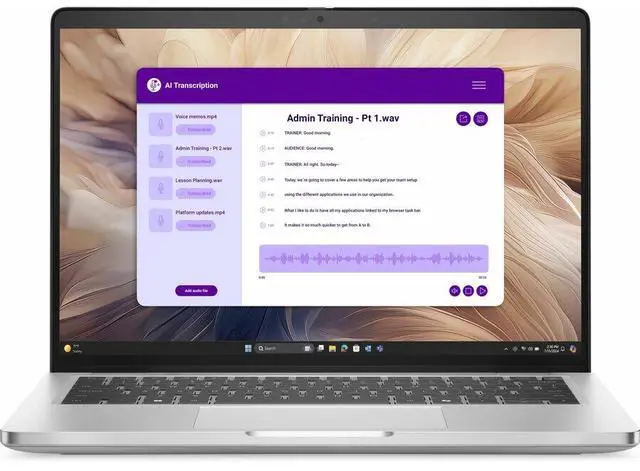
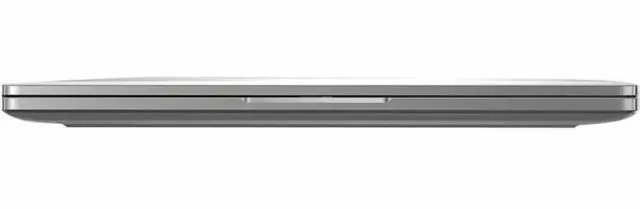
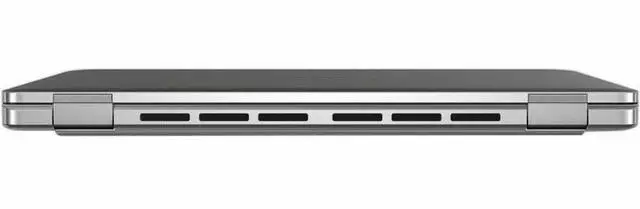
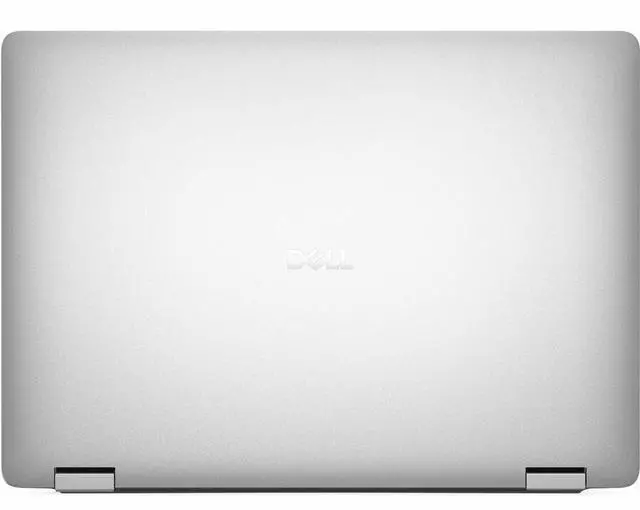
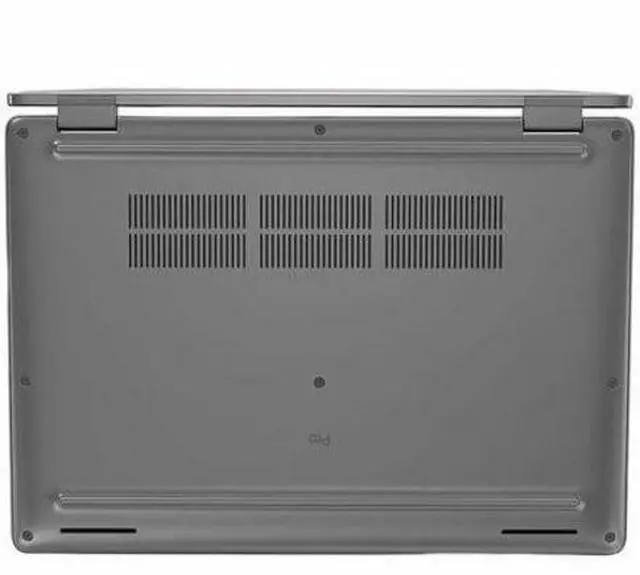
The Dell Pro 14 Plus PB14250 is a 14-inch business laptop with an Intel Core Ultra 5 235U, 16GB DDR5 memory, 512GB SSD, Windows 11 Pro, and vPro, making it a strong fit for professionals who want a portable work system for productivity, video meetings, and everyday office multitasking.
| Attribute | Value |
|---|---|
| Best For | 14" Windows 11 Pro notebook for professionals and everyday users who need a portable productivity laptop with an Intel Core Ultra 5 CPU, 16GB DDR5 RAM, and a 512GB SSD |
| Model Identifiers | DELL Pro 14 Plus PB14250 (part number PFX0J), manufacturer Dell Technologies, model name Pro 14 Plus |
| Processor And Core Count | Intel Core Ultra 5 235U (13th Gen) — 2.0 GHz base, up to 4.9 GHz turbo; single-processor configuration |
| Memory Configuration | 16GB DDR5 (installed), DDR5 SDRAM technology |
| Storage And Expansion | 512GB solid-state drive (M.2 form factor, M.2 interface) |
| GPU And VRAM | Integrated Intel Graphics (integrated video processor); no dedicated VRAM specified — graphics use system DDR5 memory |
| Display Spec | 14.0" FHD+ IPS display (1920 x 1200 native), 60 Hz refresh rate, capacitive touch input, anti-glare coating, up to 300 nits brightness and ~45% NTSC color gamut |
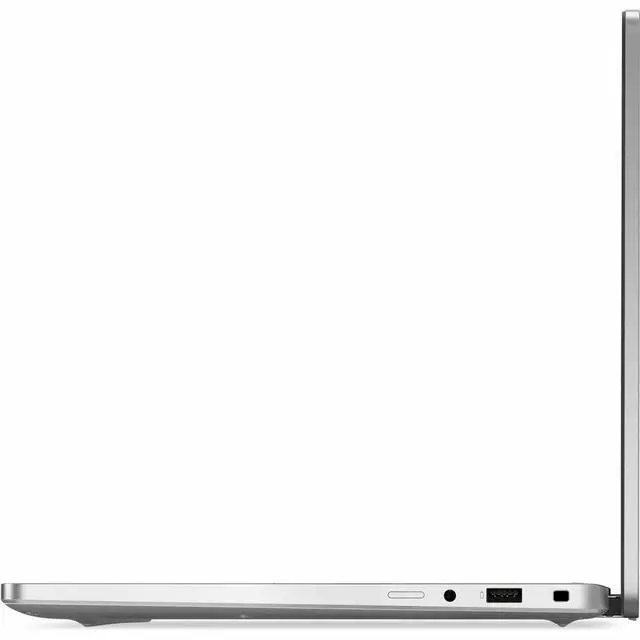
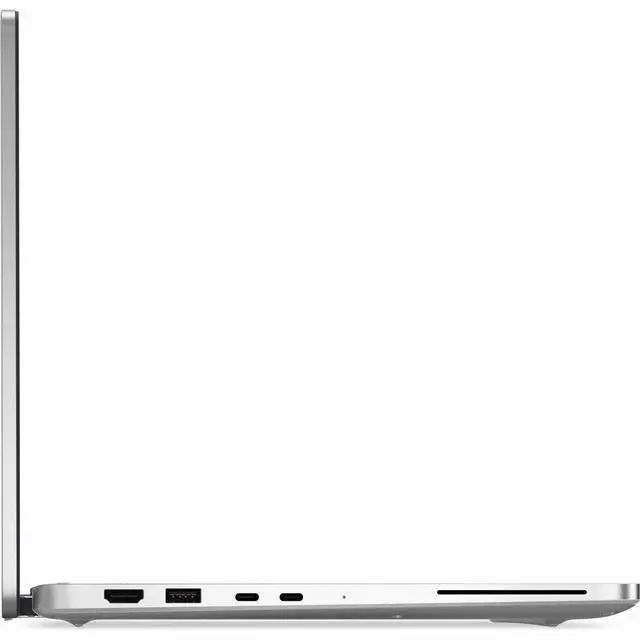
| High Speed I O | 2 Thunderbolt ports, 1 HDMI port, 2 total USB ports (types not specified), video output via HDMI |
| External Display And Docking Fit | Two Thunderbolt ports plus one HDMI output for connecting external displays or docks |
| Wired And Wireless Networking | Wi‑Fi 6 (802.11ax), Bluetooth wireless, and Gigabit Ethernet LAN port |
| Battery And Power | 3-cell lithium polymer battery (3 cells), 4000 mAh capacity, rated battery life 18 hours |
| Webcam And Privacy | Front-facing webcam included |
| Keyboard And Control | Full-size keyboard with touchpad |
| Dimensions And Weight | 0.79" x 12.3" x 8.8"; weight approximately 3.09 lb (item display 3.1 lb) |
| Software And Edition | Windows 11 Pro |
| Package Content | Includes Pro 14 Plus PB14250, AC adapter, standard battery, power cord, documentation, and quick start guide |
| Other Features | AI Boost feature, ExpressCharge and ExpressCharge Boost, anti-glare coating, capacitive touch input, 2025 model year |
| Compatibility | Compatible with external displays, mice, keyboards, storage devices, printers and other accessories via available ports and wireless connectivity |
Q: Should I get the Dell Pro 14 Plus PB14250 for portability, or move up to a premium model if display quality matters more?
A: Choose the PB14250 if portability, standard business features, and general office productivity are the priority. Move up to a premium configuration or premium-tier business laptop if you care more about display quality for design-heavy work, presentations, or color-sensitive tasks. Review coverage of the Pro 14 Plus repeatedly notes that the platform is competent for office use, but the display can be a meaningful trade-off depending on panel option and your expectations.
Q: Is the Dell Pro 14 Plus PB14250 a better choice than a performance-first 14-inch laptop like a ThinkPad T14 Gen 6 or similar premium business model?
A: Pick the PB14250 when you want a conservative business configuration focused on everyday reliability, manageable weight, wired Ethernet availability, and standard corporate deployment features. Pick a performance-first 14-inch model such as a higher-end ThinkPad T14 Gen 6 configuration when CPU speed, stronger integrated graphics, or faster storage matter more than staying in a midrange business setup. Comparative reviews of current 14-inch business laptops show that newer premium configurations can be noticeably faster, but they are often solving a different need than a mainstream office notebook.
Q: Should I choose the Dell Pro 14 Plus PB14250 or a higher-spec Pro 14 Plus with Ryzen AI 7 or Ryzen AI 9?
A: Choose the PB14250 if your workload is mainly web, Office, video calls, remote work, and standard business apps. Choose a higher-spec Pro 14 Plus with Ryzen AI 7 or Ryzen AI 9 if you regularly run heavier multitasking, local AI features, code builds, or media workloads. Review data on the AMD-based Pro 14 Plus shows meaningfully higher CPU performance than mainstream office-class systems, but that extra performance is most useful when your work can actually use it. For routine business use, the Ultra 5 235U model is the more balanced option.
Q: Is the Dell Pro 14 Plus PB14250 better than a lower-tier Dell Pro 14 model for office work?
A: The PB14250 is the better fit when you want a more premium 14-inch business laptop with an aluminum build, Core Ultra 5 235U, and standard 16GB RAM for multitasking headroom. A lower-tier Dell Pro 14 is the better choice when budget matters more than chassis materials or processor tier. Dell positions the Pro 14 line below Pro 14 Plus, so the main trade-off is value versus a more upscale design and stronger baseline configuration.
Q: Should I buy the Dell Pro 14 Plus PB14250 or keep using an older Dell Latitude 5430 or 5440?
A: Choose the Dell Pro 14 Plus PB14250 if you are moving from a two- or three-year-old Latitude and want a more current business platform with newer Intel Core Ultra architecture, vPro support, and a FHD+ display. External testing and Dell-sponsored hands-on benchmark work both point to clear gains versus older Latitude models in everyday productivity, graphics capability, and battery life. Keeping an older Latitude can still make sense if your current system already meets your needs, but the PB14250 is the more practical choice for fleet refreshes and longer remaining support life.
Q: Is this a good buy if I also want gaming or heavier creative performance?
A: Probably not. The Dell Pro 14 Plus PB14250 uses integrated Intel Graphics, which is fine for office work, video meetings, streaming, and light photo tasks, but it is not the ideal choice for modern AAA gaming, heavier 3D work, or creator workflows that benefit from dedicated graphics. If those tasks matter, a laptop with a stronger CPU tier and discrete GPU is the safer choice.
Q: What are the main trade-offs versus a consumer 14-inch alternative like a 2-in-1 Inspiron?
A: The Dell Pro 14 Plus is the better fit if you want a straightforward business notebook with Windows 11 Pro, vPro, Ethernet, and a lighter emphasis on manageability and office use. A consumer 2-in-1 alternative may offer extras such as touch, pen support, or convertible use, but that usually shifts the decision toward flexibility rather than business-focused features. The trade-off is simple: choose the Pro 14 Plus for work-centric deployment and connectivity, and choose a 2-in-1 if touch or stylus input matters more than enterprise-oriented features.
Q: Can this laptop handle note-taking, Zoom or Teams meetings, and standard business apps smoothly?
A: Yes. For standard productivity tasks, the specification is appropriate: Core Ultra 5 235U, 16GB RAM, and a 512GB SSD are enough for Office apps, web conferencing, cloud tools, and moderate multitasking. The built-in webcam, Bluetooth, Wi‑Fi 6, and Windows 11 Pro also match common work-from-home and office needs. Buyers should only look higher if they expect heavier tasks such as large media exports, CAD, or advanced local AI workloads.
Q: Who is this laptop best for?
A: It is best for business users, students in office-first workflows, and remote workers who need a compact Windows laptop for email, documents, spreadsheets, web apps, meetings, and light multitasking. Features such as Windows 11 Pro, Intel vPro, Gigabit Ethernet, Wi‑Fi 6, and a 14-inch FHD+ display point to a business-focused setup. It is less suitable for buyers who need a gaming laptop, a creator laptop with dedicated graphics, or a touchscreen/2-in-1 device.
Q: Is the Dell Pro 14 Plus PB14250 a good choice for travel, meetings, and everyday office work?
A: Yes. This model is well suited to mobile business use: it combines a 14-inch 1920x1200 IPS display, 16GB DDR5 memory, a 512GB SSD, Wi‑Fi 6, a webcam, Windows 11 Pro, and a listed weight of 3.09 lb. That makes it a practical fit for note-taking, video calls, document work, browser-heavy tasks, and working between home, office, and travel. The main trade-off is that it uses integrated Intel Graphics, so it is aimed at productivity rather than demanding creative or gaming workloads.
Q: Is the Dell Pro 14 Plus PB14250 a good travel or carry-everyday laptop?
A: Yes, for typical work travel. At 14 inches and about 3.09 lb, it is compact enough for daily commuting and campus or office use. Its 16:10 1920x1200 display is more practical for documents and browsing than older 16:9 panels, and built-in business features like webcam, Wi‑Fi 6, Bluetooth, and Ethernet add convenience. The trade-off is that portability does not automatically guarantee all-day unplugged use for every workload.
Q: What are the main trade-offs of choosing this model?
A: The main trade-offs are modest graphics performance, a basic 60 Hz FHD+ display, and some uncertainty around battery expectations in real use. Community discussion also raises smaller quality-of-life concerns such as fan noise, keyboard layout preferences, and mixed experiences with speakers or charging reliability. In short: it is practical and business-oriented, but not the best choice if display quality, silent operation, or stronger performance are your top priorities.
Q: Who is the Dell Pro 14 Plus PB14250 best suited for?
A: It is best suited for business users, students, and buyers who want a 14-inch work laptop with a practical screen, Windows Pro, Wi‑Fi 6, Ethernet, and a lighter 3.09 lb travel-friendly design. It is a better fit for people who value portability and business features than for buyers who need strong graphics performance or a premium media laptop.
Q: Is the Dell Pro 14 Plus PB14250 a good buy for office work, school, and everyday productivity?
A: Yes, if your main use is productivity. The Core Ultra 5 235U, 16GB RAM, 512GB SSD, 14-inch 1920x1200 IPS display, and Windows 11 Pro make it a sensible fit for office apps, web work, video calls, note-taking, and general school tasks. It is better suited to business and everyday workloads than gaming, heavy creative work, or workstation-class engineering use.
Q: What is the screen quality of this notebook?
A: The notebook features a Full HD Plus (FHD+) screen with a resolution of 1920 x 1200, an IPS panel, and a refresh rate of 60 Hz.
Q: What is included in the package when I purchase this notebook?
A: The package includes the Pro 14 Plus PB14250 notebook, an AC Adapter, a Standard Battery, a Power Cord, Documentation, and a Quick Start Guide.
Q: Does this notebook come with wireless connectivity options?
A: Yes, this notebook supports IEEE 802.11ax / WiFi 6 wireless connectivity.
Q: How long can this laptop run on battery power?
A: The laptop has a battery life up to 18 hours. The battery usage time is determined by how heavy your work is.
Q: Should I buy the Dell Pro 14 Plus PB14250 or keep using an older Dell Latitude 5430 or 5440?
A: Choose the Dell Pro 14 Plus PB14250 if you are moving from a two- or three-year-old Latitude and want a more current business platform with newer Intel Core Ultra architecture, vPro support, and a FHD+ display. External testing and Dell-sponsored hands-on benchmark work both point to clear gains versus older Latitude models in everyday productivity, graphics capability, and battery life. Keeping an older Latitude can still make sense if your current system already meets your needs, but the PB14250 is the more practical choice for fleet refreshes and longer remaining support life.
Q: Is the Dell Pro 14 Plus PB14250 a better choice than a performance-first 14-inch laptop like a ThinkPad T14 Gen 6 or similar premium business model?
A: Pick the PB14250 when you want a conservative business configuration focused on everyday reliability, manageable weight, wired Ethernet availability, and standard corporate deployment features. Pick a performance-first 14-inch model such as a higher-end ThinkPad T14 Gen 6 configuration when CPU speed, stronger integrated graphics, or faster storage matter more than staying in a midrange business setup. Comparative reviews of current 14-inch business laptops show that newer premium configurations can be noticeably faster, but they are often solving a different need than a mainstream office notebook.
Q: Should I get the Dell Pro 14 Plus PB14250 for portability, or move up to a premium model if display quality matters more?
A: Choose the PB14250 if portability, standard business features, and general office productivity are the priority. Move up to a premium configuration or premium-tier business laptop if you care more about display quality for design-heavy work, presentations, or color-sensitive tasks. Review coverage of the Pro 14 Plus repeatedly notes that the platform is competent for office use, but the display can be a meaningful trade-off depending on panel option and your expectations.
Q: Is the Dell Pro 14 Plus PB14250 better than a lower-tier Dell Pro 14 model for office work?
A: The PB14250 is the better fit when you want a more premium 14-inch business laptop with an aluminum build, Core Ultra 5 235U, and standard 16GB RAM for multitasking headroom. A lower-tier Dell Pro 14 is the better choice when budget matters more than chassis materials or processor tier. Dell positions the Pro 14 line below Pro 14 Plus, so the main trade-off is value versus a more upscale design and stronger baseline configuration.
Q: Should I choose the Dell Pro 14 Plus PB14250 or a higher-spec Pro 14 Plus with Ryzen AI 7 or Ryzen AI 9?
A: Choose the PB14250 if your workload is mainly web, Office, video calls, remote work, and standard business apps. Choose a higher-spec Pro 14 Plus with Ryzen AI 7 or Ryzen AI 9 if you regularly run heavier multitasking, local AI features, code builds, or media workloads. Review data on the AMD-based Pro 14 Plus shows meaningfully higher CPU performance than mainstream office-class systems, but that extra performance is most useful when your work can actually use it. For routine business use, the Ultra 5 235U model is the more balanced option.


