

Your Browsing History


Overview
Specs
Reviews (3)

Any questions? Our AI mode will help you find out quickly.
Try me now
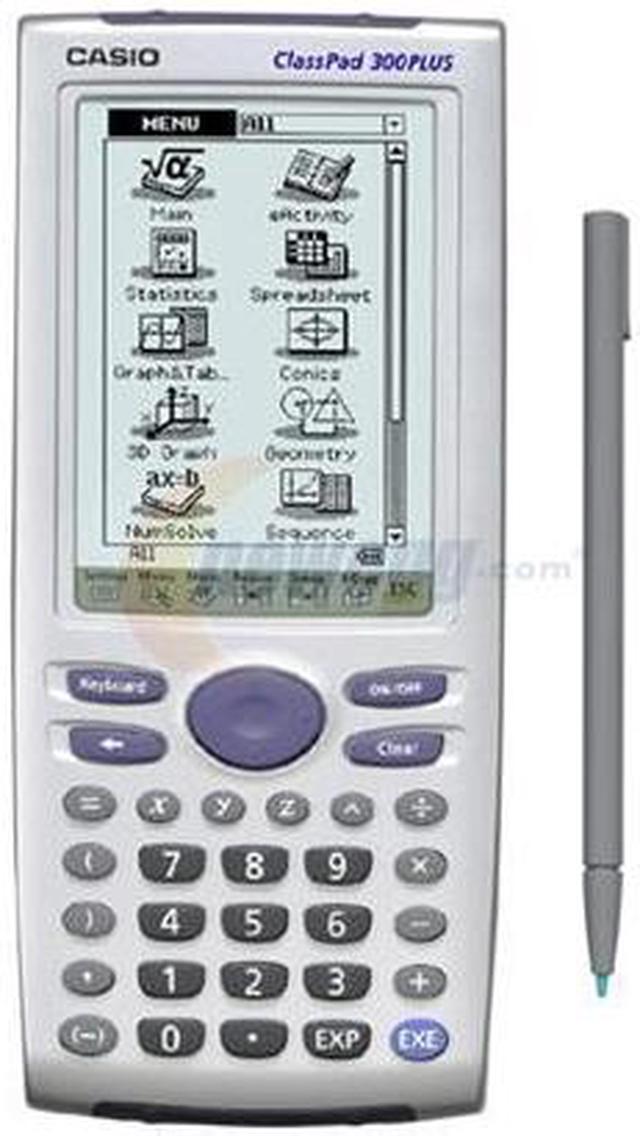
Casio has taken the graphing calculator one step further with the ClassPad300. With its built-in functions, this calculator is useful to anyone taking business, science or math classes. Its stand-out feature is the 160x240 pixel touch-screen display. You can use the stylus to quickly navigate through the menus. Possibly its greatest use is in working geometry problems; moving data on graphs or plots will update values or measurements automatically.
Sometimes we all need a helping hand. Verify-mode won’t provide the answers but will let you know if your equation simplifications are equivalent. This is highly useful as you push yourself and the ClassPad to the limit in your studies of algebra, statistics, geometry and calculus.
It comes with a unit-to-unit and USB cable for connecting to other ClassPads or to your home computer. The optional ClassPad Manager software lets you perform the functions of your ClassPad300 on your computer using the same screen layouts.
Sometimes we all need a helping hand. Verify-mode won’t provide the answers but will let you know if your equation simplifications are equivalent. This is highly useful as you push yourself and the ClassPad to the limit in your studies of algebra, statistics, geometry and calculus.
It comes with a unit-to-unit and USB cable for connecting to other ClassPads or to your home computer. The optional ClassPad Manager software lets you perform the functions of your ClassPad300 on your computer using the same screen layouts.
 Pen Touch OperationThe Casio ClassPad 300 with a stylus supports drag and drop within and between applications, copy and paste as well as other stylus-based operations, helping minimize key operations.
 Powerful FunctionalityThe Casio ClassPad 300 is packed with an impressive collection of applications that support eActivity, financial calculations, statistics and probability analysis and lots more.
 Extra-large Touch ScreenThe Casio ClassPad 300 features an extra-large 160 x 240 pixel touch screen for the ultimate convenience in pen-based operations such as 3D graphing, geometric figure drawing and more.
 Pen Touch OperationThe Casio ClassPad 300 with a stylus supports drag and drop within and between applications, copy and paste as well as other stylus-based operations, helping minimize key operations.
 Powerful FunctionalityThe Casio ClassPad 300 is packed with an impressive collection of applications that support eActivity, financial calculations, statistics and probability analysis and lots more.
 Extra-large Touch ScreenThe Casio ClassPad 300 features an extra-large 160 x 240 pixel touch screen for the ultimate convenience in pen-based operations such as 3D graphing, geometric figure drawing and more.
Warranty & Returns
Warranty, Returns, And Additional Information
Warranty
- Limited Warranty period (parts): 1 year
- Limited Warranty period (labor): 1 year
- Read full details
Return Policies
- Return for refund within: non-refundable
- Return for replacement within: non-replaceable
- Read full return policy for details.
Manufacturer Contact Info
- Manufacturer Product Page
- Manufacturer Website
- Support Phone: 800-435-7732
- Support Website
- View other products from CASIO
LOADING...