




 here!
here!
I’m your shopping assistant for PC builds, upgrades, and everything tech.
Got questions? Ask away!
Start a conversation
here!
I’m your shopping assistant for PC builds, upgrades, and everything tech.
Got questions? Ask away!
Start a conversation



Any questions? Ask CelesteSM will help you find out quickly.


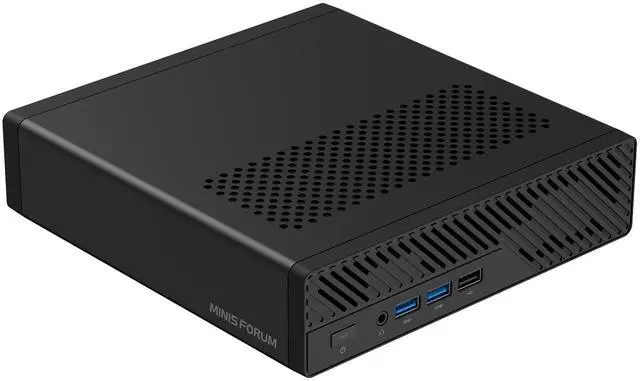
The MINISFORUM MS-A2 is a compact mini workstation built around the AMD Ryzen 9 9955HX, suited for professionals who need desktop-class CPU performance, fast networking, and flexible storage in a small footprint for CAD, content creation, virtualization, or edge office deployments.
| Attribute | Value |
|---|---|
| Best For | Compact mini workstation for professional multitasking, content creation, CAD and high-throughput network or NAS connectivity—combines a 16-core Ryzen 9 CPU, integrated Radeon 610M, DDR5 memory support and multiple high-speed storage and LAN ports |
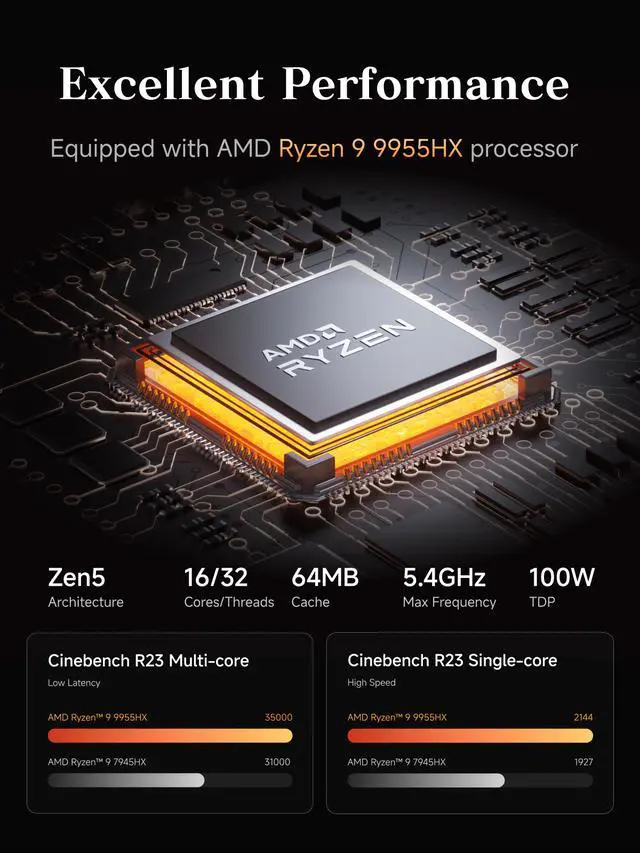
| Processor And Core Count | AMD Ryzen 9 9955HX — 16 cores / 32 threads, up to 5.4 GHz |
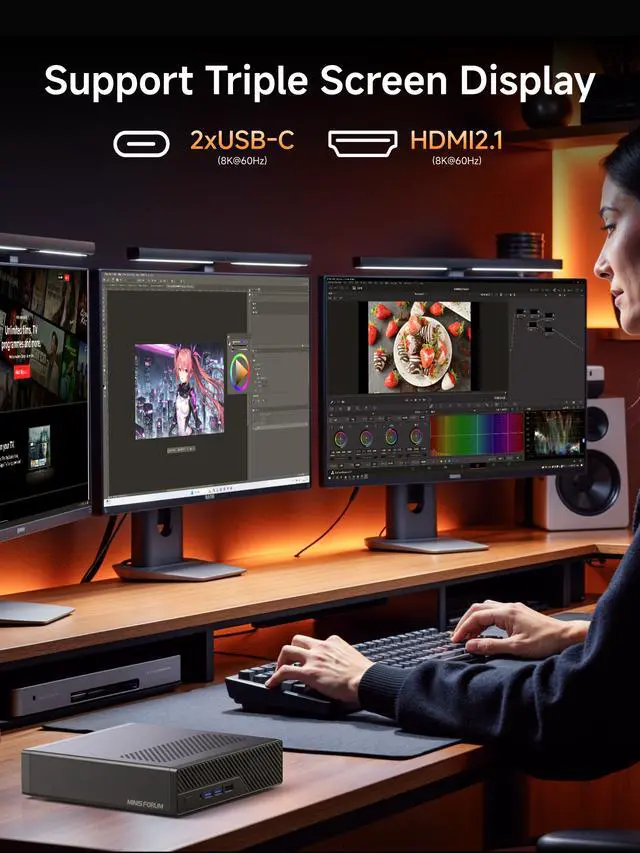
| Graphics And Display Outputs | Integrated AMD Radeon 610M graphics with 1x HDMI 2.1 output and 2x USB-C ports (USB3.2 Gen2 with DisplayPort Alt Mode) for multi‑monitor setups |
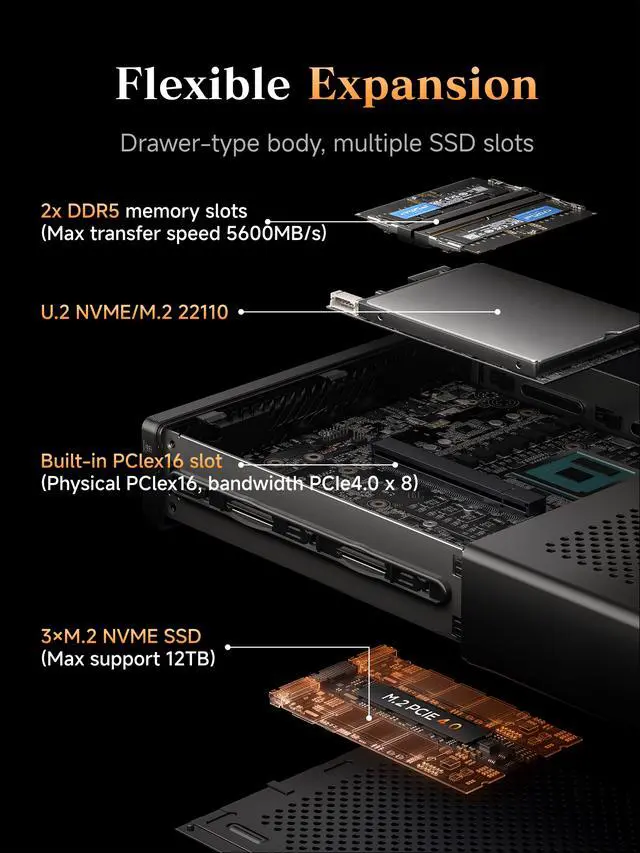
| Memory Configuration | 64GB installed; 2x SO‑DIMM slots (262‑pin) supporting DDR5‑5600 in dual‑channel, expandable up to 96GB |
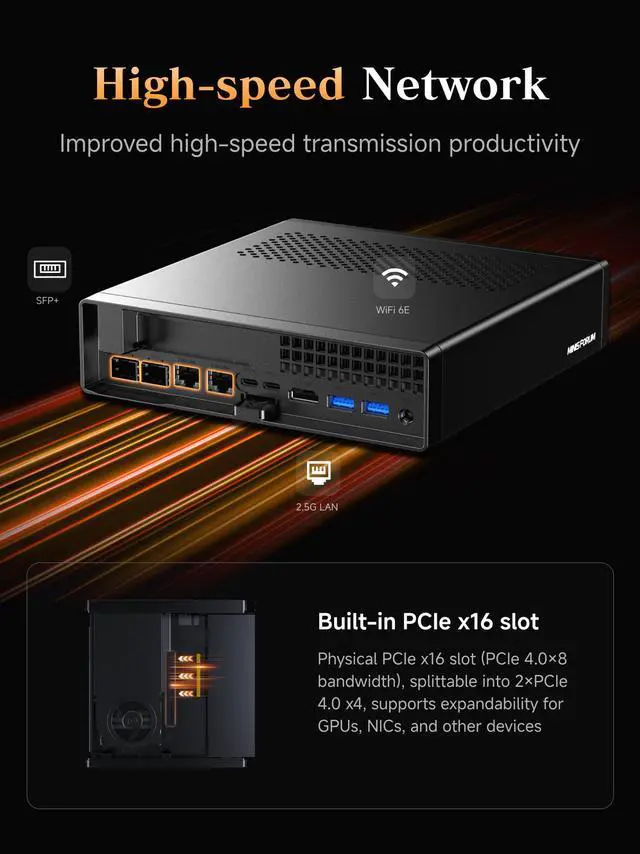
| Storage And Expansion | No storage preinstalled; primary M.2 2280/U.2 NVMe (PCIe4.0 x4, U.2 support up to 15 TB) plus two additional M.2 2280/22110 NVMe slots (up to 4 TB each, default PCIe3.0 x4, up to PCIe4.0 x4); one PCIe x16 slot (operates at PCIe4.0 x8, lane splitting supported) for add‑on cards |
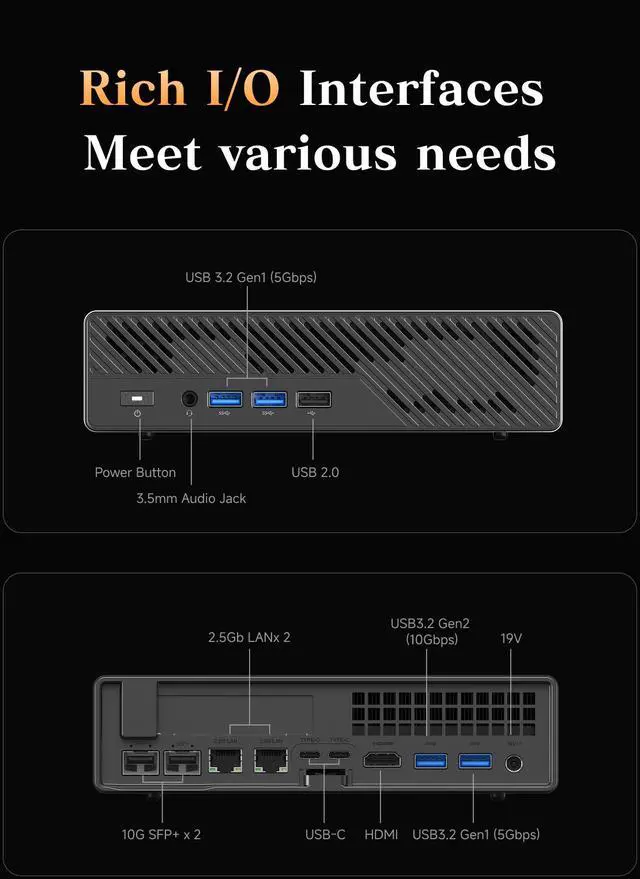
| High Speed I O | Front: 2x USB 3.2 Gen1 (5 Gbps), 1x USB 2.0 and 1x 3.5 mm combo jack; Rear: 1x USB 3.2 Gen2 (10 Gbps), 1x USB 3.2 Gen1 (5 Gbps) and 2x USB‑C (USB3.2 Gen2, 10 Gbps, DisplayPort Alt Mode) |
| Wired And Wireless Networking | Dual 10G SFP+ (Intel X710) plus two 2.5Gb RJ45 ports (Realtek RTL8125 and Intel I226‑V) with overall max LAN speed listed as 10Gbps; wireless: 802.11ax Wi‑Fi 6E and Bluetooth 5.2 |
| Power And Physical | 19V / 12.63A power supply; chassis measures 196 x 189 x 48 mm; weight 1.4 kg; color: Black |
| Packaging And Accessories | Includes the MS‑A2 mini workstation, US power adapter, power cord, HDMI cable, mounting screw set and user manual |
| Model Identifiers | MINISFORUM MS-A2-9955HX |
Q: Should I buy the MINISFORUM MS-A2 with Ryzen 9 9955HX or the MS-A2 with Ryzen 9 7945HX?
A: Choose the Ryzen 9 9955HX version if you want the newer Zen 5 platform, somewhat higher CPU performance, and DDR5-5600 support in the same chassis. Choose the 7945HX version if your workload is mostly virtualization, office work, or general homelab use and the lower-priced configuration is meaningfully cheaper. Both versions keep the same core layout, Radeon 610M graphics, storage expandability, and networking, so this is mainly a CPU-generation and value decision rather than a platform change.
Q: Is the MINISFORUM MS-A2 better than the MS-01 for a homelab or compact workstation?
A: Pick the MS-A2 if you want stronger AMD CPU performance, more modern AMD platform efficiency, and a system that is positioned around compute, storage, and high-speed networking in a very compact footprint. Pick the MS-01 if Intel-specific features, Thunderbolt-focused workflows, or an established MS-01 deployment matter more to you. Across reviews and community discussion, the MS-A2 is usually the better fit when CPU throughput and AMD-based expansion matter most, while the MS-01 remains relevant for users who prefer its Intel-oriented I/O mix and ecosystem familiarity.
Q: Should I choose the MINISFORUM MS-A2 or a Ryzen AI 9 HX 370 mini PC?
A: Choose the MS-A2 if your priority is CPU-heavy work, multi-drive storage, 10GbE-class networking, and workstation or homelab expansion. Choose a Ryzen AI 9 HX 370 mini PC if you care more about stronger integrated graphics, newer AI-oriented positioning, and a more portable all-in-one mini PC setup without the MS-A2's workstation-style I/O focus. In practice, the MS-A2 is the more infrastructure-oriented machine, while HX 370 systems make more sense for users who want better iGPU capability from the box.
Q: Is the MINISFORUM MS-A2 a good choice for gaming compared with gaming-focused mini PCs?
A: The MS-A2 is a better choice for compute, storage, and networking than for gaming on integrated graphics. Its Radeon 610M iGPU is suitable for display output and light graphics tasks, but gaming-focused mini PCs with stronger integrated GPUs are the more practical choice if gaming is your main use case. The MS-A2 makes more sense when you need workstation features first and only occasional light gaming second, or when you plan to add external or low-profile graphics as part of a broader build.
Q: Is the MS-A2 a good choice for office work, meetings, and heavy multitasking?
A: Yes for desk-based productivity and heavier professional workloads. The Ryzen 9 9955HX, dual-channel DDR5 support, and triple-display output make it suitable for office apps, video calls, large spreadsheets, coding, and multitasking. The main caveat is that this barebone listing does not include storage or an operating system, so it is better for buyers who are comfortable finishing the setup themselves.
Q: Does it come ready to use, or do I need to install parts and software first?
A: You should expect to do some setup before first use. This listing is a barebone-style configuration with no SSD and no operating system installed, so it is not plug-and-play like many consumer mini PCs sold with Windows and storage preloaded. It fits buyers who want control over the SSD, OS, and overall build, but it is a poor fit for anyone who wants a ready-to-run office PC out of the box.
Q: Can it run multiple monitors well for productivity work?
A: Yes. The MS-A2 is well suited to multi-monitor desk setups because it has one HDMI 2.1 port and two USB-C ports with DisplayPort Alt Mode, and the product information states support for three simultaneous 8K outputs. For productivity, trading, dashboards, coding, and content workflows, that is a strong practical advantage. The trade-off is that its integrated Radeon 610M graphics are fine for display output and everyday acceleration, but not ideal if your main goal is high-end 3D or gaming performance.
Q: Who is this mini PC best for, and who should skip it?
A: It is best for advanced users who want a very compact workstation or network-heavy mini server: developers, virtualization users, NAS or lab builders, and professionals who need multiple NVMe slots, dual 2.5GbE, and 10G SFP+ networking. Buyers who should skip it are those who want a lightweight travel device, strong gaming graphics, or an easy consumer setup with Windows and storage already installed.
Q: Is it worth buying as a travel work device?
A: Usually no. It is compact for a workstation, but it is still a mini desktop, not a laptop, and it needs external power, a monitor, and peripherals. It makes more sense as a portable fixed-location workstation that can be moved between offices or sites, rather than as a true travel computer for flights, meetings on the go, or note-taking.
Q: Who is the MINISFORUM MS-A2 best suited for?
A: The MS-A2 is best suited for users who need high CPU performance, fast local networking, and flexible storage in a very small system. Based on repeated Reddit and YouTube discussion, it fits homelab, Proxmox, development, compact workstation, and NAS-adjacent use better than gaming or graphics-heavy work. Its main strengths are the Ryzen 9 9955HX, dual 10G SFP+ plus dual 2.5GbE, and multiple NVMe/U.2 storage options.
Q: Is the MS-A2 a good choice for a homelab or Proxmox server?
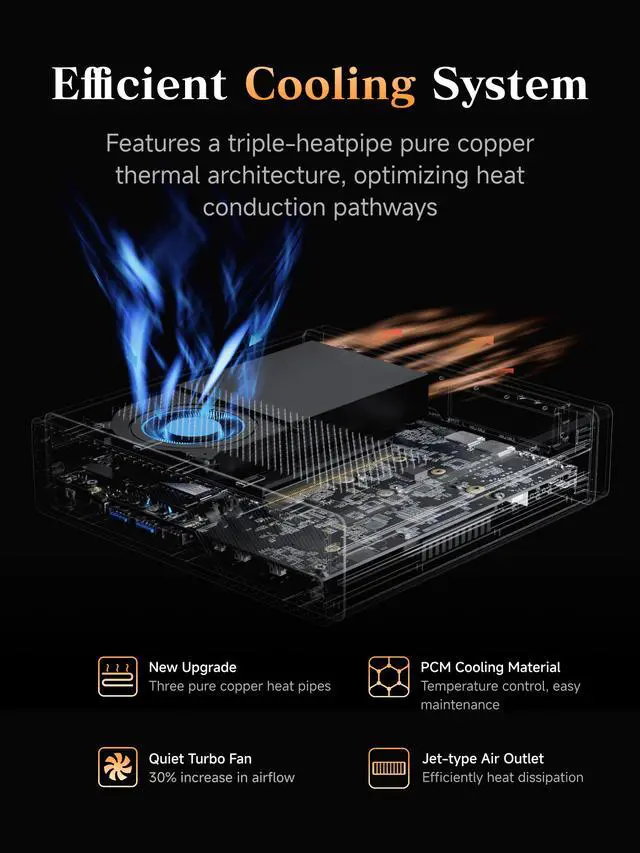
A: Yes, if your priority is a compact server with strong CPU performance and unusually rich networking. Community discussion repeatedly focuses on Proxmox, virtualization, storage expansion, and 10G connectivity. The trade-off is that it is a small high-power system, so thermals, fan noise under load, and component compatibility matter more than with larger server hardware.
Q: Can the MS-A2 replace a full-size workstation or daily development PC?
A: For CPU-heavy work, often yes. The 16-core Ryzen 9 9955HX, up to 96GB DDR5 support, triple-display output, and multiple NVMe slots make it viable for software development, office multitasking, and compact workstation use. It is a less complete replacement if you need strong GPU performance, very quiet sustained operation, or easier expansion than a mini PC can offer.
Q: What are the main trade-offs of buying the MS-A2?
A: The main trade-offs are graphics capability, acoustics under load, and mini-PC compatibility limits. The Radeon 610M integrated graphics is adequate for display output and basic visual workloads, but it is not the reason to buy this system. Repeated community discussion also raises noise, heat, RAM ceiling questions, and storage compatibility concerns such as U.2 setup. In short: it is strongest as a compact CPU-and-network box, not as a quiet or GPU-focused machine.
Q: Is the MS-A2 worth buying over a typical mini PC?
A: It is worth buying if you specifically want features that most mini PCs do not offer: dual 10G SFP+, dual 2.5GbE, very strong mobile Ryzen CPU performance, and more advanced storage options. It is less compelling if your needs are basic office work, media playback, or light desktop use, because cheaper mini PCs can handle those tasks with fewer trade-offs.


