• $48.13
  • $51.99
  • Save: $3.86 (7%)
  • Free 90-day Returns
  • Login to Make an Offer
    Sold by Newegg

    Shipped by Newegg

    Price alert

    Best Sellers

    Hot Seller
    4.5 (9,026 total ratings)
    • $40.97
    • + FREE SHIPPING
    Shop it at NeweggBusiness.

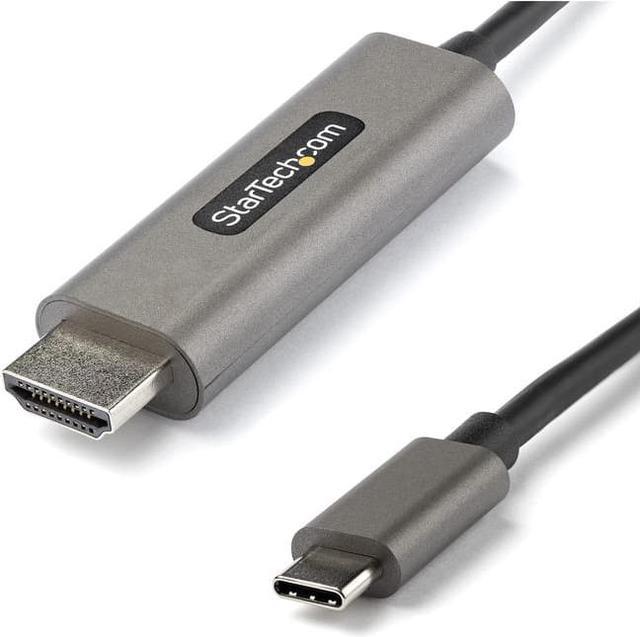
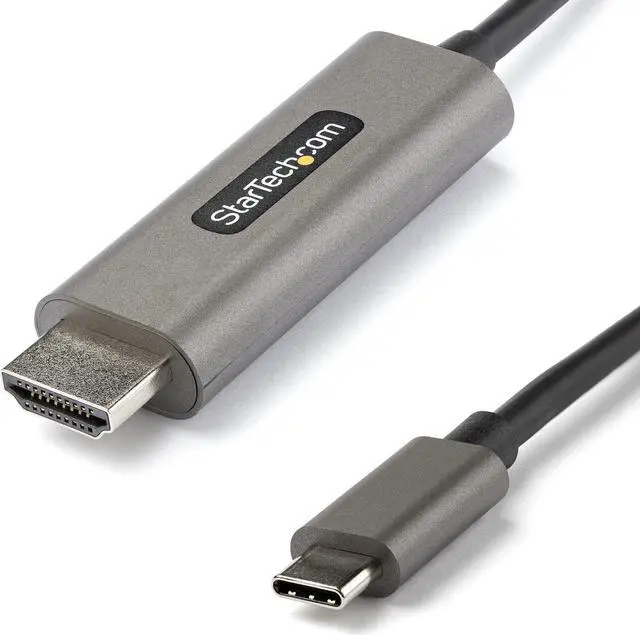
    StarTech.com 13ft (4m) USB C to HDMI Cable 4K 60Hz w/ HDR10 - Ultra HD USB Type-C to 4K HDMI 2.0b Video Adapter Cable - USB-C to HDMI HDR Monitor/Display Converter - DP 1.4 Alt Mode HBR3 (CDP2HDMM4MH

    • 13ft/4m USB-C to HDMI 2.0b adapter cable supports 4K 60Hz (3840 x 2160) HDR10
    • DisplayPort DP 1.4 Alt Mode HBR3
    • 7.1 Audio
    • HDCP 2.2/1.4
    • Compatible w/ 1080p
    • USB C to HDMI cable w/ HDR for high-contrast and lifelike color
    • Integrated video adapter cable prevents signal loss
    • USB Type C to HDMI cable works with USB-C or Thunderbolt 3 devices like Dell XPS/Lenovo ThinkPad/Surface/MacBook/HP
    • Tested w/ range of HDMI monitors/displays/TV/projectors
    • Supports Dolby Vision
    • OS independent
    +
    +
    Overview
    Specs
    Reviews
    See all Q & A

    Any questions? Ask CelesteSM will help you find out quickly.

    Warranty & Returns

    Warranty, Returns, And Additional Information

    Warranty

    • Limited Warranty period (parts): 3 years
    • Limited Warranty period (labor): 3 years
    • Read full details

    Return Policies

      We want to ensure your holiday shopping this year is hassle-free. That’s why we’re automatically extending our return policies on almost every product! For purchases placed between November 1st, 2026 and December 31, 2026 you will have until January 31, 2027 to return your product.

    • Return for refund until: January 31, 2027
    • Return for replacement until: January 31, 2027
    • This item is covered by Newegg.com's Extended Holiday Return Policy.
    • Read full return policy for details.
    LOADING...
    LOADING...

    The StarTech.com CDP2HDMM4MH is a 13.1 ft USB-C-to-HDMI cable for connecting compatible USB-C or Thunderbolt 3 devices with DisplayPort Alt Mode to an HDMI display, with support for 4K at 60Hz, HDR10, and 7.1-channel audio. It suits users who want a direct, longer-reach connection to a monitor, TV, or projector.

    Recommended For

    • Desk-based workers connecting a USB-C or Thunderbolt 3 laptop to a 4K HDMI monitor or TV, especially when the display is several feet away and a 4 m cable helps avoid an extra adapter.
    • Presenters and instructors who connect a compatible laptop directly to a room display or projector and need a longer cable for flexible placement.
    • Users who want a direct USB-C-to-HDMI connection for one external screen, with support for up to 4K at 60 Hz and HDR10 when the host and display support those features.
    • People who connect a compatible USB-C phone or tablet to an HDMI display for viewing or presenting, without needing a separate hub for that video connection.

    Real-World Use Scenarios

    • Connect a USB-C laptop to an HDMI monitor for a second screen at a home or office desk; use the extra display for documents, calls, or reference material while keeping the laptop screen available for other work. The laptop’s USB-C port must support video output.
    • Connect a USB-C or Thunderbolt laptop to an HDMI TV to show presentations or play video on a larger screen. The 4m cable can help when the laptop needs to sit farther from the TV; the host device must support USB-C video output.
    • Use a compatible laptop with an HDMI projector in a meeting room or classroom to display slides or other on-screen content. The direct cable connection avoids needing a separate USB-C-to-HDMI dongle, provided the laptop’s USB-C port supports video output.
    • Connect a compatible laptop to an HDMI display for HDR video or other HDR content. HDR10 output is available when the source device, content, display, and settings all support HDR; otherwise, the display uses the capabilities available in the setup.
    • Connect a USB-C laptop to an HDMI monitor or TV when its built-in HDMI port is already in use or unavailable. This provides another wired display connection, but whether it can extend the desktop or reach a particular resolution depends on the laptop’s video-output support and display settings.

    Spec Summary

    AttributeValue
    Best ForConnecting a USB-C or Thunderbolt 3 device to an HDMI display for 4K at 60 Hz, with HDR10 and 7.1-channel audio support
    Connection And CompatibilityUSB-C male to HDMI male; compatible with USB-C or Thunderbolt 3 host devices
    Video And Display SupportHDMI 2.0b supports 3840 × 2160 at 60 Hz, HDR10, HDCP 2.2/1.4, HBR3 bandwidth, and widescreen displays; backward compatible with 1080p. Supports RGB and YCbCr 4:4:4 at 8- or 10-bit
    Audio SupportHDMI audio supports 7.1 channels
    Cable And Connectors13.1 ft cable with two connectors: 24-pin USB-C with DisplayPort Alt Mode and 19-pin HDMI
    ColorSpace gray
    Environmental ConditionsOperating temperature: -20°C to 60°C; storage temperature: -20°C to 80°C; humidity: 0% to 85% RH, non-condensing
    Model IdentifiersStarTech.com CDP2HDMM4MH