• $172.99
  • Free 83-day Returns
  • Login to Make an Offer
    Sold by Newegg

    Shipped by Newegg

    Price alert

    Best Sellers

    Hot Seller
    4.5 (9,027 total ratings)
    • $173.96
    Shop it at NeweggBusiness.

    USB-C DOCKING STATION 10GBPS - DUAL OR TRIPLE MONITOR MST USB C DOCK 4K 60HZ (2X

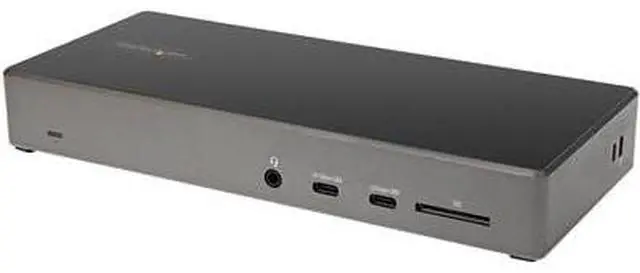
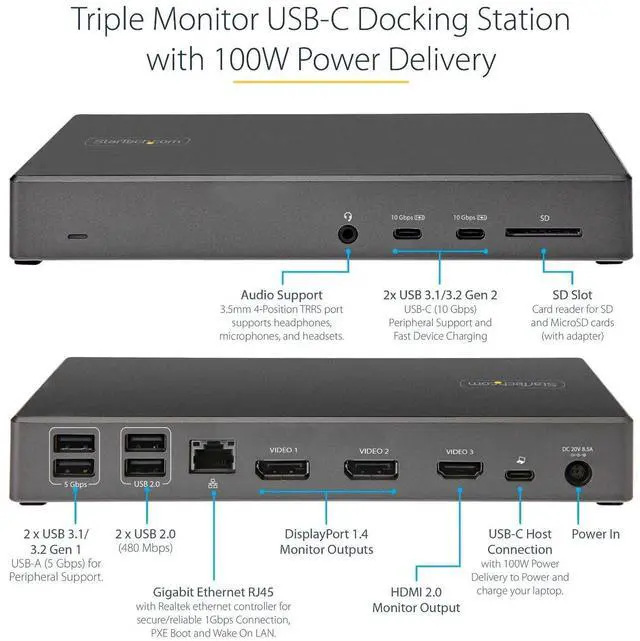
    • Triple Monitor Support: Enjoy up to three 4K video outputs with this USB-C docking station, including 2x DisplayPort 1.4 and 1x HDMI 2.0, providing stunning visuals for your work or entertainment.
    • 100W Power Delivery: Keep your USB-C/Thunderbolt 3 workstation laptops, Chromebooks, and ultrabooks charged with the 100W power delivery feature, ensuring your devices stay powered up during intensive usage.
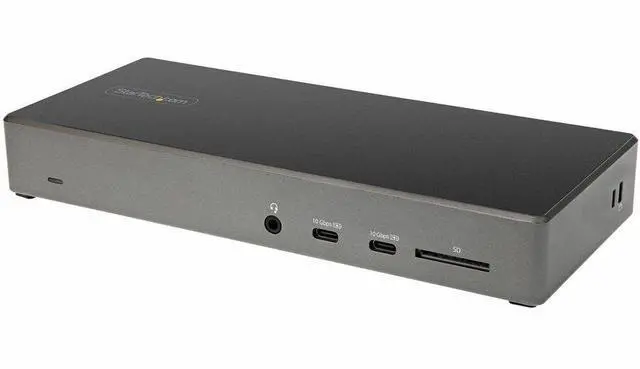
    • 6-Port USB Hub: Connect a variety of peripherals with the 6 downstream USB ports, offering 2x 10Gbps USB-C ports, 2x USB 3.0 ports, and 2x USB 2.0 ports, catering to all your connectivity needs.
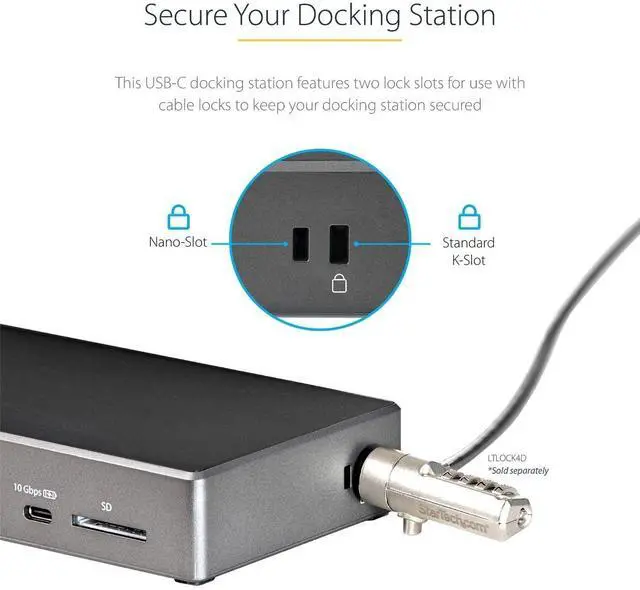
    • Deployment Ready: This universal docking station requires no driver setup, features 2x security lock k-slots for added security, an On/Off button for convenience, and a 3.3ft USB-C host cable for easy connectivity.
    • Connectivity Tools: Enhance performance and security with the StarTech....
    +
    +
    Overview
    Specs
    Reviews
    See all Q & A

    Any questions? Ask CelesteSM will help you find out quickly.

    USB-C DOCKING STATION 10GBPS - DUAL OR TRIPLE MONITOR MST USB C DOCK 4K 60HZ (2X)

    Upgrade your workspace with the StarTech.com USB-C Docking Station in sleek Black & Space Gray. This high-performance docking station is a game-changer for Windows and Chrome OS users offering an array of features to enhance your productivity and connectivity.

    • Triple Monitor Support: Enjoy up to three 4K video outputs with this USB-C docking station including 2x DisplayPort 1.4 and 1x HDMI 2.0 providing stunning visuals for your work or entertainment.
    • 100W Power Delivery: Keep your USB-C/Thunderbolt 3 workstation laptops Chromebooks and ultrabooks charged with the 100W power delivery feature ensuring your devices stay powered up during intensive usage.
    • 6-Port USB Hub: Connect a variety of peripherals with the 6 downstream USB ports offering 2x 10Gbps USB-C ports 2x USB 3.0 ports and 2x USB 2.0 ports catering to all your connectivity needs.
    • Deployment Ready: This universal docking station requires no driver setup features 2x security lock k-slots for added security an On/Off button for convenience and a 3.3ft USB-C host cable for easy connectivity.
    • Connectivity Tools: Enhance performance and security with the StarTech.com Connectivity Tools application included providing tools like MAC Address Changer USB Event Monitoring and Windows Layout & Wi-Fi Auto Switch utilities for seamless device management.
    Technical Details:
    • USB Type-C Docking Station
    • Triple 4K with DP 1.4 & HDMI 2.0
    • 100W Power Delivery
    • 6x Downstream USB Ports
    • Gigabit Ethernet & SD 4.0 Card Reader
    How to Install:

    Simply connect the USB-C docking station to your Windows or Chrome OS device using the provided 3.3ft USB-C host cable. No driver setup is required making it easy to deploy this powerful workstation enhancer.

    Frequently Asked Questions:
    • Q: Can this docking station support dual or triple monitor setups?
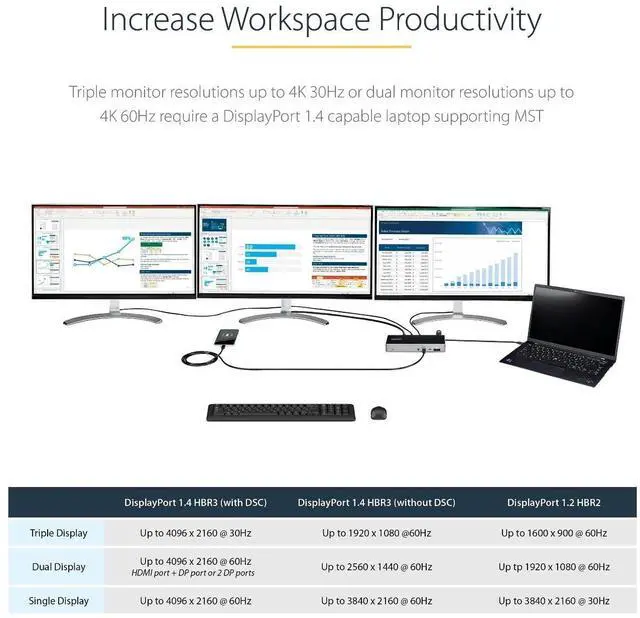
    • A: Yes this docking station can support dual 4K 60Hz or triple 4K 30Hz on DP 1.4 Alt-Mode HBR3 with DSC enabled laptops.
    • Q: What devices are compatible with the 100W power delivery feature?
    • A: Windows-based USB-C/Thunderbolt 3 workstation laptops Chromebooks ultrabooks including popular models like Lenovo X1 Carbon Dell Latitudes HP Spectre and more.
    • Q: Are there any additional security features included?
    • A: Yes the docking station comes with 2x security lock k-slots for Kensington-style laptop locks to ensure the safety of your devices.
    • Q: What tools are provided in the StarTech.com Connectivity Tools application?
    • A: The application offers tools like MAC Address Changer USB Event Monitoring Windows Layout & Wi-Fi Auto Switch utilities to enhance productivity and device management.

    Warranty & Returns

    Warranty, Returns, And Additional Information

    Return Policies

      We want to ensure your holiday shopping this year is hassle-free. That’s why we’re automatically extending our return policies on almost every product! For purchases placed between November 1st, 2026 and December 31, 2026 you will have until January 31, 2027 to return your product.

    • Return for refund until: January 31, 2027
    • Return for replacement until: January 31, 2027
    • This item is covered by Newegg.com's Extended Holiday Return Policy.
    • Read full return policy for details.

    Manufacturer Contact Info

    LOADING...
    LOADING...

    The StarTech.com DK31C2DHSPD is a USB-C docking station for compatible laptops, offering up to three 4K displays, 100W Power Delivery, and six USB ports—well suited to business and productivity users building a multi-monitor desk setup.

    Recommended For

    • Windows laptop users building a desk-based two- or three-monitor office setup can connect their displays, wired peripherals, Ethernet, and laptop power through one dock. Confirm the laptop supports USB-C DisplayPort Alt Mode and MST; triple 4K output also depends on the laptop’s video capabilities.
    • Work-from-home users who regularly connect multiple USB accessories, such as keyboards, mice, storage, and headsets, can use the dock to keep those peripherals and up to three displays connected at a workstation.
    • Windows laptop users who want a single-cable desk connection and laptop charging can use the dock’s 100W Power Delivery, provided their laptop supports USB-C charging.
    • IT teams equipping Windows or ChromeOS workstations can use the dock for multi-monitor desks with several connected peripherals; its lock slots and driverless setup are suited to managed deployments.

    Real-World Use Scenarios

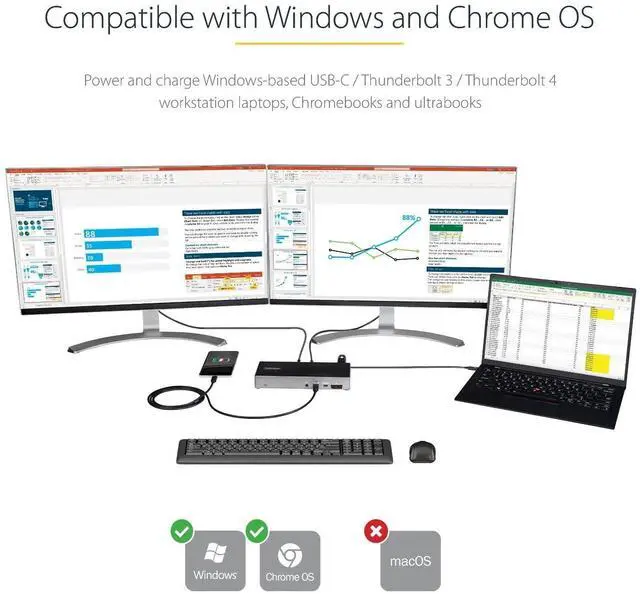
    • At a fixed desk, connect a compatible Windows or ChromeOS laptop to two monitors, a keyboard, a mouse, and other USB accessories; one dock connection can bring the workstation together and charge the laptop.
    • For office work across two 4K monitors—such as keeping documents on one screen and email or a video meeting on the other—the dock supports up to 4K at 60Hz on both displays when the laptop supports the required video mode.
    • For a three-screen productivity desk, use the extra display for dashboards, reference material, or other mostly static content; triple 4K output is listed at up to 30Hz, so scrolling and cursor movement may feel less smooth than at 60Hz.
    • When moving between a desk and a meeting room or home workspace, unplug the laptop’s USB-C connection and reconnect it later to restore access to attached displays, USB devices, and wired network access.
    • For a laptop with limited ports, connect USB accessories such as a keyboard, mouse, and external storage at the desk; the dock’s mix of USB ports lets those devices stay connected when the laptop is unplugged.

    Spec Summary

    AttributeValue
    Best ForUSB-C laptop setups that need multi-display connectivity, peripheral expansion, and power delivery
    Ports And Connectivity14 ports total, including 6 USB ports and 1 HDMI port; the listed configuration includes 2 DisplayPort outputs and 1 HDMI output, with HDMI, USB, USB 2.0, USB-C, and DisplayPort interfaces
    Data Transfer2 Gbps data transfer rate
    Power100 W power delivery
    Compatibility And System RequirementsMinimum operating system versions: Windows 10, Windows 11, and Chrome OS 137; listed compatible devices include HP Spectre, Elite Dragonfly, EliteBook, Envy, and Envy x360 models
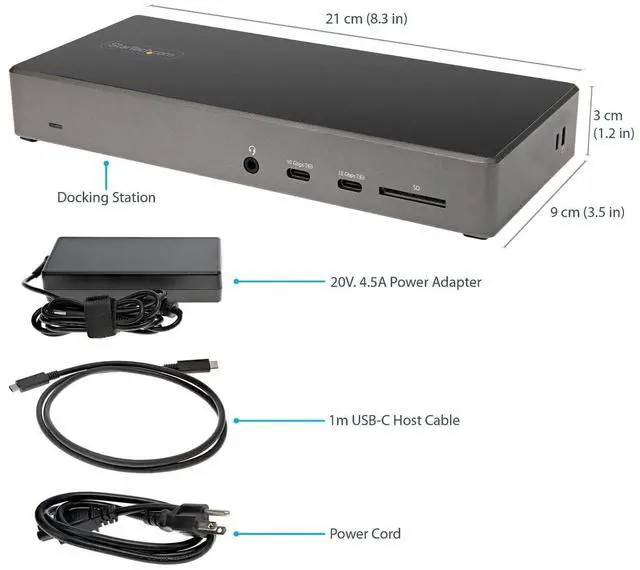
    Physical Design And CableBlack and space gray; 8.3 × 3.5 × 1.2 in; weighs 0.66 lb; 3.3 ft cable
    Model IdentifiersStarTech.com model DK31C2DHSPD

    Reference Q&A

    Q: How does the StarTech DK31C2DHSPD compare with the 199N-USBC-DOCK for three 4K monitors?

    A: Choose the DK31C2DHSPD when you want three 4K displays at up to 60Hz. The 199N-USBC-DOCK supports three 4K displays with two at up to 60Hz and the third at up to 30Hz. Both provide 100W laptop charging and six USB ports.

    Q: Should I choose this dock or the StarTech 201N-USBC-DOCK for a dual-monitor setup?

    A: For a setup that may use three monitors, the DK31C2DHSPD provides two DisplayPort outputs and one HDMI output, along with six USB ports and up to 100W laptop charging. The 201N-USBC-DOCK is designed for two DisplayPort monitors and also provides six USB ports and up to 100W charging.

    Q: How does this USB-C dock compare with StarTech’s 155NA-USB4-DOCK?

    A: Choose the DK31C2DHSPD for a three-display setup with two DisplayPort connections and one HDMI connection, supporting up to three 4K 60Hz displays. The 155NA-USB4-DOCK is aimed at USB4 or Thunderbolt 4 hosts and supports two HDMI displays, including dual 4K at up to 120Hz in its specified 4:2:2 mode, or one 8K display at up to 60Hz in 4:2:2 mode.